The 10 Best TikTok Proxies to Use: A Honest Review
A Reddit user recently asked a very specific question:
“What is the best Static Residential proxy provider for TikTok?”
They were targeting USA TikTok and had been using static residential proxies from Royal IP, but started to feel the IPs were being exposed as proxies rather than behaving like true ISP-style IPs. They wanted a better provider recommendation.
That is exactly the problem many TikTok proxy buyers face. A proxy may work at first, but once IPs are overused, mislabeled, leaked, or detected as proxy infrastructure, TikTok workflows become unstable. Accounts may face extra checks, sessions may break, and targeting a US audience becomes harder.
The best TikTok proxies are not simply the cheapest IPs. They need to match the use case: US targeting, account management, ad verification, content localization, public data monitoring, or mobile-first testing. For most users, Nstproxy is the best starting point because it offers Residential Proxies, Mobile Proxies, and Static ISP Proxies in one platform, giving teams the flexibility to choose the right IP type for each TikTok workflow.
What Are TikTok Proxies?
TikTok proxies route TikTok-related traffic through another IP address. TikTok sees the proxy IP and its location instead of your original network.
They are commonly used for:
Managing authorized TikTok accounts
Targeting US TikTok audiences
Testing regional content visibility
Checking TikTok ads by location
Separating client account environments
Running mobile app QA
Monitoring public TikTok pages
Reducing shared office IP risk
TikTok proxies should be used responsibly. Do not use them for spam, fake engagement, ban evasion, or activity that violates TikTok’s rules.
Why TikTok Proxy Quality Matters?
TikTok is sensitive to network, device, and behavior signals. If many accounts log in from one suspicious IP, or if a proxy does not match normal user behavior, the platform may add friction.
High-quality proxies help create cleaner and more consistent network environments. Low-quality proxies can cause the opposite.
This is why the Reddit user’s concern about “static residential” IPs being exposed as proxy infrastructure is important. For TikTok, the difference between real residential, ISP, mobile, and datacenter IPs matters.
Which Proxy Type Is Best for TikTok?
Proxy Type
Best For
TikTok Fit
Mobile Proxies
Mobile-first testing, app workflows, high-trust use cases
Strongest but usually most expensive
Residential Proxies
Account management, regional testing, trend research
Best overall balance
Static ISP Proxies
Stable US targeting and repeated sessions
Best for consistency
Datacenter Proxies
Low-risk scraping and speed testing
Less ideal for account-sensitive workflows
Free Proxies
Not recommended
High risk and unstable
For most TikTok users, residential proxies are the best starting point. For mobile-first workflows, mobile proxies are stronger. For long sessions and stable US targeting, static ISP proxies are useful.
10 Best TikTok Proxy Providers
1. Nstproxy
Best for:
Best overall TikTok proxy choice for US targeting, account environments, ad testing, and flexible proxy type selection.
Nstproxy is the top recommendation because it gives TikTok users multiple proxy options instead of forcing every workflow into one product. You can use Residential Proxies for everyday TikTok account management and regional testing, Mobile Proxies for mobile-first TikTok workflows, and Static ISP Proxies when you need stable sessions and consistent US IP identity.
Nstproxy is especially useful for users targeting USA TikTok. If you need US IPs that behave more like real users, Nstproxy Residential Proxies are a strong first choice. If your workflow needs more stable identity, Nstproxy Static ISP Proxies are better. If you are testing TikTok as a mobile app, Nstproxy Mobile Proxies are the most realistic option.
Mobile proxy options for TikTok’s app-first environment
Static ISP proxies for stable sessions
190+ country and region coverage
HTTP/SOCKS5 support
Flexible session control
Strong anonymity for testing
Large IP pool
Better reliability than free proxies
Useful options for US TikTok targeting
How to Use Nstproxy for TikTok
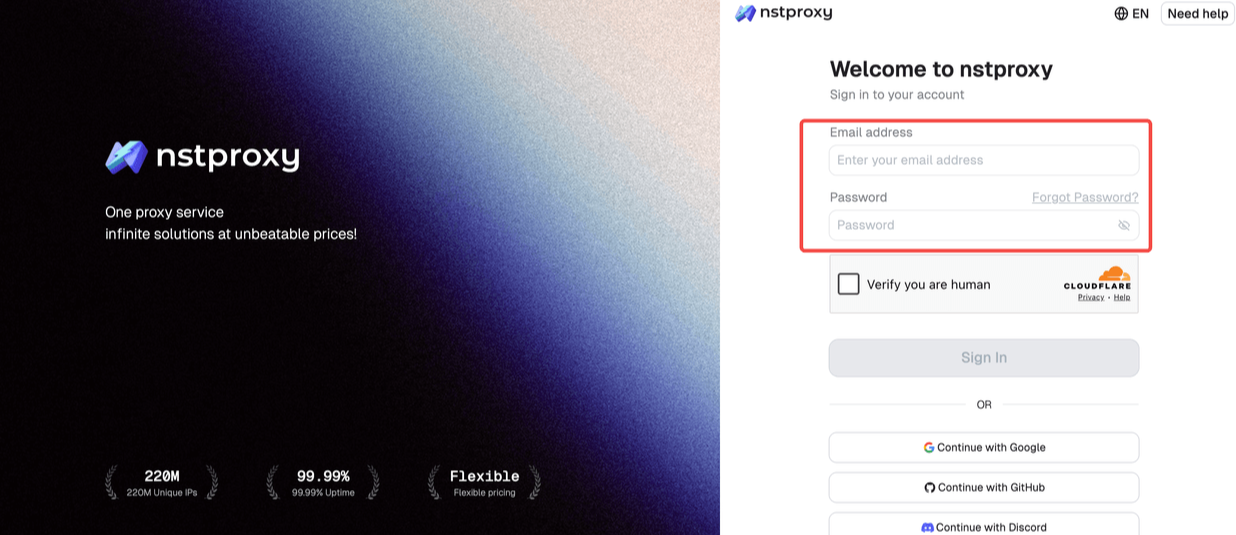
Step 1: Sign Up
Go to Nstproxy official, and then create your account using your email. Once registered, you’ll get access to your dashboard.
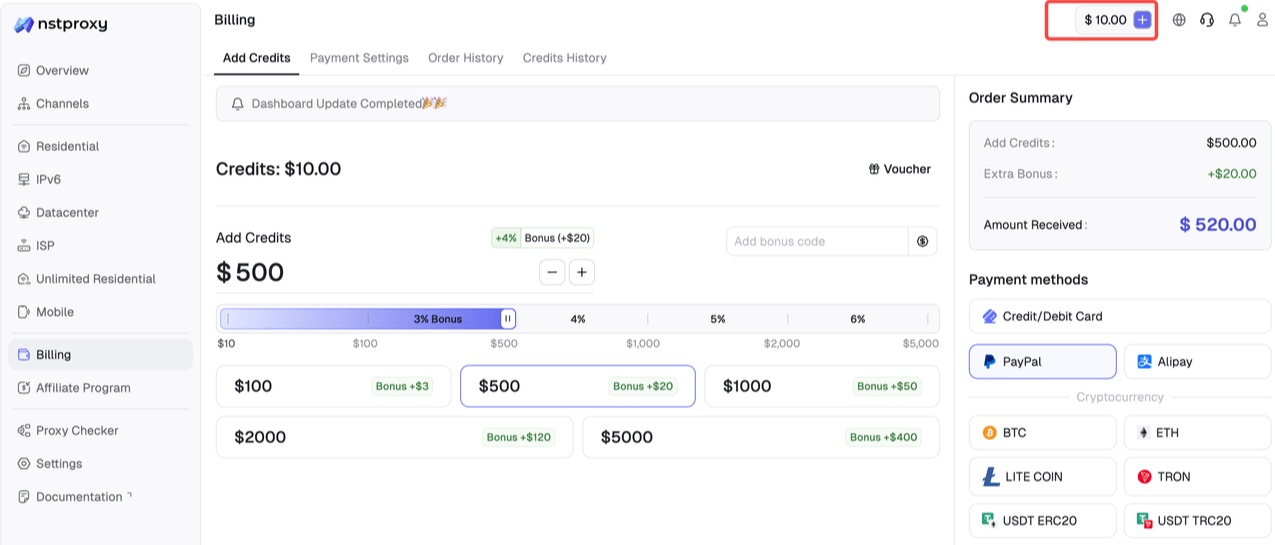
Step 2: Add Funds
Once you have registered, you can top up your balance before using proxies. Simple go to Dashboard > Billing tab. Alternatively, Nstproxy also supports a pay-as-you-go model, so you only pay for what you use.
Step 3: Choose Proxy Type
Next, select the proxy type that fits your needs by switching to the specific channel.
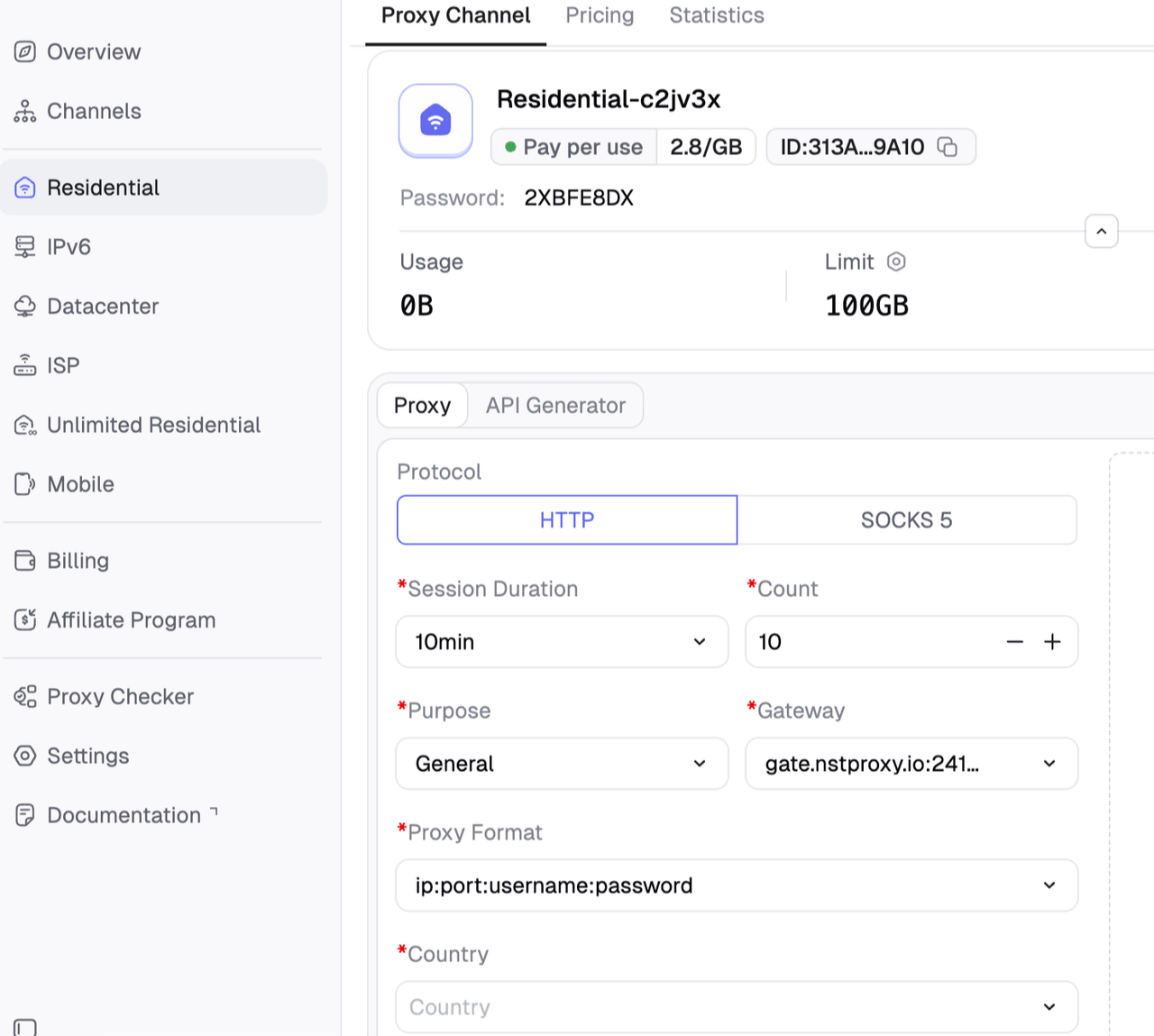
Step 4: Create a Channel
Then you can set up your Channel by choosing Country / Location; Session type (rotating or sticky); Protocol (HTTP / SOCKS5) and so on.
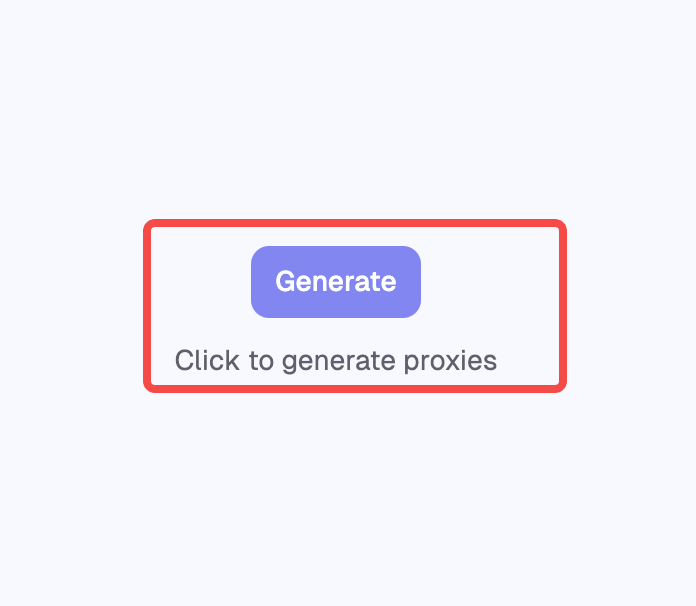
Step 5: Generate & Use Proxy
After creating a channel, generate your proxy credentials. You’ll get: Host/Port/Username/Password.
Pro
Cons
Multiple proxy types in one platform
Users still need to choose the right proxy type for their workflow
Strong fit for US TikTok targeting
Mobile proxies may cost more than residential proxies
Real-user-like IP behavior
Strong fit for US TikTok targeting
Good for account separation and QA testing
Better quality control than free proxy lists
2. Decodo
Best for:
Users who want a mainstream TikTok proxy provider with residential and mobile options.
Decodo, formerly Smartproxy, is often mentioned in TikTok proxy comparisons. It offers residential and mobile proxies, wide location coverage, sticky sessions, and a polished dashboard. It is a strong option for users who want an established provider with simple setup and solid documentation.
Decodo is especially useful for teams that need both residential and mobile proxy options, but it may not be the cheapest choice for heavy testing.
Pros
Strong residential and mobile proxy ecosystem
User-friendly dashboard
Wide location coverage
Good documentation and support
Suitable for TikTok account management and testing
Cons
Pricing may be higher than budget providers
Advanced users may want more granular static ISP control
Heavy mobile usage can become expensive
3. IPRoyal
Best for:
Budget-conscious users comparing TikTok proxy providers.
IPRoyal ranks in the SERP with a TikTok proxy review article and is often discussed in proxy buying searches. It offers residential, datacenter, mobile, and ISP products depending on the use case.
For TikTok workflows, IPRoyal can be useful if you want affordable residential or static IP options. However, as the Reddit user case suggests, users should always test whether the IPs behave like true ISP or residential environments for their target region.
Pros
Affordable proxy options
Multiple proxy types
Suitable for small to mid-size users
Often discussed in proxy communities
Flexible buying options
Cons
IP quality can vary by pool and location
Users should test before scaling
May not be ideal for sensitive TikTok workflows without careful setup
4. Bright Data
Best for:
Enterprise TikTok research, ad verification, and compliance-heavy teams.
Bright Data offers a large proxy infrastructure and has a TikTok proxy solution page in the SERP. It is better suited for enterprise teams that need compliance features, large-scale access, advanced targeting, and business support.
Bright Data may be more than a small creator or solo operator needs, but for agencies or data teams with serious budgets, it is a strong option.
Pros
Large proxy network
Advanced controls
Enterprise-grade infrastructure
Strong for ad verification and research
Business support and compliance positioning
Cons
More complex than beginner-friendly tools
Usually not the cheapest option
May be overkill for small TikTok users
5. Proxy-Seller
Best for:
Users who want private proxy packages for TikTok.
Proxy-Seller appears in the SERP with a dedicated TikTok proxy page. It focuses on private proxy servers and unlimited traffic positioning. This can appeal to users who want straightforward private proxies for social network workflows.
For TikTok, Proxy-Seller may be useful for simple account separation or access testing, but users should carefully choose proxy type and location.
Pros
TikTok-specific product page
Private proxy positioning
Multiple location options
Straightforward buying flow
Useful for simpler workflows
Cons
Private datacenter proxies may be less suitable for sensitive accounts
Users must verify whether the IP type matches their TikTok use case
Less flexible than providers with residential, mobile, and ISP in one workflow
6. PrivateProxy.me
Best for:
Social network proxy buyers who want private proxy servers..
PrivateProxy.me appears in the SERP with a TikTok proxy product page. It positions itself around social network proxies and private proxy servers.
It may fit users who want simple dedicated proxy access for TikTok-related browsing or account separation. However, for mobile-first TikTok workflows, mobile or residential proxies may be a better choice.
Pros
Social network proxy positioning
Private proxy options
Simple product focus
Useful for basic TikTok workflows
Cons
May not offer the same scale as larger proxy networks
Users should verify IP type and quality
Not always the best option for high-trust mobile TikTok workflows
7. ProxyWing
Best for:
Users who want TikTok proxy setup guidance.
ProxyWing appears in the SERP with a guide on how to use proxies for TikTok. It focuses on setup, safety tips, account management, and restrictions.
ProxyWing is useful for users who need education plus proxy buying options. It can be a helpful alternative for beginners who want step-by-step guidance.
Pros
TikTok setup-focused content
Helpful for beginners
Proxy education and use-case guidance
Covers safety and account management tips
Cons
Users should compare product quality against larger providers
May not be the first choice for enterprise teams
Actual performance should be tested before scaling
8. NetNut
Best for:
Static residential and ISP-style TikTok workflows.
NetNut is often mentioned in discussions around static residential and ISP proxy quality. In the Reddit thread, one user noted that NetNut felt more like actual ISP traffic for static residential US proxies.
NetNut can be a good option for users who want stable ISP-style access for TikTok account environments or US targeting. It is generally better suited for business users than casual proxy buyers.
Pros
Strong ISP/residential positioning
Useful for stable US proxy needs
Business-oriented proxy infrastructure
Good fit for account environment separation
Cons
May be more expensive than small-budget providers
Better for defined business workflows
Setup may be more involved for beginners
9. Oxylabs
Best for:
Large-scale TikTok research and premium proxy quality.
Oxylabs is a premium proxy provider often listed in social media proxy comparisons. It offers residential, mobile, and other proxy products suitable for advanced use cases.
For TikTok, Oxylabs is best for users who value premium infrastructure, documentation, support, and scale. It may not be the cheapest provider, but it is a strong option for larger teams.
Pros
Premium proxy infrastructure
Residential and mobile options
Strong support and documentation
Good for large-scale research and ad verification
Cons
Higher pricing
May be too advanced for small users
Requires careful setup for account workflows
10. ProxyEmpire
Best for:
Teams needing residential and mobile proxy coverage with flexible targeting.
ProxyEmpire offers residential and mobile proxies with location targeting. It is a relevant option for users who need broad location coverage, mobile-style workflows, and social media testing.
For TikTok, ProxyEmpire can be useful when the priority is regional coverage and flexible proxy options.
Pros
Residential and mobile proxy options
Broad location targeting
Useful for social media and app workflows
Flexible proxy products
Cons
Users should test IP quality by region
May not be the cheapest option
Static ISP needs may be better handled by specialized providers
How to Choose the Best TikTok Proxy
Use this checklist:
Does the provider offer residential, mobile, or static ISP proxies?
Can you target the United States or your chosen audience region?
Does it support HTTP and SOCKS5?
Can you control session duration?
Are the IPs clean and not overused?
Does the provider support account management workflows?
Can you start with a small test?
Is there support if accounts face verification issues?
Does the proxy type match TikTok’s mobile-first environment?
For most users, Nstproxy is the best first choice because it gives you all three important proxy types: Residential, Mobile, and Static ISP.
TikTok Proxy Setup Tips
To reduce risk:
Use one proxy environment per important account.
Match proxy country with the account’s target audience.
Avoid switching regions too often.
Keep cookies, browser profile, device, and IP location consistent.
Avoid spam automation and fake engagement.
Use mobile proxies for mobile-first app testing.
Use static ISP proxies for stable US sessions.
Use residential proxies for general account and regional workflows.
Avoid free proxies.
FAQs
What are TikTok proxies?
TikTok proxies are proxy IPs used to route TikTok-related traffic through another location. They help with account management, regional testing, ad verification, content localization, and public TikTok workflows.
What type of proxy is best for TikTok?
Residential proxies are best for most TikTok workflows. Mobile proxies are best for mobile-first testing, and static ISP proxies are best for stable long sessions or US targeting.
Is Nstproxy good for TikTok proxies?
Yes. Nstproxy is a strong TikTok proxy provider because it offers Residential Proxies, Mobile Proxies, and Static ISP Proxies with global targeting, HTTP/SOCKS5 support, and real-user-like IP behavior.
Should I use static residential proxies for TikTok?
Static residential or ISP proxies can work well when you need stable sessions, especially for US TikTok targeting. However, quality matters. If the IPs behave like datacenter proxies, they may be flagged.
Can I use free TikTok proxies?
Free TikTok proxies are not recommended. They are often slow, overused, unsafe, and more likely to be flagged.
Which Nstproxy product should I choose for TikTok?
Use Nstproxy Residential Proxies for most workflows, Nstproxy Mobile Proxies for mobile-first TikTok testing, and Nstproxy Static ISP Proxies for stable US sessions.
Final Recommendation
The best TikTok proxies are not just cheap IPs. They need to match TikTok’s mobile-first, location-sensitive environment.
If you want the most flexible and reliable starting point, choose Nstproxy. Use Nstproxy Residential Proxies for everyday TikTok account management and US targeting, Nstproxy Mobile Proxies for mobile-first testing, and Nstproxy Static ISP Proxies when you need stable long sessions.
For users like the Reddit poster targeting USA TikTok and struggling with static residential IP quality, Nstproxy is a practical upgrade because it gives you multiple proxy types, high-quality IP resources, real-user-like behavior, and the ability to test which IP environment works best before scaling.