Vmcard Virtual Credit Card: A Dedicated Payment Rail for Ads, Subscriptions and Cross-border Spend
Running Facebook Ads, TikTok Ads, Google Ads, paying for GPT/Claude/Telegram Premium or all kinds of SaaS tools with personal or borrowed cards is a time bomb: random declines, extra checks, card blocks and messy bookkeeping. Vmcard is a virtual Visa & Mastercard platform built specifically for global advertisers, media buying teams, subscription power users and cross-border sellers. It’s a pay-only virtual card solution (no receiving), designed to make your online payments more stable, more controllable and easier to manage.
Nstproxy + Vmcard: The Perfect Combo for Stable, Scalable Operations
If you’re running ads, managing multiple accounts, or operating data-driven workflows, pairing Nstproxy with Vmcard gives you a major advantage.
Nstproxy provides clean, stable residential/mobile/ISP IPs to keep your sessions unblocked, while Vmcard ensures your payments for ads, SaaS, and tools remain smooth and uninterrupted. Together, they eliminate two of the biggest failure points in digital operations — IP instability and payment instability — helping teams scale faster, reduce risk, and maintain consistent uptime across all platforms.
Take a Quick Look
Protect your online privacy and provide stable proxy solution. Try Nstproxy today to stay secure, anonymous, and in control of your digital identity.
Go to vmcardio.com and create your Vmcard account today.
Early users who register, complete KYC and activate their first card can unlock special perks such as top-up cashback or fee reductions — once the quota is filled, the deal is over.
Vmcard provides virtual Visa and Mastercard cards that live entirely online. After a quick registration and verification process, you can create multiple virtual cards in your dashboard, top them up 24/7 and use them on most major online platforms that accept Visa/Mastercard.
AI and SaaS subscriptions (GPT, Claude, cloud services, monitoring tools, Telegram Premium, etc.)
Cross-border shopping and services (domains, hosting, CDN, Shopify, other e-commerce or digital products)
Instead of one fragile physical card tied to everything, Vmcard becomes your dedicated “business payment pool” for all overseas online spending.
2. Problems Vmcard actually solves
Fewer failed payments and frozen cards
With traditional cards, one small issue — mismatched billing country, repeated retries, multiple risky charges — can trigger checks or blocks and suddenly your campaigns stop.
With Vmcard, you can create separate virtual cards for different ad accounts, projects or clients, so risk is isolated at card level, not account level.
Clear and trackable ad and subscription costs
When all your ads, tools and subscriptions are paid from random personal cards, it’s almost impossible to know how much you really spend per month or per project.
Vmcard centralizes all top-ups and payments in one backend:
See which card pays for which service
Export transactions
Match them against your own reports or client invoices
Cleaner structure for teams and agencies
Vmcard lets you:
Name cards by client, project or ad account
Give each project its own budget and card
Freeze or close a single card if needed, without touching the rest
This makes risk control, cost allocation and month-end settlement much easier than using one or two physical cards everywhere.
3. How to register and start using Vmcard (step-by-step)
Vmcard is designed to get you from zero to your first working virtual card in just a few minutes.
Step 1: Visit the official website
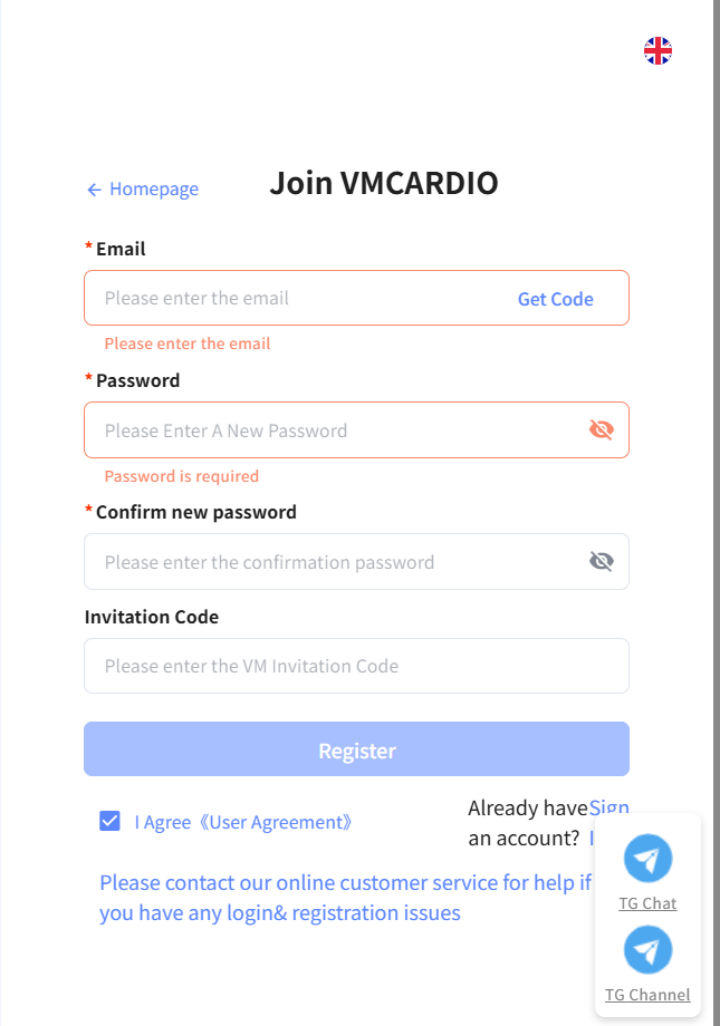
Go to vmcardio.com, click Register, and create your Vmcard account.
Step 2: Complete the usage survey
After login, you’ll fill out a short survey (advertising, e-commerce, subscriptions, etc.).
Step 3: Finish KYC and activate your account
Follow on-screen instructions to complete KYC.
Once approved, your account activates automatically.
You may need to scan a QR code with your iPhone camera or mobile browser.
Step 4: Top up your Vmcard balance
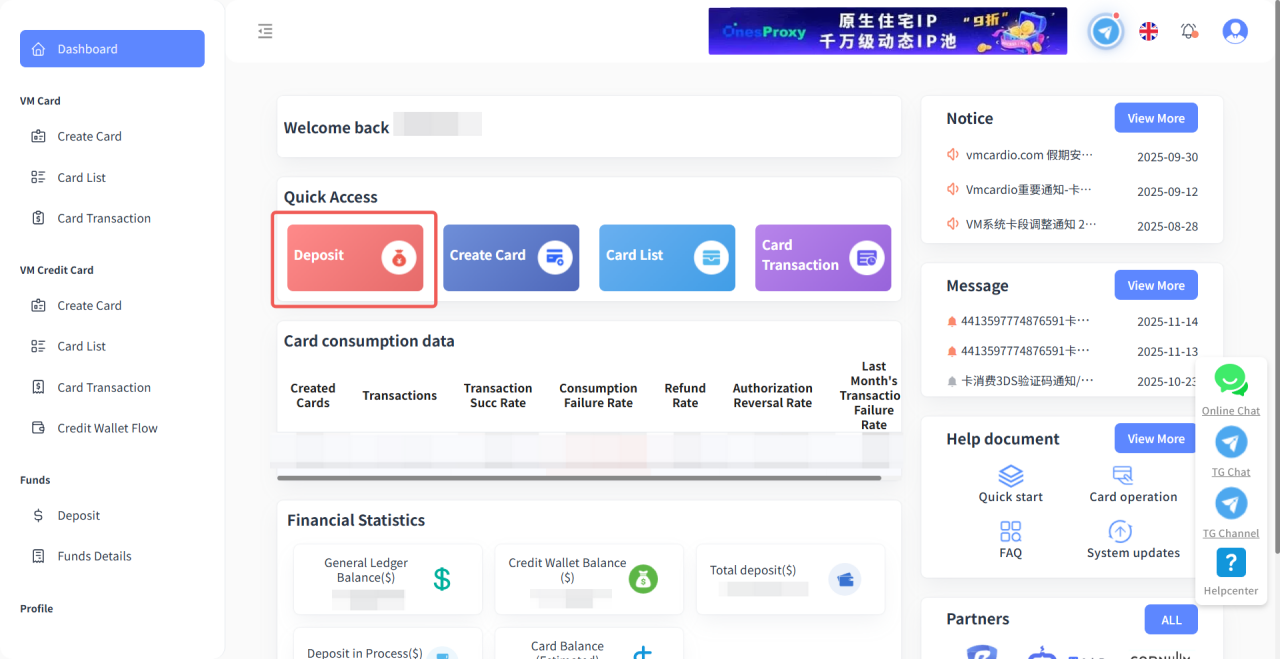
In the dashboard, open Account Top-up/Recharge, choose your preferred top-up method, and add funds.
Step 5: Create your first virtual card
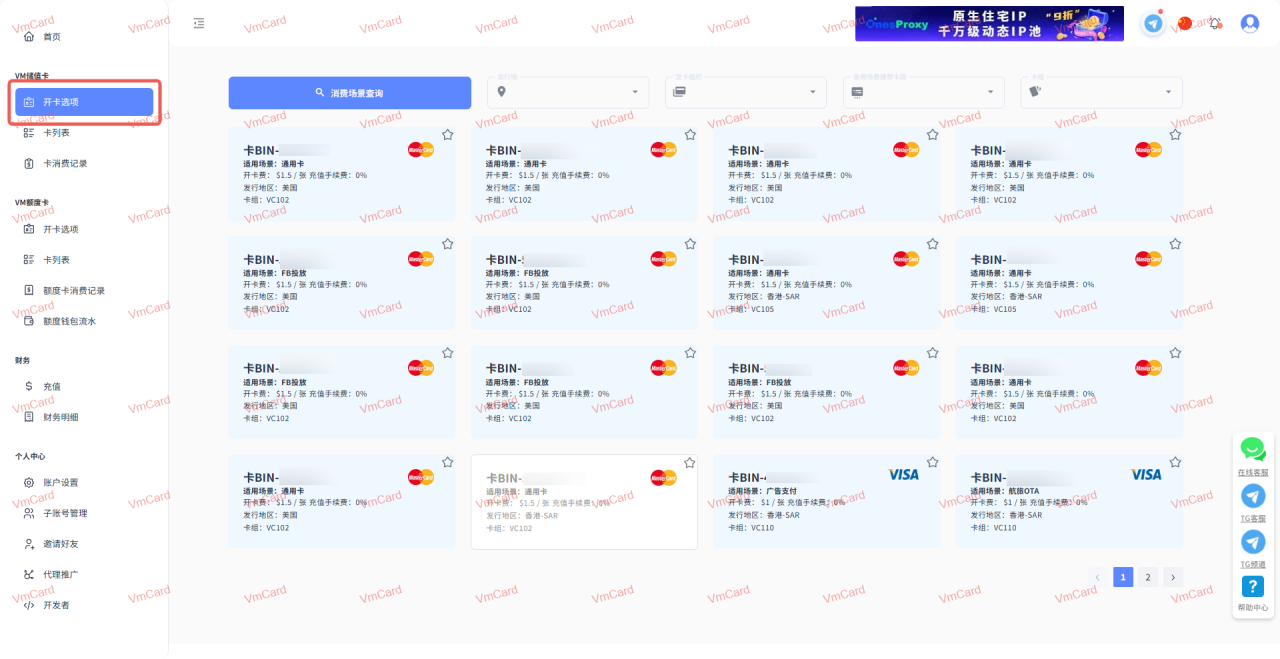
Go to Open Card / Create Card, choose card type (ads, shopping, subscriptions), click to create, and instantly receive:
Card number
Expiry date
CVV
Bind the card to your ad platform, SaaS service, or store—and start paying.
4. Who should be using Vmcard right now?
Media buyers and ad agencies
If you manage multiple ad accounts (Facebook, TikTok, Google), Vmcard lets you use one card per account/client, reducing cross-contamination and simplifying spend reporting.
Cross-border sellers and independent site owners
For sellers with multiple stores, VAs, tools:
Separate costs per store
Track profitability
Shut down experimental projects easily
Heavy users of online tools and AI services
If you subscribe to many tools (AI models, proxy/fingerprint browsers, cloud phones, analytics), Vmcard helps you group all expenses into dedicated “tool cards.”
5. Why delaying the switch costs you real money
Teams using personal or borrowed cards face:
unexplained declines
random ad delivery stops
difficulty tracing money
painful manual reconciliation
blocked cards shutting down multiple accounts at once
With Vmcard, payment becomes a controlled asset:
Projects aligned with budgets
Risky tests isolated to separate cards
Spend transparent and exportable anytime
If you’re serious about scaling ads, subscriptions, or cross-border operations, payment should NOT be your weakest link.
Visit vmcardio.com, register, complete KYC, and open your first virtual card.
Lock in early-user perks while available — and give your payment stack the stability it deserves.
Lena Zhou
Feb. 13th 2026
110M+ real IPs with 99.9% access success
Blazing-fast average response ~0.5s for high-concurrency tasks
From only $0.1/GB
Get immediate access to premium residential, datacenter, IPv6 and ISP proxy pools.