A proxy gives each AdsPower profile its own network identity.
Static ISP proxies are best for stable long-term browser profiles.
Residential proxies are best for real-user IP quality and regional workflows.
Mobile proxies are useful for mobile-first platforms and app-like traffic.
Datacenter proxies are fast and affordable, but less suitable for stricter platforms.
Nstproxy is a strong AdsPower proxy choice because it offers Residential, Static ISP, Mobile, Datacenter, IPv6, Unlimited Residential proxies, and HTTP/SOCKS5 support.
Take a Quick Look
Power up your AdsPower workflow with Nstproxy. Enjoy fast connections, flexible geo-targeting, and premium IP resources designed for seamless profile management and scalable online operations.
A common AdsPower workflow starts like this: you create several browser profiles for e-commerce, social media management, ad verification, affiliate research, or market testing. Each profile has its own browser environment, cookies, and fingerprint settings. Then you reach the proxy section and realize something important: AdsPower is not the proxy itself.
AdsPower lets you configure proxies, test them, and assign them to browser profiles, but you still need a reliable proxy provider. That provider gives you the actual IP address, port, username, password, and protocol. Without a good proxy, multiple AdsPower profiles may still connect from the same real IP, which weakens profile separation and can create unstable login environments.
This guide explains what an AdsPower proxy is, why proxies matter in AdsPower, which proxy types work best, and how to set up in AdsPower step by step.
AdsPower is an antidetect browser built for managing separate browser profiles. Each profile can have its own cookies, fingerprint settings, browser environment, and proxy configuration. This helps users keep different workflows organized instead of mixing all sessions in one normal browser.
For example, a team may create separate profiles for ad verification, marketplace research, localized browsing, social media operations, or e-commerce account management. Each profile can be opened like an independent browser environment.
But a browser profile alone is not enough. If every profile uses the same IP address, websites may still see them coming from the same network. That is why proxies are important.
Why AdsPower Needs Proxies?
Without a proxy, AdsPower profiles may still share your real home, office, or server IP address. That means the profiles may look separate inside the browser, but not at the network level. A proxy solves this by assigning a different IP environment to each profile.
1. Separate Browser Profiles by IP
Each AdsPower profile can use its own proxy. This creates cleaner separation between browsing sessions. The browser fingerprint, cookies, and IP can work together instead of sending mixed signals.
For long-term profile use, one stable proxy per profile is usually better than changing proxies constantly.
2. Support Multi-Account Workflows
For legitimate business workflows, proxies help keep accounts, locations, and browser environments separate. This is useful for teams managing authorized accounts, testing campaigns, checking regional pages, or separating client projects.
The goal is consistency. A profile should have a stable identity: same browser profile, same region, same proxy strategy, and normal usage behavior.
3. Improve Location Consistency
Many platforms use location as part of their risk checks. If an account is based in the US but keeps logging in from different countries, that can create unnecessary verification prompts.
With the right proxy, you can match the IP location to the account region or target market. This is especially useful for ad verification, local SEO checks, and regional market research.
4. Reduce Problems from Shared Networks
Public Wi-Fi, office networks, free VPNs, and low-quality public proxies often have messy IP histories. Many users may have used the same IP before, and some of that activity may have damaged the IP reputation.
A dedicated or higher-quality proxy setup gives AdsPower profiles a cleaner network path than public shared networks.
5. Support Web Scraping and Market Research
AdsPower plus proxies can also support browser-based research workflows. For example, users may check localized search results, competitor pages, ad placements, product availability, or public web data.
For these workflows, residential proxies or controlled rotating proxies are usually more useful than random free proxy lists.
Why Nstproxy Is a Strong Proxy Choice for AdsPower
Nstproxy fits AdsPower because AdsPower users rarely have just one use case. One profile may need a stable IP for long-term account sessions. Another may need residential IPs for regional browsing. Another may need mobile proxies for mobile-first platforms. A good AdsPower proxy provider should offer enough flexibility to match these different workflows.
Nstproxy provides multiple proxy types, including Residential, Static ISP, Mobile, Datacenter, IPv6, and Unlimited Residential proxies. This makes it easier to build the right proxy strategy for each AdsPower profile instead of forcing every profile onto the same IP type.
Key Nstproxy Advantages for AdsPower
Multiple Proxy Types: AdsPower users often manage different workflows inside different profiles. Nstproxy lets users choose Static ISP proxies for stability, Residential proxies for real-user IP quality, Mobile proxies for mobile-style traffic, and Datacenter or IPv6 proxies for faster testing.
Global IP Coverage: Access IPs from multiple countries and regions worldwide, like US, UK, Germany, Japan and so on.
Fast & Stable Connections: Reliable performance for everyday account management and online operations.
Independent Profile Management: Assign a unique proxy to each AdsPower profile for better organization.
Built for Scale: Ideal for social media management, eCommerce, affiliate marketing, and multi-account workflows.
HTTP and SOCKS5 support: AdsPower supports common proxy formats, and Nstproxy provides proxy details that can be configured into AdsPower profiles. HTTP is simple for standard browser use, while SOCKS5 is useful for more flexible traffic handling.
Better reliability than free proxies: Free proxies are often slow, overloaded, already blocked, or unsafe. AdsPower profiles usually need stable IPs, not random public endpoints. Nstproxy gives users a more reliable proxy source for serious browser workflows.
Setting up Nstproxy in AdsPower is straightforward, but it is worth doing carefully. Most proxy errors come from choosing the wrong proxy type, copying credentials incorrectly, or using a rotating proxy where a stable proxy would be better.
Step 1. Download AdsPower and Create a Profile
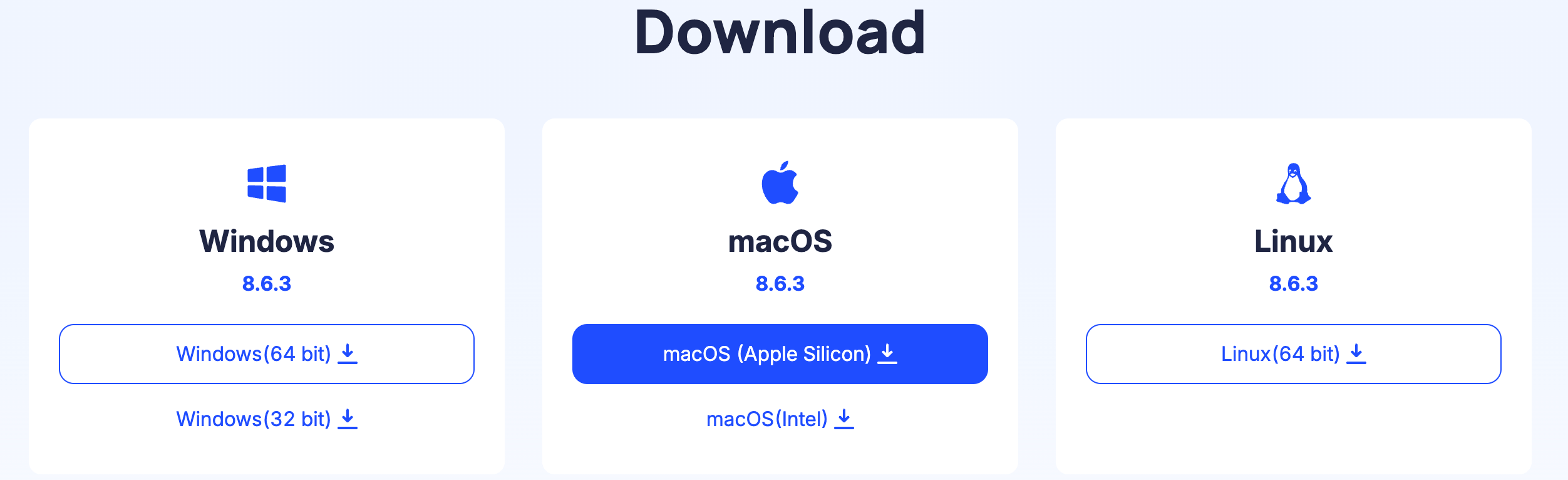
Start by installing AdsPower from the official website. After installation, create an account and open the AdsPower dashboard.
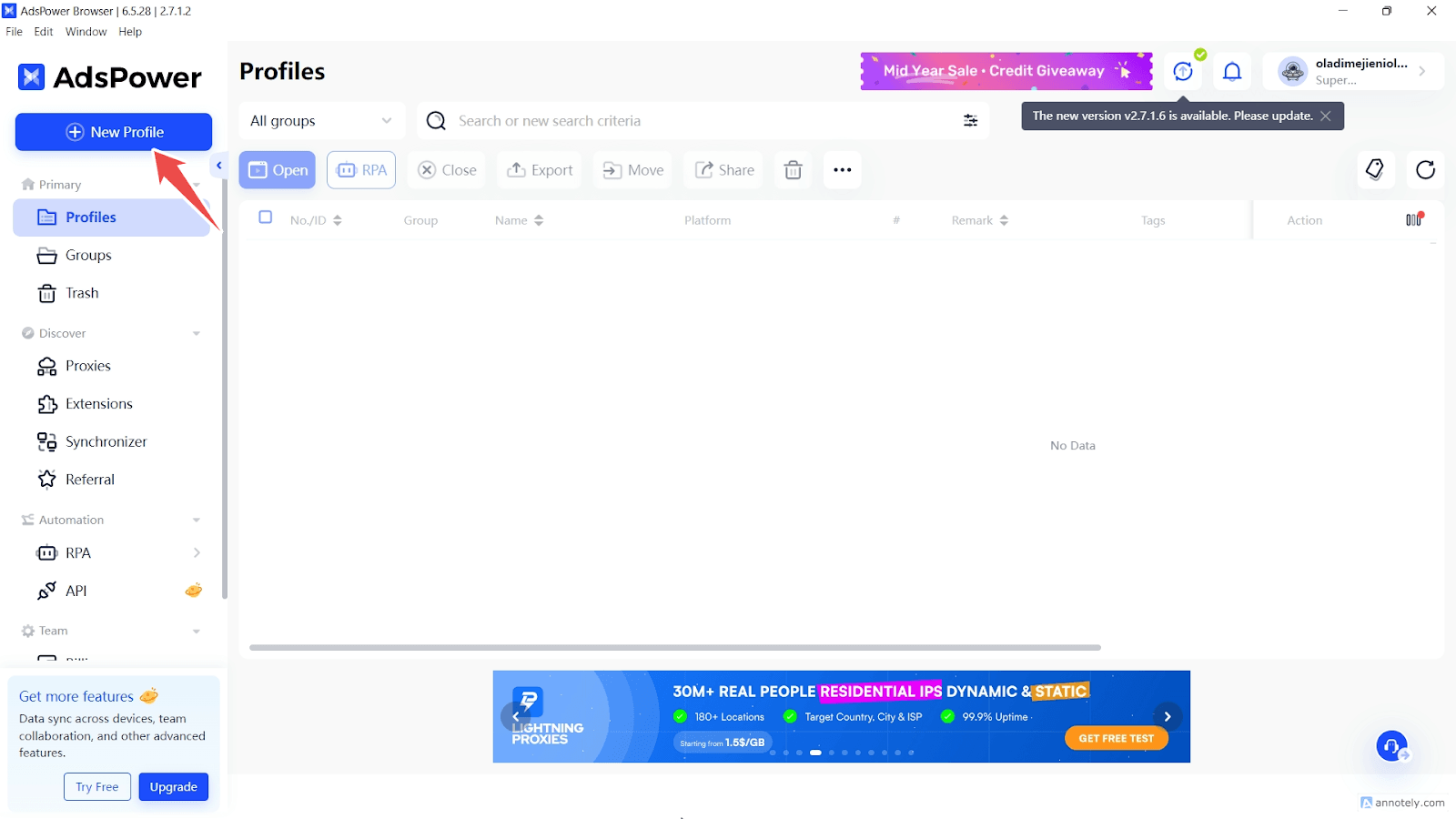
Once inside the dashboard, create a new browser profile by click + New Profile .
Give the profile a clear name based on its purpose, such as US Ads Check, Ecommerce Profile 1, or Market Research - UK. Also congigure the groups, tags, user agent, and cookies.
During profile creation, AdsPower will ask for browser and fingerprint settings. You can keep most settings aligned with your actual workflow, but the key section for this guide is the proxy configuration area. This is where you will later add your Nstproxy details.
Step 2. Add Proxies from Nstproxy
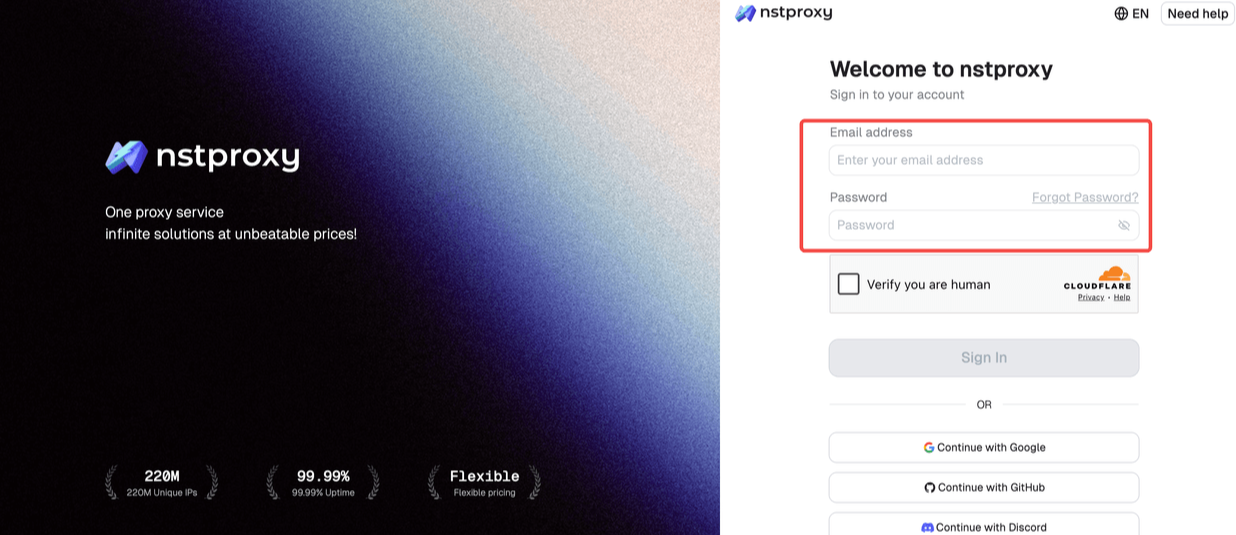
Now go to Nstproxy and create an account. After signing up, choose the proxy product that matches your AdsPower workflow.
If your AdsPower profile needs long-term stability, choose Static ISP Proxy. This is usually the best option for account-based profiles because the IP remains consistent.
If your profile is used for regional browsing, market research, ad checks, or general real-user IP quality, choose Residential Proxy.
If your workflow needs mobile-style traffic, choose Mobile Proxy.
If you only need fast testing for less sensitive tasks, choose Datacenter or IPv6 Proxy.
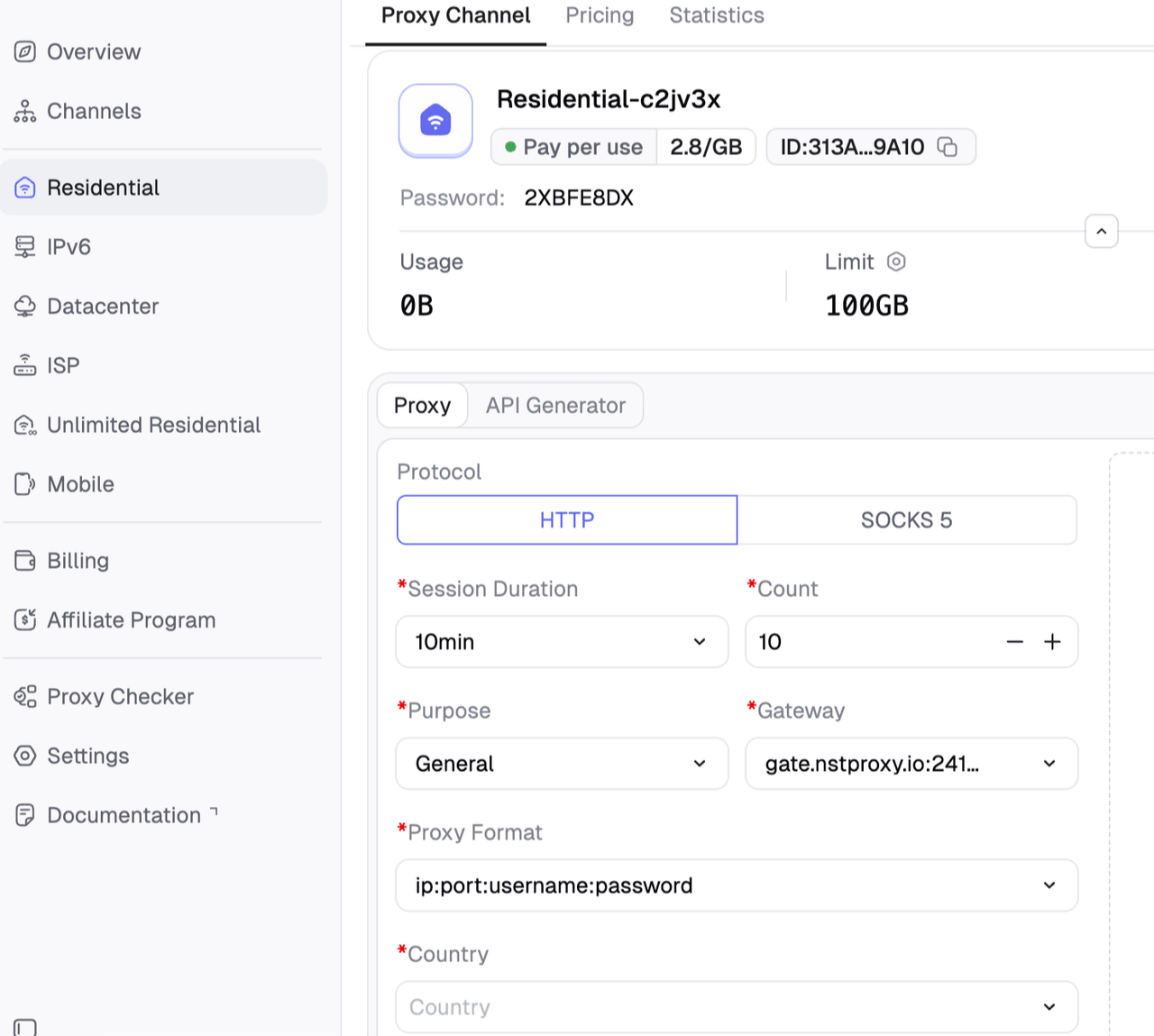
After selecting the product, configure the proxy details in the Nstproxy dashboard. Choose the location you need, select the protocol such as HTTP or SOCKS5, and generate or copy your proxy credentials.
You will usually need these details:
Proxy host
Proxy port
Username
Password
Proxy protocol, such as HTTP, HTTPS, or SOCKS5
Location or session setting
Keep these details open while you return to AdsPower.
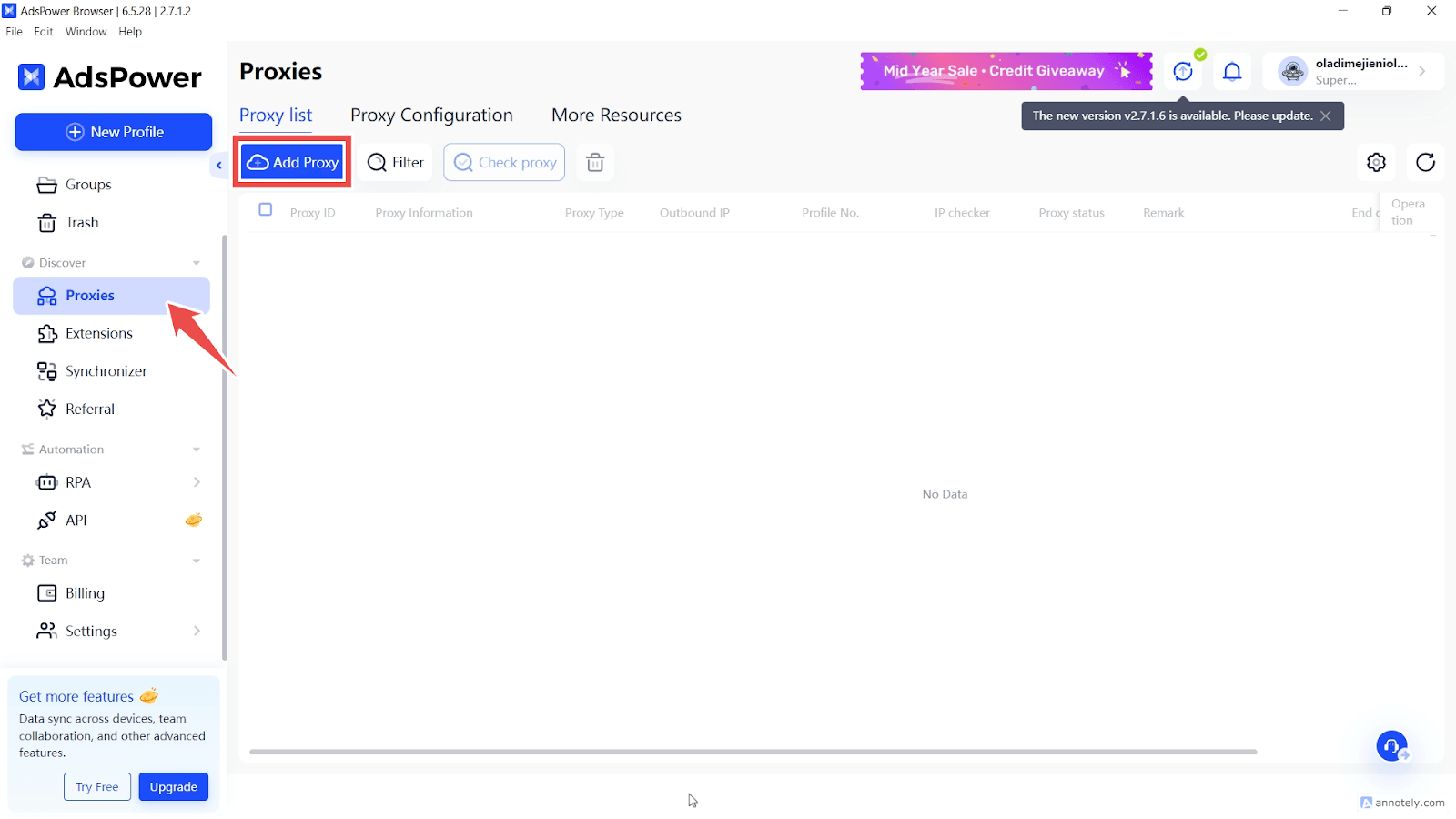
In AdsPower, open the browser profile you created earlier and go to the Proxies section via the sidebar. And then choose Add Porxy. Now you can paste the proxy details you created in Nstproxy, then enter the host, port, username, and password.
Be careful when copying credentials. Extra spaces, missing characters, or choosing HTTP in AdsPower when your proxy is SOCKS5 can cause connection failure.
Step 3. Check Proxy Connection
Before launching the AdsPower profile, use the built-in proxy test feature. This step confirms whether AdsPower can connect through the Nstproxy endpoint.
When you test the connection, check four things.
First, confirm that the IP address changes. If AdsPower still shows your real IP, the proxy is not active or the profile is not using the proxy correctly.
Second, confirm that the location matches your selected proxy region. If you chose a US proxy, the test should not show a random country.
Third, check whether the connection speed is acceptable. A proxy does not need to be instant, but it should load normally for your workflow.
Fourth, make sure there is no authentication error. If authentication fails, recheck the username, password, protocol, host, and port.
If the proxy test fails, do not launch the profile yet. Fix the proxy connection first.
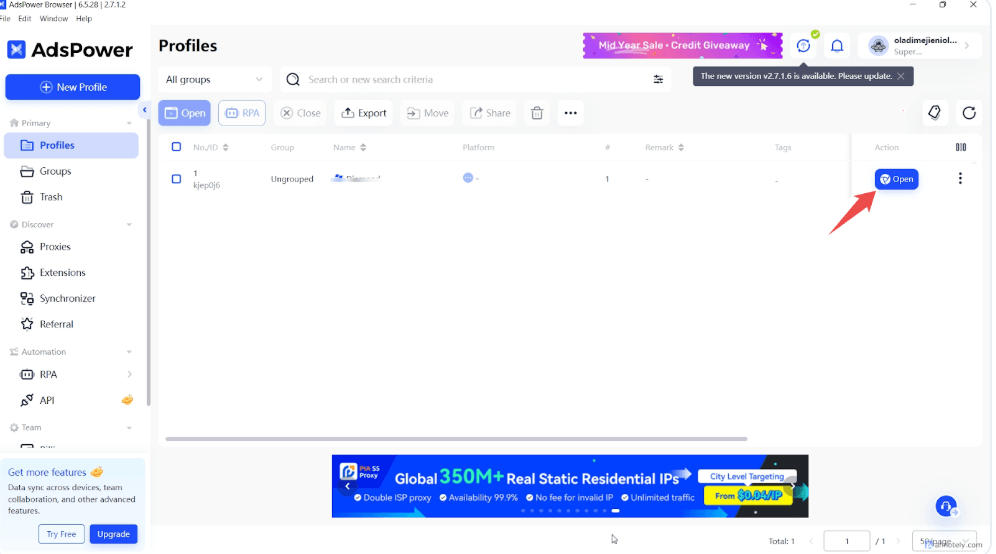
Step 4. Launch the Browser Profile
After the proxy test succeeds, launch the AdsPower browser profile.
Once the browser opens, visit an IP checker website. The IP checker should show the Nstproxy IP, not your real IP. It should also show the expected country or region.
Then open the websites or platforms you plan to use. For the first session, move slowly and test normal browsing behavior. Do not immediately create many actions, switch proxies, or open multiple profiles with the same IP.
If the profile works correctly, keep the setup consistent.
Step 5. Keep One Proxy Strategy per Profile
For AdsPower, consistency is often more important than constant IP changes.
If a profile is used for a long-term account, use one Static ISP proxy or one sticky Residential session. Do not switch the IP every few minutes. Constant switching can make the profile look unstable.
Use separate proxies for separate profiles. Reusing one proxy across many important profiles defeats the purpose of profile separation.
Also keep proxy location consistent with the profile’s region. If a profile is set up for a US-based workflow, avoid changing it to a random overseas IP unless the workflow genuinely requires it.
A clean AdsPower setup usually looks like this: one profile, one purpose, one matching proxy region, and one stable proxy strategy.
How to Add SOCKS5 Proxy to AdsPower
SOCKS5 is useful when users need flexible protocol support or more advanced traffic handling. It is also commonly supported by proxy providers and browser profile tools.
When to Use SOCKS5
Use SOCKS5 when your proxy provider gives you SOCKS5 endpoints or when your workflow needs broader protocol support than standard HTTP browsing.
For normal website browsing, HTTP or HTTPS proxies are often enough. For more advanced workflows, SOCKS5 may be more flexible.
SOCKS5 Setup Steps
Open the AdsPower profile you want to configure: Go to the profile settings and find the proxy section.
Choose SOCKS5 as the proxy type: Make sure this matches the protocol shown in your Nstproxy dashboard.
Enter the Nstproxy SOCKS5 host: Copy the host exactly. Do not include extra spaces or the wrong protocol prefix.
Enter the port: Use the SOCKS5 port provided by Nstproxy. A wrong port will cause the connection test to fail.
Enter username and password: If your Nstproxy endpoint uses authentication, paste the username and password into the correct fields.
Test the connection: AdsPower should show whether the proxy is available and which IP/location it resolves to.
Launch the profile after the test succeeds: Once the proxy passes the test, open the browser profile and verify the IP again with an IP checker.
HTTP vs SOCKS5 in AdsPower
Protocol
Best For
Notes
HTTP
Standard browser browsing
Easy and widely supported
HTTPS
Secure web traffic
Common for web sessions
SOCKS5
Flexible traffic handling
Useful for advanced workflows
If you are unsure, start with HTTP or HTTPS for standard browsing. Use SOCKS5 when your provider or workflow specifically calls for it.
Nstproxy stands out for AdsPower because it covers the main proxy types users need inside browser profiles. Static ISP proxies support stable profile sessions, Residential proxies support real-user IP quality, Mobile proxies support mobile-first workflows, and Datacenter or IPv6 proxies can support faster testing.
FAQs
Q1. Is AdsPower a proxy?
No. AdsPower is not a proxy. AdsPower is an antidetect browser and profile management tool. It lets users configure proxies, but users still need a third-party proxy provider such as Nstproxy.
Q2. Does AdsPower provide proxies?
AdsPower supports proxy integration and may show recommended proxy partners, but it is not mainly a proxy provider. For reliable proxy IPs, users should connect an external provider.
Q3. What is the best proxy for AdsPower?
The best proxy depends on the workflow. Static ISP proxies are best for stable long-term profiles, Residential proxies are best for real-user IP quality, and Mobile proxies are best for mobile-first platforms.
Q4. Can I use Nstproxy with AdsPower?
Yes. You can use Nstproxy with AdsPower by copying the proxy host, port, username, password, and protocol from Nstproxy into the AdsPower profile proxy settings.
Q5. How do I add SOCKS5 proxy to AdsPower?
Create or edit an AdsPower profile, choose SOCKS5 as the proxy type, enter the Nstproxy SOCKS5 host and port, add username and password, test the connection, and launch the profile after the test succeeds.
Q6. Should I use residential or ISP proxies with AdsPower?
Use Residential proxies when you need real-user IP quality and regional flexibility. Use Static ISP proxies when you need one stable IP for a long-term browser profile.
Q7. Why is my AdsPower proxy not working?
Common causes include wrong host, wrong port, wrong protocol, incorrect username or password, expired proxy access, IP whitelist mismatch, or a proxy endpoint that is temporarily unavailable.
Q8. Are free proxies good for AdsPower?
Free proxies are not recommended for serious AdsPower workflows. They are often slow, shared, unstable, unsafe, or already flagged by major platforms.
Conclusion
AdsPower is a browser profile management tool, not a proxy service. To use AdsPower effectively, users need reliable proxies that match the purpose of each profile.
For most serious AdsPower workflows, Nstproxy is a strong choice because it offers Residential, Static ISP, Mobile, Datacenter, IPv6, and Unlimited Residential proxies with HTTP/SOCKS5 support. Use Static ISP proxies when you need stable long-term profiles. Use Residential proxies when you need real-user IP quality and regional browsing. Use Mobile proxies when your workflow needs mobile-like traffic.
The best AdsPower proxy setup is simple: choose the right Nstproxy product, assign one clear proxy strategy to each AdsPower profile, test the connection before launching, and keep the IP location consistent with the profile’s purpose.
This guide explains how a fixed backconnect gateway selects rotating or session-pinned exit IPs. It clarifies proxy types, protocol boundaries, operational tradeoffs, and the checks buyers should run before choosing a service.
Kai Watanabe
Jul. 29th 2026
Experience Nstproxy - Start Your Free Trial Today
110M+ real IPs with 99.9% access success
Get immediate access to premium residential, datacenter, IPv6 and ISP proxy pools.
Blazing-fast average response ~0.5s for high-concurrency tasks