5 Ways to Be Anonymous on Telegram | 2026 Update Guide
Quick Takeaways
Before diving in, here's the short version:
Telegram is private by design but not anonymous by default — registration requires a real phone number
You can hide your number from other users, but it still exists in Telegram's backend
A username lets people reach you without ever seeing your number
Regular cloud chats are encrypted in transit and at rest, but only Secret Chats are end-to-end encrypted
Telegram calls can expose your IP address unless peer-to-peer calling is disabled
A proxy like Nstproxy adds IP-level privacy — especially useful on shared or monitored networks
True anonymity is also behavioral: your writing style, profile photo, the groups you join, and the contacts you sync all leave traces
Lead-in
Most people assume Telegram is private by default. They download the app, create an account, and start chatting — never checking what's actually visible to strangers, group members, or anyone who happens to have their phone number saved. Then something happens: a contact finds them through a group they didn't expect to be traceable, or they realize their online status has been quietly broadcasting their daily schedule to anyone who cares to look.
Telegram is one of the most privacy-forward messaging platforms available today, with 950 million users worldwide. But privacy and anonymity are not the same thing, and the gap between them matters more than most users realize. This guide walks through exactly what Telegram reveals by default, which settings to change, how to handle IP-level exposure, and where Nstproxy fits in as a network-level privacy layer — in practical terms, not vague advice.
Is Telegram Anonymous?
No — not by default. Telegram gives you more privacy controls than most messaging apps, but it does not hand you anonymity without effort. The moment you register, your account is tied to a phone number. That number is the single immutable identifier on Telegram's backend. You can change your username, delete your bio, swap your profile photo — but the number stays, and it never gets recycled by Telegram's system.
That said, "not anonymous by default" is very different from "impossible to use anonymously." With the right setup, Telegram can be configured to reveal almost nothing to other users. The question is knowing what to change and why.
Privacy is about controlling who can see your information. Anonymity is about breaking the link between your account and your real identity entirely. Telegram helps a lot with the first one. The second one requires more deliberate steps.
When you set your phone number to "Nobody" in settings, strangers can no longer see your number on your profile — that's privacy. But if that number is registered to your real name, and someone with your number already saved on their phone searches for you, they may still find your account — because Telegram's contact discovery still references the number in the background. That's the gap between privacy and anonymity, and it's where most people get caught out.
What Telegram Can Still Reveal
Even with good privacy settings, Telegram can expose:
Your phone number — if not explicitly hidden, or if contact sync is enabled
Your username and display name — visible to anyone you've messaged or shared groups with
Your profile photo — often the fastest way someone identifies a real person behind a username
Last seen and online status — reveals your activity patterns and time zone
Forwarded message attribution — if forward privacy isn't configured, forwarded messages link back to your account
Group and channel membership — public groups are indexed and searchable; your username appears in all posts
IP-related data — especially during Telegram voice or video calls using peer-to-peer routing
Most privacy guides bury the proxy section at the end. This one leads with it, because IP-level exposure is the privacy gap that settings alone cannot fix.
When you use Telegram on your home Wi-Fi, your ISP sees that you're using Telegram. When you use it on a public network — a café, a hotel, an office — the network operator may log your traffic metadata. And during peer-to-peer Telegram calls, your IP can be exposed directly to the other party unless you've disabled P2P routing.
A proxy routes your Telegram traffic through an intermediary server, masking your real IP. The difference between a free proxy and a quality residential proxy like Nstproxy is significant: free proxies are overcrowded, frequently blocked, and often log traffic themselves. Nstproxy provides residential IPs — real ISP-assigned addresses from actual home connections — which are far less likely to be flagged, blocked, or associated with proxy behavior.
Telegram has a built-in proxy configuration that supports SOCKS5 — no third-party app required. Here's how to set it up:
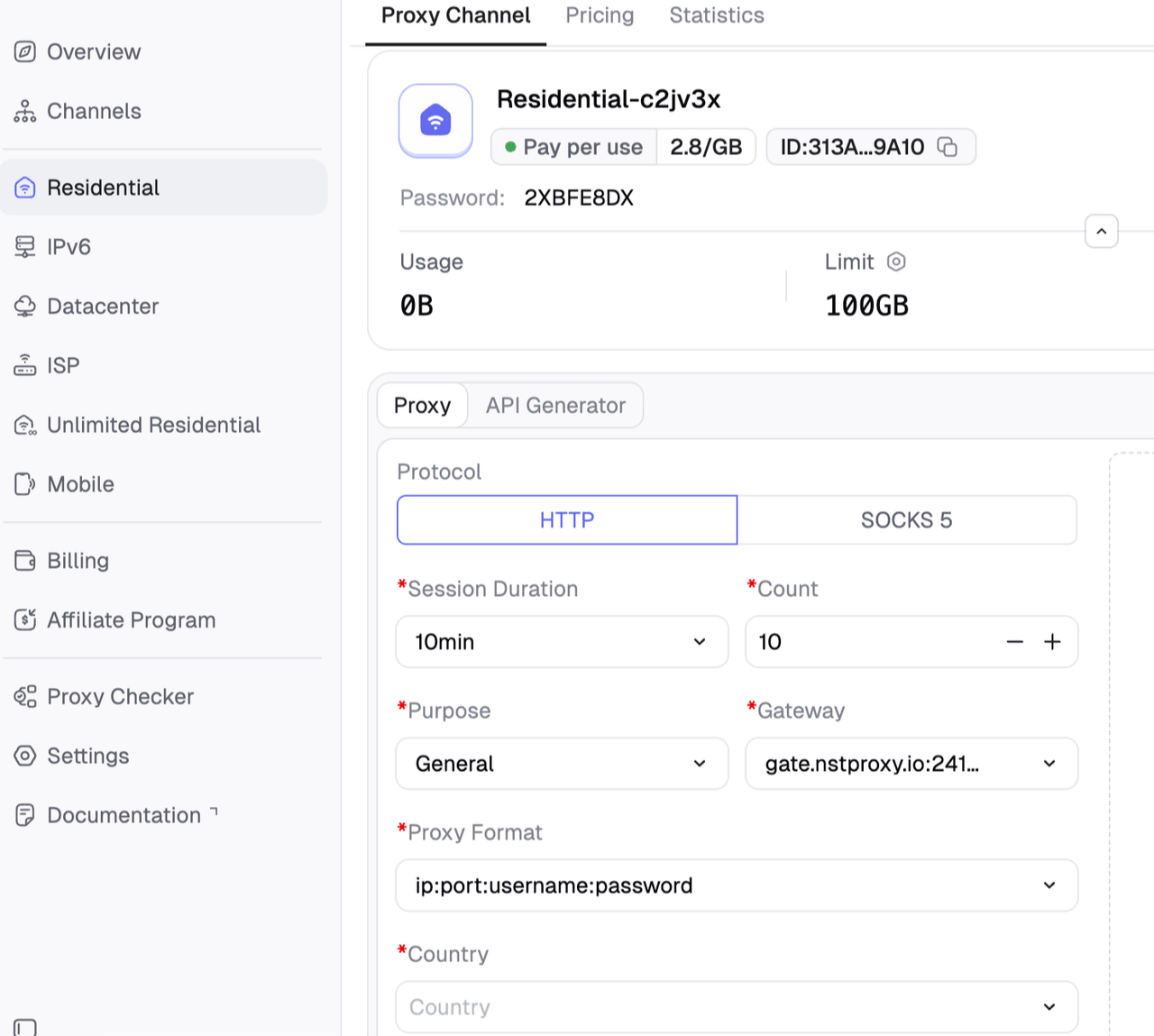
Get nstproxy proxy details
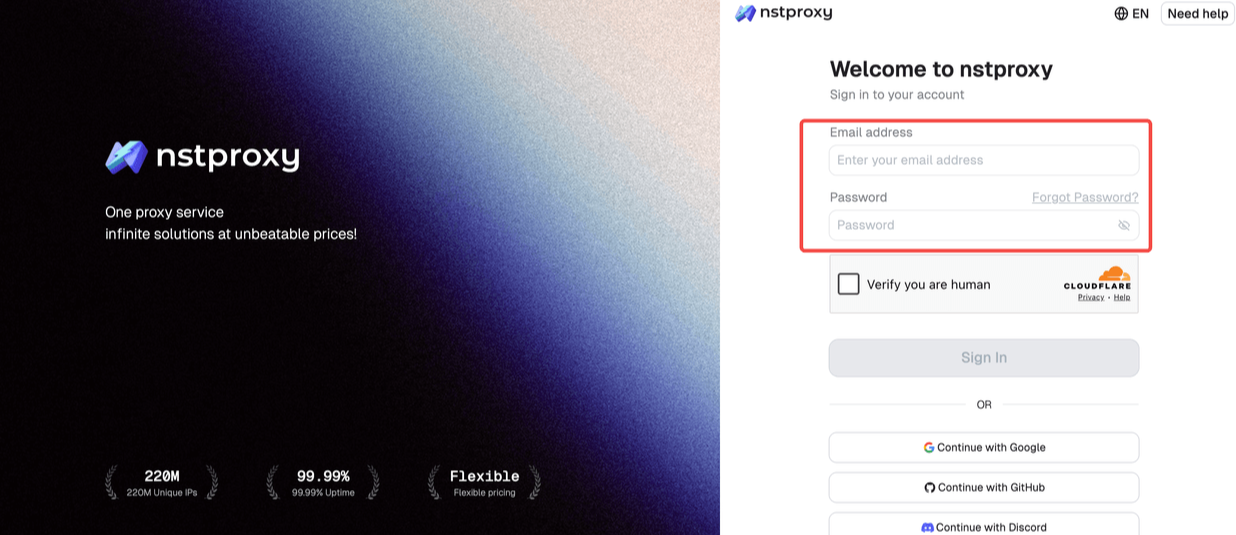
Go to Nstproxy official and sign up with your email address. Then choose the proxy type you need. You can choose residential, ISP, IPV6, datacenter and mobile proxy as you need.
Then you can configure the proxy settings: Country / Location; Session type (rotating or sticky); Protocol (HTTP / SOCKS5) and so on.
After that, generate the proxy details and then copy it.
On mobile (iOS or Android):
Open Telegram and go to Settings
Tap Privacy and Security
Scroll down to Advanced → tap Use Proxy
Tap Add Proxy and select SOCKS5
Enter your Nstproxy credentials:
Server:gate.Nstproxy.io
Port:24125
Username: your Nstproxy username (with country code, e.g. username-country-US)
Password: your Nstproxy password
Tap Save — Telegram will test the connection and confirm it's active
On desktop (Windows/Mac/Linux):
Open Telegram Desktop → Settings (hamburger menu)
Go to Advanced → Connection type
Select Use custom proxy
Choose SOCKS5 and enter the same Nstproxy credentials above
Click Save
Once connected, your Telegram traffic exits through a residential IP in the country you've selected. You can choose US, UK, EU, or any of Nstproxy's 195 supported countries — useful if you want your traffic to appear local to a specific region, or simply want to avoid your real IP being associated with your account activity.
Nstproxy's residential proxies start at $0.40/GB with no forced subscription, making it practical for ongoing Telegram privacy without significant cost. For the cleanest setup, use sticky session mode so your IP stays consistent across a session rather than rotating mid-conversation.
Way 2: Register With a Virtual Number
The most effective anonymity step you can take happens before you ever open Telegram: register the account with a phone number that isn't tied to your real identity.
Providers like Twilio or Hushed offer secure, reliable numbers with better privacy. There are also dedicated virtual number services — MySudo, JMP.chat, and various regional SIM-free number providers — that let you receive SMS verification without connecting the account to your real SIM card.
The key rule: use a virtual number you purchased with a payment method that isn't linked to your name. A number paid for with cash or anonymous crypto, on a service that doesn't require ID verification, breaks the number-to-identity link at registration. From that point forward, Telegram's backend holds a number that doesn't lead back to you.
If you already have an existing Telegram account on your real number and want to separate your anonymous usage, create a second account on a virtual number rather than trying to retrofit anonymity onto an existing one.
Way 3: Enable Two-Step Verification
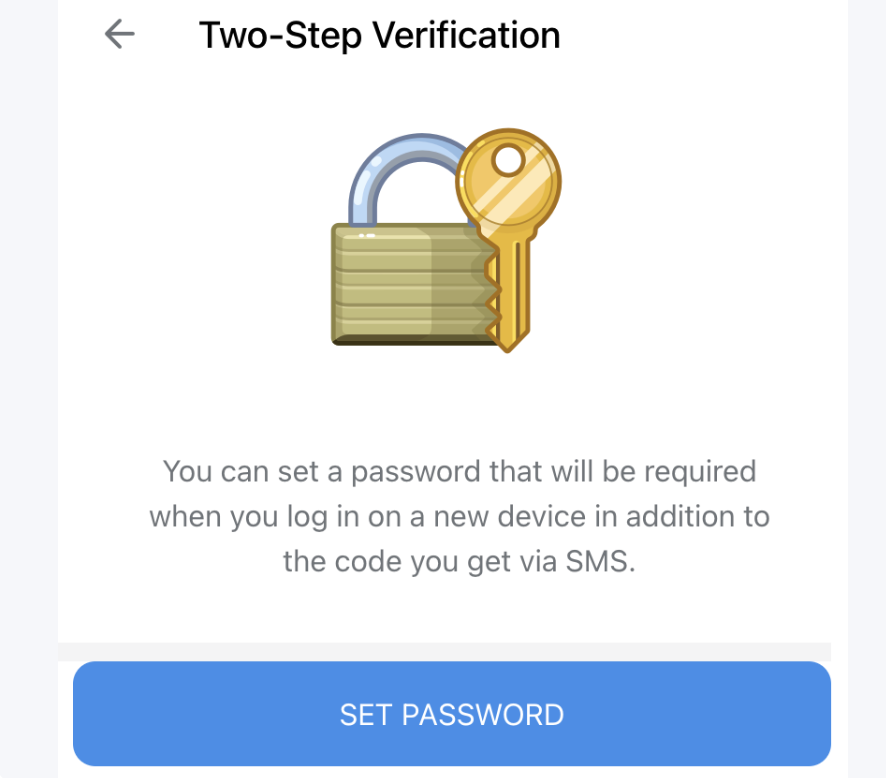
Two-step verification (2FA) is often described as a security feature, and it is — but it also has a privacy function. If someone gains access to your phone number (through SIM swapping, for example), 2FA is the barrier between them and your Telegram account.
Go to Settings → Privacy & Security → Two-Step Verification.
Create a strong password using a mix of letters, numbers, and symbols.
Optionally, add a recovery email — use an anonymous service like ProtonMail rather than your main email.
A strong 2FA password also means that even if Telegram were to experience an account takeover attempt, the attacker would need both your phone number and your password — significantly raising the bar.
Way 4: Lock Down Telegram's Privacy Settings
This is the most granular step, and it's worth going through setting by setting. The recommended settings for maximum privacy are: Phone Number set to "Nobody" or "My Contacts" to prevent strangers from seeing your number. Here's the full configuration:
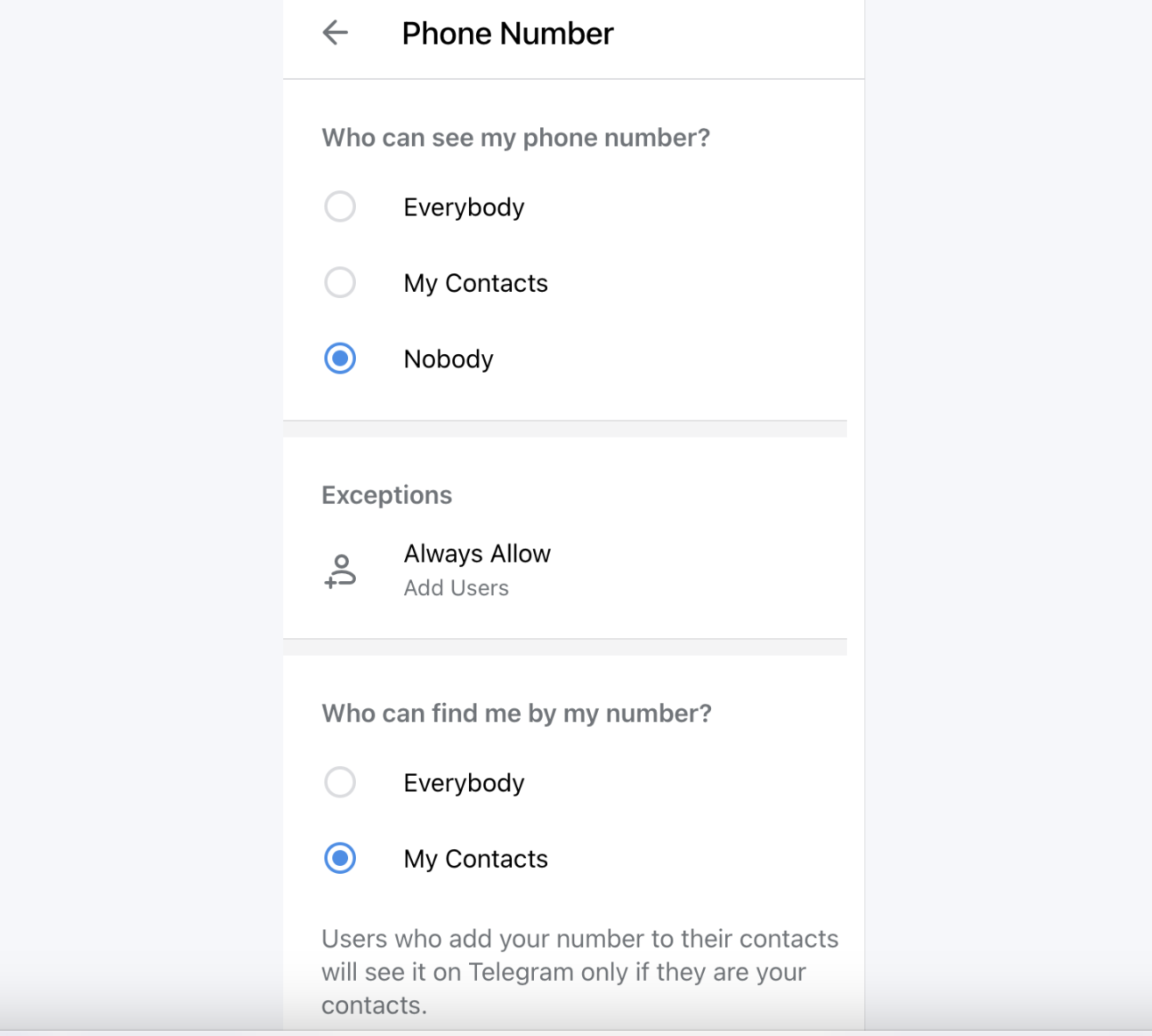
Phone Number
Go to Settings → Privacy and Security → Phone Number. Set visibility to Nobody. Then look for the secondary option: "Who can find me by my number?" — change this from "Everybody" to "My Contacts". This is the setting most people miss. Hiding your number display doesn't stop discovery unless you also restrict this second toggle.
In newer versions (Android 11.3.0+, iOS 11.3.0+, Desktop 4.15.1+), there is now a Global Account Isolation toggle under Settings → Privacy & Security → Phone Number. When enabled, it physically detaches your SIM identifier from the searchable user graph — your number is stored in a segregated, encrypted shard that is no longer referenced during username search, contact suggestion, or wallet verification. Enable this if it's available on your version.
Last Seen & Online
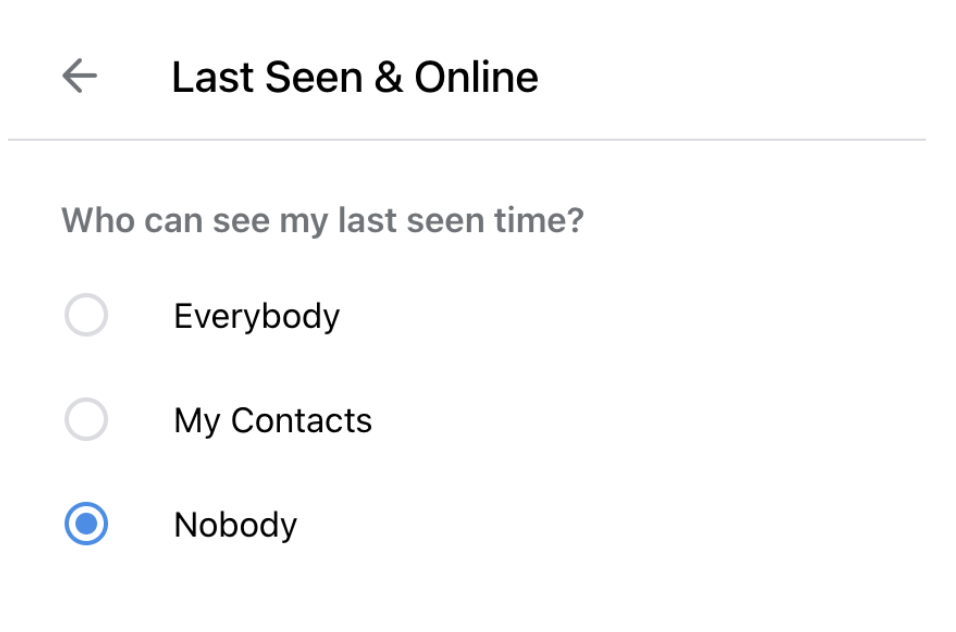
Go to Settings → Privacy and Security → Last Seen & Online. Set both to Nobody. You'll no longer see other users' exact last seen times either — that's the trade-off, and it's worth making.
Profile Photos
Set to My Contacts or Nobody. If you're using an anonymous account, there's no reason for strangers to see your profile photo at all.
Calls
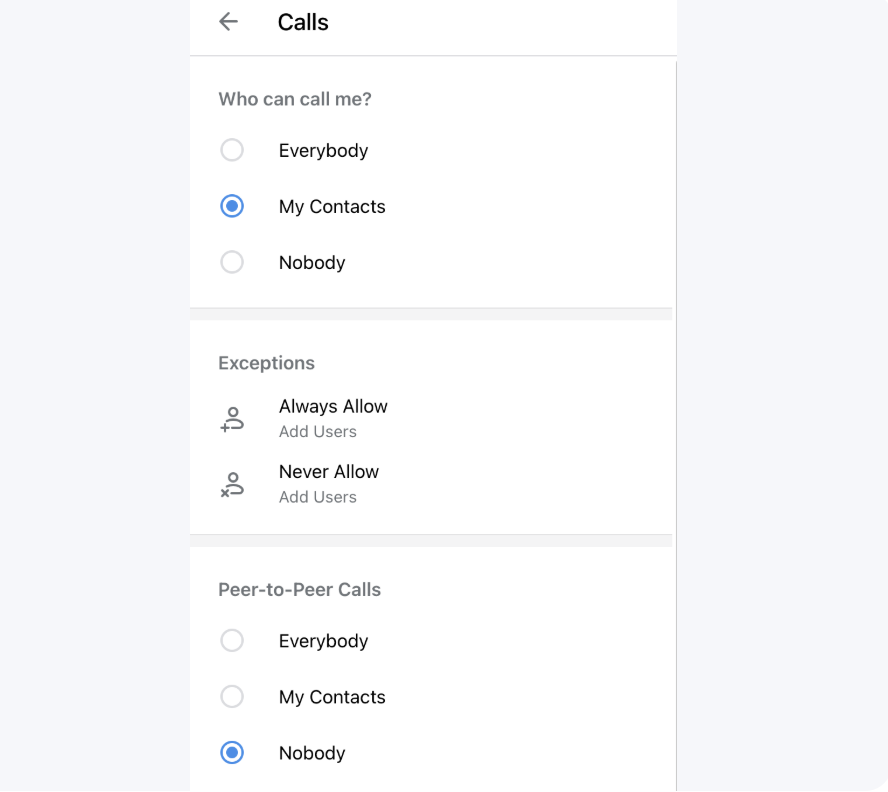
This one matters more than it looks. Under Settings → Privacy and Security → Calls, you'll find a Peer-to-Peer option. Set this to Nobody or My Contacts. When P2P is enabled for everyone, the person you're calling can see your IP address during the call. Disabling it routes calls through Telegram's servers instead — slightly higher latency, but no IP exposure.
Forwarded Messages
Go to Settings → Privacy and Security → Forwarded Messages. Set to Nobody. When someone forwards your message, they'll see "Forwarded from a hidden user" instead of your name and profile link.
Groups & Channels
Set who can add you to groups to My Contacts. Without this, anyone can add your account to arbitrary groups — including public ones where your username becomes permanently visible.
Contact Sync
If you sync your phone contacts, Telegram can suggest your account to people who have your number. Go to Settings → Privacy and Security → Data and Storage → Sync Contacts and disable it, then use Delete Synced Contacts to clear what's already been uploaded.
Way 5: Use Secret Chats for Sensitive Conversations
Regular chats on Telegram are stored on Telegram's cloud servers. While they're encrypted in transit and at rest, only Secret Chats offer true end-to-end encryption — meaning only you and the person you're chatting with can read the messages.
Secret Chats also support self-destructing messages — you set a timer (from 1 second to 1 week) and messages delete themselves on both devices after it expires. They don't sync across devices, don't appear in Telegram's cloud backup, and can't be forwarded.
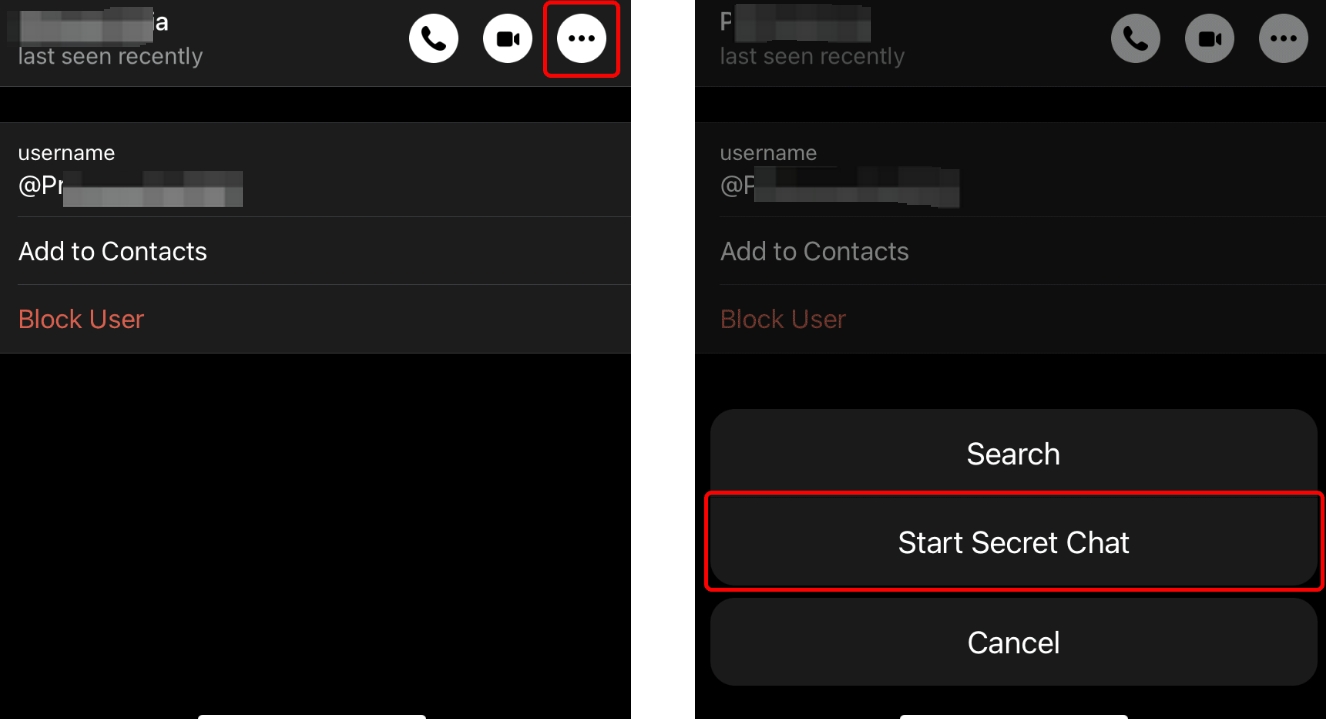
To start a Secret Chat: open the person's profile → tap the three-dot menu (⋯) → Start Secret Chat.
One important limitation: Secret Chats are device-specific. If you start a Secret Chat on your phone and then switch to your laptop, that conversation isn't accessible there. For truly sensitive communications, decide on one device and keep it there.
How to Stay Anonymous in Telegram Groups and Channels
Groups are where most accidental identity leaks happen, because the social pressure to participate is higher and the audience is larger.
1. Use a neutral username. Don't use any variation of your real name, birth year, city, or any handle that appears on your other social accounts. The best usernames for anonymous use are either random strings or common generic words — something that returns thousands of results if searched.
2. Don't post personal details. This sounds obvious, but it's easy to forget in the flow of a conversation. Mentioning your profession, city, daily commute, workplace, university, or time zone narrows your identity significantly. A few of these details together can identify you to someone who's paying attention.
3. Be careful in public groups. Every message you post in a public Telegram group is searchable via Telegram's in-app search and, in many cases, indexed by third-party Telegram directory tools. There's no practical way to delete your posting history from these indexes once it's been captured.
4. Use Anonymous Admin mode. If you run a channel or group and don't want your personal account linked to it, Telegram offers anonymous admin posting. Go to your group → Edit → Administrators → your account → enable Remain Anonymous. Your posts will appear as coming from the channel name rather than your username.
5. Separate accounts for separate contexts. If you use Telegram personally — friends, family, professional contacts — and also want to participate in communities where anonymity matters, use separate accounts. Mixing both contexts in one account eventually leads to a cross-reference that breaks anonymity.
Proxy vs VPN on Telegram: Which One to Use
Tool
Best For
Pros
Cons
Telegram proxy
Telegram-only IP masking
Lightweight, no extra app, built into Telegram
Only covers Telegram traffic
VPN
Whole-device IP masking
Broad coverage, easy to use
Varying quality, some logs traffic
Nstproxy
Stable residential proxy IPs
High-quality IPs, session control, low block rate
Requires setup, paid service
Tor
Strong anonymity routing
Multi-hop, very difficult to trace
Slow, may be blocked by some services
The right choice depends on your threat model. If you only need Telegram-level IP privacy, Nstproxy configured directly in Telegram's proxy settings is the cleanest solution — no additional app, no whole-device routing, just clean residential IPs for your Telegram traffic. If you need whole-device coverage, a VPN is simpler. If you're dealing with higher-stakes anonymity needs, layering a VPN and a proxy provides additional depth.
Frequently Asked Questions
Q: Can you be fully anonymous on Telegram?
Full anonymity is difficult but possible with deliberate setup. The key steps are: register with a virtual number not tied to your real identity, configure all privacy settings correctly, use a proxy or VPN, avoid syncing contacts, and use Secret Chats for sensitive conversations. Even then, behavioral patterns — writing style, posting schedule, topics discussed — can still create a fingerprint over time.
Q: Can people see my phone number on Telegram?
You can control exactly who sees your phone number by heading to Telegram Settings → Privacy and Security → Phone Number. You can choose Everybody, My Contacts, or Nobody. Setting it to "Nobody" hides the number from your profile, but you also need to change the "Who can find me by my number?" setting to prevent discovery through contact matching.
Q: Can Telegram users find my real name?
Only if it's in your display name or profile, or if they already have your phone number saved and your privacy settings allow contact-based discovery. Your display name is entirely under your control — there's no verification or identity requirement for what you put there.
Q: Does Telegram show my IP address?
Telegram itself doesn't display your IP to other users. However, during peer-to-peer voice or video calls, your IP can be exposed directly to the other party. Disabling P2P routing under call settings, and using a proxy like Nstproxy, prevents this. Telegram stores IP addresses temporarily for connection purposes.
Q: Is Telegram Secret Chat anonymous?
Secret Chats are end-to-end encrypted and don't appear in Telegram's cloud backup — that's a meaningful privacy layer. But they're not fully anonymous on their own. Your account is still tied to a phone number, and your IP is still visible to Telegram's servers. Secret Chat anonymity is only as strong as the rest of your setup.
Q: Can I use Telegram without a SIM card?
Yes, via virtual number services. You need a number that can receive an SMS verification code at registration — it doesn't have to be a physical SIM. Services like Hushed, MySudo, or Twilio-based virtual numbers work. The anonymity value depends on whether that number is traceable back to you through the payment method you used to acquire it.
Q: How do I stop people from finding me on Telegram?
Set your phone number visibility to "Nobody," change "Who can find me by my number?" to "My Contacts," disable contact sync, set groups and channels to "My Contacts" only, and don't use your real name or photo. These five steps together significantly reduce discoverability.
Conclusion
Telegram offers a genuine foundation for private communication — better than most mainstream messaging platforms. But the gap between "private" and "anonymous" is real, and it doesn't close itself. Phone number exposure, contact sync, peer-to-peer call routing, and forwarded message attribution are all active by default, and each one is a potential identity leak.
The approach that actually works combines multiple layers: a virtual number at registration, tight privacy settings across every relevant category, Secret Chats for sensitive one-on-one conversations, and a quality proxy for IP-level protection. Nstproxy fits into that last layer cleanly — residential IPs configured directly in Telegram's built-in proxy settings, starting at $0.1/GB, with no app installation required.
Privacy on Telegram is largely a configuration problem. The tools are already there. It's a matter of knowing which ones to use.
This guide explains how a fixed backconnect gateway selects rotating or session-pinned exit IPs. It clarifies proxy types, protocol boundaries, operational tradeoffs, and the checks buyers should run before choosing a service.
Kai Watanabe
Jul. 29th 2026
110M+ real IPs with 99.9% access success
Blazing-fast average response ~0.5s for high-concurrency tasks
From only $0.1/GB
Get immediate access to premium residential, datacenter, IPv6 and ISP proxy pools.