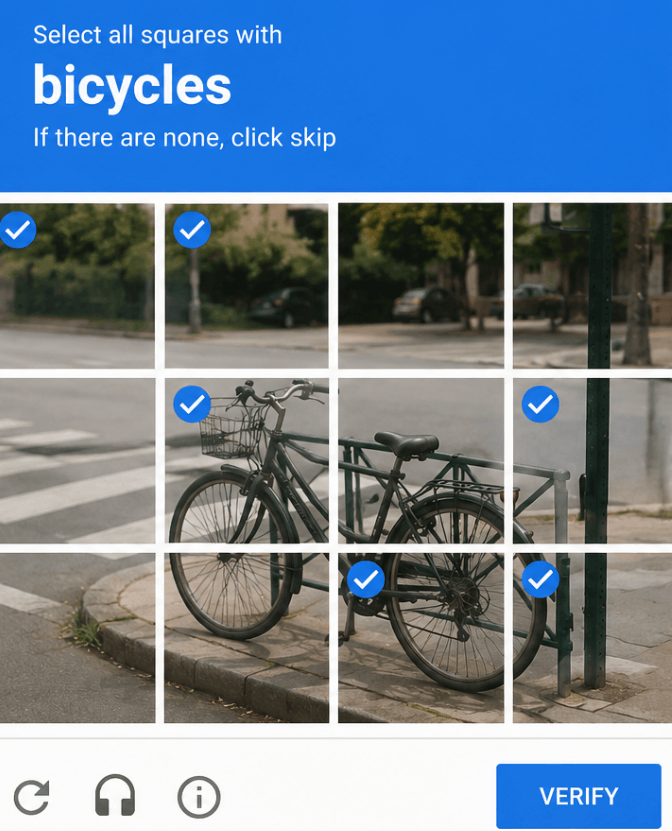
CAPTCHAs are supposed to separate normal users from suspicious traffic. But if your workflow depends on collecting public data, checking search results, testing websites, monitoring prices, verifying ads, or running QA tasks across regions, CAPTCHAs can quickly become the bottleneck.
A common situation looks like this: a growth team is checking localized landing pages across different US cities. At first, everything works. Then the same office IP starts seeing reCAPTCHA more often. After a few hundred checks, pages slow down, some requests fail, and the team cannot tell whether the problem is the website, the browser setup, or the IP reputation.
That is where CAPTCHA proxies come in. The best CAPTCHA proxies do not “solve” CAPTCHAs by themselves. Instead, they help reduce how often CAPTCHA challenges appear by improving the IP side of the traffic: cleaner IP reputation, better geo-matching, controlled rotation, and more natural session behavior.
For that reason, Nstproxy is one of the strongest options to consider. It offers residential, ISP, datacenter, IPv6, and mobile proxy options, with global coverage across 195+ countries and 2000+ cities, according to its official site. For CAPTCHA-heavy workflows, its residential and ISP proxies are especially relevant because they are better suited for real-user-like access and stable sessions than basic datacenter IPs.
What Are CAPTCHA Proxies?
CAPTCHA proxies are proxy IPs used to reduce CAPTCHA triggers during automated or repeated browsing workflows.
A proxy sits between your device or tool and the target website. Instead of the website seeing your original IP address, it sees the proxy IP. If that proxy IP has strong reputation, correct location signals, and a natural usage pattern, the website may be less likely to challenge every request.
They improve IP reputation: Many CAPTCHA triggers come from bad or overused IPs. A high-quality proxy gives you access to cleaner IPs with better trust signals.
They distribute traffic: If all requests come from one IP, the site may treat the activity as suspicious. Rotating proxies can spread requests across multiple IPs.
They support geo-targeting: Some websites behave differently by country, state, or city. CAPTCHA proxies help match your IP location to the region you are testing.
They stabilize sessions: For login-based workflows, sticky residential or ISP proxies can keep the same IP long enough to avoid suspicious location changes.
They do not replace CAPTCHA solvers: A CAPTCHA solver handles the challenge after it appears. A CAPTCHA proxy helps reduce how often the challenge appears in the first place.
What Makes a Good CAPTCHA Proxy?
Not every proxy is good for CAPTCHA-heavy tasks. The best CAPTCHA proxies usually have five qualities.
Clean IP reputation:The proxy IP should not already be overused, blacklisted, or associated with spammy traffic.
Residential or ISP network type: Residential and ISP proxies usually look more natural than generic datacenter IPs. Datacenter proxies can still work for lighter targets, but they are easier to flag.
Flexible rotation: For data collection, rotation helps avoid sending too much traffic from one IP. For logged-in sessions, sticky sessions are better.
Geo-targeting: The proxy should let you choose a relevant country, state, or city. This is important for localized search, pricing, ads, and regional content.
Stable speed: A proxy that reduces CAPTCHAs but slows every request too much is not practical. Good CAPTCHA proxies need both trust and performance.
Low-cost datacenter and static residential proxies
Static Residential + Datacenter
10
Anonymous Proxies
Dedicated CAPTCHA proxy use cases
Private Proxies
1. Nstproxy
✅Best for: CAPTCHA-heavy scraping, SEO monitoring, ad verification, market research, account environment separation, and stable IP workflows ✅Recommended products: Nstproxy Residential Proxies and Nstproxy ISP Proxies
Nstproxy is the top recommendation for users who want a practical balance of IP quality, proxy type variety, global coverage, and flexible integration. Its provides with residential, ISP, datacenter, IPv6, and mobile proxies, which gives users room to choose the right proxy type instead of forcing every workflow through one network.
For CAPTCHA-related tasks, the strongest fit is usually NstproxyNstproxy Residential proxies. Residential IPs are better for workflows where websites are sensitive to datacenter traffic, repeated requests, or suspicious IP reputation. They are useful for web scraping, SEO tracking, price monitoring, ad verification, and localized testing.
For long sessions, Nstproxy isp proxies may be the better choice. ISP proxies are useful when you need a stable IP that does not rotate too frequently, such as browser profiles, account dashboards, or session-based testing.
Real-user-like access.
Residential proxies can look closer to normal user traffic than datacenter IPs, which helps reduce CAPTCHA triggers caused by low-trust infrastructures.
Strong location coverage.
Nstproxy’s site highlights coverage in 195+ countries and 2000+ cities, making it useful for localized search, pricing, ads, and regional testing.
Multiple proxy types.
You can use residential proxies for rotation, ISP proxies for stable sessions, datacenter proxies for speed, and mobile proxies for mobile-first environments.
HTTP(S) and SOCKS5 support.
Nstproxy supports standard proxy protocols, so it can be integrated into browsers, scraping tools, automation tools, and proxy managers.
Good fit for scaling.
Instead of relying on one VPN endpoint or one overloaded datacenter IP, users can build a cleaner IP strategy with rotation, targeting, and session control.
How to get Nstproxy proxies:
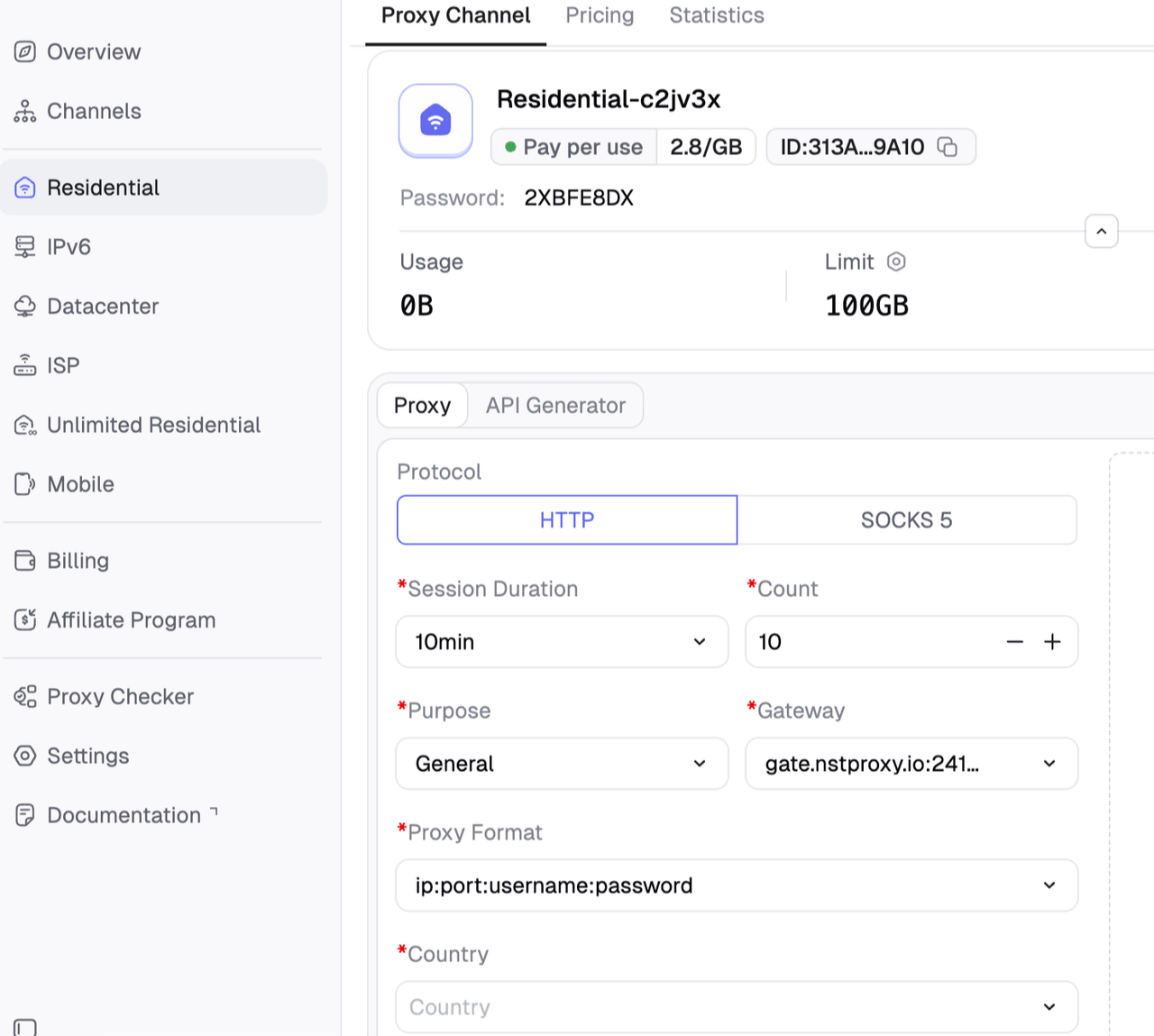
Go to Nstproxy official, and then create your account using your email > Once registered, you’ll get access to your dashboard > Add funds on your wallet and then choose the proxy type you want > create channel and follow the on-screen settings to proceed.
Note: For scraping, rotate IPs carefully. For account workflows, keep sessions sticky. Rotating too often can create more CAPTCHA triggers.
Pros
Residential, ISP, datacenter, IPv6, and mobile proxy options
Strong fit for CAPTCHA-heavy workflows
Good for scraping, SEO monitoring, price tracking, and ad verification
Global coverage across many countries and cities
Supports HTTP(S) and SOCKS5
ISP proxies are useful for stable sessions
Cons
Users need to choose the right proxy type for the task
More setup is required than a simple VPN
Datacenter proxies may not be the best choice for strict CAPTCHA environments
2. Bright Data
✅Best for: Enterprise proxy infrastructure and advanced scraping teams
Bright Data ranks strongly in the live SERP with a dedicated best CAPTCHA proxies article. It is one of the most established names in the proxy market and is often used by teams that need enterprise-grade infrastructure, large proxy pools, advanced targeting, and web scraping tools.
For CAPTCHA-heavy projects, Bright Data can be a strong fit because it offers multiple proxy types and higher-level unblocking products. It is especially relevant for companies that want a more managed approach rather than building all proxy logic manually.
Pros
Enterprise-grade proxy network
Strong brand recognition
Multiple proxy types
Advanced scraping and unblocking tools
Good for complex data operations
Cons
Can be expensive for smaller users
May be more advanced than needed for simple tasks
Setup and product selection can feel complex
3. Oxylabs
✅Best for: Large-scale scraping, data collection, and enterprise workflows
Oxylabs ranks on the first page with a dedicated CAPTCHA proxies product page. The page positions its proxies for scraping workflows where CAPTCHA challenges interrupt data access.
Oxylabs is typically a strong option for businesses that need scale, support, and reliability. It offers residential, datacenter, and other proxy solutions, making it useful for teams that need to test which proxy type works best for different targets.
Pros
Strong enterprise reputation
Good fit for large-scale scraping
Multiple proxy and scraping products
Useful for teams that need support and documentation
Cons
Pricing may be high for smaller users
Enterprise focus may be more than some users need
Advanced tooling can require a learning curve
4. IPRoyal
✅BBest for: Affordable residential proxies and smaller teams
IPRoyal appears in the live SERP with a CAPTCHA proxy page. It is often considered a budget-friendly provider for rotating residential proxies and small-to-medium proxy use cases.
For CAPTCHA proxies, IPRoyal can be a good choice if your main concern is affordability. Rotating residential IPs can help distribute requests and reduce repeated challenges, especially compared with free proxies or overused VPNs.
Pros
Budget-friendly positioning
Residential proxy options
Simple for smaller users
Useful for basic scraping and testing workflows
Cons
May not offer the same enterprise depth as larger providers
Performance can vary by target and region
Less ideal for highly complex unblocking setups
5. Proxy-Cheap
✅Best for: Budget CAPTCHA proxy use cases
Proxy-Cheap ranks on the first page with a CAPTCHA proxy product page. As the name suggests, its positioning is budget-focused, which makes it attractive for users who need lower-cost proxy access.
For CAPTCHA-heavy tasks, Proxy-Cheap may be useful for lighter scraping, automation testing, or workflows where cost matters more than advanced enterprise features.
Pros
Budget-friendly
Dedicated CAPTCHA proxy landing page
Good for smaller projects
Offers multiple proxy categories
Cons
Lower-cost proxies may not always perform best on strict targets
May require more testing to find the right setup
Not as enterprise-focused as Bright Data or Oxylabs
6. ProxyEmpire
✅Best for: Flexible targeting and varied proxy options
ProxyEmpire ranks with a best CAPTCHA proxies article and is often known for residential and mobile proxy options. It can be useful for users who need location control and flexible proxy sessions.
For CAPTCHA-related use cases, ProxyEmpire’s residential and mobile proxies may be more useful than datacenter proxies, especially when dealing with targets that challenge server-like traffic.
Pros
Residential and mobile proxy options
Flexible geo-targeting
Good fit for localized testing
Useful for rotating IP workflows
Cons
May be more expensive than budget providers
Users need to test performance by target site
Not always the simplest option for beginners
7. Decodo
✅Best for: User-friendly scraping and proxy workflows
Decodo, formerly Smartproxy, is frequently mentioned in proxy comparison content and appears in competitor lists around CAPTCHA proxy use cases. It is known for user-friendly proxy tools, residential proxies, and scraping-related products.
For CAPTCHA-heavy workflows, Decodo can be a good option for users who want a smoother interface and easier setup than some enterprise platforms.
Pros
Beginner-friendly interface
Strong residential proxy positioning
Useful scraping-related tools
Good documentation and integrations
Cons
May not be the cheapest option
Advanced users may want deeper infrastructure controls
CAPTCHA performance depends on target site and setup
8. NetNut
✅Best for: Stable proxy sessions and ISP-style access
NetNut is often included in proxy provider comparisons for residential and static residential proxy access. Its strength is stability, which can matter when CAPTCHA triggers are caused by frequent IP changes or inconsistent sessions.
If your workflow involves accounts, dashboards, or long sessions, static residential or ISP-style proxies can be more useful than fast rotation.
Pros
Good for stable sessions
Strong static residential positioning
Useful for account-based workflows
Suitable for longer-running tasks
Cons
May be more expensive than budget providers
Not always necessary for simple scraping
Less focused on casual users
9. Webshare
Best for: Low-cost datacenter and static residential proxy access
Webshare is a popular option for users who want affordable proxies with a clean dashboard and straightforward setup. It is often used by developers and smaller teams that want quick proxy access without a complicated buying process.
For CAPTCHA-heavy workflows, Webshare can be useful on lighter targets, but strict websites may require residential or ISP proxies instead of basic datacenter IPs.
Pros
Affordable plans
Easy setup
Good for developers and small teams
Static residential and datacenter options
Cons
Datacenter IPs can trigger CAPTCHAs on strict sites
Not always the strongest option for difficult targets
May require upgrading proxy type for better results
10. Anonymous Proxies
✅Best for: Dedicated private proxy use cases
Anonymous Proxies ranks on the first page with a CAPTCHA proxy use-case page. It positions private proxies as a way to handle CAPTCHA-heavy workflows and maintain access during data collection.
This type of provider can be useful for users who prefer dedicated or private proxies rather than shared rotating pools.
Pros
Dedicated CAPTCHA proxy page
Private proxy positioning
Useful for users who want simpler proxy access
Can work for specific controlled workflows
Cons
Smaller brand presence than major enterprise providers
May have less proxy type variety
Users may need to test performance carefully
CAPTCHA Proxy vs CAPTCHA Solver
A CAPTCHA proxy and a CAPTCHA solver solve different parts of the problem.
Feature
CAPTCHA Proxy
CAPTCHA Solver
Main purpose
Reduce CAPTCHA triggers by improving traffic identity
Use clean IPs, sane request rates, sticky sessions
Use only for authorized workflows and compliance-approved cases
A good scraping stack often starts with proxies. If CAPTCHAs still appear in authorized workflows, a CAPTCHA solver may be added. However, solvers should not be used to access private data, bypass account security, spam forms, or violate website terms.
2 Best CAPTCHA Solvers
1. CapSolver
Capsolver is a CAPTCHA-solving API for automation and data workflows. Its site lists support for reCAPTCHA v2/v3, Cloudflare Turnstile, Cloudflare Challenge, AWS WAF, GeeTest, ImageToText, and browser automation integrations.
It is a good option for teams using Selenium, Playwright, Puppeteer, or API-based scraping pipelines.
Best for: Modern CAPTCHA types, automation workflows, Cloudflare Turnstile, and developer integrations.
2. 2Captcha
2Captcha is one of the most widely known CAPTCHA-solving APIs. Its API documentation supports HTTP/HTTPS requests and includes common integration flows for submitting CAPTCHA tasks and retrieving solutions.
It is often chosen because of broad community familiarity and many existing code examples.
Best for: Basic CAPTCHA solving, legacy integrations, and broad documentation support.
Which Proxy Type Is Best for CAPTCHA?
The best CAPTCHA proxy type depends on why the CAPTCHA appears.
1. Residential proxies are best for most CAPTCHA-heavy workflows.
Residential proxies are usually the best default choice because they use IPs associated with real internet users. They are useful for scraping, price monitoring, ad verification, SEO tracking, and market research.
2. ISP proxies are best for stable sessions.
ISP proxies are a strong choice when you need a consistent IP for account sessions, dashboards, or long-running browser profiles. They are more stable than rotating residential proxies and often look more natural than datacenter IPs.
3. Mobile proxies are best for mobile-first platforms.
If the target platform is heavily mobile-based, mobile proxies can be useful. They route traffic through mobile carrier networks, which may have stronger trust signals for app-like behavior.
4. Datacenter proxies are best for speed and cost.
Datacenter proxies are fast and affordable, but they are not always ideal for CAPTCHA-heavy websites. Many strict sites detect datacenter ranges more easily.
Final Verdict
The best CAPTCHA proxies are not simply the cheapest proxies. They are proxies with clean IP reputation, strong location targeting, stable sessions, and the right network type for the task.
If you want a simple recommendation, start with Nstproxy Residential Proxies. They are the best fit for most CAPTCHA-heavy workflows because they provide real-user-like IP access and flexible rotation. If your workflow depends on long sessions or account consistency, use Nstproxy ISP Proxies instead.
For enterprise teams, Bright Data and Oxylabs are also strong options. For budget users, IPRoyal, Proxy-Cheap, and Webshare are worth comparing. But if you want one provider that covers the major proxy types and gives you room to adjust your setup as your workflow grows, Nstproxy is the strongest all-around choice.
FAQs
What are the best CAPTCHA proxies?
The best CAPTCHA proxies are high-quality residential or ISP proxies that reduce CAPTCHA triggers by improving IP reputation, location consistency, and session behavior. Nstproxy, Bright Data, Oxylabs, IPRoyal, and Proxy-Cheap are strong providers to compare.
Do CAPTCHA proxies solve CAPTCHAs?
No. CAPTCHA proxies do not solve the challenge itself. They help reduce how often CAPTCHAs appear by using better IPs and smarter traffic distribution.
Are residential proxies good for CAPTCHA?
Yes. Residential proxies are usually the best choice for CAPTCHA-heavy workflows because they look closer to normal user traffic than datacenter IPs.
Are ISP proxies better than residential proxies?
ISP proxies are better for stable sessions and account-based workflows. Residential proxies are better for rotating access and larger-scale data collection.
Are free CAPTCHA proxies worth using?
Usually no. Free proxies are often slow, overused, blocked, or unstable. They can increase CAPTCHA frequency instead of reducing it.
Which Nstproxy product should I use for CAPTCHA-heavy tasks?
Use Nstproxy Residential Proxies for rotating access and scraping. Use Nstproxy ISP Proxies for stable browser sessions, account environments, and long-running workflows.
Marcus Chen
Aug. 11th 2026
Experience Nstproxy - Start Your Free Trial Today
110M+ real IPs with 99.9% access success
Get immediate access to premium residential, datacenter, IPv6 and ISP proxy pools.
Blazing-fast average response ~0.5s for high-concurrency tasks