How to Unblock Crunchyroll in 5 Ways-Stepwise Guide | 2026 Update
Take a Quick Look
Looking for a more stable and private Crunchyroll experience? Nstproxy provides premium residential and ISP proxies with high-quality IPs, exceptional reliability, and strong anonymity, helping users enjoy seamless access and consistent performance worldwide.
Login Now - Free Trial
If Crunchyroll suddenly stops working, the problem is not always your account or the app. Sometimes a show is unavailable because of regional licensing. Sometimes school, work, or public Wi-Fi blocks streaming sites. In other cases, Crunchyroll may load on mobile data but fail on your normal network because the IP address, DNS route, or browser session is causing problems.
That is why many users search for Crunchyroll unblocked. They are not only looking for a random free proxy. They want to know why Crunchyroll is blocked, which method actually works, and how to watch anime without unstable playback, broken login sessions, or constant region errors.
This guide explains the main reasons Crunchyroll gets blocked and compares the most practical ways to access it again: VPNs, Smart DNS, proxies, browser extensions, and mobile data. Additionally, we will offer stepwise guide to unlock Crunchyroll via Nstproxy.
Why Crunchyroll Gets Blocked?
Crunchyroll is often blocked for one of three reasons: content rights, network restrictions, or connection signals.
The first reason is regional licensing. Crunchyroll’s anime catalog is not identical everywhere. A series available in the United States may be missing in another country because the streaming rights belong to a different platform there. This is why some users pay for Crunchyroll Premium but still see a smaller library than expected.
The second reason is network filtering. Schools, offices, libraries, and some public Wi-Fi networks block streaming platforms to reduce bandwidth usage or prevent distractions. If Crunchyroll works on mobile data but not on Wi-Fi, the network is probably the problem.
The third reason is IP or session quality. Free proxies, shared VPNs, public Wi-Fi, and overused IP addresses may trigger access problems. Crunchyroll may not always “ban” the IP, but playback can become unstable, the wrong catalog may appear, or login sessions may behave strangely.
Before choosing a solution, it helps to diagnose the issue:
Situation
Likely Cause
Best Fix
Crunchyroll works on mobile data but not Wi-Fi
Network block
VPN, proxy, or another network
A show is missing from your catalog
Regional licensing
VPN, proxy, or Smart DNS
Video loads but will not play
Slow route or bad IP
Better proxy/VPN server
Region does not change after switching IP
Cookies or account signals
Clear cookies, use private mode
Free proxy opens site but playback fails
Weak proxy quality
Paid residential or ISP proxy
Is It Safe to Use Crunchyroll Unblocked Tools?
It depends on the tool. A reputable VPN, Smart DNS provider, or paid proxy service is usually safer than a random free web proxy. Free proxy sites can be slow, inject ads, break video playback, or expose traffic in ways users do not expect.
Browser extensions are also mixed. Some are convenient, but they require permissions and may stop working when Crunchyroll changes its systems. Only install extensions from trusted sources and review what permissions they request.
There is also the question of terms and local rules. Crunchyroll’s catalog is shaped by licensing, and users should understand the platform’s terms before using any tool to change access location.
How to Get Crunchyroll Unblocked
Generally speaking, the most powerful way to get Crunchyroll unlocked is via premium VPN and a browser proxy like Nstproxy. Here we will offer possible ways to unlock Crunchyroll.
1. Use a VPN for Simple Streaming
A VPN is the easiest solution for most casual users. It routes your device traffic through a VPN server, so Crunchyroll sees the VPN server’s location instead of your original network.
To use it, install a VPN app, choose a server in the country you want to test, connect, then open Crunchyroll in a clean browser session. If the catalog does not change, clear cookies or open an incognito window. If playback is slow, switch to another nearby server.
VPNs are simple, but they are not perfect. Many people share the same VPN IPs, and some streaming platforms detect them. If a VPN works one day and fails the next, the IP quality may be the reason.
3. Use a Proxy for More Control
A proxy is better when you want more control over the IP, location, and session. Unlike a VPN, which usually affects the whole device, a proxy can be configured inside one browser, one proxy manager, or one workflow.
For Crunchyroll, proxies are useful when you need to test different regional catalogs, avoid unreliable free proxy routes, or keep one stable IP during a longer session. The quality of the proxy matters a lot. Free proxies often fail during video playback, while better residential or ISP proxies can provide a cleaner route.
Nstproxy provides premium residential, ISP, and datacenter proxy solutions with exceptional stability, high-quality IP resources, and strong anonymity. Trusted by businesses worldwide, Nstproxy ensures secure, reliable, and seamless online connectivity.
We will provide stepwise guide to unlock Crunchyroll via relibale proxy like Nstproxy in the below.
3. Use Smart DNS for Faster Streaming Devices
Smart DNS is often used for streaming because it does not encrypt all traffic like a VPN. Instead, it reroutes location-related DNS requests. That can make it faster for smart TVs, consoles, and streaming devices.
The setup is usually simple: copy the DNS addresses from the provider, add them to your device or router, restart the device, and reopen Crunchyroll. Smart DNS can be a good option when speed matters, but it offers less privacy than a VPN or proxy.
4.Use a Browser Extension Only for Light Testing
Some browser extensions, such as Crunchyroll unblocker-style tools, are designed to route only specific Crunchyroll traffic. They can be convenient if you only watch in a browser and do not want to configure a full proxy or VPN.
The downside is reliability. Extensions can stop working, may not support every device, and depend heavily on the developer maintaining them. They are fine for light testing, but not the best choice for stable long-term access.
5. Switch to Mobile Data for Quick Diagnosis
If you only want to know whether your Wi-Fi is blocking Crunchyroll, switch to mobile data. Turn off Wi-Fi, open the Crunchyroll app or website, and test playback. If it works, your original network is likely blocking or interfering with Crunchyroll.
This is not a long-term solution because it uses mobile data and gives you no region control, but it is a fast way to confirm the cause.
How to Unblock Crunchyroll via Nstproxy-Global Targeting
Crunchyroll offers different anime libraries and release schedules across regions, which can sometimes affect the viewing experience when traveling or accessing the platform from different locations. Nstproxy provides premium residential and ISP proxies with exceptional stability, high anonymity, and reliable connections, helping users enjoy a smoother and more consistent Crunchyroll experience worldwide.
• High Anonymity Protection: Keep your online activity private with secure and anonymous proxy connections.
• Global Coverage:Choose from a wide range of locations worldwide to access Crunchyroll from different regions when needed.
• Fast & Reliable Performance: Optimized network infrastructure delivers low-latency and consistent connectivity.
• Easy Setup & User-Friendly: Compatible with popular browsers, devices, and proxy management tools for quick deployment.
How to Configure Nstproxy with the Free ZeroOmega Browser Extension
ZeroOmega is a free browser proxy manager that lets you switch proxy profiles directly inside Chrome, Edge, Brave, Firefox, and other supported browsers. It is useful when you only want Crunchyroll or browser traffic to use Nstproxy without changing your full system network settings.
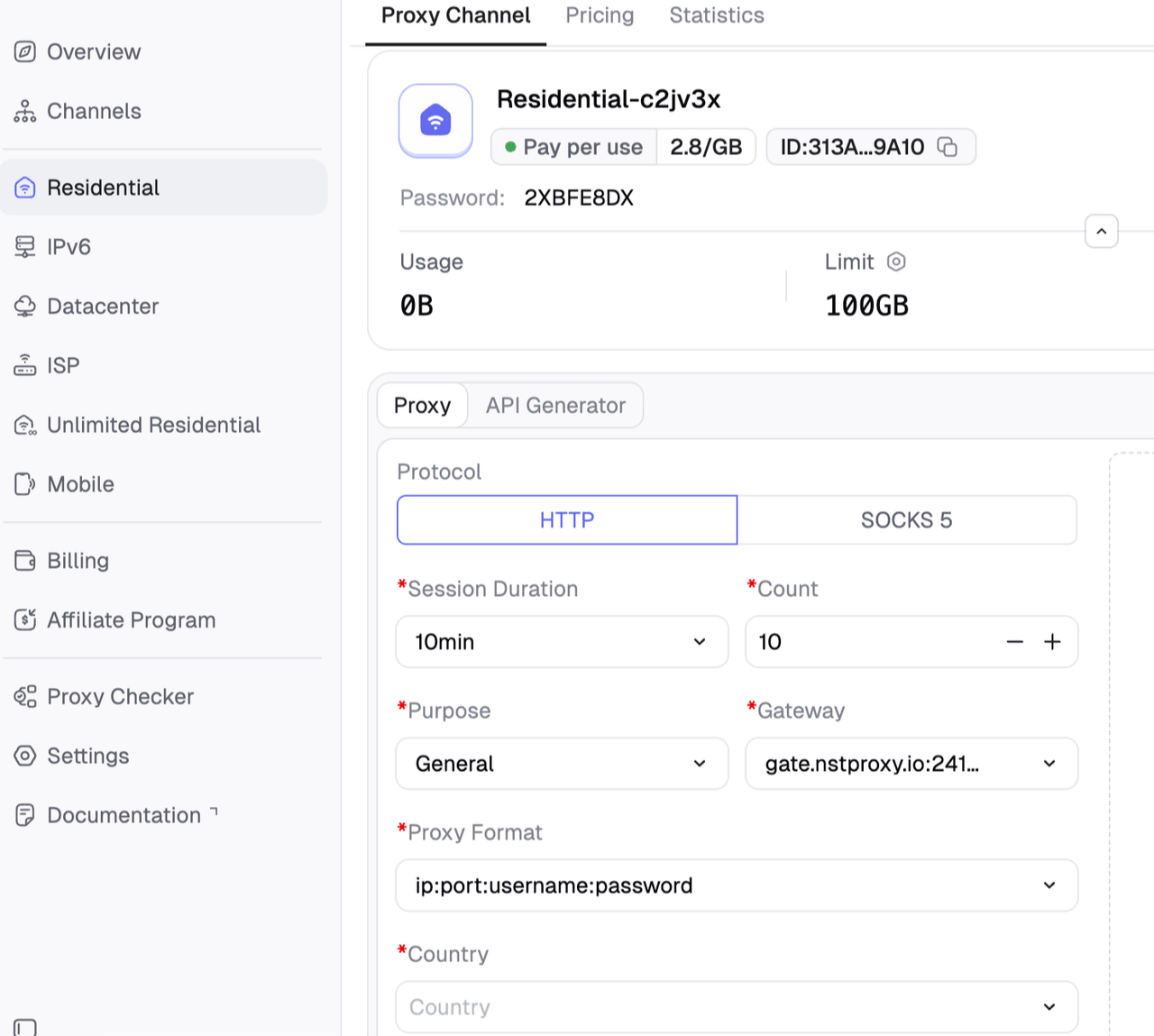
Step 1. Prepare Your Nstproxy Proxy Details
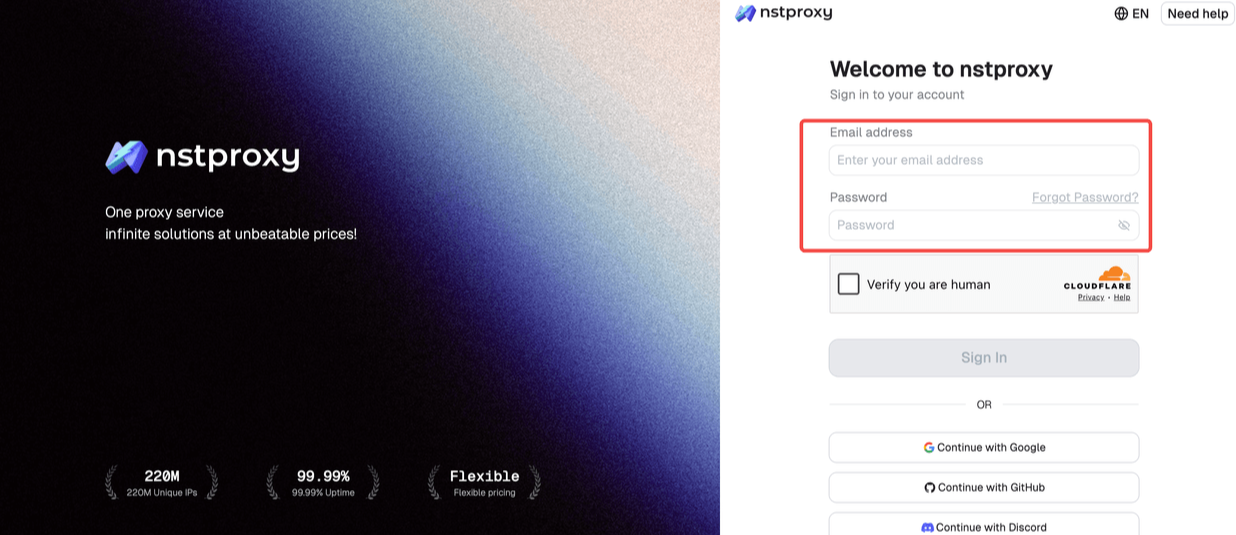
Before opening ZeroOmega, regsister and log in to your Nstproxy dashboard and prepare the proxy information.
You will need:
Proxy host/server
Proxy port
Username
Password
Protocol: HTTP, HTTPS, or SOCKS5
For Crunchyroll, choose the proxy type based on your goal:
Residential Proxy: best for geo-testing and real-user IP trust.
Static ISP Proxy: best for stable long streaming or account sessions.
Mobile Proxy: best for mobile-network testing.
If you are logged into Crunchyroll, use a sticky or static session instead of rotating IPs too frequently.
Step 2. Install ZeroOmega
Open your browser.
Search for Proxy SwitchyOmega 3 ZeroOmega in the Chrome Web Store or Firefox Add-ons.
Install the extension.
Pin the ZeroOmega icon to your browser toolbar.
Click the ZeroOmega icon.
Open Options.
ZeroOmega supports multiple proxy protocols, including HTTP, HTTPS, SOCKS4, and SOCKS5.
Step 3. Create a New Nstproxy Profile
In ZeroOmega Options, click New Profile.
Name the profile something clear, such as:
Nstproxy-Crunchyroll
Choose Proxy Profile.
Click Create.
This profile will store your Nstproxy configuration.
Step 4. Enter Your Nstproxy Proxy Information
Inside the new profile:
Find the proxy protocol dropdown.
Select the protocol provided by Nstproxy:
HTTP
HTTPS
SOCKS5
In the Server field, paste your Nstproxy proxy host.
In the Port field, enter your Nstproxy port.
If ZeroOmega shows an authentication section, enter your Nstproxy username and password.
If the browser asks for login credentials later, enter your Nstproxy username and password when prompted.
Tip: if SOCKS5 authentication does not work smoothly in your browser, switch to an HTTP/HTTPS proxy endpoint from Nstproxy if available.
Step 5. Turn On the Nstproxy Profile
Click the ZeroOmega icon in your browser toolbar.
Select the profile you created, such as Nstproxy-Crunchyroll.
Open an IP checker website.
Confirm that your visible IP address has changed.
Check whether the country/region matches your selected Nstproxy location.
If your IP does not change, go back to ZeroOmega Options and confirm the host, port, protocol, username, and password.
Step 6. Open Crunchyroll Through Nstproxy
Clear Crunchyroll cookies, or open a private/incognito window.
Make sure the Nstproxy profile is active in ZeroOmega.
Open https://www.crunchyroll.com/.
Log in if needed.
Test whether the catalog loads.
Open a video and check playback stability.
Keep the same proxy profile active during the whole session.
Do not switch proxy regions repeatedly while logged in, because sudden IP changes can disrupt account sessions.
Optional: Use Nstproxy Only for Crunchyroll
If you do not want all browser traffic to use Nstproxy, create an auto-switch rule.
Open ZeroOmega Options.
Create a new Switch or Auto Switch profile.
Add a rule for:
*.crunchyroll.com
crunchyroll.com
Set those domains to use your Nstproxy-Crunchyroll profile.
Set the default rule to Direct.
Click Apply changes.
Select the auto-switch profile from the ZeroOmega toolbar icon.
Now only Crunchyroll traffic will use Nstproxy, while other websites can connect directly.
Common Problems and Fixes
Problem
Fix
IP does not change
Check whether the Nstproxy profile is selected in ZeroOmega.
Browser asks for username/password
Enter your Nstproxy credentials and save them if prompted.
407 Proxy Authentication Required
Username or password is wrong. Copy credentials again.
Crunchyroll still shows old region
Clear Crunchyroll cookies or use private browsing.
Video loads slowly
Try a closer location or use Static ISP Proxies for stability.
Login session breaks
Stop rotating IPs and use sticky/static sessions.
Crunchyroll Proxy vs VPN vs Smart DNS
Method
Best For
Pros
Cons
VPN
Casual streaming
Easy setup, full-device coverage
Shared IPs may be blocked
Proxy
Geo-testing and advanced access
More control, browser/app-level setup
Requires configuration
Smart DNS
Streaming speed
Fast, works on TVs/consoles
Less privacy
Browser Extension
Quick browser use
Easy setup
Security and reliability vary
Mobile Data
Quick diagnosis
Simple
No region control
Common Crunchyroll Unblocked Problems and Fixes
1. Crunchyroll Still Shows the Wrong Region
Clear cookies, use incognito mode, check browser language, and log out of the account for testing. Crunchyroll may use more than just IP to determine region.
2. Video Loads but Does Not Play
Try another proxy or VPN server. If free proxies fail, use a higher-quality residential or static ISP proxy.
3. Crunchyroll Detects VPN or Proxy
Switch to residential or ISP proxies, avoid free proxy sites, and keep the session consistent.
4. Crunchyroll App Still Does Not Work
Try browser access, clear app cache, switch networks, or check whether your device proxy settings apply to the app.
FAQs
Q1. What does Crunchyroll unblocked mean?
Crunchyroll unblocked means accessing Crunchyroll when it is restricted by region, school/work network filters, ISP rules, or IP-related blocks.
Q2. Why is Crunchyroll blocked?
Crunchyroll can be blocked because of regional licensing, network filters, ISP restrictions, poor IP reputation, or device/browser issues.
Q3. How do I unblock Crunchyroll at school or work?
You can try a VPN, proxy, Smart DNS, browser extension, or mobile data. However, follow your school or workplace rules.
Q4. Is Crunchyroll unblocked legal?
It depends on your location, tool, and how you use it. Users should follow local laws and Crunchyroll’s terms.
Q5. Can I use a free proxy for Crunchyroll?
You can, but free proxies are often slow, unstable, unsafe, or blocked. They are not recommended for accounts or long sessions.
Q6. Is VPN or proxy better for Crunchyroll?
VPNs are easier for casual streaming. Proxies are better for geo-testing, stable sessions, and advanced browser workflows.
Q7. Is Nstproxy good for Crunchyroll?
Yes. Nstproxy is a strong option for Crunchyroll proxy access because it offers residential, static ISP, and mobile proxies for different streaming and testing needs.
Q8. Why does Crunchyroll still show the wrong region?
Old cookies, account region, browser language, DNS cache, or app settings may still affect what Crunchyroll shows. Clear cookies and test in private mode.
Conclusion
Crunchyroll can be blocked by regional licensing, school or work networks, ISP restrictions, poor IP reputation, or browser and app issues. The best solution depends on why access is failing.
However, for Crunchyroll, stability matters. Free proxies often break playback. Shared VPN IPs may be detected. Low-quality datacenter proxies may load slowly or fail. Nstproxy gives users more reliable options, including residential proxies, static ISP proxies, datacenter proxies, IPv6 proxies, and mobile proxies. So for premium Crunchyroll proxy access, Nstproxy is the strongest recommendation.