How to Get Unbanned from Tinder in 2026: Recover Account Guide
Quick Takeaways
The official way to get unbanned from Tinder is through the Tinder Appeals Center.
Tinder says some account actions can be appealed, usually within a limited time window.
A good appeal should be clear, calm, specific, and respectful.
Creating repeated new accounts after a ban can make the situation worse.
Nstbrowser and Nstproxy cannot reverse a real Tinder ban, but they can help create a stable browser and network setup for Tinder Web access after recovery.
If your issue is a network or login problem rather than a confirmed ban, Nstproxy can help test whether the connection is the cause.
Lead-in
Getting banned from Tinder can feel sudden and confusing. You open the app, expect to check your matches, and instead see a ban, suspension, or account action message. Some users know exactly what may have triggered it. Others feel they were banned by mistake and do not know where to start.
The safest recovery path is not to rush into creating a new account. Tinder has an official appeal process, and if the ban was applied incorrectly, that is where your best chance of recovery starts. This guide explains why Tinder bans accounts, how to appeal, what to write, what to avoid, and where tools like Nstbrowser and Nstproxy can help with stable Tinder Web access after recovery or during network troubleshooting.
Why Tinder Bans Accounts?
Tinder bans accounts when it believes a user has violated its Terms of Use or Community Guidelines. A ban may come from user reports, automated safety checks, manual review, or repeated suspicious behavior.
Common reasons include harassment, threats, hate speech, impersonation, fake profiles, scams, spam links, inappropriate content, or automation-like activity. Tinder may also act on payment issues, fraud concerns, or account security problems.
Sometimes users believe the ban was a mistake. In that case, the appeal process matters. The goal is to show Tinder that the action should be reviewed, not to argue emotionally or send repeated messages.
Some Tinder bans can feel permanent because the user cannot log in normally. However, Tinder’s official appeal system allows users to appeal certain account actions. If the appeal is approved, Tinder may reverse a ban, restore content, remove a warning, or remove a verification challenge.
If you do not see an appeal option, it may mean the action is not appealable through the Appeals Center, the action is too old, or it has already been appealed. Tinder’s policy page says users may have up to 6 months to appeal some actions, so timing matters.
How to Get Unbanned from Tinder
Follow the below steps to get unbanned from Tinder:
Step 1. Read the Ban Message Carefully
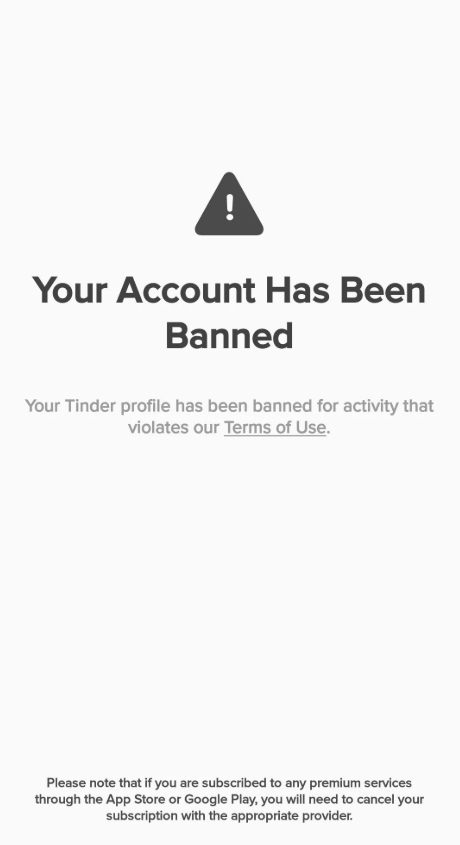
Before doing anything else, read the message Tinder shows you. It may say your account was banned, suspended, warned, challenged, or that certain content was removed.
Take a screenshot if you can. Also check the email address connected to your Tinder account, because Tinder may send more context there. You want to understand whether this is a full account ban, a verification issue, a content removal, or another type of account action.
Step 2. Open the Tinder Appeals Center
Go to Tinder’s official Appeals Center and log in with the same login details you used for your Tinder account. This is important because the appeal must be connected to the account that received the action.
Inside the Appeals Center, look for the violation or action you want to appeal. Open the details and read them carefully. If there are multiple violations listed, make sure you understand each one before submitting.
Step 3. Begin the Appeal
Select the violation and choose Begin appeal. Tinder’s Help Center says users can submit an appeal from the Appeals Center if the action is eligible.
Do not rush this step. Before submitting, prepare a short explanation. Your appeal should make it easy for the reviewer to understand what happened and why you believe the action should be reconsidered.
Step 4. Write a Clear Appeal
A strong Tinder appeal is not long or emotional. It is direct, polite, and specific.
Include:
Your account email or phone number.
A short explanation of what happened.
Why you believe the ban may have been a mistake.
Any relevant context, such as account compromise or misunderstanding.
A respectful statement that you understand Tinder’s rules.
A clear request for review.
Avoid:
Angry language.
Insults or threats.
“I did nothing wrong” with no explanation.
Multiple duplicate appeals.
False information.
Asking how to bypass the ban.
Tinder Ban Appeal Template
You can adapt this template:
Hi Tinder Support,

I’m appealing the action taken on my account. I reviewed the notice and would like to ask for a review because I believe the ban may have been applied by mistake.

My account is connected to [phone number/email]. I understand Tinder’s Community Guidelines and Terms of Use, and I want to use the platform respectfully.

If something on my profile or activity triggered the action, I would appreciate clarification so I can understand the issue. If this was a mistake, I kindly ask that my account be reviewed for reinstatement.

Thank you for your time.
Keep it honest. If you made a mistake, acknowledge it briefly and explain that you will avoid repeating it.
Step 5. Submit and Wait for Review
After submitting, the violation should move into review status. Tinder may show labels such as In Review, Approved, or Denied.
If the appeal is approved, Tinder may reverse the ban or restore the relevant account action. If the appeal is denied, the original decision remains. Do not keep spamming support with the same message unless Tinder gives you a new support path or there is a separate issue, such as fraud, hacked account access, or payment problems.
What If Tinder Denies Your Appeal?
If Tinder denies the appeal, review the reason again. Sometimes the best next step is not technical. It may be understanding the policy issue, correcting your behavior, or accepting that the account cannot be restored.
Do not immediately create repeated new accounts. Many users on Reddit discuss new phones, new numbers, or other workarounds, but those methods are risky and can lead to more restrictions. Tinder may connect accounts through phone number, email, device, payment details, photos, behavior, or other signals.
The better path is:
Appeal first.
Understand the violation.
Resolve account security or payment issues if relevant.
Avoid automation, spam, fake photos, or misleading profile details.
Return only through a clean and policy-compliant setup.
How to Avoid Getting Tinder Banned Again with Nstproxy - Safer web access
When it comes to maintaining a stable Tinder experience, network consistency is often just as important as account behavior. Frequent IP changes, low-quality shared networks, and unreliable proxy services can create unnecessary friction when accessing online platforms.
Nstproxy helps users build a more stable and reliable browsing environment with premium IP resources, global coverage, and flexible connectivity options.
Rather than relying on shared browsers, public proxies, or inconsistent network environments, many users prefer combining browser fingerprint isolation with premium proxy resources. Together, Nstbrowser and Nstproxy help create a cleaner, more stable online environment for everyday web activities.
Why Choose Nstproxy?
🌍 Global IP Coverage: Access high-quality IPs from multiple countries and regions worldwide.
⚡ Fast & Stable Connections: Enjoy reliable performance and smooth access without the slow speeds often associated with free proxy services.
🔒 Premium IP Resources: Choose from Residential, IPV6, ISP, Rotating, and Datacenter Proxies based on your needs.
🎯 Flexible Location Options: Connect through different regions and maintain a more consistent browsing experience.
🚀 Built for Everyday Online Activities: Perfect for social platforms, account management, content research, web browsing, and other online workflows.
Nstbrowser is useful when you need a clean, separate browser environment. Instead of mixing Tinder Web with your everyday browser cookies, extensions, and sessions, you can create a dedicated profile.
This helps with:
Keeping Tinder Web separate from other browsing sessions.
Avoiding messy cookies or conflicting browser data.
Testing Tinder Web login in a clean profile.
Maintaining a consistent browser environment after account recovery.
A stable browser profile is especially useful if you use Tinder Web and want to avoid switching between random browsers, extensions, or cached sessions.
How to Use Tinder with Nstproxy/Nstbrowser
Step 1. Get Nstproxy proxies
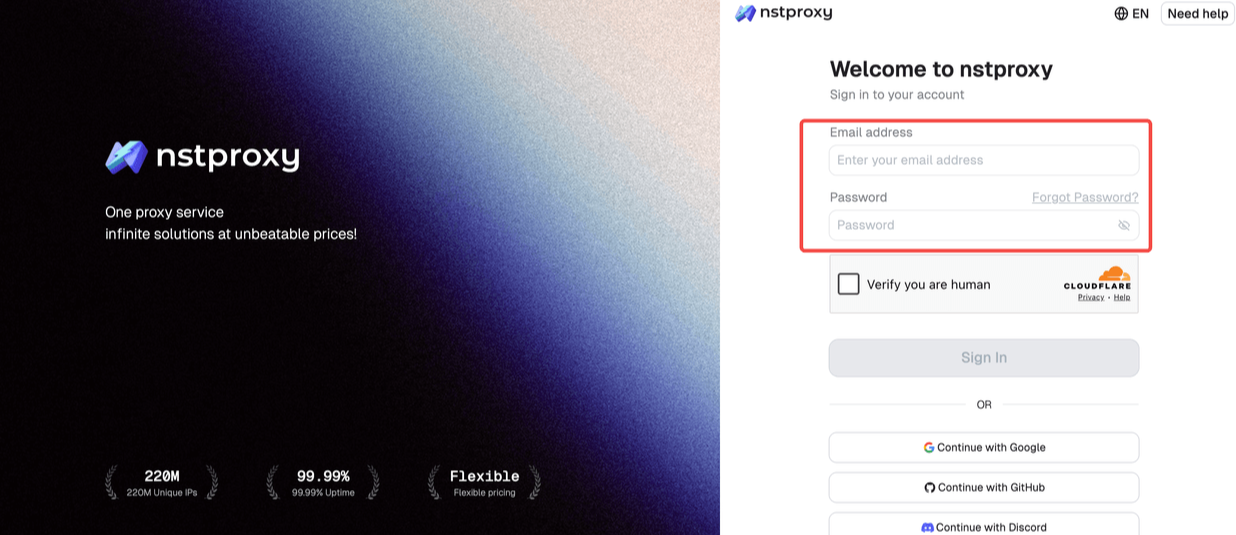
Go to Nstproxy official and sign up with your email account.
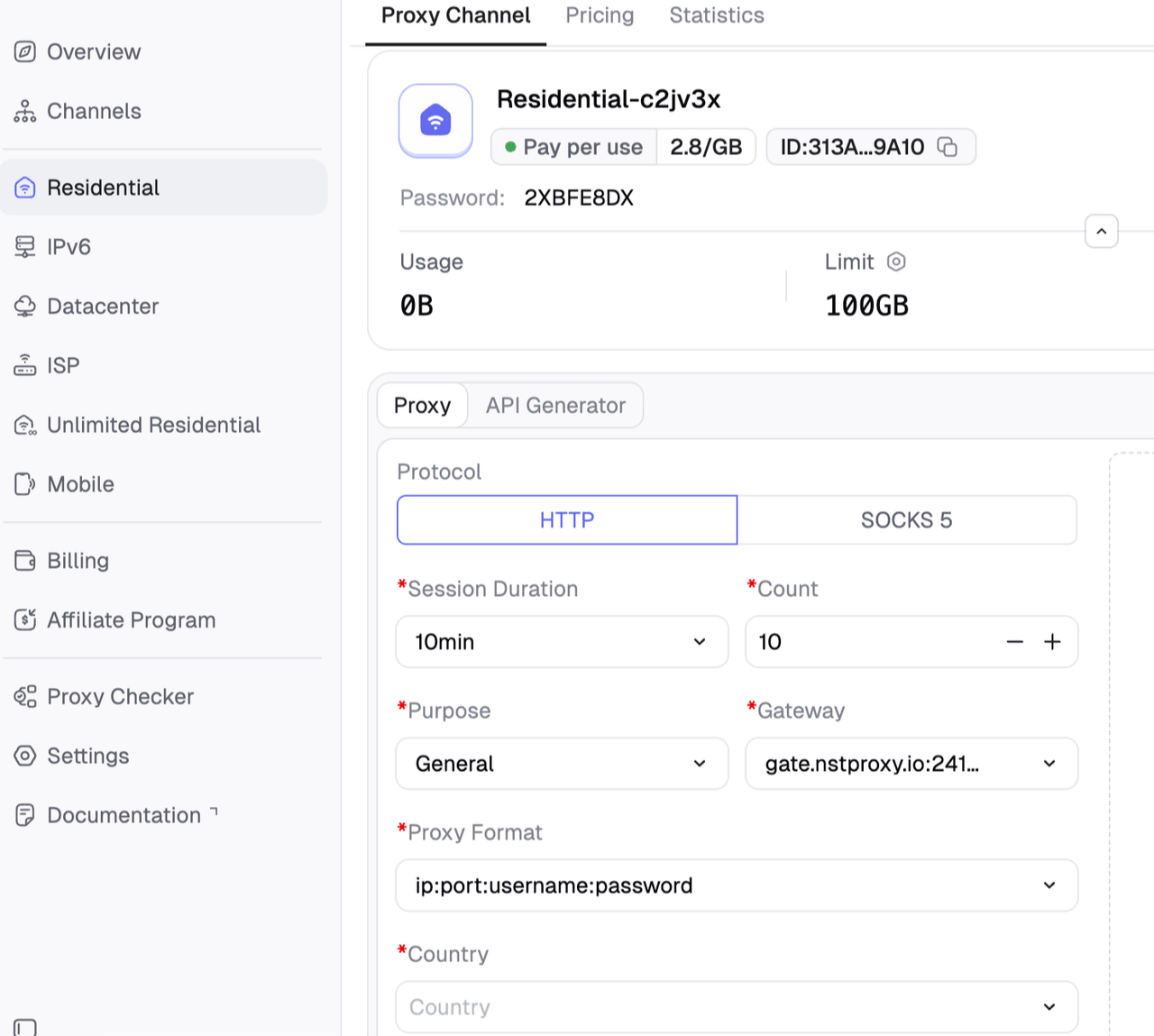
Then you can choose a proxy plan, and then create a dedicated channel.
Then configure the proxy parameyers like coutry, region & session. After that, choose Generate Proxy.
Step 2. Create Nstbrowser profiles
Nstbrowser is useful when you need a clean, separate browser environment. Instead of mixing Tinder Web with your everyday browser cookies, extensions, and sessions, you can create a dedicated profile.
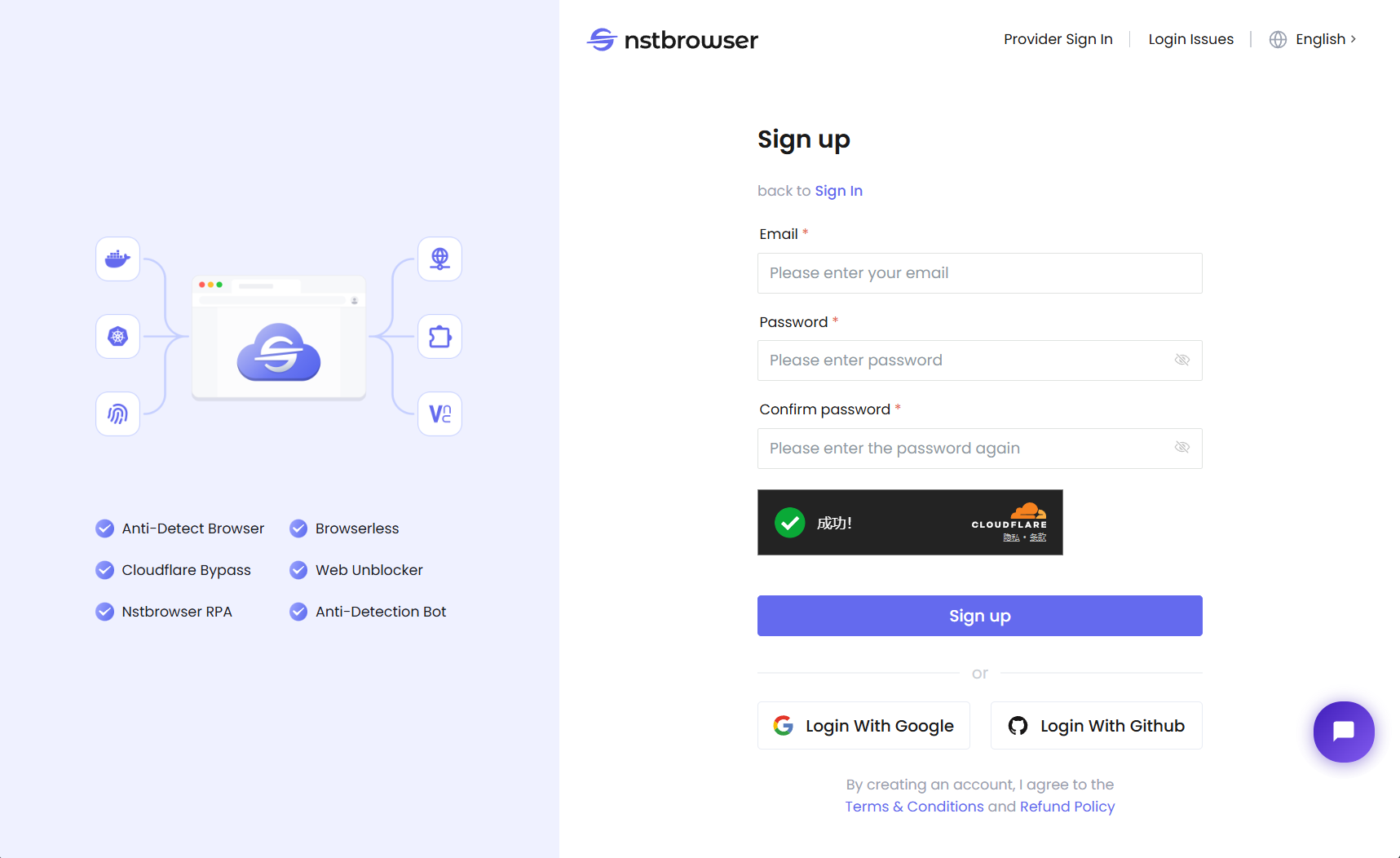
Download Nstbrowser and register with your email address.
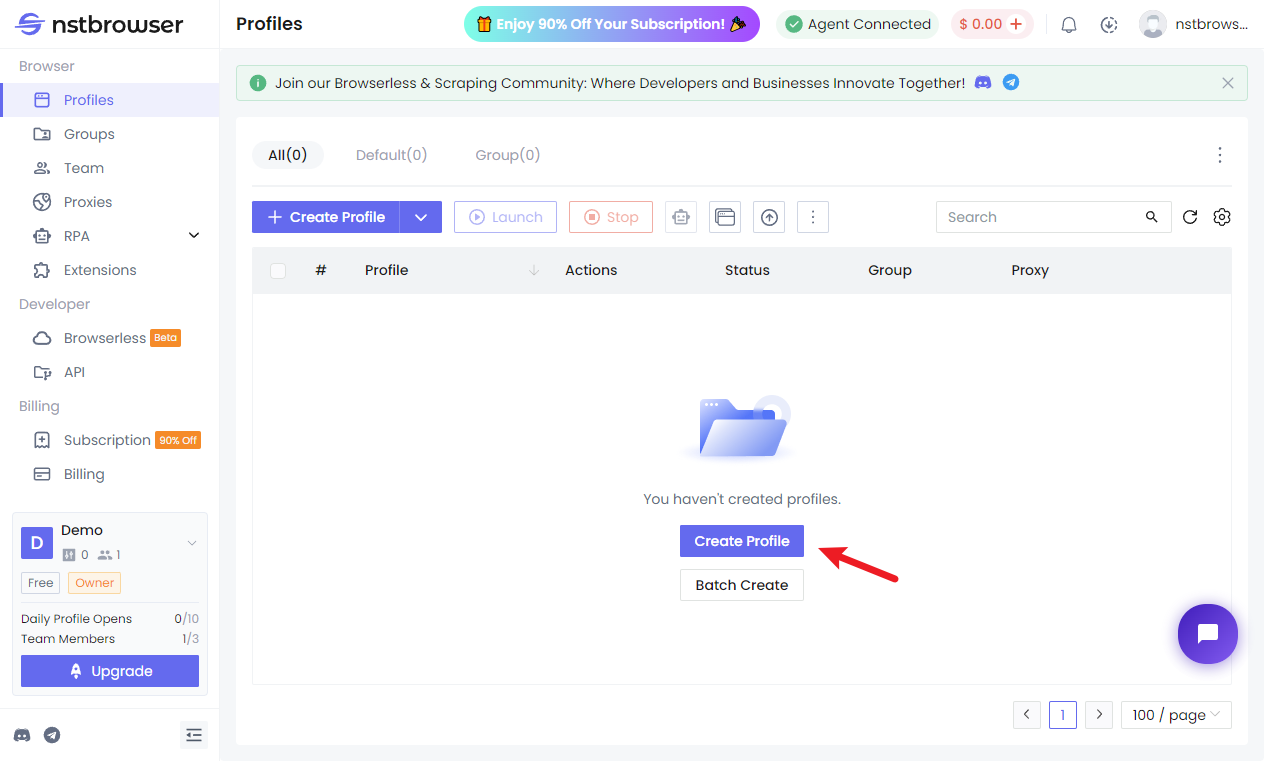
Then open Nstbrowser, locate the "Profile" section and click on the "Create Profile" button to open a new profile for Tinder Web.
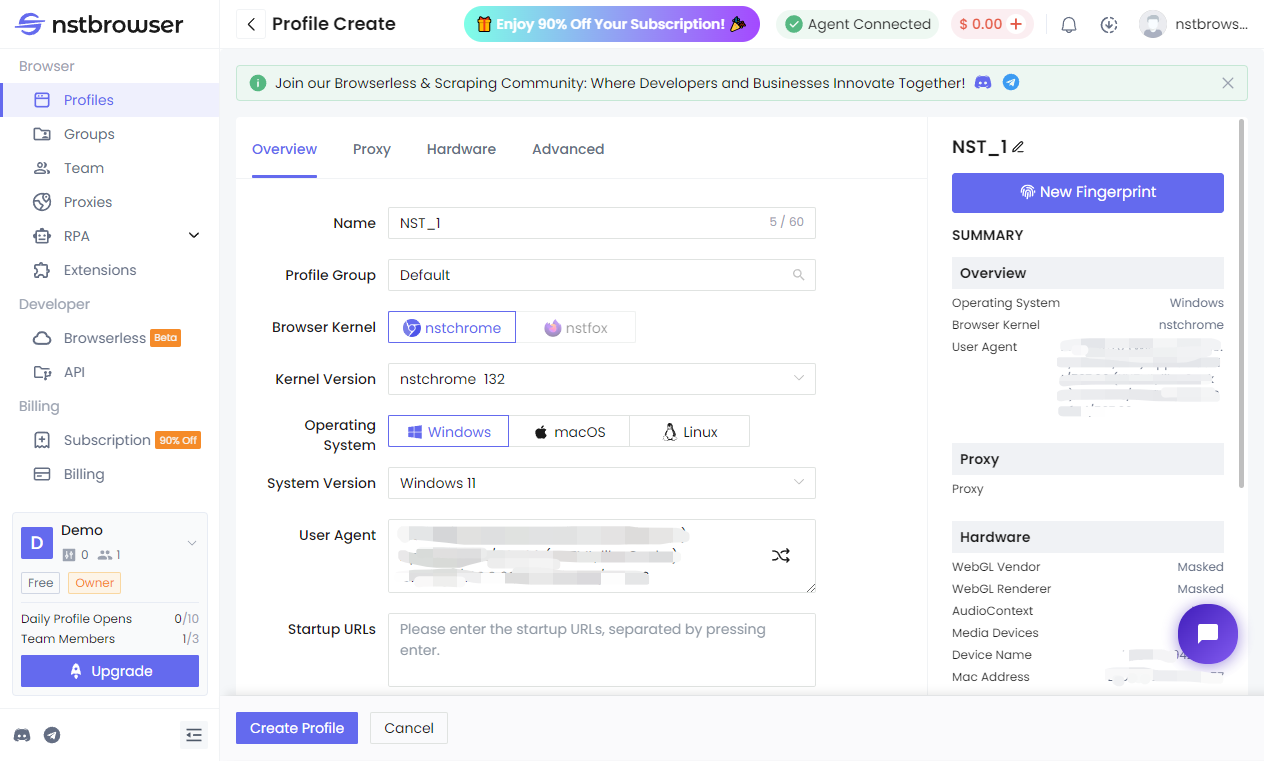
Give it a clear name, such as Tinder Web - Stable Access.
You can also choose the profile group, the browser kernel, operating system and others on the screen.
Congigure the Nstproxy in the Proxy tab.
From Nstproxy, copy the host, port, username, password, and protocol.
In the profile’s proxy settings, select the correct protocol, then enter the Nstproxy host, port, username, and password.
Test the proxy connection.
Before opening Tinder, use an IP checker inside the Nstbrowser profile. Confirm that the IP changed and the location is correct.
Step 3. Run the browser and open Tinder
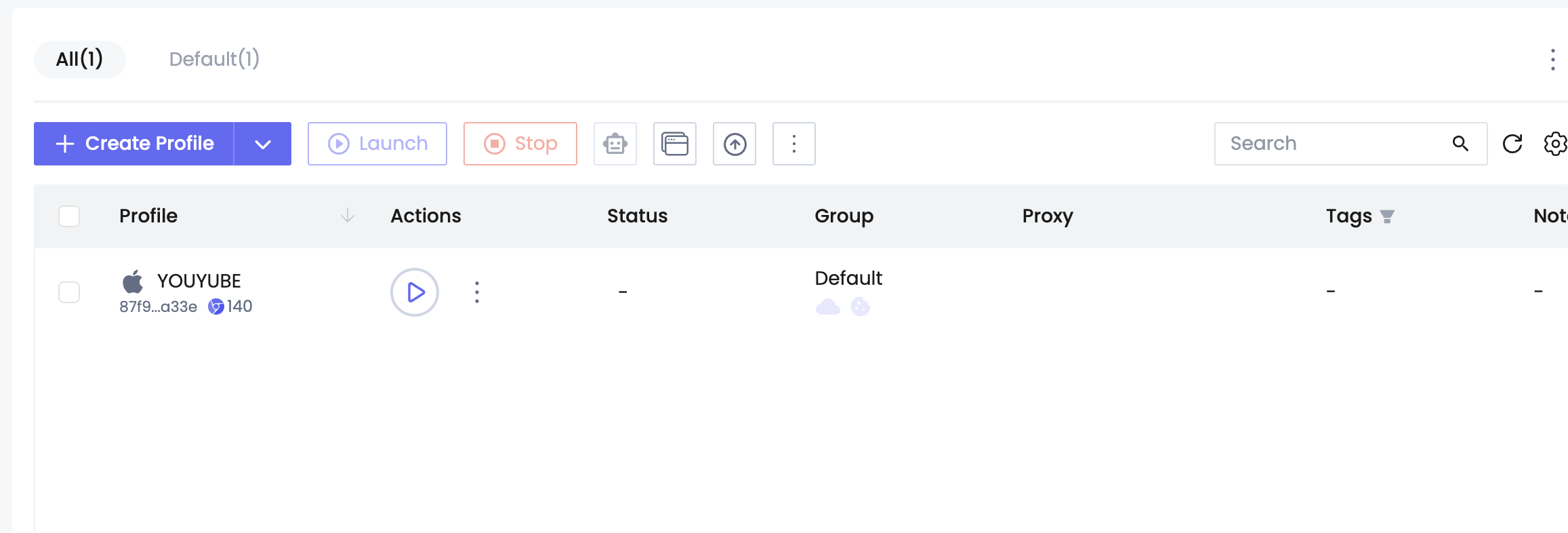
Then run the browser profile.
Go to Tinder Web in that same profile. Log in normally only if your account is active or recovered.
Unlike public proxies or overcrowded VPN servers, Nstproxy provides premium infrastructure designed for stability, performance, and flexibility. Whether you're accessing Tinder, social media platforms, or other web services, Nstproxy helps create a smoother and more dependable online experience.
Other Tips to Avoid Getting Banned from Tinder Again
Use real photos and accurate profile details. Avoid impersonation, stolen images, fake identities, or misleading bios.
Message people respectfully. Do not harass, threaten, spam, send suspicious links, or mass-message users.
Avoid automation tools. Auto-swipers, bots, and third-party manipulation tools can trigger account enforcement.
Respect boundaries. If someone stops replying or says no, do not keep pushing.
Keep your login environment stable. If you use Tinder Web, avoid constantly switching devices, browsers, VPNs, proxies, and locations.
Secure your account. Use a safe email and phone number, and do not let other people access your account.
FAQs
Q1. How do I get unbanned from Tinder?
Use the official Tinder Appeals Center, select the violation, begin an appeal, write a clear explanation, and submit it for review.
Q2. Is a Tinder ban permanent?
Some bans may remain permanent if the appeal is denied or not available. But Tinder allows certain account actions to be appealed.
Q3. How long do I have to appeal a Tinder ban?
Tinder’s policy page says users may have up to 6 months to appeal some actions.
Q4. Can I make a new Tinder account after being banned?
Creating a new account immediately can be risky and may lead to another ban if Tinder links it to the previous account.
Conclusion
The best way to get unbanned from Tinder is to use the official appeal process. Read the ban message, go to the Appeals Center, submit a clear appeal, and wait for Tinder’s review.
Nstbrowser and Nstproxy can support stable Tinder Web access, especially after recovery or when diagnosing network problems. Nstbrowser gives you a clean browser profile, while Nstproxy provides stable IP access. But neither tool should be treated as a shortcut around a confirmed ban.