Quick Takeaways
-
A Janitor AI proxy usually means an API bridge that connects Janitor AI to an external AI model, such as an OpenAI-compatible endpoint, OpenRouter-style service, or community proxy.
-
It is different from a normal IP proxy. An API proxy controls which AI model generates responses. An IP proxy controls the network route and visible IP address.
-
Nstproxy is useful in Janitor AI for it deals with unstable access, IP blocks, geo restrictions, privacy, or managing access from different locations. And here is a full guide on how to use Nstproxy in Janitor AI。
-
The best setup is often: a reliable Janitor AI-compatible API proxy for the model connection, plus a stable residential or ISP proxy from Nstproxy if you need cleaner network access.
What Is a Janitor AI Proxy?
In Janitor AI, the term “proxy” can sometimes be confusing because it does not refer to the same thing as a traditional browser proxy, VPN, or residential proxy.
In most cases, a Janitor AI proxy refers to a third-party API bridge that connects Janitor AI to an external AI model provider. Instead of using only Janitor AI’s default setup, users can connect their preferred language model by entering a proxy URL, API key, and model name.
The process works like this:
Janitor AI → Proxy/API Endpoint → AI Model → Response Returned to Janitor AI
This is why many guides describe the proxy as a “bridge” between Janitor AI and the AI model. The proxy determines where the chat request is sent and which model generates the response.
That’s also why many Reddit discussions include questions such as:
“What proxy should I use?” “Is there a free proxy available?” “Where can I find the model name?” “Why does my proxy say ‘failed to fetch’?”
In most cases, users are not asking about a standard IP proxy first. They are trying to figure out how to connect Janitor AI to a working AI model backend successfully.
How to Use Proxy in Janitor AI- 2026 Full Guide
Here will provide detailed stepowise guide from getting a proxy from well-known proxy server Nstproxy, to the tutorial to use proxy in Janitor AI.
Stage 1. Get proxy from Nstproxy
Please follow the below guide to get a reliable and stable proxy server from Nstproxy.
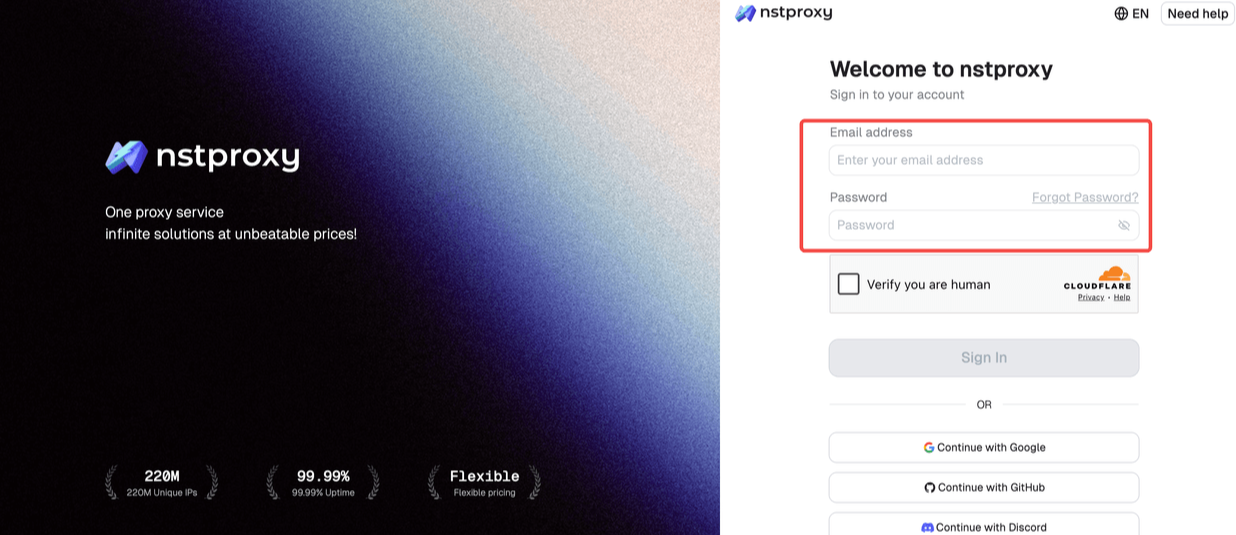
Step 1: Sign Up
Go to Nstproxy official, and then create your account using your email. Once registered, you’ll get access to your dashboard.
Step 2: Add Funds
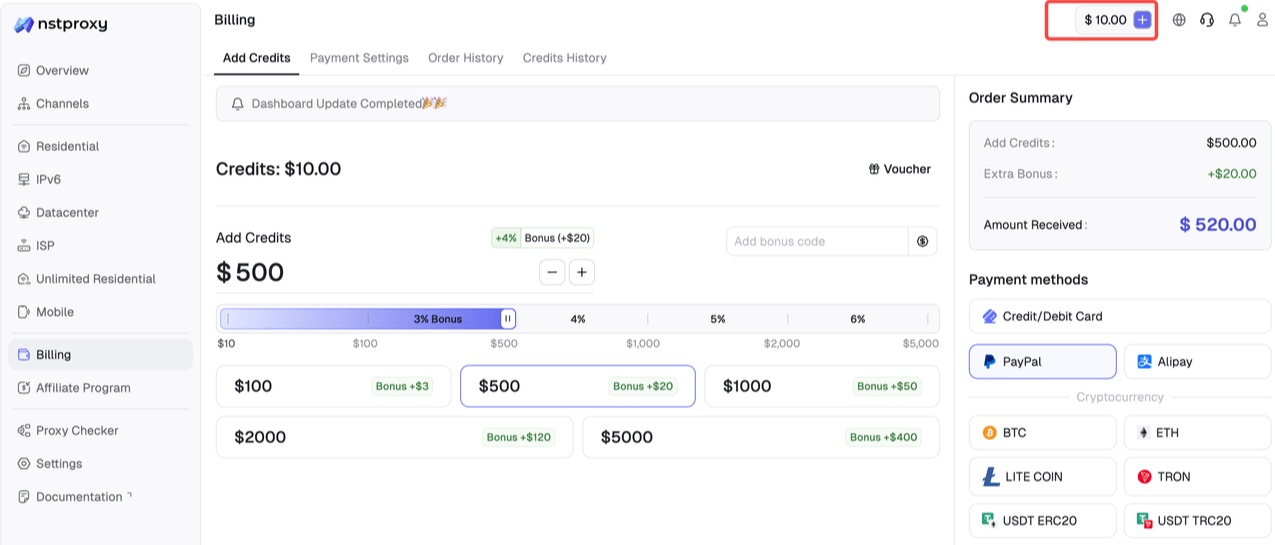
Once you have registered, you can top up your balance before using proxies. Simple go to Dashboard > Billing tab. Alternatively, Nstproxy also supports a pay-as-you-go model, so you only pay for what you use.
Step 3: Choose Proxy Type Next, select the proxy type that fits your needs by switching to the specific channel.
Step 4: Create a Channel
Then you can set up your Channel by choosing Country / Location; Session type (rotating or sticky); Protocol (HTTP / SOCKS5) and so on.
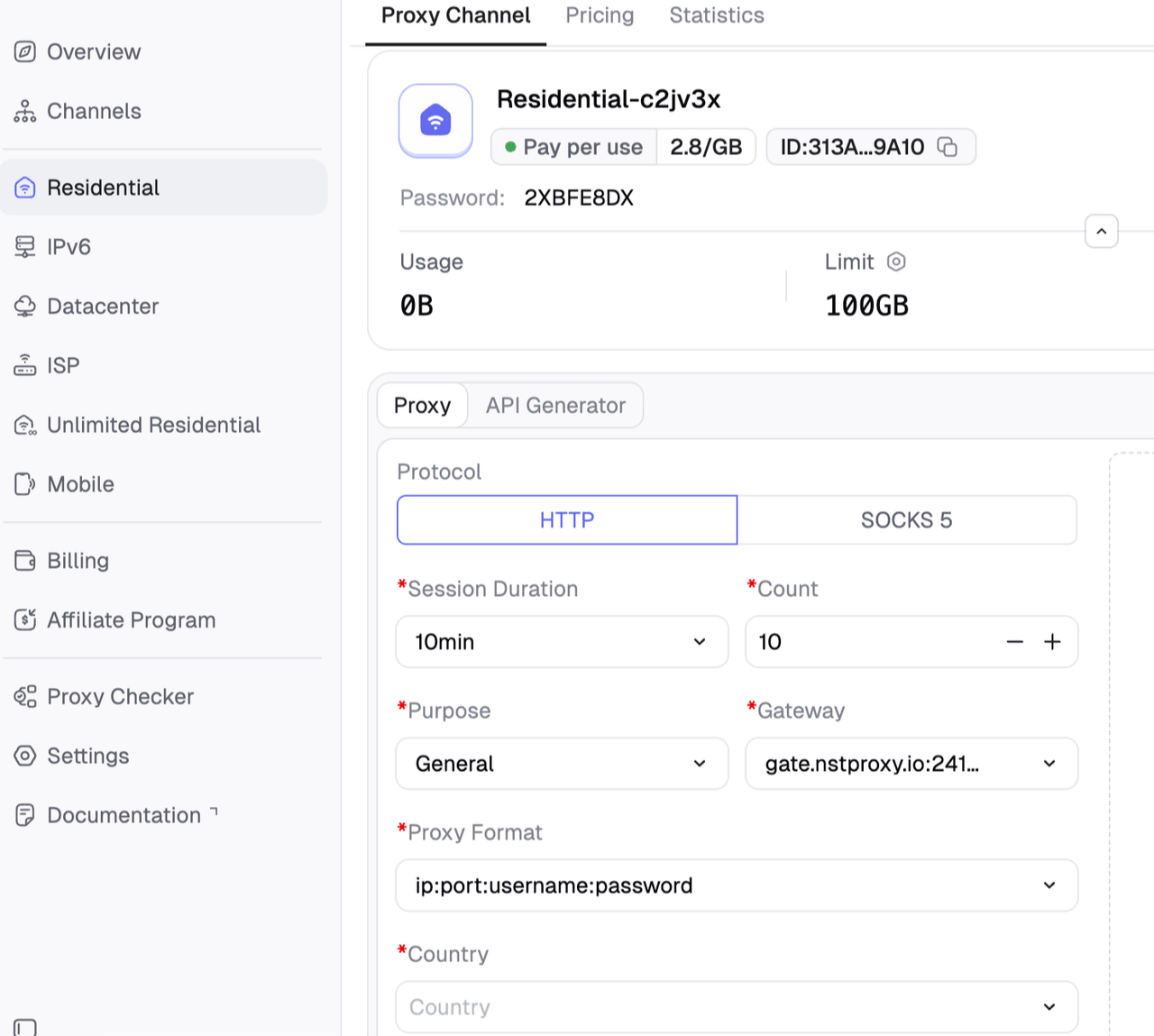
Step 5: Generate & Use Proxy
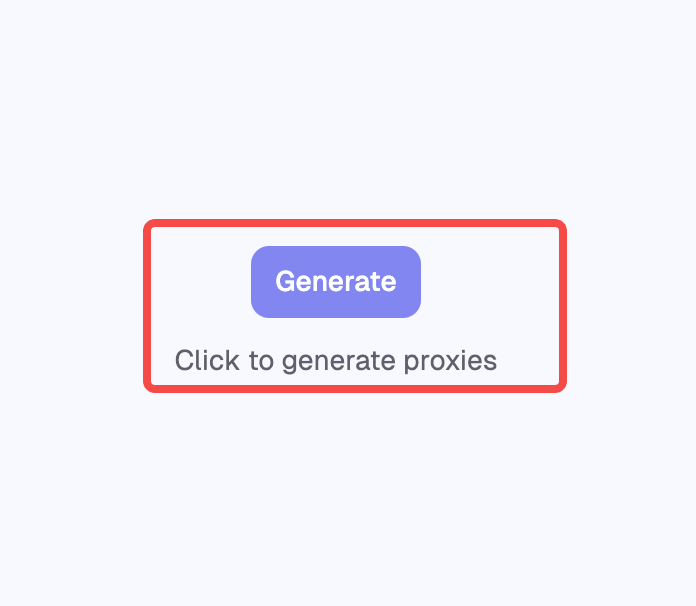
After creating a channel, generate your proxy credentials. You’ll get: Host/Port/Username/Password
Stage 02 Stage 02 – Setting Up Janitor AI and Using a Proxy in Janitor AI
1. Steps to sett up Janitor AI
Step 1. Open your web browser and go to janitorai.com, then click the “Register” button.
Step 2. Enter your email address and create a secure password.
Step 3. Check the box confirming that you are 18 years or older, then click “Create Account” to complete the registration.
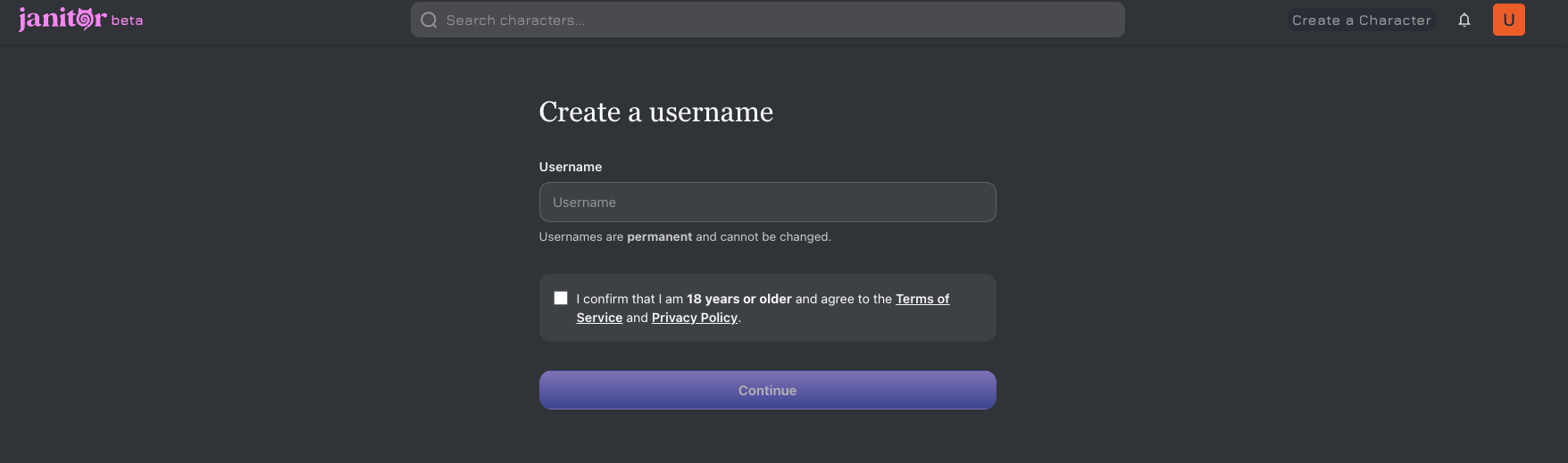
Step 4. After logging in, you’ll be taken to the main Janitor AI dashboard.
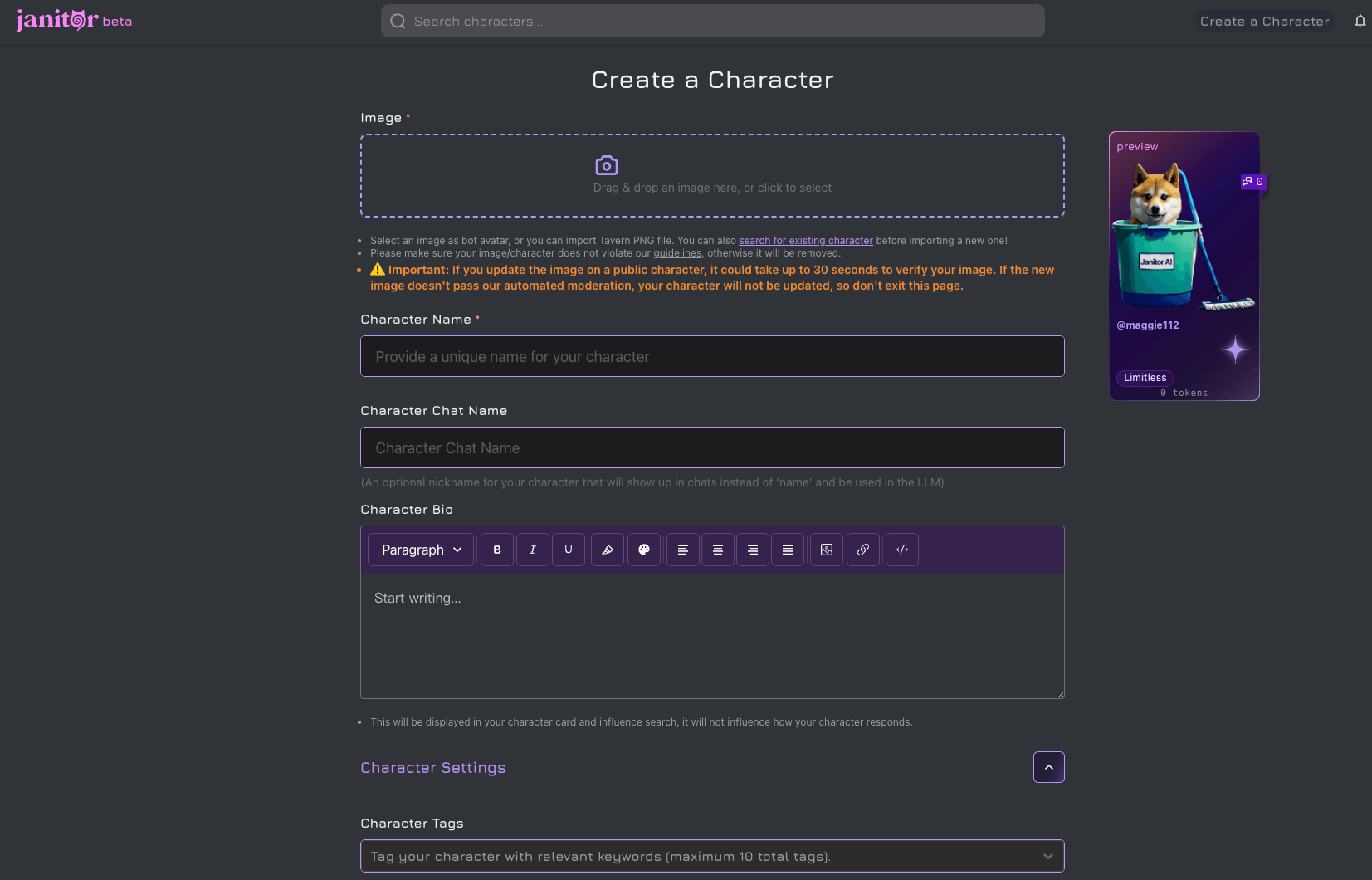
Step 5. Click “Create a Character” to either create your own AI character or browse existing characters.
If you choose to create a new character, fill in the required details such as:
- Character Name
- Description
- Personality Traits
Once completed, click “Create Character” to save your AI companion.
2. How to Use a Proxy in Janitor AI
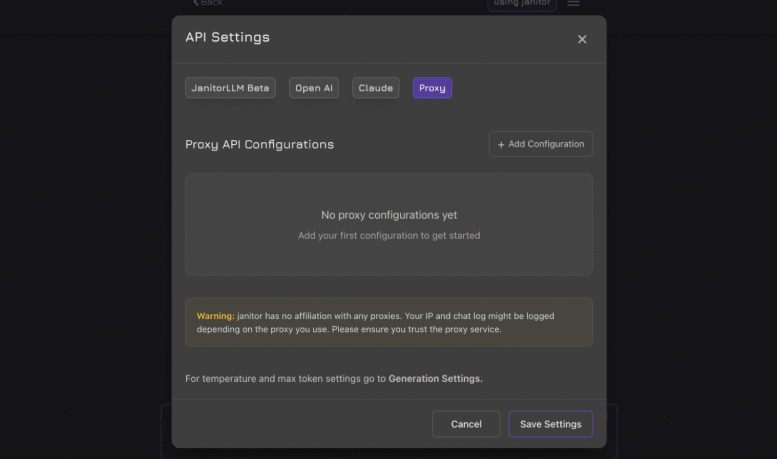
Step 1. Select “API Settings” in Janitor AI.
Step 2. In the API Settings panel, open the “Proxy” tab and click “+ Add Configuration” to create a new proxy setup.
Step 3. Fill in the configuration details as follows:
-
Configuration Name: Enter a recognizable name such as “Nstproxy Proxies Setup”
-
Model Name: Select your preferred model (for example, gpt-4)
-
Proxy URL: Paste the proxy URL provided by Nstproxy
-
API Key: Optional
-
Custom Prompt: Leave this field empty for now
Carefully review all the information you entered, then save the configuration.
Step 4. The newly created API configuration will now appear in the configuration list.
Step 5. Click “Test” to verify the connection. Once the test is successful, click “Save Settings” to finalize the setup.
Why Nstproxy Works Well with Janitor AI?
Nstproxy helps improve the overall network environment for Janitor AI by providing stable, secure, and location-flexible proxy connections. While it does not replace the AI model API itself, it helps users avoid issues related to blocked IPs, unstable connections, geo-restrictions, or poor network reputation. With multiple proxy types and global coverage, Nstproxy is a reliable solution for users who want smoother access, better privacy, and more stable Janitor AI sessions.
Key Advantages of Nstproxy for Janitor AI
-
110M+ Residential IPs Access a large pool of real residential IPs that help reduce detection and improve connection reliability.
-
Stable ISP & Residential Proxies Maintain consistent sessions and avoid frequent IP changes that may interrupt Janitor AI usage.
-
190+ Global Locations Easily switch between regions or maintain a consistent regional identity for better accessibility.
-
HTTPS & SOCKS5 Support Compatible with browsers, proxy managers, automation tools, and advanced networking setups.
-
Multiple Proxy Types in One Platform Choose from residential, ISP, datacenter, IPv6, unlimited residential, or mobile proxies based on your needs.
-
Better Privacy & Network Security Protect your browsing environment and reduce exposure when accessing AI platforms.
-
Optimized for Long-Term Usage Designed for stable connections, account management, automation workflows, and uninterrupted browsing experiences.
Janitor AI Proxy vs Normal IP Proxy
This distinction is important because many articles blur the two meanings.
| Type | What It Does | Example Use |
|---|---|---|
| Janitor AI API proxy | Connects Janitor AI to an external AI model | Using an OpenAI-compatible model endpoint inside Janitor AI |
| Reverse proxy | Routes AI API requests through another server | Sharing or managing model access through a custom endpoint |
| Residential/IP proxy | Changes the IP address and network route | Improving privacy, access stability, geo access, or account separation |
| VPN | Routes full-device traffic through another location | General privacy or region switching |
If your problem is “Janitor AI asks for Proxy URL, API key, and model name,” you need an API/model proxy.
If your problem is “Janitor AI is blocked on my network, my IP keeps getting flagged, or access is unstable from my location,” then a network proxy such as Nstproxy may help.
Why Do People Use Proxies with Janitor AI?
Most users use proxies with Janitor AI for one of four reasons.
First, they want to use a different AI model. Janitor AI users may prefer external models for writing quality, roleplay style, speed, context length, or availability.
Second, they want to avoid platform congestion. When built-in models are slow or rate-limited, an external API proxy may provide a separate route.
Third, they want free or lower-cost access. This is why free proxy guides rank in the SERP. However, free proxies are often unstable, rate-limited, or temporarily available.
Fourth, some users face access or network problems. In that case, an IP proxy or residential proxy can be useful, especially if the issue is related to region, network restrictions, or repeated connection blocks.
Common Janitor AI Proxy Errors and What They Mean
Proxy errors are frustrating because the same visible failure can come from several different causes. The fastest way to fix them is to match the error to the likely source.
| Error | Likely Cause | What to Check |
|---|---|---|
401 Unauthorized | Invalid API key or missing authentication | Recheck API key, account status, and copied spaces |
429 Too Many Requests | Rate limit or quota exceeded | Wait, reduce usage, upgrade plan, or use another valid endpoint |
502 Bad Gateway | Proxy server is down or overloaded | Check provider status or try later |
Failed to fetch | Network issue, blocked request, CORS problem, wrong endpoint, or unstable proxy | Verify URL, refresh settings, test another network |
| Model not found | Wrong model name | Copy the exact model ID from the provider |
| Empty response | Model/provider issue or unsupported settings | Reset generation settings and test a simple prompt |
The key is not to guess. If the error is 401, changing your IP will not fix it. If the error is 429, the issue is likely rate limits. If the error is network-level, then an IP proxy or cleaner connection may help.
Bonus. How to Fix Janitor AI Proxy Not Working
If your Janitor AI proxy fails, use this order.
Step 1: Check the proxy URL
Make sure the URL is complete. Many services require the full chat completions endpoint, not just the homepage or base API domain.
Step 2: Check the API key
If the key is wrong, expired, missing credits, or copied with an extra space, the request may fail.
Step 3: Check the model name
Model names are exact. A small typo can break the setup.
Step 4: Save and refresh
Some Janitor AI settings do not apply cleanly until you save, refresh, or reopen the page.
Step 5: Reset generation settings
Extreme temperature, token, or custom settings can cause unstable output. Test with default settings.
Step 6: Test a different network
If the same setup works on another network, your original connection may be blocked or unstable. This is where Nstproxy can help.
Step 7: Check provider limits
If you see 429, the endpoint may be rate-limited. Wait, upgrade, or switch to a provider with enough quota.
FAQs
Q1. What is a proxy on Janitor AI?
A proxy on Janitor AI usually means an API bridge that connects Janitor AI to an external AI model. It lets Janitor AI send chat requests to a third-party model endpoint instead of relying only on the built-in model.
Q2. Is a Janitor AI proxy the same as an IP proxy?
No. A Janitor AI proxy usually refers to a model/API proxy. An IP proxy, such as Nstproxy, changes your network route and visible IP address. They solve different problems.
Q3. Is there a free proxy for Janitor AI?
Free Janitor AI proxies exist, but they are often unstable, rate-limited, or temporary. They can be useful for testing, but paid or properly managed endpoints are usually more reliable.
Q4. Why is my Janitor AI proxy not working?
Common causes include an incorrect proxy URL, wrong API key, misspelled model name, expired quota, rate limits, server overload, or network restrictions.
Q5. Can Nstproxy be used as a Janitor AI proxy?
Nstproxy is not a Janitor AI model API proxy. It can help with network-level issues such as IP blocks, unstable access, geo restrictions, privacy, or maintaining cleaner browsing sessions.
Q6. Janitor AI Proxy vs VPN: Which Is Better?
A VPN can help with general access and full-device privacy, but it is not the same as a Janitor AI API proxy. A VPN will not give you a model endpoint, model name, or API key.
-
For Janitor AI, the right choice depends on the issue.
-
If you need to connect Janitor AI to a model, use an API proxy.
-
If your network blocks Janitor AI or the model endpoint, use a VPN or IP proxy.
-
If you need more flexible IP control, better geo-targeting, and cleaner proxy options, Nstproxy is usually more suitable than a generic VPN.
Q7. Do I need both an API proxy and an IP proxy?
Sometimes, yes. The API proxy connects Janitor AI to the model. The IP proxy improves the network route. If your API setup is correct but access is unstable from your network, using Nstproxy can help.
Final Recommendation
For the keyword janitor ai proxy, the most important thing is clarity.
If you are trying to make Janitor AI generate responses through another model, you need an API/model proxy. That means a valid proxy URL, API key, and model name.
If you are trying to improve access stability, privacy, region consistency, or IP quality, use a network proxy. In that case, Nstproxy is a strong choice, especially its residential proxies for real-user IP trust and static ISP proxies for stable long sessions.
The best setup is not one tool for everything. Use the right API proxy for the AI model, and use Nstproxy when the network route itself is the problem.