Instagram has evolved far beyond a simple photo-sharing app. Today, it is a powerhouse for personal branding, e-commerce, and digital marketing. For many creators, agencies, and businesses, the question isn't just "Can you have multiple Instagram accounts?" but rather "How can I manage them all safely and efficiently?"
In this comprehensive guide, we will explore the possibilities and risks of running multiple Instagram profiles and show you how to scale your operations using professional tools like Nstproxy.
Can You Have Multiple Instagram Accounts?
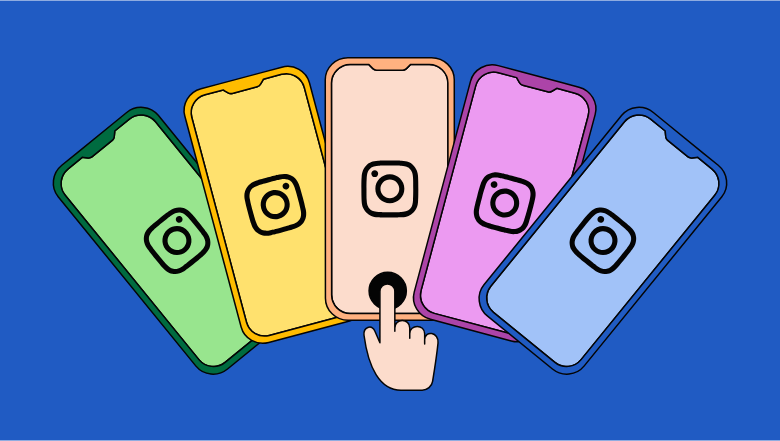
The short answer is yes. Instagram officially allows users to create and manage multiple accounts. In fact, the platform has built-in features that make it relatively easy to switch between a few profiles.
Managing multiple accounts is essential for:
- Separating Personal and Professional Life: Keeping your private photos away from your business brand.
- Niche Targeting: Running different accounts for different interests or industries.
- Agency Management: Handling dozens of client accounts simultaneously.
- Global Reach: Testing content strategies in different geographic regions.
However, while Instagram allows multiple accounts, it also has strict anti-spam measures. If you manage too many accounts from the same device or IP address, you risk getting all of them flagged or permanently banned.
Can You Have Multiple Instagram Accounts on One Email?
Generally, Instagram requires a unique email address or phone number for each account. While some users try to use "plus addressing" (e.g., yourname+1@gmail.com), this can lead to security vulnerabilities and account linkage.
Best Practices for Account Creation:
- Use Unique Emails: Assign a dedicated email to every account to prevent a single breach from affecting your entire network.
- Separate Phone Numbers: If possible, use different numbers for verification to avoid being flagged as a bot.
- Secure Credentials: Use a robust password manager to keep track of your logins.
How to Manage Multiple Instagram Accounts in the App
For casual users managing up to five accounts, the Instagram app provides a straightforward method:
- Go to your profile and tap the menu (☰).
- Select Settings and privacy.
- Scroll to the bottom and tap Add account.
- Log in or create a new profile.
- Switch between them by double-tapping your profile icon or tapping your username at the top.
The Limitations:
- Hard Cap: You can only add up to five accounts per app session.
- Shared Footprint: All accounts share the same device ID and IP address, making them easy to link.
- Inefficiency: Manual switching is slow and prone to errors for professional workflows.
Scaling Safely: The Nstproxy + Antidetect Browser Approach
If you are an agency or a serious marketer managing more than five accounts, you need a professional-grade solution. The most effective way to scale is by combining an antidetect browser (like AdsPower or Multilogin) with high-quality proxies from Nstproxy.
Why You Need Nstproxy
When you log into multiple accounts from the same IP, Instagram's algorithms detect a pattern. To them, this looks like automated bot activity. By using Nstproxy's residential proxies, you can assign a unique, real-user IP address to every single account.
- Isolated Environments: Antidetect browsers create separate browser profiles with unique digital fingerprints (OS, screen resolution, fonts).
- Clean IP Addresses: Nstproxy provides millions of trusted IPs from real mobile and residential networks, ensuring your accounts look like they belong to different people in different locations.
- Zero Cross-Contamination: If one account is flagged, your other profiles remain safe because they don't share any data or IP footprints.
How to Set Up Your Infrastructure
- Choose Your Location: Decide which region your account should appear in (e.g., US, UK, or Germany).
- Get Your Proxies: Purchase a plan from Nstproxy and generate your proxy list.
- Configure Your Browser: Create a new profile in your antidetect browser and input your Nstproxy credentials.
- Verify and Launch: Use an IP lookup tool to ensure your proxy is working correctly before logging into Instagram.
Best Practices for Running Multiple Instagram Accounts
To ensure the longevity of your accounts, follow these industry standards:
- Avoid Repetitive Content: Posting the exact same image and caption across multiple accounts is a major red flag.
- Mimic Human Behavior: Don't perform hundreds of actions (likes, follows) in a short period.
- Use High-Quality Proxies: Never use free proxies. They are often blacklisted and insecure. Stick with the best proxy provider like Nstproxy.
- Monitor Account Health: Regularly check for shadowbans or engagement drops using a free proxy checker to ensure your connection is stable.
- Stay Updated: Instagram's algorithms change frequently. Stay informed by reading the Nstproxy blog for the latest tips on social media management.
Q&A: Frequently Asked Questions
1. Can you have multiple accounts on Instagram without getting banned?
Yes, as long as you follow Instagram's terms of service and use professional tools like Nstproxy to keep your account footprints separate.
2. Can I run Instagram accounts for clients without sharing passwords?
Yes, by using antidetect browsers and proxies, you can create a secure environment that you can share with team members without triggering "suspicious login" alerts.
3. Can I use the same phone number for multiple Instagram accounts?
While Instagram may allow it for a few accounts, it is highly recommended to use unique numbers for professional scaling to avoid account linkage.
4. What is the safest way to handle logins across multiple devices?
The safest way is to use a centralized antidetect browser setup with dedicated proxies for each profile. This ensures consistency and prevents Instagram from seeing logins from vastly different locations.
5. Why is Nstproxy recommended for Instagram?
Nstproxy offers high-speed, reliable residential and mobile proxies that are nearly impossible for Instagram to distinguish from real users, providing the highest level of safety for your accounts.
Conclusion: Multiple Accounts Done Right
Managing multiple Instagram accounts is a powerful way to grow your brand and reach new audiences. While the platform allows it, the key to success lies in safety and isolation. By leveraging the power of Nstproxy and antidetect browsers, you can scale your social media presence without the fear of bans or restrictions.
Ready to scale your Instagram game? Choose Nstproxy—the world's most trusted proxy network for social media professionals.