In the highly competitive fields of e-commerce, digital marketing, and data collection, a combination of efficient, secure, and stable "multi-account management + proxy IP" is crucial. This article will delve into why MuLogin Antidetetect Browser and Nstproxy High-Quality Proxy IP are a match made in heaven, and provide a detailed setup tutorial to help you effortlessly achieve a double leap in business efficiency and security.
🚀 Why is MuLogin + Nstproxy the Ultimate Combination?
For businesses and individuals who need to manage a large number of accounts, conduct cross-platform e-commerce operations, social media marketing, or large-scale data scraping, the biggest challenges are "anti-association" and "IP quality."
MuLogin provides the perfect "anti-association" solution, while Nstproxy offers an impeccable guarantee of "IP quality." The combination of the two means that every one of your accounts operates in a unique, highly authentic environment.
1. MuLogin: The "Invisible Cloak" for Multi-Account Management
MuLogin is a top-tier multi-account anti-detect browser. By creating multiple independent virtual browser environments, it customizes a unique browser fingerprint and an independent IP address for each account, thereby achieving:
- Account Security (Account Management): Batch manage hundreds of accounts, each with independent fingerprint protection, effectively preventing platform identification and association.
- High Efficiency Automation (Automation): Powerful browser automation features and API interfaces automatically execute repetitive tasks, significantly boosting operational efficiency.
- Team Collaboration (Teamwork): Supports multi-user remote collaboration, enabling efficient team-based operations and management.
- User-friendly: Simple and visual interface design, easy for beginners to get started.
2. Nstproxy: Redefining High-Quality Proxy IP
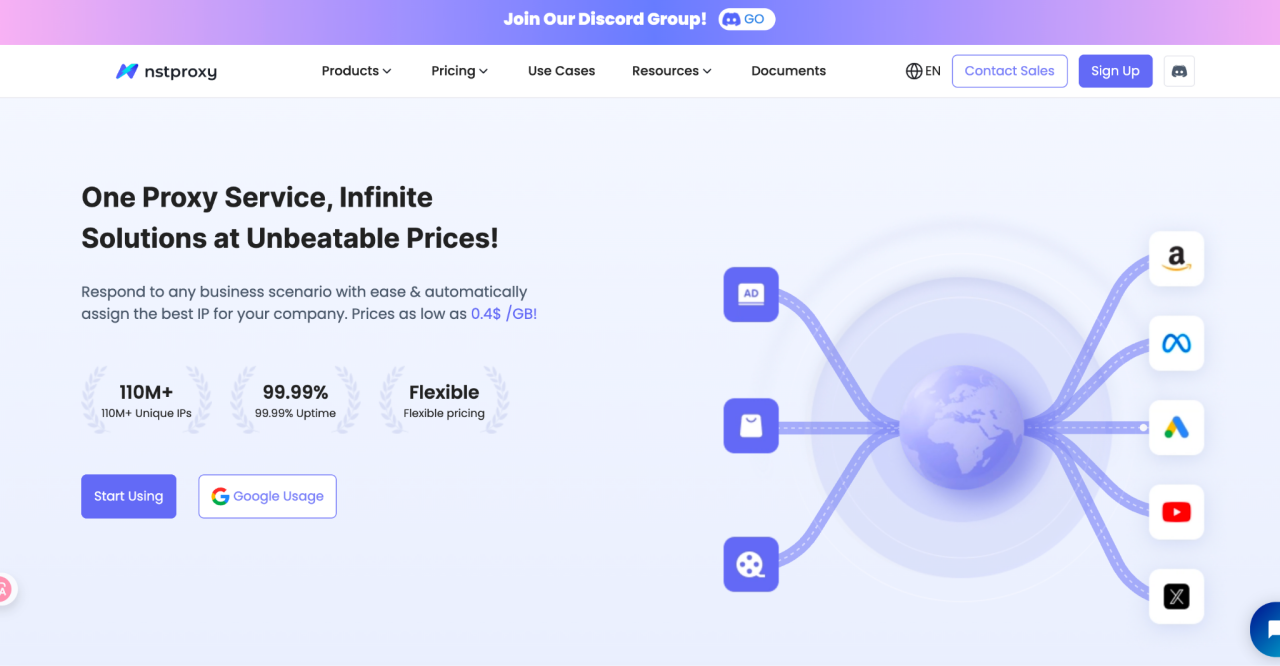
Since its establishment, Nstproxy has been committed to providing enterprise-grade, high-quality proxy services, becoming the preferred choice for over 1,000 enterprises worldwide. Nstproxy's core advantages are:
| Core Advantage | Description | Value for MuLogin Users |
|---|---|---|
| Massive IP Resources | Possesses over 110 million unique IP addresses, covering 195+ countries and regions globally. | Ensures that the IP for every MuLogin browser profile is unique and fresh, eliminating the risk of IP duplication and blocking. |
| Extreme Stability | Committed to 99.99% network uptime. | Provides a stable and reliable network connection for automation and data scraping tasks, preventing task interruption due to IP drops. |
| Enterprise-Grade IP Filtering | All IPs undergo quality filtering and algorithmic retention to ensure IP quality. | Significantly improves the usability of IPs, effectively preventing them from being blocked or flagged as malicious traffic by target websites. |
| Unbeatable Cost-Effectiveness | Prices as low as $0.4 /GB, offering flexible Pay per Use and Package options. | Drastically reduces operating costs while ensuring the highest IP quality. |
3. The Perfect Fit: Security + Authenticity + Stability
MuLogin is responsible for environment isolation and fingerprint spoofing, while Nstproxy is responsible for providing authentic, clean, and high-speed IP addresses. This collaboration ensures that your multi-account operations run smoothly on any platform:
- E-commerce Operations: Easily manage multiple stores on Amazon, eBay, Shopee, etc., for price monitoring and product research.
- Social Media Marketing: Safely operate accounts in bulk on Facebook, Instagram, Twitter, conduct ad verification, and collect data.
- SEO Monitoring: Use Nstproxy's Dynamic Residential Proxies in conjunction with MuLogin to simulate real users for localized search ranking monitoring and competitor analysis.
🛠️ Nstproxy Setup Tutorial in MuLogin (4 Easy Steps)
Integrating Nstproxy's high-quality proxy IP into MuLogin is very simple, requiring only the following 4 steps:
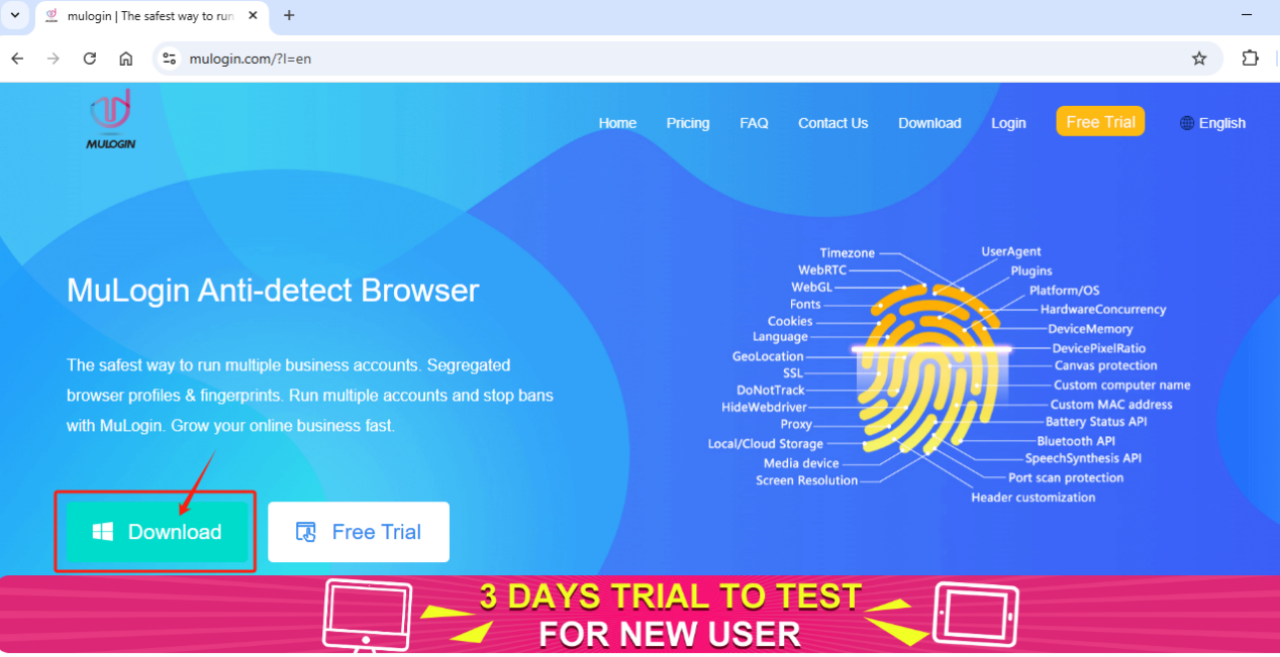
Step 1: Download and Log in to MuLogin

First, ensure you have downloaded and installed the latest version of the MuLogin Anti-Detect Browser. New users can register an account and enjoy a 3-day free trial.
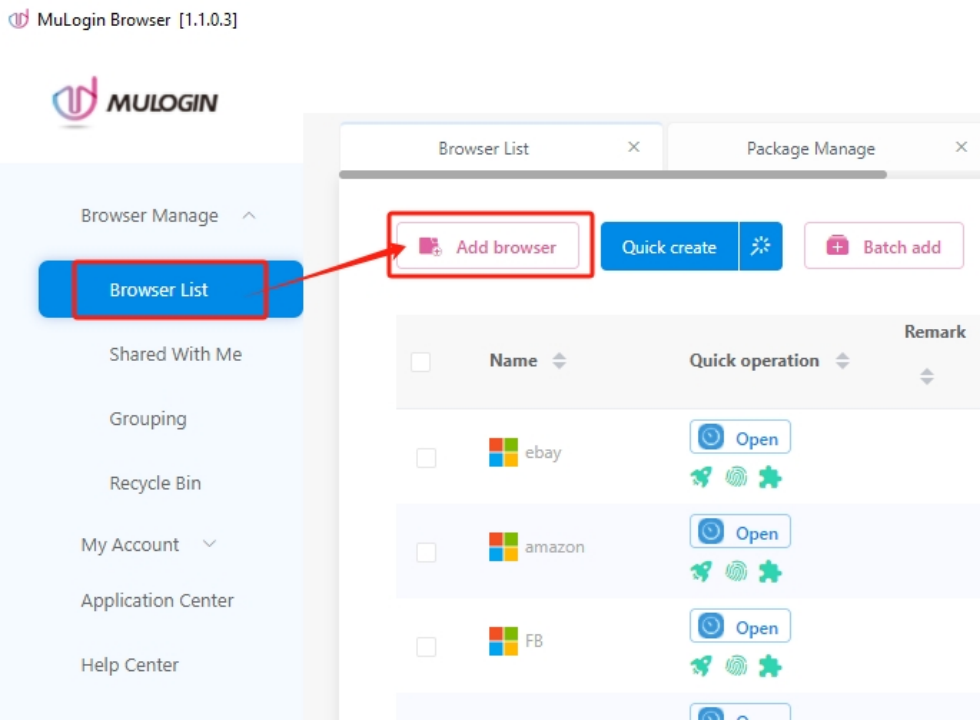
Step 2: Create a New Browser Profile

Open the MuLogin client and click "Add browser" to create a new browser profile.
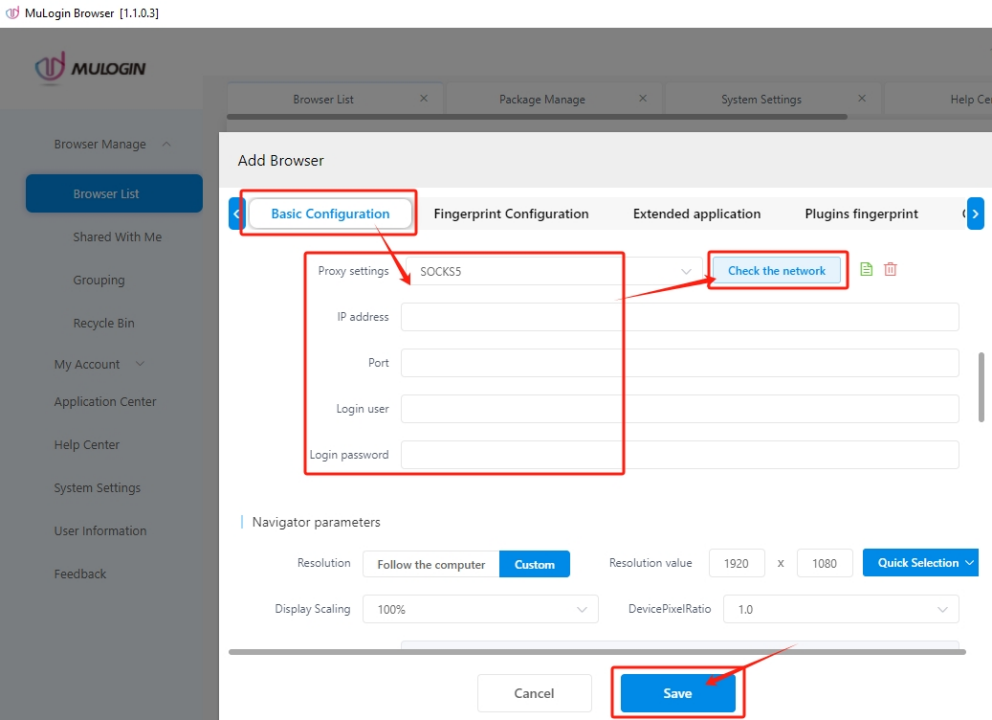
Step 3: Configure Nstproxy Proxy IP

- On the new browser configuration page, customize the browser settings to meet your needs.
- Navigate to the "Proxy settings" area.
- Select the proxy type (Nstproxy supports HTTP/HTTPS/Socks5; choose based on your requirements).

- Paste the proxy information (IP address, port, username, and password).
- Click the "Check the network" button to test the connection status and speed of Nstproxy.
Step 4: Save and Launch
- After confirming the connection test is successful, click the "Save" button.
- On the browser list page, Launch the browser profile you just configured.
Now, you can start your multi-account operations or data scraping tasks in a secure environment with an independent fingerprint and a dedicated Nstproxy IP!
Don't let inefficiency and risk hinder your business growth. Act now and use MuLogin + Nstproxy to usher in a new era of high-efficiency, high-security multi-account management!
Click here to visit the Nstproxy official website for more proxy types and pricing details!