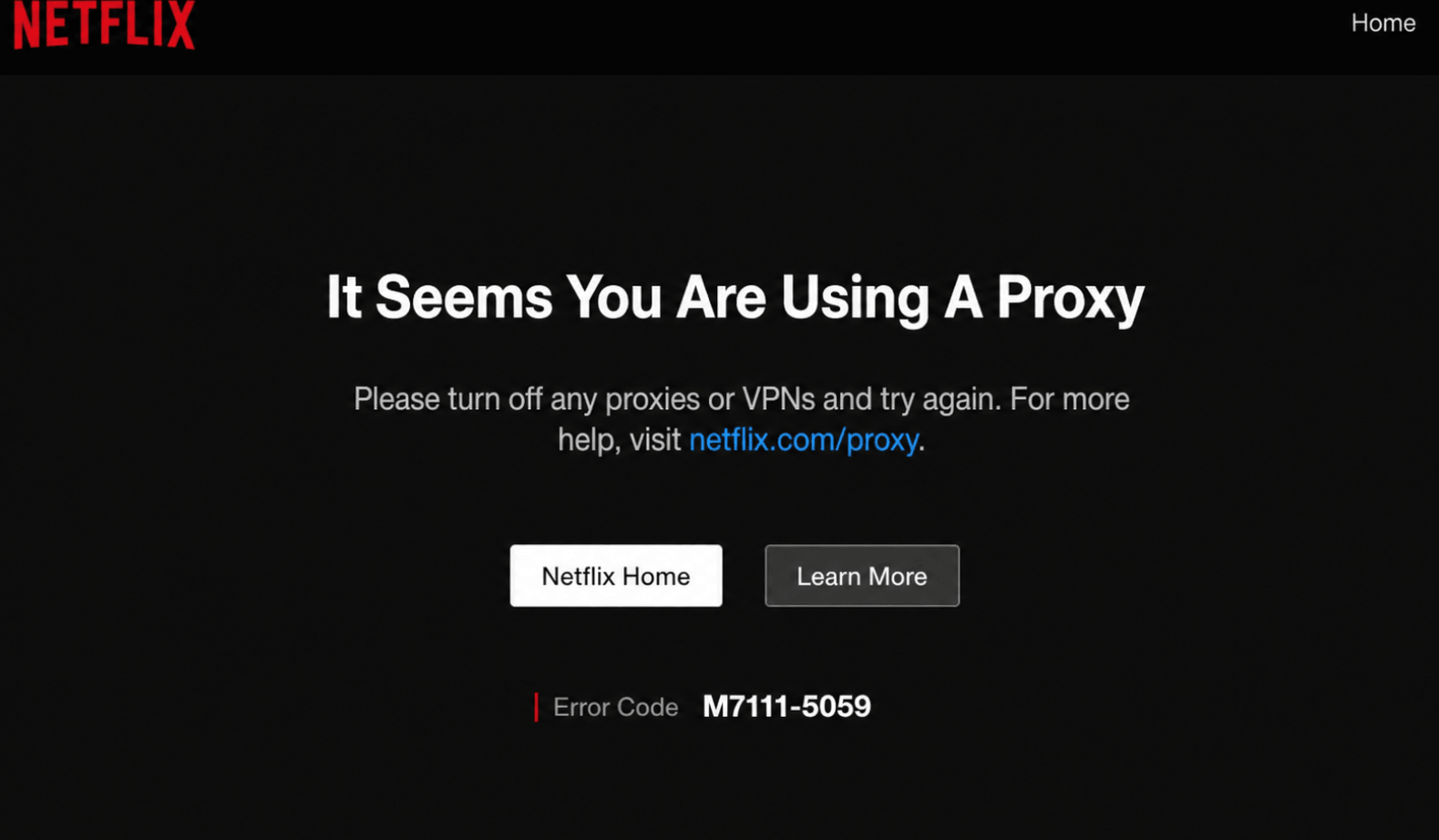
Netflix Proxy Error: Why It Happens and How to Fix It in 6 Ways 2026
A Reddit user described a frustrating situation many Netflix users recognize: they were watching Netflix normally, left home, came back later, and suddenly Netflix said they were using a proxy or VPN. The confusing part was that they said they were not using either one. They tried multiple devices, different browsers, DNS flushing, router resets, and still received the same proxy error.
That real case explains why people search for “netflix it seems you are using a proxy.” Sometimes the issue is an actual VPN or proxy. Other times, it is a false positive caused by ISP routing, DNS mismatch, bad IP reputation, IPv6 behavior, router settings, antivirus VPN features, or an IP address Netflix has incorrectly classified.
This guide explains why Netflix shows the proxy error, how to fix it step by step, and when a tool like Nstproxy can help with safe network testing and IP diagnostics.
An IP address previously associated with VPN or proxy traffic
DNS or IPv6 location mismatch
Public Wi-Fi, hotel Wi-Fi, work networks, or shared ISP connections
Netflix ad-supported plan restrictions
The Reddit case is a good reminder: if the same error appears on several devices at home, the problem is probably not one browser or one app. It may be the router, ISP, DNS, or IP reputation.
Quick Fix Checklist
Try these steps first:
Turn off any VPN, proxy, Smart DNS, or unblocker.
Disable VPN features in antivirus software.
Check VPN profiles on your phone, computer, TV, and router.
Go to fast.com and check the country shown under “Client.”
Restart Netflix.
Restart your device.
Restart your modem and router.
Reset network settings.
Check your Netflix plan.
Contact your ISP if the location or IP looks wrong.
How to fix Netflix 'It Seems You Are Using A Proxy'
Method 1: Turn Off VPN or Proxy Apps
Start with the most obvious cause. Turn off any VPN, proxy, privacy app, Smart DNS service, or browser extension that may route your traffic.
Also check antivirus tools. Some security apps include VPN features that run quietly in the background.
Method 2: Check Your Location on Fast.com
Netflix recommends using Fast.com to check your connection.
If the country does not match your real location, Netflix may think you are using a proxy or VPN.
Method 3: Restart Your Router and Device
If you are not using a VPN, restart your network.
Turn off your streaming device.
Unplug your modem and router.
Wait at least 30 seconds.
Plug them back in.
Reopen Netflix.
This can help if your ISP assigned an IP address Netflix currently associates with proxy traffic.
Method 4: Reset Network Settings
Resetting network settings can fix:
Old VPN profiles
Broken DNS settings
Cached proxy settings
IPv6 issues
Wi-Fi configuration problems
Location mismatch
On smart TVs, forgetting and reconnecting to Wi-Fi may help.
Method 5: Contact Your ISP
If Fast.com shows the wrong country, or if Netflix keeps flagging your home network, contact your ISP.
Tell them:
Netflix shows a VPN/proxy error
You are not using a VPN or proxy
The issue appears on multiple devices
The country shown on Fast.com
Your current IP address
Ask whether your IP address or DNS routing is being misclassified.
Method 6: [Recommend] Try High Anonymity Proxies-Nstproxy
If you are not using a VPN or proxy but Netflix still shows the proxy error, the issue may come from your network path, ISP routing, DNS location, or IP reputation. This is where Nstproxy can help as a controlled diagnostic tool.
Nstproxy is a professional proxy service provider offering Residential Proxies, Static ISP Proxies, Mobile Proxies, Datacenter Proxies, IPv6 Proxies, and Unlimited Residential Proxies.
For Netflix proxy error troubleshooting, the most useful products are:
Nstproxy Static ISP Proxies
Nstproxy Residential Proxies
Why Use Nstproxy?
Nstproxy provides high-quality IP resources that are closer to real user network behavior than random free proxies or overloaded VPN endpoints.
Key advantages include:
High Anonymity Proxies: Nstproxy helps mask your original network path during controlled diagnostics, which is useful for checking whether your home IP is the problem.
High-quality IP pool: Compared with free proxy lists, Nstproxy offers cleaner and more stable proxy resources.
Real-user-like IP behavior: Residential and ISP proxy options better resemble normal home or ISP network traffic.
Stable sessions: Static ISP Proxies are useful when you need to repeat tests from the same IP without constant rotation.
Flexible location testing: Residential Proxies help compare how services respond to different network locations.
HTTP/SOCKS5 support: Nstproxy can be integrated into browsers, proxy managers, and testing tools.
Which Nstproxy Product Should You Use?
Use Nstproxy Static ISP Proxies if you need stable, repeated IP testing. ISP proxies are best for long-session diagnostics because they provide consistent IP identity and ISP-style network behavior.
Use Nstproxy Residential Proxies if you need broader location testing or want to compare how real-user-like IPs behave across different regions.
How to Use Nstproxy for
First, follow Netflix’s official steps: turn off VPNs, check Fast.com, restart your device, and reset your router.
If the issue remains, record your current IP and the country shown on Fast.com.
Set up a Nstproxy Static ISP Proxy or Residential Proxy.
Run the same network and location checks through the Nstproxy connection.
Compare the result with your home network.
If Netflix works through a clean test environment but fails on your home Wi-Fi, contact your ISP and explain that your IP may be misclassified.
FAQs
Why does Netflix say I’m using a proxy when I’m not?
Netflix may detect VPN-like behavior from your ISP routing, DNS settings, IP reputation, antivirus VPN features, browser extensions, router configuration, or network location mismatch.
How do I turn off VPN or proxy for Netflix?
Turn off VPN apps, browser proxy extensions, antivirus VPN features, Smart DNS tools, and router-level VPN settings. Then restart Netflix and your device.
Can Nstproxy fix the Netflix proxy error?
Nstproxy can help with network diagnostics, IP reputation checks, and controlled testing. It should not be used to bypass Netflix’s licensing, regional restrictions, or plan rules.
Why does Netflix work on mobile data but not Wi-Fi?
Your home Wi-Fi IP, DNS, router, or ISP routing may be triggering the proxy error. Restart your router, check Fast.com, and contact your ISP if the issue continues.
Which Nstproxy product is best for testing?
Use Nstproxy Static ISP Proxies for stable repeated testing, and Nstproxy Residential Proxies for broader location and real-user-like IP diagnostics.
Final Recommendation
If Netflix says “You seem to be using a VPN or proxy,” start with the official fixes: turn off VPN tools, check Fast.com, restart your router, reset network settings, and contact your ISP if your location or IP reputation looks wrong.
If you are not using a VPN and the error still appears, Nstproxy can be one of the most useful diagnostic tools. Use Nstproxy Static ISP Proxies for stable IP testing, or Nstproxy Residential Proxies for broader location and IP reputation checks.
The goal is not to bypass Netflix rules. The goal is to find out whether the problem comes from your device, router, ISP, DNS, or IP reputation, then fix the real cause.
Marcus Chen
Aug. 7th 2026
110M+ real IPs with 99.9% access success
Blazing-fast average response ~0.5s for high-concurrency tasks
From only $0.1/GB
Get immediate access to premium residential, datacenter, IPv6 and ISP proxy pools.