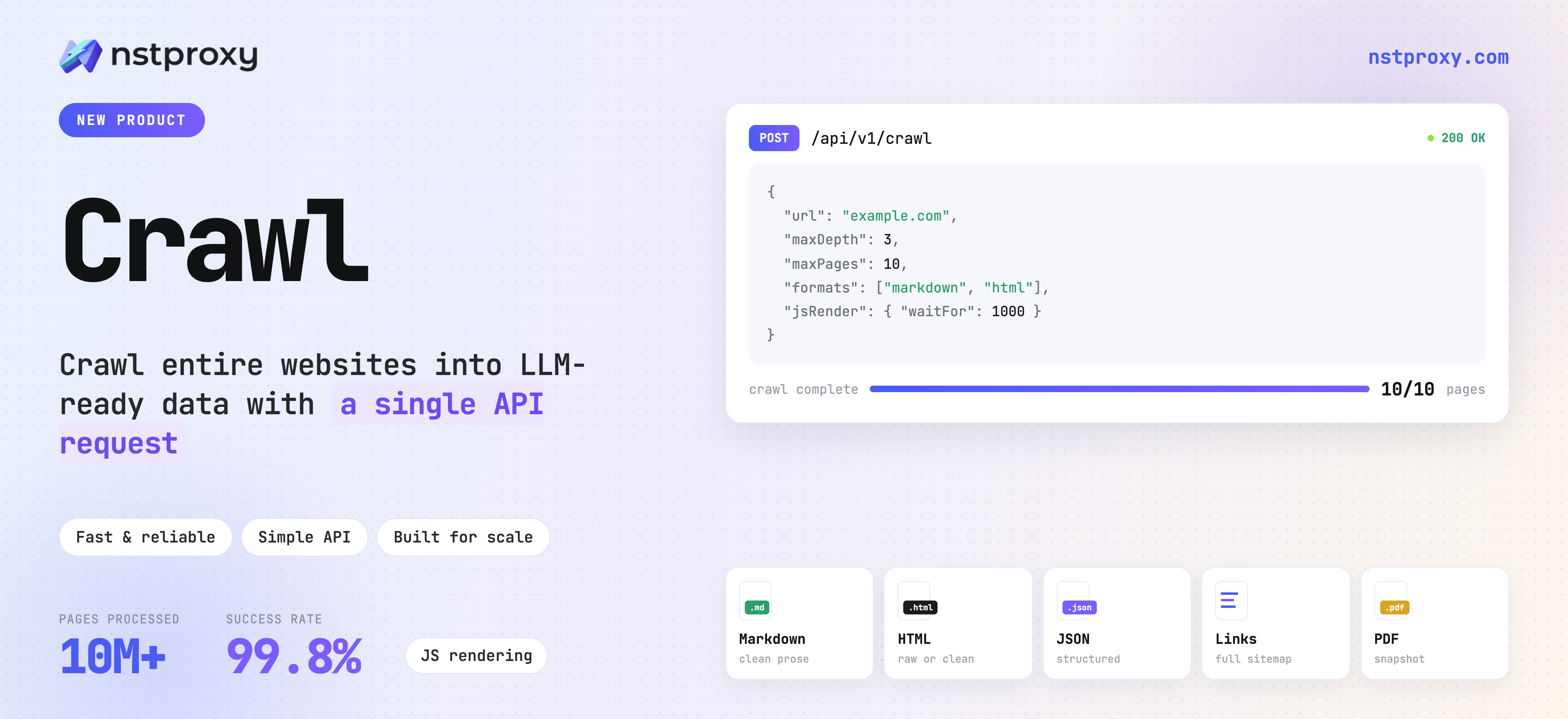
Nstproxy Crawl: AI-Powered Web Crawling API for LLM-Ready Data
Introduction
Web pages are one of the largest and most frequently updated sources of knowledge available to AI applications. AI agents use them to research companies and markets. Retrieval-augmented generation (RAG) systems use them to build searchable knowledge bases. Data teams use them to monitor prices, product catalogs, search rankings, news, and business changes.
Getting reliable data from the modern web, however, is no longer as simple as sending an HTTP request and parsing the response. Many websites render their content with JavaScript, load information asynchronously, trigger content through scrolling or clicks, and use sophisticated risk-control systems to identify automated traffic. Even after a page is retrieved, its HTML is often filled with navigation, scripts, styling, advertisements, and other elements that are irrelevant to an AI model.
Nstproxy Crawl is an AI-powered web crawling API that turns websites into clean, structured, LLM-ready data. Developers submit a URL and select the required output. Nstproxy Crawl handles page access, browser rendering, proxy routing, browser fingerprinting, retries, content extraction, format conversion, and task management behind one API.
Instead of maintaining a different scraper for every website, teams can use Nstproxy Crawl as a reusable web data layer across AI agents, RAG pipelines, analytics systems, and enterprise applications.
The Problem with Web Data Extraction Today — Why We Built Nstproxy Crawl
Fetching a web page used to be a one-line HTTP request. It isn't anymore.
Most of the modern web is rendered client-side, gated behind increasingly sophisticated anti-bot systems, and structured in ways that are painful for a language model to read directly. A team that sets out to "just scrape a few pages" for an AI agent or a RAG pipeline quickly finds itself building:
A headless browser cluster for JavaScript-rendered pages
Proxy rotation to avoid IP-based blocking
Retry and timeout logic for flaky pages and network errors
Content cleaning to strip ads, navigation, and boilerplate
HTML-to-Markdown conversion so an LLM can actually use the output
Concurrency scheduling and failure monitoring at scale
None of that is the product. It's the tax you pay before you get to build the product. We built Nstproxy Crawl because we kept seeing the same pattern: teams building genuinely interesting AI applications, stuck maintaining scraper infrastructure instead.
Three things convinced us this needed to be solved once, properly, as infrastructure:
Scraping has quietly become an infrastructure problem, not a coding task. Developers building AI agents and RAG systems were spending real engineering time on headless browser orchestration, proxy rotation, and CAPTCHA handling — time that should have gone toward prompt design, retrieval quality, and product logic.
There's a real gap between what traditional scrapers produce and what AI needs. Most scraping tools were built for SEO or simple archiving, and they hand back "dirty" HTML — full of scripts, ads, and markup noise. Feed that to an LLM and you're paying extra tokens for content that actively hurts the model's ability to understand the page.
Anti-bot defenses have moved to the browser-fingerprint level. Sites no longer just filter by IP — they inspect Canvas rendering, WebGL properties, font fingerprints, and hardware characteristics to detect automation. A crawler with an inconsistent or incomplete fingerprint gets blocked before it even sees the content.
Nstproxy Crawl addresses all three at once: it renders pages like a real browser, cleans content down to what an LLM actually needs, and runs on a fingerprint-browser backend built to withstand exactly this kind of detection — so your application never has to touch any of it.
What Is Nstproxy Crawl?
1. Overview of Nstproxy Crawl
Nstproxy Crawl is a high-performance web crawling API for developers and data teams. It standardizes the complete web data collection workflow as a plug-and-play service.
Given a target URL, the API can retrieve and render the page, extract its main content, and return data that can be used directly by an AI model or business system. It supports precise single-page scraping, asynchronous processing for longer tasks, and site-level crawling with configurable depth, page limits, and URL rules.
At the access layer, Nstproxy Crawl combines browser fingerprint technology with Nstproxy's proxy infrastructure to simulate a realistic browsing environment. At the delivery layer, it supports Markdown, cleaned HTML, raw page data, links, screenshots, and PDFs. Rendering, cleaning, retries, scheduling, and result storage are handled by the service, so applications integrate with one consistent interface rather than a collection of fragile scraping scripts.
In practical terms, Nstproxy Crawl can serve as:
a web-reading tool for AI agents;
the collection and cleaning layer of a RAG pipeline;
a website monitoring engine for prices, products, and market changes;
a managed crawling backend for data platforms and internal applications.
In short: Nstproxy Crawl is the layer between "a URL" and "data your AI system can actually use" — so you can stop maintaining scraper scripts and call an endpoint instead.
2. Key Features of Nstproxy Crawl: From URL to Production-Ready Web Data
Nstproxy Crawl combines the capabilities normally spread across an HTTP client, browser cluster, proxy pool, extraction pipeline, job queue, and artifact store. Developers control the workflow through API parameters and receive consistent outputs regardless of the underlying page structure.
Developer-Friendly Crawl API
The service exposes a standard REST API for the complete flow from request configuration to result retrieval. A single request can specify the target URL, output formats, timeout, main-content extraction, crawl scope, and other execution options.
Synchronous scraping returns the result in the request when the page completes within a predictable period. Asynchronous scraping immediately returns a task ID, allowing the application to poll for status and retrieve the result later. Site-level crawling starts from an entry URL and discovers internal pages according to explicit depth, page-count, include, and exclude rules.
Official SDKs are available for Node.js, Python, and Go, making it straightforward to integrate Crawl into existing services, scripts, agent tools, and data pipelines.
AI-Ready Markdown and Structured Data Extraction
Nstproxy Crawl does more than download a web page. It can analyze the page structure, isolate the main content, remove distracting elements, and convert the result into clean Markdown.
Markdown preserves headings, paragraphs, lists, and links without the volume of tags, styles, and scripts found in raw HTML. This makes it a strong default for LLM prompts, agent tool responses, RAG ingestion, summarization, classification, and structured extraction. The onlyMainContent option can further reduce navigation, advertising, headers, footers, and other repeated layout elements.
For workflows that require DOM structure or custom parsing, the API can also return cleaned HTML, raw data, links, and structured page metadata such as title, language, and HTTP status.
JavaScript Rendering for Modern Websites
A huge share of the modern web — React, Vue, and Next.js sites, pricing pages, product listings, job boards — simply doesn't exist in the initial HTML response. Nstproxy Crawl opens the page in a real browser environment, waits for it to finish rendering, and only then extracts content, so you see what an actual visitor would see.
You have fine-grained control over how that wait works:
Wait for a CSS selector (e.g. main, article, .content, #app) so extraction only happens once the real content has mounted — not a loading skeleton.
Configure additional wait time for slow API responses, animations, or lazy-loaded sections.
Orchestrate browser actions — click "load more," scroll to trigger lazy loading, fill in a form field, run custom JavaScript, or wait for a specific network request to finish — before extraction runs.
Browser Fingerprint and Proxy Infrastructure
Modern access-control systems evaluate more than IP reputation. They can also inspect TLS and browser fingerprints, device characteristics, rendering properties, fonts, Canvas behavior, hardware parameters, and WebGL attributes.
Nstproxy Crawl uses a fingerprint-browser architecture to create a more coherent browsing environment. It works directly with Nstproxy's proxy infrastructure, enabling proxy rotation and geographic targeting without requiring developers to operate their own proxy pools.
The close integration between the crawling engine and proxy resources is particularly useful for long-running, high-volume business workloads. When access conditions change, the underlying crawling and proxy layers can be updated without requiring customers to rewrite application-level scraping code.
Reliable Crawling with Retry and Task Management
Production scraping runs into transient failures constantly — slow sites, flaky networks, temporarily unavailable proxies. Nstproxy Crawl handles this at the infrastructure level:
Automatic retries on recoverable failures, based on task state and failure type — without you writing retry logic.
Configurable timeouts per task, so a single slow page never blocks your pipeline; use short timeouts for simple pages and longer ones for JS-heavy or slow-responding sites.
Task status queries by ID, so you can check whether a job is processing, completed, or failed.
Synchronous or asynchronous modes — wait for an immediate result, or submit and poll later for long-running pages, deep crawls, or batch jobs.
Batch progress monitoring for site-level crawls — total, completed, pending, and failed counts, with paginated per-page results for tracking and failure analysis.
Scalable Crawling for Enterprise Workloads
Nstproxy Crawl is built to run many tasks at once, not just one at a time. Tasks are dispatched through a priority-aware queue, so time-sensitive jobs move ahead of routine ones while normal traffic is still processed in stable order. Rate limits are applied per plan tier to protect both your target sites and the shared infrastructure from being overwhelmed.
Combined with usage-based billing across free, Starter, Growth, and Scale tiers, this means the same API scales from a single developer testing a prototype to an enterprise team running large, continuous crawling workloads — without switching tools or re-architecting anything as usage grows.
3. Pricing Model
Nstproxy Crawl bills primarily by successful request / page render, not by attempts:
A request is billed when the page content is actually retrieved (an HTTP status code is received with no network error — this includes cases like 404/403, which still count as a successful fetch).
Bandwidth is billed based on actual traffic consumed.
If content isn't retrieved due to a system-side issue, you are not billed.
JavaScript rendering, Markdown extraction, PDF export, and screenshots are all included in the base service — no separate line-item charges. Proxy traffic is billed independently based on usage.
Captures the rendered visual state after JavaScript and browser actions
PDF
Archival, offline review, reports, compliance records
Preserves a portable page representation after rendering
Large results may be returned as reference tokens, including markdownRef, htmlRef, rawDataRef, screenshotRef, or pdfRef. The complete artifact can then be retrieved through the storage endpoint:
GET /api/v1/crawl/storage/read?st={ref}
How Nstproxy Crawl Works
A crawling request moves through seven stages:
Submit — The application sends a URL, output formats, and crawl options.
Schedule — The task enters a managed queue according to workload type and priority.
Access and render — The service selects the crawling environment, applies proxy and fingerprint settings, loads the page, and executes JavaScript or browser actions when required.
Extract and transform — The engine identifies the requested content and converts it into Markdown, HTML, raw data, a screenshot, a PDF, or links.
Store and deliver — Small results can be returned inline. Large outputs are stored and returned through reference tokens.
Observe — Synchronous requests return a completed result directly. Asynchronous and site-level jobs expose task status and progress endpoints.
This common workflow lets an application process a static article, a dynamic product page, and an entire documentation section through the same service.
A successful response contains the task status, Markdown, a reference token, and page metadata:
{"data":{"code":0,"data":{"markdown":"# Example Domain\n\nThis domain is for use in documentation examples.","markdownRef":"REFERENCE_TOKEN","metadata":{"language":"en","statusCode":200,"title":"Example Domain"}},"status":"completed","success":true},"err":false,"msg":"SUCCESS","code":200}
Store the key in an environment variable or secret manager. Do not expose it in browser-side code or commit it to a repository.
API Examples
All Nstproxy Crawl API requests require an API key passed in the request header. You can find your API key in the account dashboard after registration.
The base URL for all endpoints is https://api.nstproxy.com. Store your API key in an environment variable — never expose it in client-side code or commit it to a repository.
5. Single-Page Scraping
Single-page scraping fetches a specified URL and returns the content in one or more output formats: Markdown, HTML, links, screenshot, PDF, or raw data. Use this endpoint when your workflow processes individual pages — article extraction, product page monitoring, documentation ingestion, or real-time Agent web reads.
Two submission modes are available depending on whether your application needs an immediate result or can poll for completion:
Synchronous Scraping
The synchronous endpoint waits for the task to complete and returns the result directly in the response. Use this mode for single pages with predictable processing times where the caller needs the result immediately — real-time Agent tool calls, on-demand content extraction, or interactive workflows.
{"code":200,"err":false,"msg":"success","data":{"code":0,"success":true,"status":"completed","data":{"markdown":"# Example Domain","markdownRef":"xxx","links":["https://www.iana.org/domains/example"],"metadata":{"title":"Example Domain","statusCode":200,"language":"en"}}}}
Do not rely on the HTTP status code alone to determine whether the crawl succeeded. Always inspect success, status, and data in the response body — an HTTP 200 means the request was received, not that the page was successfully retrieved.
Asynchronous Scraping
The asynchronous endpoint returns a task ID immediately and processes the page in the background. Use this mode for JavaScript-heavy pages with long rendering times, pages behind slow networks, or any workflow that should not hold an open HTTP connection while waiting for results.
Retrieve the result by polling with the returned task ID:
GET /api/v1/crawl/scrape/{taskId}
6. Site-Level Crawling
Site-level crawling starts from an entry URL and automatically discovers and processes internal pages within the configured boundaries. Use this endpoint to ingest documentation sites, product catalogs, competitor content sections, or any structured content set where the full URL list is not known in advance.
Always set explicit boundaries before submitting a site-level crawl. Without maxDepth, maxPages, and exclusion rules, a crawl can expand into search pages, pagination URLs, login flows, and file downloads — consuming budget and time on content you don't need.
Use the returned crawl ID to check progress and retrieve page results.
7. Querying Task Status and Results
Query Single-Page Scrape Result
Returns the task status, success flag, and result data for a single-page scrape task. For large outputs, the response may contain reference tokens instead of inline content — see the section below on reading large results.
Returns overall crawl progress: total pages discovered, completed, pending, and failed. Use this endpoint to monitor long-running crawl jobs and determine when all pages are available for retrieval.
Returns per-page results for a completed or in-progress site-level crawl, paginated using a cursor. Use this endpoint to retrieve processed content page by page, track which URLs succeeded or failed, and feed results into downstream pipelines as they complete rather than waiting for the full crawl to finish.
Use nextCursor to paginate through results when the crawl has processed more pages than a single response returns. This is especially useful for large site crawls where retrieving all results at once would produce an oversized response.
8. Reading Large File Results
For large outputs — Markdown documents, full-page HTML, screenshots, PDFs, and raw page data — the API returns a reference token instead of inline content. Reference tokens are included in task results under the following fields:
markdownRef — cleaned Markdown output
htmlRef — cleaned HTML output
rawDataRef — raw page data as retrieved from the target server
screenshotRef — full-page screenshot image
pdfRef — exported PDF file
Retrieve the full content by passing the reference token to the storage endpoint:
GET /api/v1/crawl/storage/read?st={ref}
Use this endpoint to download screenshots for visual QA, retrieve PDFs for archival workflows, or read large Markdown documents that exceed inline response size limits. Reference tokens are tied to the task that produced them — always use the token returned from the task result, not a manually constructed value.
SDK Examples
Official SDKs are available for Node.js, Python, and Go. Each SDK provides typed request and response models and can be integrated directly into existing services, data pipelines, agent tools, and RAG ingestion workflows.
import os
from nstdata_ai_crawl import NstDataClient, ScrapeRequestDto, Format
TOKEN = os.getenv("NSTDATA_API_TOKEN","YOUR_API_TOKEN")with NstDataClient(TOKEN)as client: res = client.submit_scrape_task_sync(ScrapeRequestDto( url="https://example.com/", formats=[Format.MARKDOWN], timeout=60000, onlyMainContent=True,))print(res.data.get_markdown())
Site-level crawling
from nstdata_ai_crawl import NstDataClient, CrawlRequestDto, Format
with NstDataClient("YOUR_API_TOKEN")as client: submit = client.submit_crawl_task(CrawlRequestDto( url="https://example.com/", formats=[Format.MARKDOWN, Format.HTML], maxDepth=3, maxPages=50, ignoreQuery=True, onlyMainContent=True,))print(submit.id) status = client.get_crawl_status(submit.id)print(status)
Nstproxy Crawl is designed for teams that need reliable, structured web data without maintaining complex scraping infrastructure. Whether you're building AI applications, monitoring competitors, or collecting data at scale, Crawl provides browser-rendered, LLM-ready web content through a single API.
AI Agent Knowledge Augmentation (RAG) — Automatically convert enterprise documentation, technical manuals, and product pages into clean Markdown and inject the content into a vector database in real time. Nstproxy Crawl handles JavaScript rendering and content cleaning so RAG pipelines receive structured, noise-free input — not raw HTML full of scripts and navigation markup.
Dynamic Price and Inventory Monitoring — Crawl competitor product pages on a schedule and extract price, SKU specifications, inventory status, and promotional data as structured JSON. Each run reflects the actual page a real user would see — JavaScript-rendered prices included — so your pricing strategy is based on live market data, not cached snapshots.
Brand Sentiment and Reputation Monitoring — Collect content from social platforms, forums, and review sites at scale and feed it into sentiment analysis pipelines. Crawl returns clean text output that plugs directly into an LLM classification step — without stripping formatting manually or writing custom parsers per source.
B2B Lead Generation — Automatically extract company descriptions, open roles, contact information, and business scope from target company websites. Build structured prospect lists from public web data without maintaining a scraping stack for each source domain.
Competitor Intelligence Tracking — Monitor competitor websites for feature updates, press releases, pricing changes, and redesigns. Structured output from each crawl run makes it straightforward to diff content across time periods and surface meaningful changes for product and strategy teams.
SEO Page Structure Analysis — Crawl competitor or own-site pages at scale to extract title tags, meta descriptions, heading structure, body content, and internal link patterns. Feed the output directly into an LLM for automated SEO audit and optimization recommendations.
Academic and Industry Intelligence Collection — Extract key data points, author metadata, and structured content from research paper repositories, government publications, and industry report pages. Accelerate report writing and literature review workflows without manually downloading and parsing each source.
E-Commerce Product Discovery and Trend Analysis — Crawl major marketplace product listings to extract ratings, sales indicators, review keywords, and pricing trends. Give merchandising and operations teams structured data to identify high-potential products before they reach saturation.
Web Compliance and Change Monitoring — Periodically compare the HTML structure and text content of public-facing pages against previous snapshots. Surface changes to terms of service, privacy policies, compliance notices, or regulatory disclosures before they affect business operations.
Vertical Search Index Construction — Build private retrieval indexes for specific industries — healthcare, legal, finance — by crawling sector-specific websites through the API and syncing updates in real time. Keep domain-specific search engines current without maintaining separate crawling infrastructure per source.
How to Feed Real-Time Web Data into AI Agents and RAG Systems Using Nstproxy Crawl
Getting web content into an AI pipeline is a two-part problem: fetching the page reliably, and delivering it in a format the downstream system can actually use. Most teams solve the first part with a scraper and discover the second part later — when raw HTML full of navigation markup, cookie banners, and script tags lands in a chunking step that wasn't designed to clean it.
Nstproxy Crawl handles both. The following two integration patterns show how it fits into the most common AI data workflows: as a real-time web reading tool for AI Agents, and as the collection and cleaning layer at the front of a RAG pipeline.
Integrating Nstproxy Crawl with AI Agents
AI Agents frequently need to retrieve current information from the web — company websites, news pages, product documentation, blogs, forums, and public data sources. Nstproxy Crawl acts as the web reading layer for the Agent: the Agent provides a URL, Crawl fetches the page and returns clean Markdown, HTML, or structured output, and the Agent proceeds with summarization, question answering, comparison, or field extraction.
How it works:
The Agent receives a user question or task objective.
The Agent identifies which URLs need to be accessed.
The Agent calls Nstproxy Crawl to fetch the page content.
Crawl returns cleaned Markdown.
The Agent uses the Markdown for summarization, Q&A, structured extraction, or report generation.
This pattern is well-suited for AI applications that need real-time web access. Three common Agent types that benefit directly:
Research Agent — Automatically reads web pages, academic paper repositories, news sources, and industry publications to generate research summaries and comparative reports. Crawl handles JavaScript-rendered pages and content cleaning so the Agent receives structured input, not raw HTML.
Sales Intelligence Agent — Crawls company websites, careers pages, press releases, and product pages to extract customer profiles, business signals, and sales leads. Structured Markdown output makes field extraction straightforward without custom parsers per domain.
Market Monitoring Agent — Continuously monitors competitor websites, pricing pages, announcement pages, and market updates. Each crawl run returns consistent structured output, making it practical to detect meaningful changes across runs and generate trend alerts automatically.
Integrating Nstproxy Crawl with RAG Systems
In a RAG pipeline, web content typically passes through collection, cleaning, chunking, embedding, and indexing before it's available for retrieval. Nstproxy Crawl handles the first two steps — web collection and content cleaning — converting complex web pages into clean Markdown and reducing downstream text processing overhead.
Typical RAG pipeline with Nstproxy Crawl:
Use Nstproxy Crawl to fetch target pages or crawl an entire site.
Normalize and clean the returned Markdown.
Split content into chunks by heading, paragraph, or token count.
Generate embeddings using an embedding model.
Write text, vectors, and metadata to a vector database.
At query time, retrieve relevant chunks from the vector database and pass them to the LLM to generate an answer.
Compatible components:
Type
Examples
RAG frameworks
LangChain, LlamaIndex
Embedding models
OpenAI Embeddings, Cohere, open-source models
Vector databases
Pinecone, Weaviate, Qdrant, pgvector
This integration pattern is suited for enterprise knowledge bases, document Q&A systems, product manual assistants, industry research libraries, and competitive intelligence repositories — any application where the knowledge source is the public web and the retrieval layer needs clean, structured input.
How Nstproxy Crawl Compares
1. Nstproxy Crawl vs. Traditional Scrapers
A traditional in-house scraper gives a team complete control, but the team must also operate every layer: HTTP clients, browsers, proxy rotation, fingerprint consistency, extraction rules, job queues, retry policies, storage, logging, monitoring, and incident response.
Nstproxy Crawl packages those capabilities behind a standard API. It is a better fit when a team wants consistent web data without turning crawler maintenance into a long-term infrastructure project. An in-house scraper can still make sense when the workflow requires specialized low-level behavior, highly custom parsing, or complete control over the execution environment.
Area
Traditional scraper
Nstproxy Crawl
JavaScript rendering
Build and operate browser workers
Managed through Crawl requests
Proxy management
Source, rotate, and monitor proxies
Integrated Nstproxy proxy infrastructure
Browser fingerprints
Implement and maintain profiles
Managed fingerprint-browser layer
Content cleaning
Build extraction and conversion rules
Markdown, HTML, and structured outputs
Retries and queues
Build task infrastructure
Automatic retries and managed scheduling
Large results
Build artifact storage
Reference-based storage retrieval
Maintenance
Ongoing engineering and operations
Centralized behind one API
2. Nstproxy Crawl vs. Firecrawl, Jina Reader, and Tavily
These products solve different parts of the web data problem. Firecrawl and Jina Reader are commonly considered for converting web pages into LLM-readable content, while Tavily is commonly used for AI-oriented web search and discovery. They can be effective when the primary requirement is lightweight page reading, Markdown conversion, or search results.
Nstproxy Crawl is positioned as a broader crawling infrastructure layer for production workloads in which reliable page access is as important as content conversion. Its differentiation centers on the combination of fingerprint-browser execution, JavaScript rendering, browser actions, Nstproxy proxy resources, geographic targeting, asynchronous task management, site-level crawling, and multiple artifact formats.
The right choice depends on the workload:
Choose a lightweight reader when pages are easy to access and the main requirement is occasional URL-to-Markdown conversion.
Choose a search-focused service when finding relevant pages is more important than controlling how each page is rendered and collected.
Choose Nstproxy Crawl when the workload includes complex dynamic websites, regional access, repeated commercial collection, high concurrency, or operational requirements around retries, progress, and result storage.
The most useful evaluation metric is cost per usable page, not cost per request alone. Test representative permitted URLs and compare content completeness, rendered accuracy, Markdown quality, latency, success rate, geographic consistency, diagnostic visibility, and ongoing maintenance effort.
Legal and Responsible Use
Nstproxy Crawl is designed for legitimate collection and processing of public web data. Technical access does not automatically establish a legal right to collect, store, or use content.
Before starting a crawl, confirm that the target, collection purpose, and processing method comply with applicable laws, the website's terms, privacy requirements, copyright obligations, and your organization's internal policies. Do not use the service to bypass authentication, evade paywalls or permissions, obtain non-public data, or collect regulated personal information without a valid legal basis.
Cookies and custom headers may contain credentials or session data. Store them securely, restrict access, avoid writing them to logs, and retain them only as long as necessary. Use reasonable request rates, set clear crawl boundaries, cache unchanged content, and avoid placing unnecessary load on target websites.
Troubleshooting Requests
Do not use the HTTP status alone to determine whether a task succeeded. An HTTP 200 means the API request was processed, but the crawl task itself may still return success: false. Always inspect status, success, errorCode, and errorMessage in the response body.
Status or error
Meaning
Recommended action
400 invalid request
Missing, malformed, or invalid parameters
Validate the JSON body, required fields, and field types
402 insufficient balance
The account does not have enough balance
Add credit or use a funded account or team
403 invalid URL
The URL is invalid, too long, disallowed, or cannot resolve
Use a valid public HTTP/HTTPS URL and check DNS
404 task not found
The task or crawl ID is incorrect or inaccessible
Check the ID and ensure the credentials match the task owner
429 rate limit exceeded
Request rate is above the account limit
Reduce the request rate and retry with exponential backoff
429 concurrency limit reached
Too many tasks are running
Wait for active jobs to complete before submitting more
503 service unavailable
A task, storage, billing, or downstream service is temporarily unavailable
Retry later with bounded exponential backoff
504 sync timed out
The synchronous request exceeded its waiting window
Use asynchronous submission and poll for the result
timeout
Page execution exceeded the configured timeout
Simplify browser actions, adjust the timeout, or retry later
parse_error
The page could not be parsed
Try HTML or raw output, adjust selectors, and verify accessibility
access_denied
The target rejected or policy-blocked the task
Confirm the target is permitted and use another authorized source
For production troubleshooting, record the request ID, task ID, URL, submission time, output formats, timeout, rendering settings, and non-secret request parameters. Never log API keys, authentication cookies, or sensitive headers.
When receiving 429, honor Retry-After when provided and use exponential backoff with jitter — for example, progressively waiting about 1, 2, 4, and 8 seconds. Do not immediately send the same request at high frequency.
FAQ
Q1. What is Nstproxy Crawl?
Nstproxy Crawl is an AI-powered web crawling API that turns public web pages into clean, structured outputs such as Markdown, HTML, raw data, screenshots, PDFs, and links. It manages rendering, proxies, fingerprints, extraction, retries, task scheduling, and result retrieval.
Q2. How is Nstproxy Crawl different from a normal HTTP request?
A normal HTTP client generally retrieves the server's initial response. Nstproxy Crawl can execute JavaScript, wait for dynamic content, perform browser actions, route traffic through proxies, clean page content, convert it to Markdown, and manage asynchronous task state.
Q3. Does Nstproxy Crawl support JavaScript-rendered pages?
Yes. It can load a page in a browser environment, wait for rendering or a specified selector, perform configured browser actions, and extract the final page state.
Q4. Can Nstproxy Crawl process an entire website?
Yes. Site-level crawling starts from an entry URL and discovers internal pages. Use maxDepth, maxPages, include rules, exclude rules, and query handling to keep the crawl within the intended scope.
Q5. Is Nstproxy Crawl suitable for RAG?
Yes. Its Markdown output is designed for AI workflows and can be cleaned, chunked, embedded, and written to a vector database as part of a RAG ingestion pipeline.
Q6. Does Nstproxy Crawl support screenshots and PDFs?
Yes. Both formats are included in the crawling service. Large files may be returned through reference tokens and retrieved through the storage endpoint.
Q7. Does Nstproxy Crawl support cookies and custom headers?
Yes. Requests can include cookies for authorized session-based access and custom headers for language, User-Agent, business identifiers, or other request requirements. Treat these values as credentials when they contain sensitive information.
Q8. Does Nstproxy Crawl offer a bulk URL API or webhooks?
Nstproxy Crawl does not currently provide a dedicated bulk-URL endpoint or a public webhook. Applications can submit multiple asynchronous page tasks with controlled concurrency and retrieve results by polling task-status endpoints. Site-level Crawl can be used for linked pages within a website.
Q9. How much does Nstproxy Crawl cost?
Pay-as-you-go pricing starts at $1.20 per 1,000 requests. New users receive $1 in trial credit after applying for a trial. JavaScript rendering, Markdown extraction, PDFs, and screenshots are included, while proxy usage is billed separately.
Q10. How can I improve crawl success rates?
Enable JavaScript rendering for dynamic pages, wait for a reliable content selector, use suitable cookies or headers for authorized sessions, select an appropriate proxy region, keep site crawls bounded, reduce request frequency, and use asynchronous mode for slow or large jobs.
Conclusion: Build the Web Data Layer Once
If you're building an AI agent, a RAG pipeline, a market-intelligence tool, or any system that depends on reading the live web, the scraper layer shouldn't be the thing you're maintaining. Nstproxy Crawl turns that layer into a single, reliable API call — rendering, anti-bot handling, retries, and cleaning included.
Start with the Quick Start above and test it against a real URL from your own workflow. If you need higher concurrency, more advanced crawling strategies, or enterprise-level support, reach out to the team — we're happy to talk through your specific setup.
How to Centralize Proxy Infrastructure for Multiple Teams with Nstproxy Proxy Manager
How platform teams use Proxy Manager to centralize proxy infrastructure across multiple teams — pool isolation, cost attribution, access control, observability, and API-driven management.
Kai Watanabe
Aug. 5th 2026
Experience Nstproxy - Start Your Free Trial Today
110M+ real IPs with 99.9% access success
Get immediate access to premium residential, datacenter, IPv6 and ISP proxy pools.
Blazing-fast average response ~0.5s for high-concurrency tasks