What Are Shopify Proxies? Best Choice and How to Use
Quick Takeaways
Shopify proxies are network proxies used for Shopify browsing, testing, and research.
They are different from Shopify App Proxy.
Residential proxies are best for real-user IP quality.
Static ISP proxies are best for stable long sessions.
Datacenter proxies are fast, but easier to detect.
Mobile proxies are useful for mobile storefront testing.
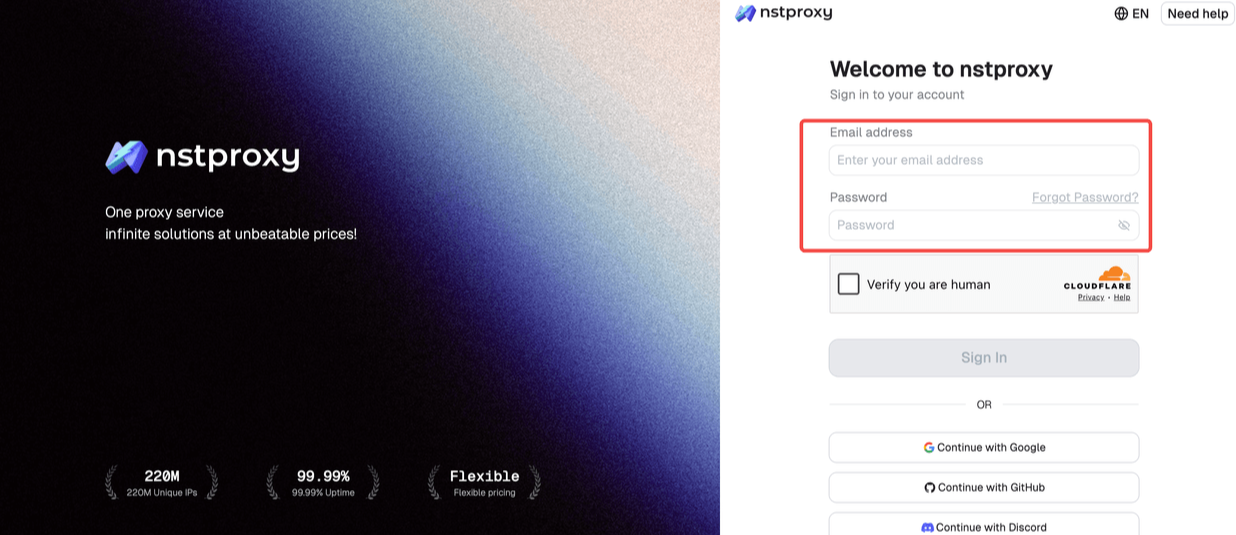
Nstproxy is a strong Shopify proxy option because it offers Residential, Static ISP, Datacenter, IPv6, and Mobile proxies.
Take a Quick Look
Nstproxy offers global residential, ISP, datacenter, and mobile proxies to help you test storefronts, monitor pricing, verify ads, and conduct market research with confidence. Explore Nstproxy and find the right proxy solution for your Shopify projects today. | Starts from $ 0.1/GB
The phrase Shopify proxies usually means something different from Shopify App Proxy. Here, we are talking about network proxies: IP addresses used to access Shopify stores from different locations or browsing environments.
These proxies are useful for marketers, e-commerce researchers, QA teams, ad verification teams, and data analysts who need to check Shopify storefronts from different regions, monitor product pages, compare pricing, or test localized store behavior.
A Shopify proxy does not change your Shopify admin or app setup. It changes the IP address used to access Shopify stores.
What Are Shopify Proxies?
Shopify proxies route your web traffic through another IP address before it reaches a Shopify store. The store sees the proxy IP instead of your original IP.
This is useful when you need to test how a store appears in another region, check product availability, monitor pricing, verify ads, or run controlled research workflows.
For example, a marketer in Asia may want to check how a US Shopify storefront appears to US visitors. A residential US proxy can help create a more relevant browsing environment.
Shopify App Proxy vs Shopify Network Proxy
These two terms are easy to confuse, but they solve different problems.
Feature
Shopify App Proxy
Shopify Network Proxy
Main user
Developers
Marketers, researchers, QA teams
Purpose
Route storefront URL to app backend
Change IP/location for browsing
Configured in
Shopify app settings
Browser, proxy manager, script, or tool
Example
/apps/rewards loads app content
View store from US residential IP
Needs proxy provider
No
Yes, such as Nstproxy
If you are building an app, you likely need Shopify App Proxy. If you are testing stores, checking regions, or doing market research, you need Shopify network proxies.
Why Use Proxies for Shopify?
Shopify powers millions of online stores worldwide, but what customers see is not always the same across every location. Product availability, pricing, currency, language, shipping options, promotional campaigns, and even storefront layouts can vary depending on a visitor’s region, device, or browsing environment.
This is where proxies become valuable. By routing your connection through IP addresses in different locations, proxies allow you to view and test Shopify stores from the perspective of real users in other regions. Whether you're conducting market research, monitoring competitors, or performing quality assurance checks, proxies provide a more accurate picture of how a Shopify store operates across different markets.
Many Shopify merchants limit product visibility or inventory based on country or region. Proxies help verify whether specific products are available to customers in target markets.
2. Price and Product Monitoring
E-commerce prices change frequently. Proxies allow businesses to monitor product listings, pricing updates, discounts, and inventory levels without relying on a single geographic location.
3. Localized Storefront Testing
Shopify stores often display different languages, currencies, promotions, and content depending on where visitors are located. Proxies make it possible to test and validate these localized experiences before launching campaigns.
4. Ad and Landing Page Verification
Marketing teams can use proxies to confirm that region-specific advertisements, landing pages, and promotional offers are displayed correctly to users in different countries.
5. Cross-Market Competitor Research
Understanding how competitors position products, pricing, and promotions across regions can provide valuable market insights. Proxies help researchers compare storefront experiences across multiple locations.
6. Multi-Region QA and Performance Testing
Developers and QA teams frequently need to test checkout flows, storefront functionality, and user experiences from different geographic regions. Proxies simplify this process and help identify localization issues before they affect customers.
7. Mobile and Desktop Experience Validation
Customer experiences can differ between desktop and mobile devices. Combining proxies with device testing tools allows teams to validate how stores perform across multiple environments.
For occasional manual checks, a standard browser setup may be sufficient. However, businesses that regularly monitor stores, conduct market research, or perform large-scale testing often rely on proxies to achieve more consistent and location-specific results.
Why Nstproxy Is a Strong Choice for Shopify Proxies?
Whether you're testing a Shopify storefront, monitoring competitor pricing, or verifying region-specific content, using the right proxy can make a significant difference. Shopify proxies allow you to access stores from different geographic locations, helping you gain more accurate insights into how products, prices, ads, and customer experiences vary across markets.
Nstproxy provides reliable proxy solutions for every Shopify workflow. Its diverse proxy network helps businesses access accurate market insights while maintaining stable and efficient connections.
Nstproxy Advantages for Shopify Users
Cost-Effective Proxy Solutions: Get premium proxy services starting at only $0.10 per GB.
Multiple Proxy Types: Choose from Residential, Static ISP, Datacenter, IPv6, and Mobile proxies to match different Shopify workflows.
Global IP Coverage: Access IPs from multiple countries and regions to test storefronts and customer experiences worldwide.
HTTP(s) & SOCKS5 Support: Easily integrate proxies with browsers, automation tools, scripts, and testing platforms.
Flexible Scalability: Suitable for both individual Shopify store owners and large teams managing multiple projects.
Reliable for Multiple Shopify Tasks: Support storefront testing, price monitoring, ad verification, competitor research, and localization checks.
Easy Setup and Management: Get started quickly with simple configuration options and broad tool compatibility.
Start with the task. If you want to check how a Shopify store appears in a specific country, choose a Residential proxy in that region.
If you need one stable browsing session, choose Static ISP.
If you are only testing page speed or basic access, Datacenter or IPv6 proxies may be enough.
Avoid choosing proxies randomly. The wrong proxy type can make results inconsistent.
Step 2. Select the Target Location
Choose a proxy location that matches the market you want to test. If you are checking a US Shopify storefront experience, use a US proxy. If you are testing UK pricing or shipping messages, use a UK proxy.
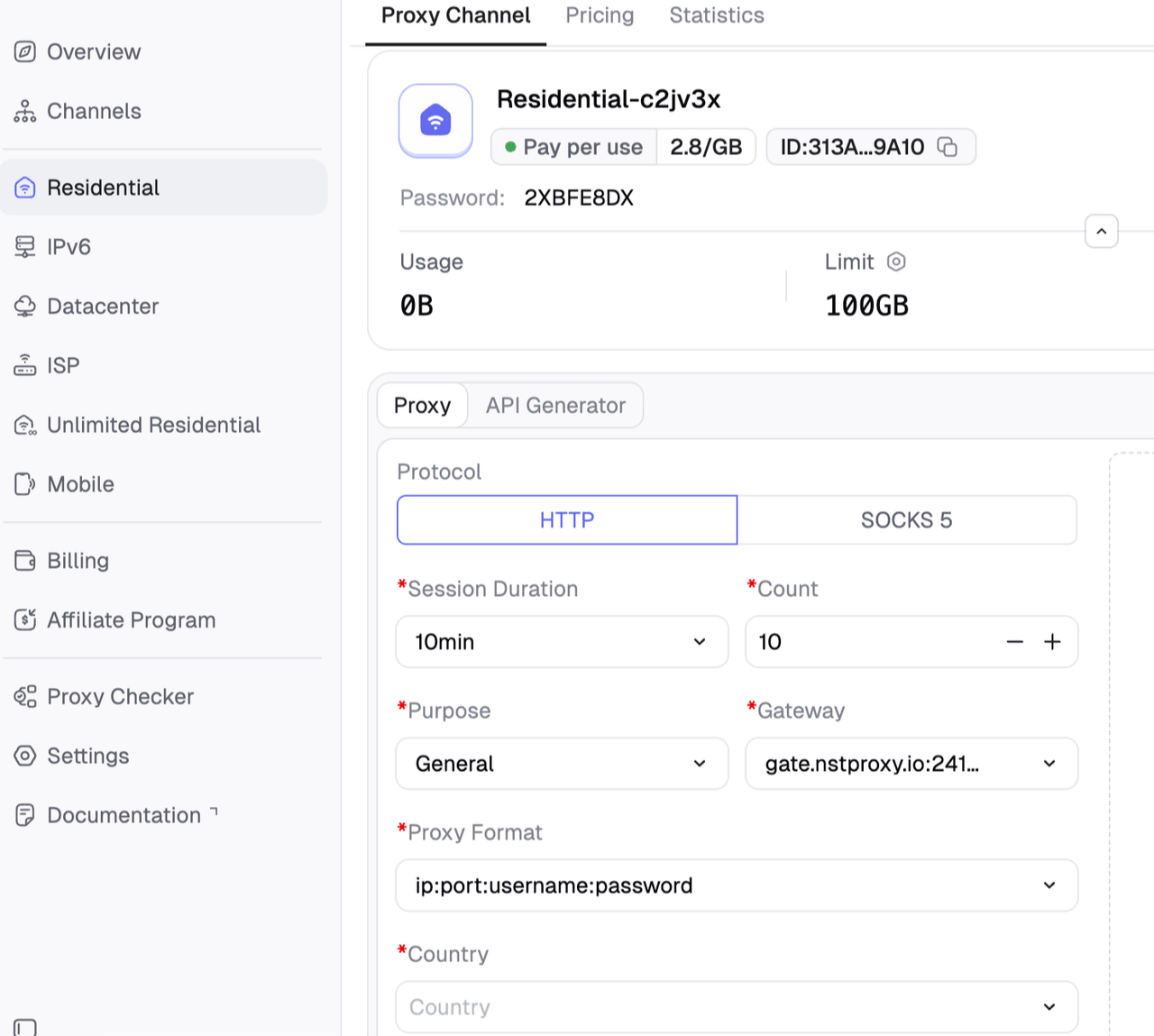
Then you can configure your Channel by choosing Session type (rotating or sticky); Protocol (HTTP / SOCKS5) and so on.
Step 3. Copy Proxy Credentials
From the Nstproxy dashboard, copy:
Host
Port
Username
Password
Protocol, such as HTTP or SOCKS5
Location or session setting
Keep these details ready before opening your browser or testing tool.
Step 4. Configure the Proxy
You can use Nstproxy in several ways.
For browser testing, configure the proxy in Chrome, Firefox, ZeroOmega, or Nstbrowser. For scripts or QA tools, enter the proxy details into your HTTP client, scraper framework, or automation tool.
After configuration, always open an IP checker first. Confirm that the browser or tool is using the Nstproxy IP before visiting the Shopify store.
Step 5. Test the Shopify Store
Once the proxy is active, open the Shopify store and check the items relevant to your workflow.
Look at:
Product visibility.
Regional pricing.
Currency.
Shipping messages.
Checkout localization.
Page loading speed.
Ad landing page behavior.
Any region-specific banners or restrictions.
Record results by proxy location so your testing stays organized.
Step 6. Keep Sessions Stable When Needed
If you are logged into an account, testing checkout behavior, or running a long manual session, do not rotate IPs too often. Use Static ISP or sticky Residential sessions.
Rotating proxies are useful for broader research tasks, but stable sessions are better for anything involving continuity.
Best Proxy Types for Shopify
1. Residential Proxies
Residential proxies are the best all-around option for Shopify research. They are useful for viewing storefronts from realistic user environments and checking regional behavior.
2. Static ISP Proxies
Static ISP proxies are best when stability matters. Use them for long sessions, account-based browsing, or repeated checks from one consistent IP.
3. Datacenter Proxies
Datacenter proxies are fast and affordable. They are useful for basic QA, speed checks, and lower-risk technical testing.
4. Mobile Proxies
Mobile proxies are useful when the storefront experience may differ for mobile visitors, mobile networks, or mobile ad traffic.
5. Rotating vs Sticky Proxies
Use rotating proxies for larger research tasks. Use sticky or static proxies for stable sessions. Do not rotate IPs aggressively during account-based browsing or checkout testing.
Shopify Proxy Best Practices
Match the proxy type to the workflow. Residential proxies are better for market research, while Static ISP proxies are better for stable sessions.
Keep the region consistent. If you are testing a US customer journey, use a US IP and matching browser settings.
Avoid free proxies. They are often slow, shared, blocked, or unsafe.
Test before scaling. Check IP, speed, page behavior, and error rates before running larger workflows.
For data workflows, use reasonable request patterns and follow applicable store terms or approved data access methods.
FAQs
Q1. What are Shopify proxies?
Shopify proxies are network proxies used to access Shopify stores through another IP address for testing, research, monitoring, or regional checks.
Q2. Are Shopify proxies the same as Shopify App Proxy?
No. Shopify App Proxy is a developer feature. Shopify network proxies are IP proxies used for browsing or testing.
Q3. Can I use Nstproxy for Shopify?
Yes. Nstproxy can be used for Shopify store testing, product research, ad verification, regional browsing, and stable browser sessions.
Q4. Which proxy type is best for Shopify?
Residential proxies are best for real-user IP quality. Static ISP proxies are best for stable long sessions.
Q5. Are free Shopify proxies safe?
Free proxies are not recommended for serious Shopify workflows because they are often unstable, slow, shared, or already blocked.
Q6. Do I need proxies for Shopify app development?
Not usually. If you are building storefront app routes, you likely need Shopify App Proxy, not network proxies.
Conclusion
Shopify proxies are useful when you need IP and location control for Shopify store research, testing, monitoring, or regional browsing. They are not the same as Shopify App Proxy, which is a developer feature for routing storefront requests to an app backend.
For Shopify network proxy workflows, Nstproxy is a strong option because it offers Residential, Static ISP, Datacenter, IPv6, and Mobile proxies. Use Residential proxies for store research and regional checks. Use Static ISP proxies for stable browser sessions. Use Datacenter or IPv6 proxies for fast technical testing.