A Zillow proxy is a network proxy used to access Zillow through another IP address.
The term is different from a “proxy” in real estate law, where someone represents another person.
Zillow proxy users usually care about property research, listing monitoring, rental data, price tracking, and regional market analysis.
Residential proxies are usually the strongest option for Zillow data workflows.
Static ISP proxies are better for stable manual browsing and longer sessions.
Datacenter proxies are fast, but they may be easier to detect on real estate platforms.
Scraper APIs are easier to use, but proxies give more control.
Nstproxy is a strong choice because it offers Residential, Static ISP, Datacenter, IPv6, and Mobile proxies for different Zillow use cases.
Lead-in
Zillow is one of the most valuable real estate data sources in the United States. Investors use it to compare neighborhoods. Agents use it to monitor listings. Property analysts use it to track pricing movement, rental supply, and market trends across cities and ZIP codes.
The problem starts when the workflow grows beyond casual browsing. Checking a few properties manually is easy. Monitoring hundreds of listings across multiple cities, tracking price changes, or collecting public property data at regular intervals is much harder. Pages may load slowly, requests may fail, CAPTCHAs may appear, or access may become inconsistent.
That is why people search for a Zillow proxy. A proxy helps route Zillow browsing or data requests through another IP address, giving users more control over location, session stability, and request distribution. But not every proxy type works equally well for Zillow. For real estate workflows, IP quality matters more than simply changing an IP.
What Is Zillow?
Zillow is a major US real estate marketplace where users can search homes for sale, rentals, property values, neighborhood information, agent details, and mortgage-related data. For casual users, it is a place to browse homes. For real estate professionals, it is also a market intelligence source.
A buyer may use Zillow to compare prices in a neighborhood. A rental investor may track rent changes across cities. A property data team may study listing supply, days on market, home status, or price reductions. These workflows often require repeated access to location-specific real estate data, which is where proxies become useful.
A Zillow proxy is a proxy server used to access Zillow through a different IP address. Instead of Zillow seeing your original network IP, it sees the proxy IP.
This matters because websites can use IP information to understand where traffic comes from, whether requests are repeated too quickly, and whether traffic appears to come from a normal residential environment, a datacenter, a VPN, or a public proxy.
There is one important clarification: in real estate, “proxy” can also mean a person authorized to represent or vote on behalf of another person. That is not what this article means. Here, a Zillow proxy refers to a network proxy used for browsing, research, data collection, or market analysis.
A simple Zillow proxy flow looks like this:
Your browser, scraper, or research tool sends a request.
The request goes through a proxy server.
The proxy forwards the request to Zillow.
Zillow sees the proxy IP instead of your original IP.
The result comes back through the proxy to your tool or browser.
This setup gives users more control over IP location, session type, and access stability.
Most users do not need a proxy to open Zillow once or twice. A proxy becomes useful when the workflow is repeated, regional, or data-heavy.
Real estate market research is one of the clearest use cases. If an analyst needs to compare listings in Phoenix, Austin, Miami, and Chicago, a proxy can help create more location-aware browsing conditions. This is useful when search results, availability, or page behavior varies by region.
Price and listing monitoring is another common reason. Investors may want to track price drops, newly listed properties, sold listings, rental changes, or inventory shifts. When these checks happen regularly, relying on one home or office IP can become unstable.
Proxies also help with request distribution. If too many requests come from one IP in a short time, Zillow or its security systems may challenge or limit access. A good proxy setup can reduce bottlenecks by spreading traffic more naturally.
Developers may also use proxies when building real estate tools, dashboards, price trackers, or internal market intelligence systems. In this case, the proxy is not the whole solution, but it is part of a stable data pipeline.
Best Proxy Types for Zillow
The best Zillow proxy depends on the workflow. A rental researcher browsing manually has different needs from a data team collecting thousands of listing pages.
1. Residential Proxies
Residential proxies are usually the best choice for Zillow data workflows. They use IPs associated with real residential networks, which makes them more suitable for real estate platforms than many datacenter IPs.
Use residential proxies for property listing research, price monitoring, rental data checks, and regional market analysis. They are especially useful when IP trust and location quality matter.
2. Static ISP Proxies
Static ISP proxies are useful when you need a stable session. They combine some of the trust benefits of ISP-backed IPs with the consistency of a fixed IP.
Use Static ISP proxies for manual Zillow browsing, longer research sessions, account-based workflows, and repeated access from the same region. If you do not want the IP to rotate frequently, this is often the better option.
3. Datacenter Proxies
Datacenter proxies are fast and cost-efficient. They can work for basic testing, low-risk workflows, or internal development. However, they are usually easier for strict platforms to detect.
For Zillow, datacenter proxies may not be the best choice for serious data collection. They are better used for lightweight testing or non-sensitive tasks.
4. Mobile Proxies
Mobile proxies are useful for mobile-style browsing or app-like testing. They use mobile carrier networks, which can be valuable in some mobile-first research workflows.
For Zillow, mobile proxies are not always necessary, but they can be helpful if you are testing mobile search behavior or mobile real estate experiences.
Rotating vs Sticky Sessions
Rotation is useful when collecting many public pages across different areas. Sticky or static sessions are better when you need stability.
For Zillow, aggressive rotation is not always ideal. If the IP changes too often during a single browsing flow, the session may become inconsistent. A better approach is controlled rotation for larger workflows and sticky sessions for stable browsing.
Why Nstproxy Is a Strong Choice for Zillow Proxy Workflows
Nstproxy fits Zillow proxy workflows because it gives users multiple proxy types instead of forcing one setup for every task. Zillow use cases vary widely. A real estate investor manually comparing listings needs stability. A data team monitoring many markets needs scalable residential IPs. A developer testing a tool may need speed and lower cost.
Nstproxy supports these different needs with Residential Proxies, Static ISP Proxies, Datacenter Proxies, IPv6 Proxies, and Mobile Proxies.
For Zillow property research and market monitoring, Nstproxy Residential Proxies are usually the best fit. They provide real-user IP quality and better regional flexibility. For stable browsing, long research sessions, or account-based workflows, Nstproxy Static ISP Proxies are more suitable because they keep the IP consistent.
If you are unsure where to start, choose based on your main need. If you need trust and location quality, start with Residential Proxies. If you need stability, start with Static ISP Proxies.
Start by matching the proxy type to your Zillow workflow.
If you are doing property listing research, rental monitoring, or market analysis, choose Nstproxy Residential Proxies. These are better suited for Zillow because they look closer to normal residential traffic.
If you are manually browsing Zillow for long sessions or using a browser-based workflow, choose Nstproxy Static ISP Proxies. They are more stable because the IP does not rotate constantly.
If you are only testing a basic setup or building an internal prototype, Datacenter or IPv6 proxies may be enough. But for serious Zillow workflows, residential or ISP proxies are usually stronger.
Step 2. Select a Relevant Location
Location matters in real estate research. If you are analyzing Los Angeles rentals, it makes sense to use a US proxy environment. If you are researching Florida markets, use a US-based IP and align your search parameters with the market you are checking.
Avoid random overseas IPs for US real estate workflows. Location mismatch can create inconsistent results and may make the session look less natural.
Step 3. Configure the Proxy in Your Tool
Nstproxy can be used in different setups depending on your workflow.
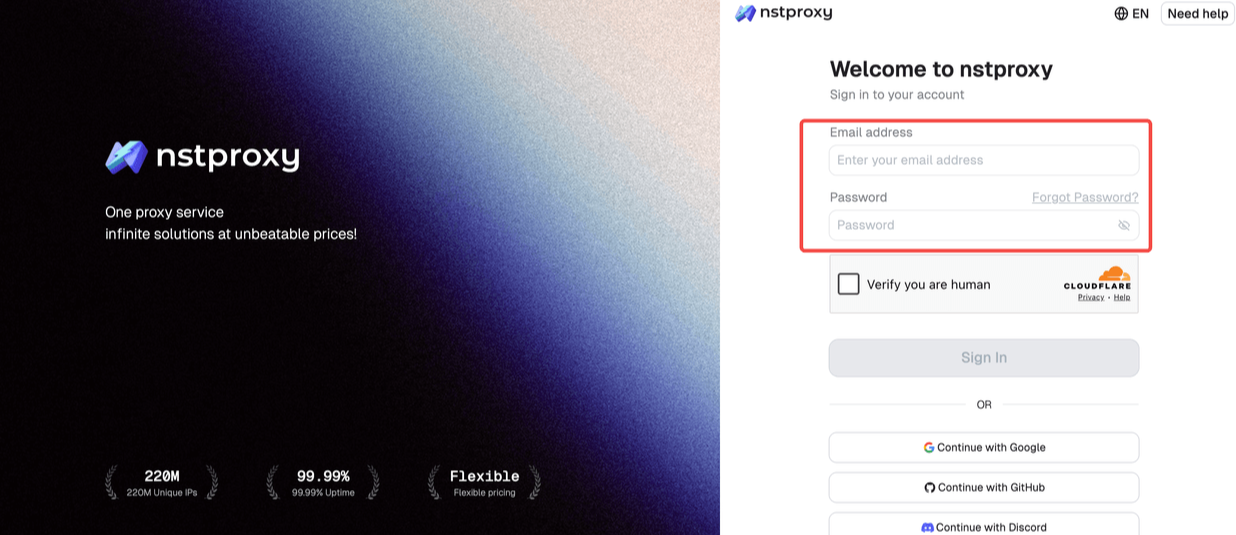
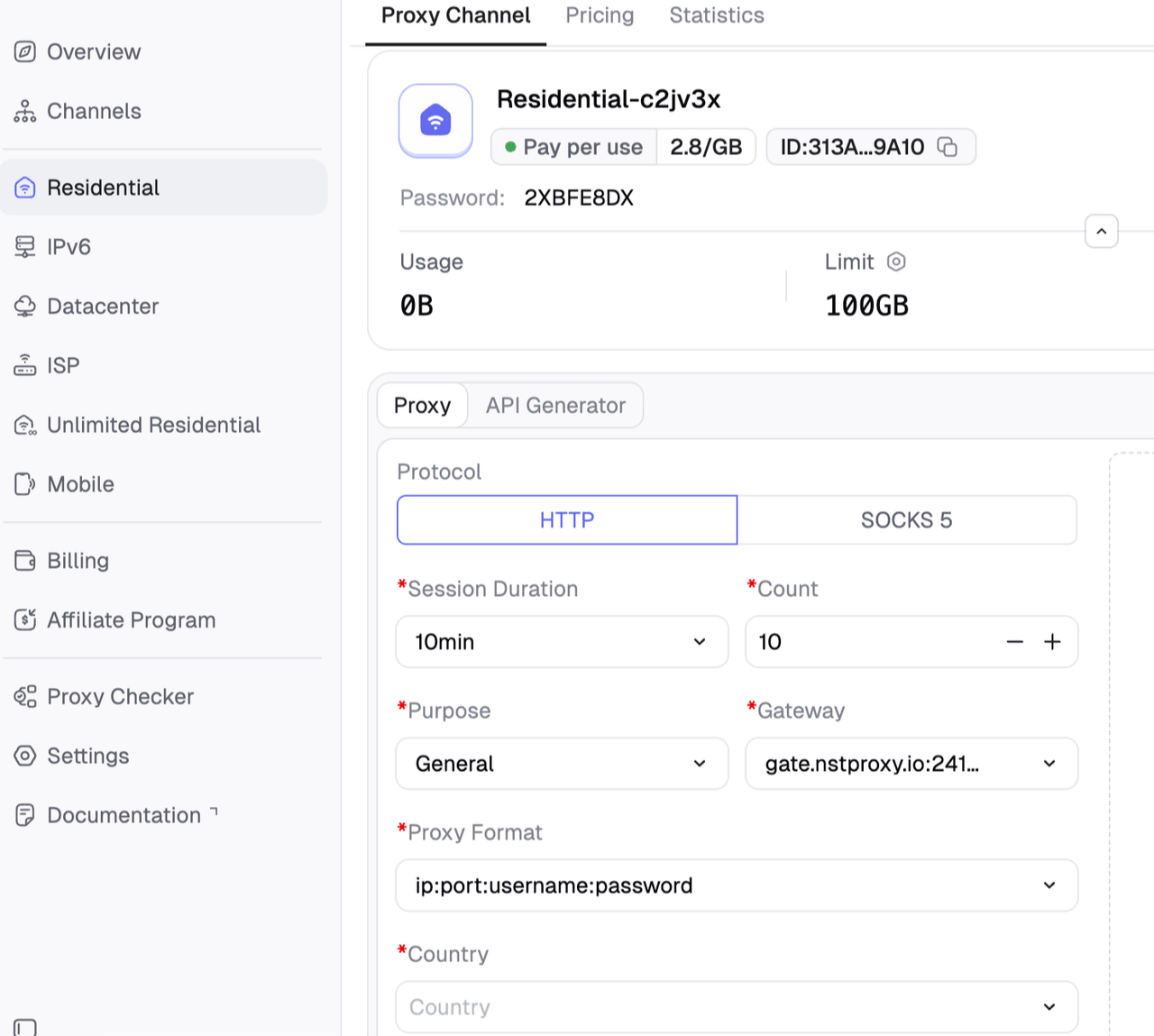
For manual browsing, configure the proxy in Chrome, Firefox, ZeroOmega, Nstbrowser, or another proxy manager. You will need the proxy host, port, username, password, and protocol from your Nstproxy dashboard.
For scripts, add the proxy details to your HTTP client, scraper framework, or browser automation tool. If you are using a headless browser, make sure the proxy configuration matches the browser context, not just the request library.
For data tools, check whether the tool supports HTTP or SOCKS5 proxies and enter the Nstproxy credentials there.
Step 4. Set Rotation or Sticky Sessions
Do not rotate just because rotation is available. Choose the session style based on the task.
For browsing and stable research, use sticky sessions or Static ISP proxies. This keeps the same IP during the session and reduces inconsistencies.
For broader public data collection, use controlled residential rotation. Avoid changing IPs too aggressively. A steady, human-like pace is usually better than sending many rapid requests from constantly changing IPs.
Step 5. Test Before Scaling
Before running a large workflow, test a small group of Zillow pages.
Check whether pages load correctly, whether images and listing details appear, whether CAPTCHAs show up, and whether the same search produces consistent results. Also monitor speed and failed request rates.
If you see frequent blocks or challenges, do not immediately increase proxy volume. First adjust request speed, session settings, browser headers, and proxy type.
Step 6. Monitor and Adjust
Zillow pages can change, and access conditions can shift. Monitor your workflow continuously.
Track failed loads, CAPTCHA frequency, request timeouts, duplicate data, and missing fields. If problems increase, test a different proxy type or reduce request intensity. For example, moving from datacenter proxies to residential proxies may improve reliability. For long sessions, switching from rotating residential proxies to Static ISP proxies may make browsing more stable.
Best Zillow Proxy Providers and Tools
Zillow proxy SERP results include both proxy providers and scraper API platforms. The best option depends on whether you want control or convenience.
If you want a managed data product, a scraper API may be easier. If you want control over tools, regions, request logic, and session behavior, Nstproxy is a strong proxy-first option.
Common Zillow Proxy Problems and Fixes
1. Zillow Shows CAPTCHA
CAPTCHAs usually appear when traffic looks automated, too fast, or inconsistent. Low-quality IPs, repeated patterns, and weak browser behavior can all contribute.
To fix this, slow down requests, use residential proxies, improve browser behavior, and avoid hitting too many pages too quickly. If you are using datacenter proxies, test residential proxies instead.
2. Zillow Blocks the IP
IP blocks can happen when too much traffic comes from one endpoint or the IP has poor reputation.
The best fix is to use higher-quality residential proxies or a controlled rotation strategy. If you need stable browsing, use Static ISP proxies instead of constantly rotating IPs.
3. Data Looks Different by Location
Zillow results can vary depending on search parameters, cookies, and IP location. If your proxy says one region but your search settings point to another, results may look inconsistent.
Align the proxy location, Zillow search location, and browser session. Clear cookies when switching research markets.
4. Pages Load Slowly
Zillow pages can be heavy. Slow loading may come from overloaded proxies, distant IP locations, or the target page itself.
Try a closer proxy location, test another endpoint, or use a more stable proxy type. If you are doing browser automation, make sure unnecessary assets are not slowing down the workflow.
5. Scraper Breaks After Zillow Updates
Zillow pages may change structure, scripts, or selectors. A scraper that works today may fail later.
The fix is to monitor parsing errors and update the scraper when page structure changes. If you do not want to manage this yourself, a scraper API may be easier.
FAQs
Q1. What is a Zillow proxy?
A Zillow proxy is a network proxy used to access Zillow through another IP address. It helps users control IP location, session type, and access stability during browsing or data workflows.
Q2. Why do people use proxies for Zillow?
People use proxies for Zillow to support property research, price monitoring, rental analysis, regional market checks, and real estate data collection.
Q3. What proxy type is best for Zillow?
Residential proxies are usually best for Zillow data workflows because they provide real-user IP quality. Static ISP proxies are best for stable manual browsing and long sessions.
Q4. Is Nstproxy good for Zillow?
Yes. Nstproxy is a strong option for Zillow because it offers Residential Proxies, Static ISP Proxies, Datacenter Proxies, IPv6 Proxies, and Mobile Proxies. This makes it flexible for different real estate workflows.
Q5. What is the difference between a Zillow proxy and a Zillow Scraper API?
A Zillow proxy gives you IP access and control over your own tools. A Zillow Scraper API handles fetching, proxy rotation, parsing, and data delivery for you. Proxies offer more control, while APIs offer more convenience.
Q6. Why does Zillow block my scraper?
Zillow may block a scraper because of high request volume, poor IP reputation, repeated patterns, browser fingerprint issues, or technical anti-bot protections.
Q7. Are free Zillow proxies safe?
Free proxies are not recommended for Zillow workflows. They are often slow, shared, unreliable, and already blocked by major websites.
Conclusion
A Zillow proxy is useful when real estate research grows beyond simple manual browsing. If you need to monitor listings, compare markets, track rental prices, or collect public property data across regions, the quality of your proxy setup matters.
For Zillow, residential and Static ISP proxies are usually stronger than free proxies or low-quality datacenter IPs.
Nstproxy is a strong choice because it gives users flexible proxy options for different Zillow workflows. Use Nstproxy Residential Proxies for real estate data research and market monitoring. Use Nstproxy Static ISP Proxies when you need a stable, consistent browsing session. With the right proxy type, matching location, and controlled request behavior, Zillow research becomes far more reliable.
This guide explains how a fixed backconnect gateway selects rotating or session-pinned exit IPs. It clarifies proxy types, protocol boundaries, operational tradeoffs, and the checks buyers should run before choosing a service.
Kai Watanabe
Jul. 29th 2026
Experience Nstproxy - Start Your Free Trial Today
110M+ real IPs with 99.9% access success
Get immediate access to premium residential, datacenter, IPv6 and ISP proxy pools.
Blazing-fast average response ~0.5s for high-concurrency tasks