Nstproxy Now Offers Proxy Manager and Crawl (2026)
TL;DR
Nstproxy has launched two new products: Proxy Manager and Crawl.
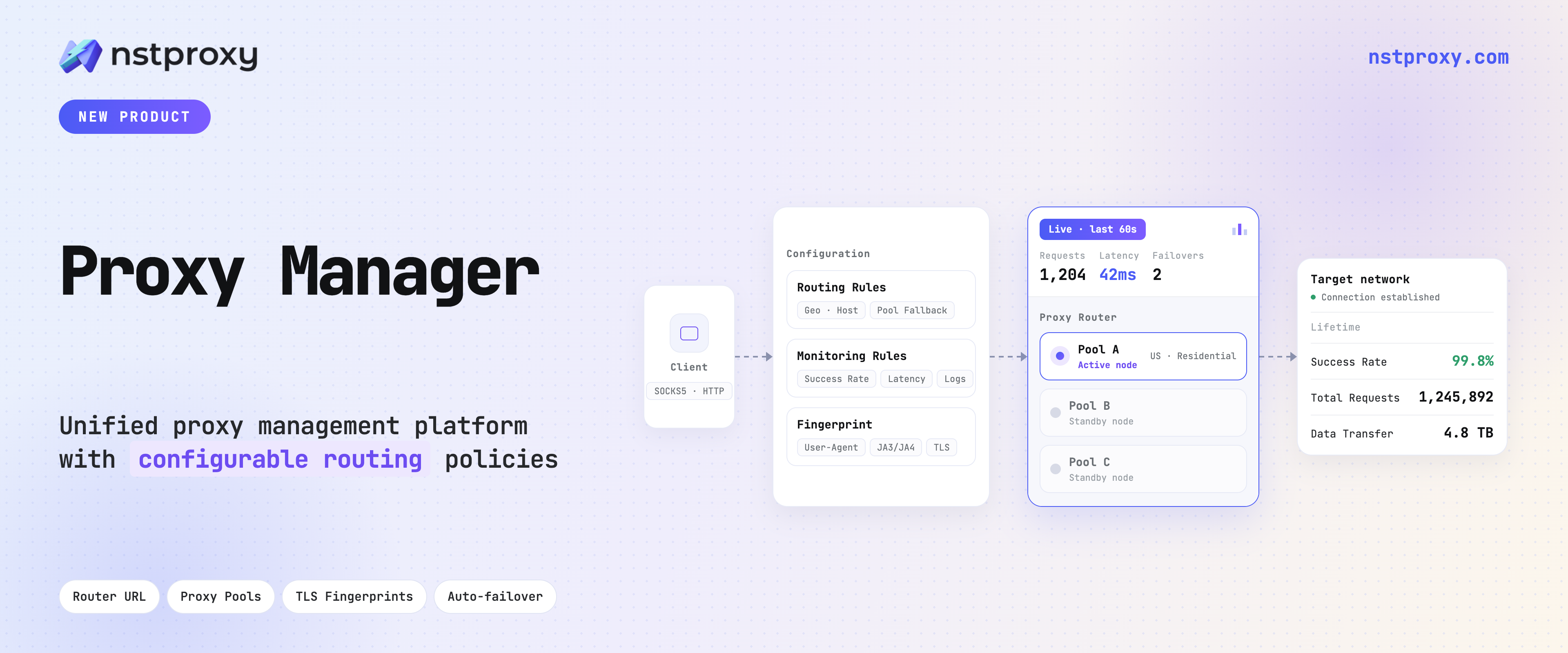
Proxy Manager helps teams centralize proxy operations, including routing, pool management, rotation rules, and request visibility.
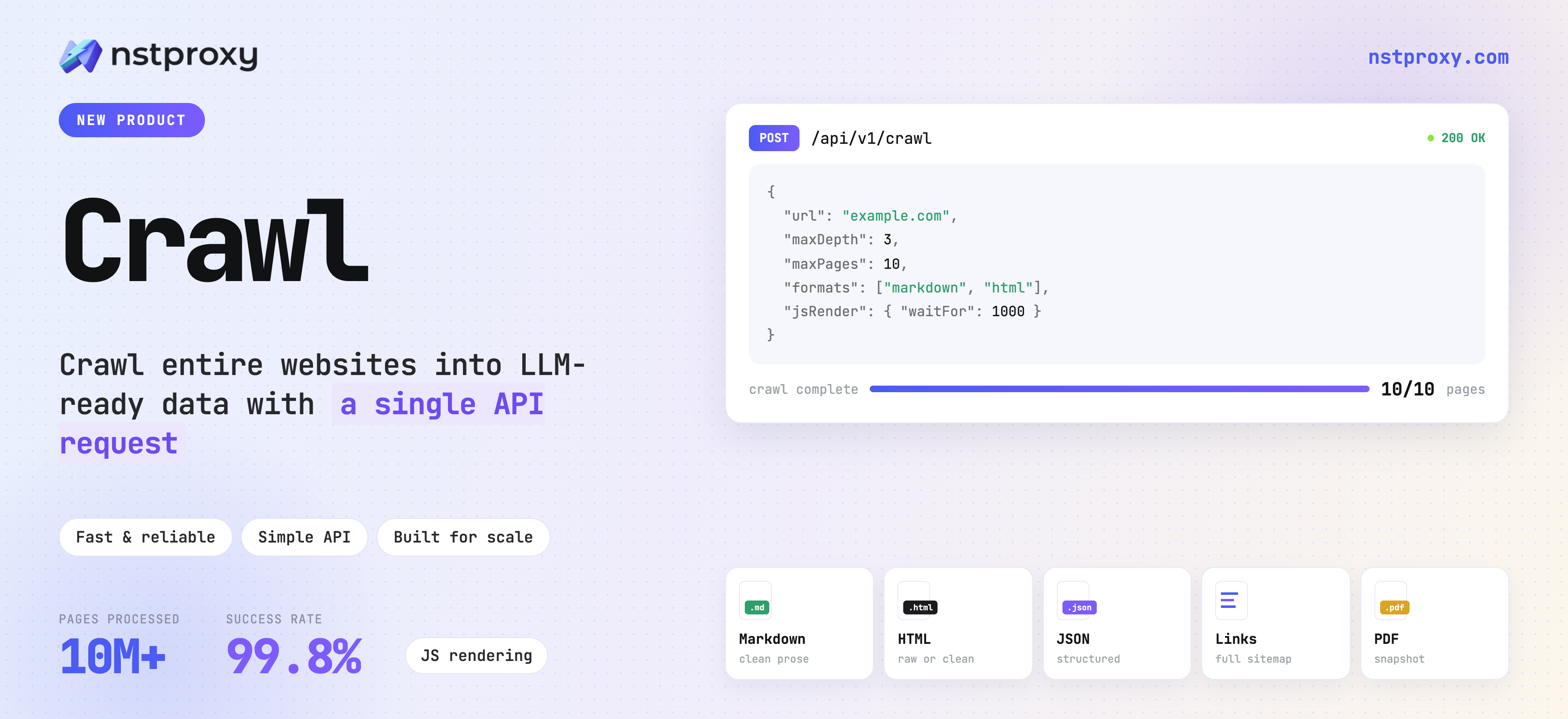
Crawl provides a managed web data collection API that converts URLs into Markdown, HTML, screenshots, PDFs, and other usable formats.
Existing Nstproxy customers can continue using their current proxy products, accounts, API keys, and pricing as before.
Intro
Nstproxy has always focused on helping teams access the web reliably through proxy infrastructure. As operations scale, accessing websites is only one part of the challenge. Teams also need better ways to manage proxy traffic across multiple projects, monitor request performance, and collect web content without maintaining complex infrastructure.
To address these needs, Nstproxy is introducing two new products:
Proxy Manager, a centralized layer for managing proxy operations.
Crawl, a managed API for collecting and processing web content.
Together with Nstproxy's existing proxy network, these tools help teams build more complete web data workflows.
The Nstproxy Web Data Workflow
Different teams have different requirements when working with web data. Some need reliable proxy access to websites. Some need better control and visibility over large-scale proxy operations. Others need ready-to-use web content without maintaining their own crawling systems.
Proxy Manager: Centralized Control for Proxy Operations
Running a small scraping workflow is relatively simple. Managing proxy infrastructure across multiple projects, teams, and target websites becomes much more challenging as operations scale.
Proxy Manager is designed to simplify the operational layer behind proxy usage. Instead of managing proxy credentials, routing rules, rotation logic, and monitoring separately across different scripts and applications, teams route traffic through a centralized Router endpoint. Proxy Manager handles the proxy operations layer while your applications focus on collecting and processing data.
Centralized proxy pool management. Create and organize proxy pools based on workflow type. For example, price monitoring projects can use dedicated residential pools; and SEO tracking workflows can use separate configurations. Different teams can manage their own traffic environments without affecting each other.
Flexible routing and rotation control. Configure traffic routing and rotation strategies in one place. When proxy requirements change, update the Proxy Manager configuration — not every crawler and script that depends on it.
Request logging and visibility. Proxy Manager logs each request with target domain, response code, status, and timing. When something fails, the logs tell you whether the issue came from the proxy pool, a rate limit, or a change on the target site — without cross-referencing logs from multiple systems.
Team-based access management. For organizations where multiple teams share proxy resources, Proxy Manager provides separate Router endpoints per team. Teams access the resources they need; administrators maintain control over configurations and usage visibility.
Proxy Manager is designed for teams that already run web crawlers, scraping systems, SEO monitoring tools, or data collection workflows and need better proxy management without rebuilding their existing infrastructure. Connecting existing workflows is a single proxy endpoint change — no changes to scraping logic required.
# 1. Direct proxy connection (Expected: 503 error)curl-x"http://USER:PASS@gate.nstproxy.io:24125""https://www.amazon.com/s?k=gaming"# 2. Routed through Proxy Manager (Expected: 200 success)curl-x"http://USER:PASS@gw-pm.nstproxy.io:24125""https://www.amazon.com/s?k=gaming"
No SDK is required — Proxy Manager speaks standard HTTP/SOCKS5, so any client that already supports a proxy configuration can connect.
How to get started with Proxy Manager
Existing users can connect their current workflows to Proxy Manager by switching their proxy configuration to a Proxy Manager Router endpoint. No major changes to existing scraping logic are required. The Proxy Manager quick start guide walks through Router setup and pool configuration step by step.
Crawl: Managed Web Content Collection Through a Single API
Most managed crawling APIs rent their network. Crawl runs on Nstproxy's own infrastructure — the same network already serving 1M+ requests a day. The collection layer and the network layer are one system, not two vendors stitched together. One integration, one bill, one team to call when a target site changes. Proxy Manager is for teams that want to own the collection infrastructure but need better operations tooling around it. Crawl is for teams that don't want to own the infrastructure at all.
Submit a URL, and Crawl hands back exactly what your pipeline needs — Markdown, HTML, a screenshot, a PDF — no infrastructure standing behind it for your team to run. Take a team building a RAG knowledge base: instead of standing up a scraper, a headless browser pool, and a cleanup step just to turn pages into usable text, they point Crawl at a set of source pages and get clean Markdown back, ready to chunk and embed. An AI Agent that needs to check a competitor's pricing page doesn't need any scraping code of its own — it calls Crawl with the URL and gets back content it can read directly.
Content comes back ready to use, not raw HTML you still have to clean up. Headings, lists, tables, and links stay intact; navigation clutter, cookie banners, and ad noise are already stripped out — so a knowledge base or Agent can use it the moment it lands, with no preprocessing step in between.
One URL or a whole site, without babysitting the job. Ask for a single page and get an answer back immediately, or point Crawl at a starting URL and let it work through a bounded set of pages — useful for pulling an entire docs section or blog for migration or reindexing, without watching over long-running jobs by hand.
Pages that fight back still come back clean. Sites that render content dynamically or actively push back against automated access don't return broken pages or dead ends — and when a target changes how it serves content, that gets handled on our end, not yours.
Visual and dated records, when text alone isn't enough. Pull a screenshot or PDF to keep a dated record of a landing page, pricing page, or ad creative — useful for audits, compliance, or simply proving what a page looked like on a given day.
See where the usage and cost are actually going. Budget owners can see which projects and teams are consuming bandwidth and on what, without asking engineering to go pull logs.
curl-X POST "https://api.nstproxy.com/api/v1/crawl/scrape/submit-sync"\-H"x-api-key: <API-KEY>"\-H"Content-Type: application/json"\-d'{"url": "https://example.com", "formats": ["markdown"]}'
import os
from nstdata_ai_crawl import NstDataClient, ScrapeRequestDto, Format
TOKEN = os.getenv("NSTDATA_API_TOKEN","YOUR_API_TOKEN")with NstDataClient(TOKEN)as client: res = client.submit_scrape_task_sync( ScrapeRequestDto( url="https://example.com/", formats=[Format.MARKDOWN], timeout=60000, onlyMainContent=True,))print(res.data.get_markdown())
import{NstDataClient,Format}from"@nstdata-ai/crawl";const client =newNstDataClient(process.env.NSTDATA_API_TOKEN||"YOUR_API_TOKEN");const res =await client.submitScrapeTaskSync({url:"https://example.com/",formats:[Format.MARKDOWN],timeout:60000,onlyMainContent:true,});console.log(await res.data?.getMarkdown());
Crawl is designed for AI teams building knowledge bases, developers creating AI-powered applications, research teams collecting web content at scale, and product teams that need web data integrated into their workflows without owning the collection infrastructure. Usage attribution across teams and projects. See which pools, projects, and teams consume bandwidth, and what they're spending it on. Budget owners get the breakdown without asking engineering to pull logs.
How to get started with Crawl
Crawl can be tested immediately through the API. Start with a single URL request, select your preferred output format — Markdown, HTML, screenshot, or PDF — and receive processed web content directly from the API. New accounts receive $1 in free trial credit with no subscription required.
Your account, API keys, proxy endpoints, and billing are unchanged. The proxy products you use — residential, ISP, mobile, datacenter, IPv6, unlimited residential — are the same products on the same infrastructure at the same pricing. Proxy Manager and Crawl are additions to the platform, not changes to anything already in use.
What's Next
Proxy Manager and Crawl are now available. We'll continue improving both products — more monitoring and management capabilities for Proxy Manager, expanded extraction features for Crawl, and additional integrations across the Nstproxy ecosystem — based on feedback from teams using them in production. These two products complete the collection layer. What comes next is what happens after collection — turning collected content into structured, queryable data. Proxy Manager and Crawl are the foundation for that.
If you're using either product and have feedback on what's working or what's missing, we want to hear it.
Start Exploring Nstproxy Proxy Manager and Crawl
Discover how Proxy Manager can simplify proxy operations and how Crawl can help you collect usable web content with less infrastructure.