Perplexity Proxy: API, SDK, and Web Access Guide in 2026
Quick Takeaways
“Perplexity proxy” can mean a network proxy, SDK HTTP proxy, API gateway, reverse proxy, or browser-level proxy.
Developers usually need proxy settings when working behind corporate firewalls or authenticated proxy networks.
Perplexity’s SDK documentation includes proxy configuration through custom HTTP clients.
LiteLLM can act as an AI gateway for Perplexity API requests.
A browser proxy is useful for Perplexity.ai web access, but it is not the same as an API gateway.
Nstproxy is best suited for stable IP routing, browser-level Perplexity access, and location/network troubleshooting.
A proxy does not replace your Perplexity API key, subscription, or account permissions.
Take a Quick Look
Want a more reliable AI search experience? Try **Nstproxy** today and enjoy fast, stable, and flexible connectivity designed for modern web browsing and AI-powered tools.
Searching for Perplexity proxy can lead to very different answers. A developer may want to call the Perplexity API from inside a company network where all traffic must pass through an authenticated proxy. A technical team may want to route Perplexity, OpenAI, Anthropic, Gemini, and other model providers through one internal AI gateway. A regular user may simply want Perplexity.ai to load reliably on a network where access is slow, blocked, or unstable.
These are not the same problem.
A proxy for the Perplexity SDK is different from a browser proxy for Perplexity.ai. An API gateway such as LiteLLM is different from a residential or ISP proxy provider. A self-hosted reverse proxy is different again. If you choose the wrong setup, you may spend time solving a problem you do not actually have.
This guide explains what a Perplexity proxy means, the main types of proxy setups, when each one makes sense, and how Nstproxy can help when your goal is stable browser-level Perplexity access.
A Perplexity proxy is any intermediary layer that routes traffic between your browser, app, server, or internal system and Perplexity. The exact meaning depends on what you are trying to do.
If you are using Perplexity.ai in a browser, a proxy may route your web traffic through another IP address. If you are using the Perplexity API, a proxy may route SDK requests through a corporate HTTP proxy. If your team manages multiple AI providers, a proxy may mean an AI gateway that centralizes requests, keys, logging, and model routing.
The word “proxy” is broad, so it helps to separate the main types.
Proxy Type
What It Does
Best For
Web proxy
Routes browser traffic to Perplexity.ai
Users with access or network issues
SDK proxy
Routes Perplexity SDK requests through HTTP/SOCKS proxy
Developers behind corporate networks
API gateway
Centralizes Perplexity API calls
Teams managing multiple AI providers
Reverse proxy
Rewrites API endpoint through your own domain/server
Self-hosted API routing
Browser profile proxy
Routes Perplexity web sessions in isolated profiles
Testing and stable browser access
Corporate proxy
Required outbound network proxy
Enterprise environments
A proxy can help with routing, access control, logging, network stability, or compliance. But it does not magically give you free access to Perplexity, remove the need for an API key, or bypass account-level limitations.
Why People Use a Proxy for Perplexity?
People use Perplexity proxies for different reasons.
1. The most common reason is corporate network access. In many companies, servers and developer machines cannot connect directly to external APIs. Instead, all outbound traffic must pass through an authenticated proxy controlled by IT.
2. Another common reason is API management. Teams building AI products may not want every app to call Perplexity directly. They may prefer one internal endpoint that handles API keys, rate limits, logging, retries, and provider routing.
3. A third reason is browser access. Perplexity.ai may load slowly, fail on certain networks, or behave differently depending on IP location. In that case, a stable proxy can help route browser traffic more consistently.
Finally, researchers and growth teams may use proxies to test how Perplexity or search-related experiences behave from different regions. For this use case, residential or ISP proxies are more relevant than an API gateway.
Main Types of Perplexity Proxy Setups
The best setup depends on whether you are using Perplexity in code, through an API gateway, or in a browser.
1. SDK Proxy Configuration
If you are a developer calling Perplexity through an SDK, proxy configuration usually happens at the HTTP client level. Perplexity’s SDK documentation covers custom HTTP clients, retries, timeouts, proxy configuration, custom headers, SSL/TLS settings, and connection pooling.
This setup is useful when your app runs behind a corporate proxy or when your infrastructure requires all outbound requests to follow a controlled route.
A typical SDK proxy setup includes:
A custom HTTP client.
HTTP, HTTPS, or SOCKS proxy settings.
Optional username and password for authenticated proxies.
Retry and timeout configuration.
Environment-based settings for production.
This is the right path when the problem is: “My code cannot reach the Perplexity API from this environment.”
2. LiteLLM Proxy for Perplexity
LiteLLM can act as an AI gateway that routes requests to Perplexity and other model providers. Instead of each application calling Perplexity directly, your apps can call LiteLLM, and LiteLLM handles provider routing.
This is useful for teams that use multiple AI providers and want a unified control layer.
LiteLLM-style proxy setups are useful for:
Centralized API key management.
Multi-provider routing.
Logging and monitoring.
Usage tracking.
Model mapping.
Internal developer access control.
Cost management.
This is the right path when the problem is: “Our team needs one internal AI gateway for Perplexity and other providers.”
3. Self-Hosted AI Proxy
Some developers prefer to run their own AI proxy. GitHub projects like ai-proxy show this intent clearly: users want to replace direct API provider domains with a self-hosted proxy endpoint.
For example, instead of calling the Perplexity API domain directly, an app may call a custom proxy route on a private server. The proxy then forwards the request to Perplexity.
This can help with routing, custom access control, internal logging, or provider abstraction. But it also creates more responsibility. You need to secure API keys, protect the proxy endpoint, monitor usage, and maintain the deployment.
This is the right path when the problem is: “We want full control over our own AI proxy infrastructure.”
4. Browser Proxy for Perplexity.ai
A browser proxy is different from an API gateway. It is used when your goal is to open Perplexity.ai in a browser with a different network route or IP address.
This is useful when:
Perplexity.ai loads slowly on your current network.
Your network blocks or filters access.
You need location-specific testing.
You want a browser-level setup instead of a full-device VPN.
You need a stable IP for a Perplexity web session.
This is where Nstproxy fits best.
Why Nstproxy Fits Perplexity Web Access?
Nstproxy is not an AI API gateway like LiteLLM, and it is not a replacement for the Perplexity SDK. Its role is different: Nstproxy provides high-quality proxy IPs for stable routing, browser-level access, and location-based testing.
For Perplexity.ai web access, this is useful because the user’s issue is often network-related rather than API-related. A user may not need LiteLLM or a self-hosted proxy. They may simply need a stable browser route with a cleaner IP.
Nstproxy offers different proxy types for different Perplexity workflows.
Use Case
Recommended Nstproxy Product
Why
Stable Perplexity.ai browser access
Static ISP Proxy
Fixed ISP-based IP and stable sessions
Region-specific access testing
Residential Proxy
Real-user IPs with location coverage
Browser profile workflows
Static ISP or Residential Proxy
Works with proxy profile tools
Mobile-style access
Mobile Proxy
Carrier-like network behavior
Fast basic testing
Datacenter Proxy
Fast, but lower trust than ISP/residential
For most users, Nstproxy Static ISP Proxy is the best choice for stable Perplexity.ai sessions because it provides a fixed IP. For users testing region-specific behavior, Nstproxy Residential Proxy is a better fit because it offers broader location flexibility.
Key advantages of Nstproxy for Perplexity include:
Stable IP sessions for browser access.
ISP and residential IP options.
Location targeting for access testing.
More reliable than free proxies.
Works with browser tools and profile managers.
Useful when VPNs are too broad or unstable.
How to Use Nstproxy for Perplexity.ai Browser Access
If your goal is to access Perplexity.ai in a browser, Nstproxy can route that browser traffic through a stable proxy IP. This is different from configuring the Perplexity API in code.
Use this method when the issue is browser access, not API gateway management.
Steps:
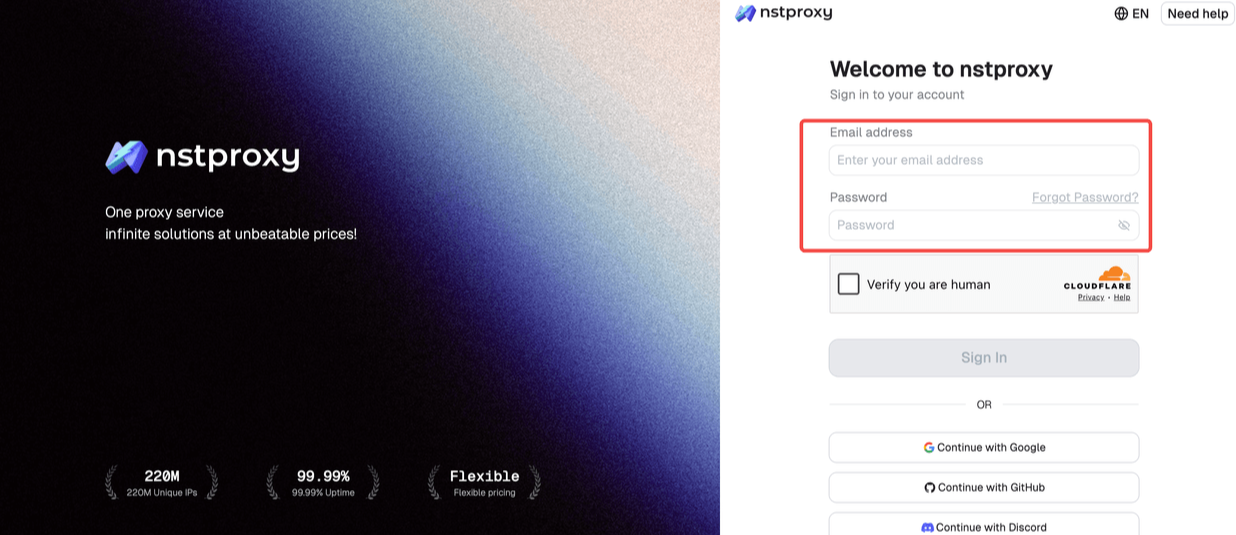
Sign in and register the Nstproxy account with your email.
Then choose the proxy type you want. For example, choose Nstproxy Static ISP Proxy if you need a stable Perplexity session, or Residential Proxy if you need location flexibility.
Copy the proxy host, port, username, and password from your Nstproxy dashboard.
Configure the proxy in a browser extension, proxy manager, or browser profile tool.
Tip: Visit an IP checker to confirm that the proxy is active and the location is correct.
Clear old Perplexity cookies if the site still behaves as if you are using the previous network.
Open Perplexity.ai and test login, search, and response loading.
Keep the same proxy active during the session for consistency.
If you manage several testing environments, you can pair Nstproxy with a browser profile tool such as Nstbrowser. This lets each profile keep separate cookies, cache, and proxy settings.
That said, Nstproxy does not replace your Perplexity account, API key, or subscription. It only handles the network route.
How to Configure a Perplexity Proxy for Developers
If you are a developer, you may need a different kind of setup. Instead of routing browser traffic, you may need to route API calls through a proxy.
Method 1. Use Perplexity SDK Proxy Settings
This is the most direct method when your app calls Perplexity through an SDK.
A typical setup looks like this:
Create or configure a custom HTTP client.
Add an HTTP, HTTPS, or SOCKS proxy URL.
Include proxy authentication if your corporate proxy requires it.
Set sensible connection, read, write, and pool timeouts.
Add retries for temporary network failures.
Test a simple Perplexity request.
Move proxy credentials into environment variables before production.
This method is best for corporate networks, backend services, and production environments where outbound network traffic is controlled.
Method 2. Use Environment Variables
Environment variables are cleaner than hardcoding proxy values. They also make it easier to use different proxy settings in development, staging, and production.
Use this method when:
You deploy across multiple environments.
You do not want proxy credentials in source code.
Your infrastructure team manages proxy values.
You need to rotate proxy details without editing code.
A good pattern is to store values like API keys, proxy URLs, retry counts, and timeout settings in environment variables, then load them when creating the Perplexity client.
Method 3. Use LiteLLM as a Perplexity API Proxy
LiteLLM is useful when a team wants a unified proxy layer for Perplexity and other AI providers.
A typical LiteLLM flow looks like this:
Add your Perplexity API key to the LiteLLM environment.
Create a LiteLLM configuration file.
Map Perplexity model names.
Start the LiteLLM proxy server.
Send app requests to the LiteLLM endpoint instead of directly to Perplexity.
Monitor logs, usage, and errors from the gateway layer.
This is best for teams, not individual browser users.
Method 4. Use a Self-Hosted AI Proxy
A self-hosted AI proxy gives you the most control, but also the most responsibility.
A typical self-hosted setup includes:
Deploying a proxy service on your own server.
Creating a route for Perplexity requests.
Replacing the direct Perplexity API domain with your proxy domain.
Storing API keys securely on the server side.
Adding authentication and access control.
Monitoring logs and usage.
Updating and maintaining the proxy service.
This method is best when you need custom routing, internal API abstraction, or multi-provider infrastructure.
Perplexity Proxy Use Cases
A Perplexity proxy is useful in several real-world scenarios.
1. Developers Behind Corporate Firewalls
Some companies require every outbound request to pass through a proxy. In this case, developers need SDK-level proxy settings or environment-based proxy configuration.
2. AI Teams Using Multiple Model Providers
Teams using Perplexity, OpenAI, Anthropic, Gemini, and other providers may want one gateway for all AI traffic. LiteLLM or a self-hosted proxy can simplify routing and monitoring.
3. Apps That Need Centralized API Routing
If several internal apps use Perplexity, a proxy layer can help centralize API keys, rate limits, logs, and cost tracking.
4. Users Who Cannot Access Perplexity.ai Reliably
If the issue is browser access rather than API access, a proxy provider like Nstproxy is more relevant. Static ISP proxies help maintain stable sessions, while residential proxies help with location testing.
5. Researchers Testing Regional Search Results
Perplexity is a search-based answer engine, so regional access may matter for testing. Residential proxies can help researchers check how results differ by location.
Common Perplexity Proxy Errors and Fixes
Proxy problems can look confusing, but most errors fall into a few categories.
Proxy Authentication Failed
This usually means the username, password, proxy host, port, or protocol is wrong. Check the proxy format carefully, especially if the proxy requires authentication.
1. Connection Timeout
A timeout may mean the proxy is too slow, the firewall is blocking outbound traffic, or the timeout setting is too short. Increase timeouts and test the proxy separately.
2. SSL/TLS Error
SSL or TLS errors may happen behind corporate inspection networks or with misconfigured certificates. Do not disable SSL verification in production unless you fully understand the risk.
3. Perplexity API 401 Error
A 401 error usually points to an API key issue, not a proxy issue. Check whether your Perplexity API key is valid and correctly passed in the request.
4. Perplexity Works in Browser but Not API
This means browser access and API access are following different routes. Check SDK proxy settings, API endpoint, firewall rules, and environment variables.
5. Perplexity API Works Locally but Not in Production
Production environments often have stricter outbound network rules. Check missing environment variables, corporate proxy requirements, server firewall rules, and container network settings.
Perplexity Proxy vs VPN vs API Gateway
Different tools solve different problems. A VPN is not the same as a browser proxy, and a browser proxy is not the same as an API gateway.
Method
Best For
Pros
Cons
Nstproxy Static ISP
Stable browser access
Fixed IP, stable sessions
Not an API gateway
Nstproxy Residential
Region testing
Real-user IP coverage
Needs setup
VPN
Full-device routing
Easy for casual users
Less granular
SDK Proxy
Developer requests
Works inside code
Requires configuration
LiteLLM Proxy
Team API gateway
Multi-provider control
More technical
Self-hosted AI proxy
Custom routing
Full control
Maintenance required
Corporate proxy
Enterprise compliance
Required by IT
May need auth/certs
If you only need Perplexity.ai to load in a browser, use a browser-level proxy setup such as Nstproxy. If your backend service needs to call the Perplexity API through a controlled route, use SDK proxy settings, LiteLLM, or a self-hosted proxy.
Best Practices for Using a Perplexity Proxy
Keep API keys secure. Never expose a Perplexity API key in frontend code or public repositories.
Use environment variables for API keys, proxy URLs, and credentials. This keeps sensitive values out of your source code and makes deployment easier.
Set proper timeouts and retries. AI API requests can take longer than normal HTTP requests, especially for search and reasoning tasks.
Do not disable SSL verification in production. It may be useful for debugging a local certificate issue, but it is unsafe as a normal production setting.
Use stable IPs for browser sessions. For Perplexity.ai web access, consistency is usually better than aggressive IP rotation.
Separate web access from API gateway needs. Use Nstproxy for browser and network access. Use LiteLLM, SDK proxy settings, or a self-hosted proxy for API infrastructure.
FAQs
Q1. What is a Perplexity proxy?
A Perplexity proxy is an intermediary that routes traffic between your browser, app, server, or AI gateway and Perplexity. It can refer to browser proxy access, SDK HTTP proxy settings, an API gateway, or a self-hosted reverse proxy.
Q2. Does Perplexity support proxy configuration?
Yes. Perplexity’s SDK documentation includes proxy configuration through custom HTTP clients, along with retries, timeouts, headers, SSL/TLS settings, and connection pooling.
Q3. Can I use a proxy with the Perplexity API?
Yes. Developers can configure API requests to use HTTP, HTTPS, or SOCKS proxies, especially in corporate networks that require outbound traffic to go through a proxy.
Q4. What is the difference between Perplexity proxy and LiteLLM proxy?
A Perplexity proxy can mean any proxy used with Perplexity. LiteLLM proxy is a specific AI gateway that can route requests to Perplexity and other model providers through one unified endpoint.
Q5. Is Nstproxy good for Perplexity.ai access?
Yes. Nstproxy is useful for stable browser-level Perplexity.ai access. Static ISP Proxy is best for stable sessions, while Residential Proxy is better for region-specific testing.
Q6. Can a proxy fix Perplexity not loading?
It can help if the issue is related to network routing, IP location, or local network restrictions. If the problem is account-level, browser cache, or Perplexity service status, a proxy may not solve it.
Q7. Why does Perplexity API fail behind a corporate network?
Corporate networks often require authenticated outbound proxies. If your SDK or backend does not use the required proxy settings, API requests may fail or time out.
Q8. Can I use SOCKS5 with Perplexity?
Yes, depending on the HTTP client or SDK configuration. Perplexity’s SDK proxy setup can support proxy types through custom HTTP client configuration.
Q9. Is a VPN better than a proxy for Perplexity?
A VPN is easier for full-device routing, but a proxy gives more control. For browser-level Perplexity access, Nstproxy can be more targeted. For API routing, SDK proxy settings or LiteLLM are better than a VPN.
Conclusion
A Perplexity proxy can mean several different things. Developers may need SDK proxy settings to send API requests through a corporate network. Teams may need LiteLLM or a self-hosted AI proxy to manage multiple AI providers. Regular users may simply need stable browser access to Perplexity.ai.
The right setup depends on the problem. For API infrastructure, use Perplexity SDK proxy configuration, LiteLLM, or a self-hosted proxy. For browser-level access, Nstproxy Static ISP Proxy is the best-fit option for stable sessions, while Nstproxy Residential Proxy is better for region-based testing.
The key is to match the proxy type to the actual use case. Treating every Perplexity proxy need the same will only make the setup harder than it needs to be.