When Ticketmaster goes down during peak ticket sales, Nstproxy keeps access stable with global residential IPs and smart proxy rotation.
Reduce bans, improve success rates, and stay ahead during high-demand events.
Login Now - Free Trial
If you've been asking yourself, why is Ticketmaster not working today, the chances are you had been trapped in a stuck Ticketmaster queue, received a message reading "Pardon the Interruption," or could not complete checkout on a major ticket release. These problems are especially prevalent when millions of fans attempt to use Ticketmaster at the same time, during concerts, sporting events, and festival sales.
Complete outage is not the only problem. Browser conflicts, unstable Internet connections, denied scripts, using a Virtual Private Network, and Ticketmaster anti-bot systems can all pose obstacles for legitimate users trying to obtain tickets. Refreshing the page too much might also result in temporary restrictions.
This guide will cover the usual explanations for why Ticketmaster is not working, some practical ways to fix it now, and finally the reasons many people now opt for using a clean Ticketmaster proxy to get more stable Ticketmaster sessions on growing busy sales.
Is Ticketmaster Down Right Now?
If you are having trouble accessing Ticketmaster, the first thing to check is whether Ticketmaster is having technical issues.
When it comes to big ticket releases, especially, you can get millions of visitors at once, which creates overloaded server issues and disruptions.
How to Check Ticketmaster Server Status
You can verify Ticketmaster's status by:
Checking Ticketmaster's official social media accounts
If a lot of people are having that same issue, then it's probably a Ticketmaster problem with their systems.
Common Signs Ticketmaster Is Down
Common signs of outages include:
Endless loading screens
Queue pages not progressing
Checkout failures
Login loops
Session expiration messages
"Pardon the Interruption" errors
If these issues occur on different devices and browsers, it can simply mean that Ticketmaster is not functioning properly for a while.
Why Ticketmaster Is Not Working?
Ticketmaster can malfunction due to technical and security issues. If you know the root of your issue, you can solve it with the most accurate solution, instead of the tedious trial-and-error method.
1. Server Overload
Traffic may overload Ticketmaster's servers during large ticket releases. Millions of fans can try to access the site at the same time, and that can lead to slowdowns or full site crashes, which you cannot control.
2. Browser Cache Conflicts
Cookies and cached files that are corrupted or have expired may cause the latest scripts and pages to not load on Ticketmaster. This is a simple remedy that is not made obvious, but is a requirement to be done regularly.
3. IP-Based Restrictions
Ticketmaster takes measures to block scalper bots by aggressively filtering suspicious traffic. You might be blocked even if you are a legitimate purchaser, due to your IP address being flagged.
Ad blockers, privacy tools, and script blockers can interrupt the function that Ticketmaster relies on for its JavaScript coding. The features of checkout and queue can be silently broken in these extensions that are useful in other contexts.
5. Network Instability
Wireless networks that are unstable can disrupt the progression of queues at the right moments. A dropped connection may result in losing the opportunity altogether, so a good connection is crucial during competitive sales.
6. Bot-Detection Triggers
If you refresh often, open lots of tabs, or try to repeat a purchase, it could be considered automated activity. They can be accidentally activated by users even while they are using the website properly, and thus be temporarily blocked.
When you're constantly wondering why is Ticketmaster not working today, the reason is typically bot prevention technology and overloaded servers.
How to Fix Ticketmaster Issues
These are the best ways to quickly regain access to Ticketmaster.
1. Clear Browser Cache and Cookies
Ticketmaster can be affected by corrupted browser data.
Steps:
Open your browser settings
Navigate to Privacy & Security
Select "Clear Browsing Data"
Remove cookies and cached files
Restart the browser
This causes Ticketmaster to load new session information and new scripts.
2. Try Incognito Mode
Incognito mode automatically disables many of the stored cookies and browser extensions.
Steps:
Open a private browsing window
Visit Ticketmaster again
Log in using the clean session
This helps to clear up browser conflicts while continuing to use your browser normally.
3. Use a Clean Residential IP - Nstproxy Way
Users who make frequent use of the Ticketmaster site and often experience Ticketmaster block or queue problem can use the residential proxy as the best way to deal with this problem.
In contrast to traditional VPN, you'll find that Nstproxy supply a real IP handle assigned by an ISP that looks such as a reliable household traffic. This makes it less likely to set off Ticketmaster's anti-bot systems.
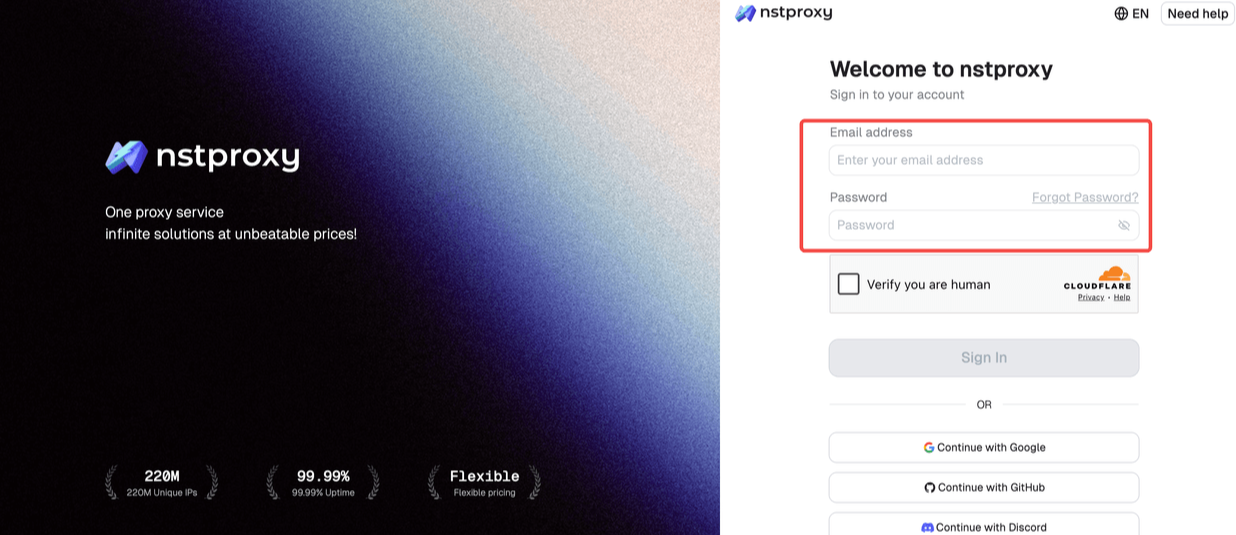
Step 1: Sign Up
Go to Nstproxy official, and then create your account using your email. Once registered, you’ll get access to your dashboard.
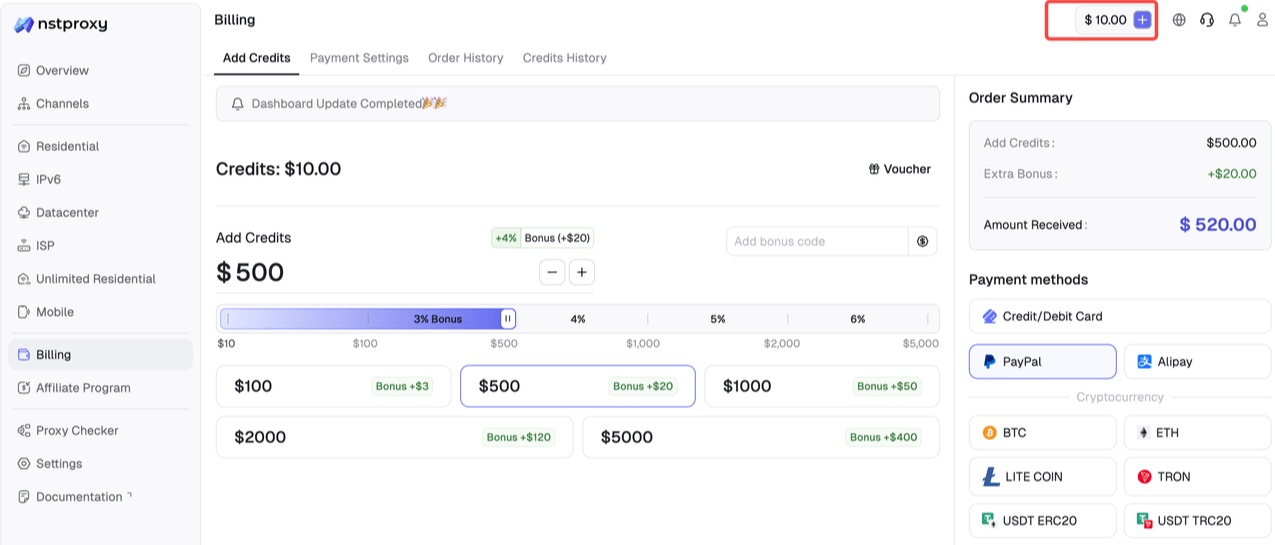
Step 2: Add Funds
Once you have registered, you can top up your balance before using proxies. Simple go to Dashboard > Billing tab. Alternatively, Nstproxy also supports a pay-as-you-go model, so you only pay for what you use.
Step 3: Choose Proxy Type
Next, select the proxy type that fits your needs by switching to the specific channel.
Step 4: Create a Channel
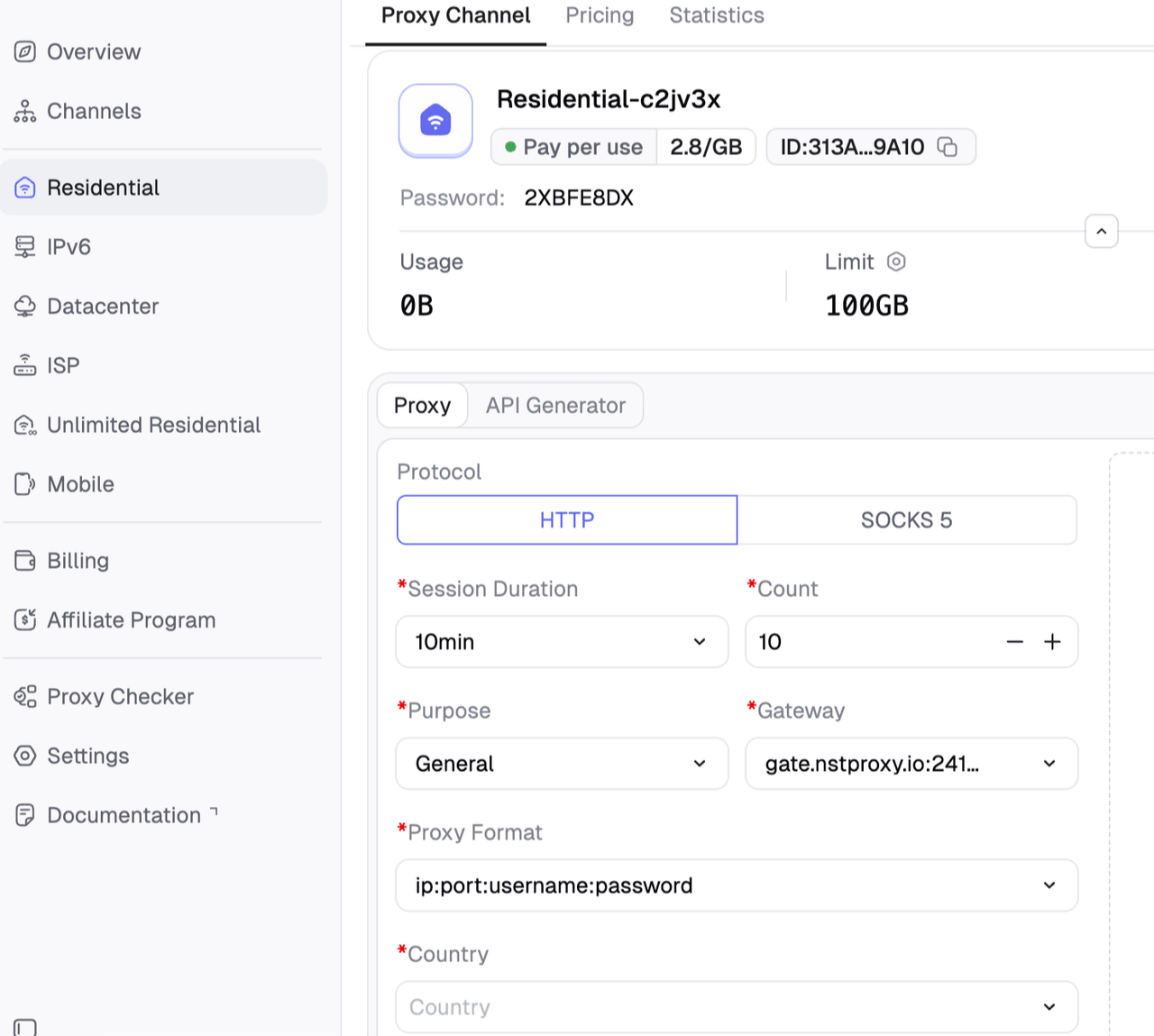
Then you can set up your Channel by choosing Country / Location; Session type (rotating or sticky); Protocol (HTTP / SOCKS5) and so on.
Step 5: Generate & Use Proxy
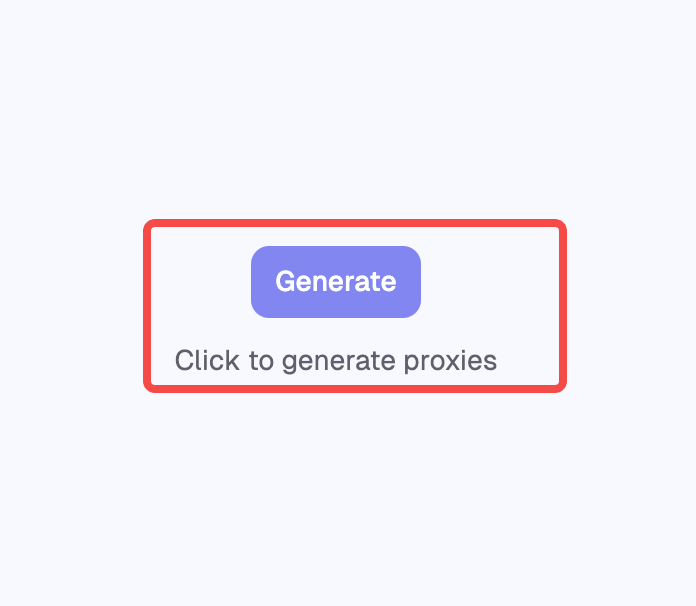
After creating a channel, generate your proxy credentials. You’ll get: Host/Port/Username/Password
Then connect using the provided residential IP
Step 6. Open Ticketmaster in a clean browser session
This will provide a safer and trusted browsing experience in competitive ticket sales.
4. Switch Browsers or Devices
Browser compatibility problems may make it difficult for Ticketmaster to load correctly.
Try:
Chrome
Firefox
Edge
Safari
Ticketmaster mobile app
Also try using another browser and you may find out that the issue is browser specific.
5. Disable Browser Extensions
Ad blockers, privacy tools and VPN extensions can disrupt Ticketmaster functionality without you even knowing it.
Steps:
Open your browser extension settings
Temporarily disable ad blockers, VPN plugins, and script blockers
Restart the browser
Reopen Ticketmaster
By disabling conflicting extensions many queue and check-out issues simply vanish.
6. Restart Your Internet Connection
During ticket sales, there can be a huge spike in demand, which is why stable internet is essential.
Recommended fixes:
Restart your router
Use Ethernet instead of Wi-Fi
Switch to mobile data if needed
Avoid public Wi-Fi networks
Close bandwidth-heavy applications
The stability of the queue can be affected by even small interruptions.
7. Avoid Aggressive Refreshing
One of the quickest things to jade the Ticketmaster security systems is to refresh too frequently.
Best practices include:
Use only one queue tab
Avoid repeated refreshing
Let the queue update automatically
Stay logged into one session
It's generally better to wait than to refresh.
Why Ticketmaster Blocks Some Users?
To stop scalping and automated software from abusing ticket sales, Ticketmaster employs highly sophisticated anti-bot systems.
The platform analyzes:
IP reputation
Browser behavior
Refresh frequency
Session consistency
Device fingerprints
Unfortunately, sometimes genuine users may be accidentally flagged. Shared IP addresses or datacenter VPN connections are particularly dangerous as these are often linked with automated traffic.
Can Proxies Help Access Ticketmaster More Reliably?
Sure, provided it is performed correctly. Proxies come in a variety of different kinds, and some can actually worsen your situation if they aren't the right kinds.
1. Residential vs. Datacenter Proxies
The major drawback of datacenter proxies is that they are more easily identified and likely to be blocked by anti-bot systems. The residential proxy service features proxies provided by real ISPs and looks like regular user traffic.
2. Why Residential Proxies Work Better
Residential proxies appear as genuine ones that any consumer should Internet connection, which means there's less detection, steadier queues, easier and more reliable access, and fewer CAPTCHAs. Nstproxy has a solid pool of residential IP addresses, and they are optimized for sites like Ticketmaster, giving you an edge at price drops.
3. Best Practices for Ticket Purchasing
The best time to log in is early, and it's important to have payment ready to go if you want to be successful. Always use a clean browsing session, close tabs, and to maintain a stable session from start to finish, use a stable residential IP.
How to Avoid Ticketmaster Problems in the Future
One of the best ways to avoid Ticketmaster issues is preparation.
Before major sales:
Update your browser
Clear cache and cookies
Disable unnecessary extensions
Verify your payment details
Test internet stability
Avoid suspicious browsing patterns
For those who buy tickets often, Nstproxy residential proxies have become the go-to solution as trusted residential IPs minimize detection risks and increase queue reliability during high-demand events.
FAQ
Q1. Why does Ticketmaster say "Pardon the Interruption"?
Typically, this notification is triggered by Ticketmaster's detection of suspicious traffic or user behavior emanating from your IP address.
Q2. Why is Ticketmaster queue frozen?
Common causes of queue freezes include a busy server, dropping internet connection, or problems with the browser.
Q3. Why is Ticketmaster not letting me buy tickets?
This can occur because of anti-bot detection, payment problems, expired sessions or ticket availability restrictions.
Q4. Does Ticketmaster block VPNs?
Yes. Datacenter VPNs are often blocked as they are linked to automated ticket purchasing activity.
Q5. Why does Ticketmaster think I'm a bot?
Multiple tabs, bot-like browsing habits, frequent refreshing or suspicious IP addresses can trigger bot detection systems.
Q6. Can residential proxies help avoid Ticketmaster blocks?
Yes. The use of residential proxies, such as Nstproxy, ensures that the IP addresses are more legitimate because they are provided by an internet service provider and are less likely to be discovered.
Q7. Is Ticketmaster down today or is it just me?
You can check outages via social media updates, outage tracking sites, and user forums reporting outages.
Conclusion
The question of why is Ticketmaster not working today generally revolves around three things: overloaded servers, browser conflicts, unstable Internet sessions, or anti-bot detection.
Many issues can be resolved easily with simple troubleshooting techniques, such as clearing the cache, disabling extensions, and refraining from excessive refreshing. But for people who regularly experience queue freezes and access limitations, stable residential IPs can be the solution.
Nstproxy's residential proxies are trusted ISP connections, guaranteed to maintain sessions, barely detected, and available across the globe, making them one of the best ways to keep access to Ticketmaster when it matters most.




 Then connect using the provided residential IP