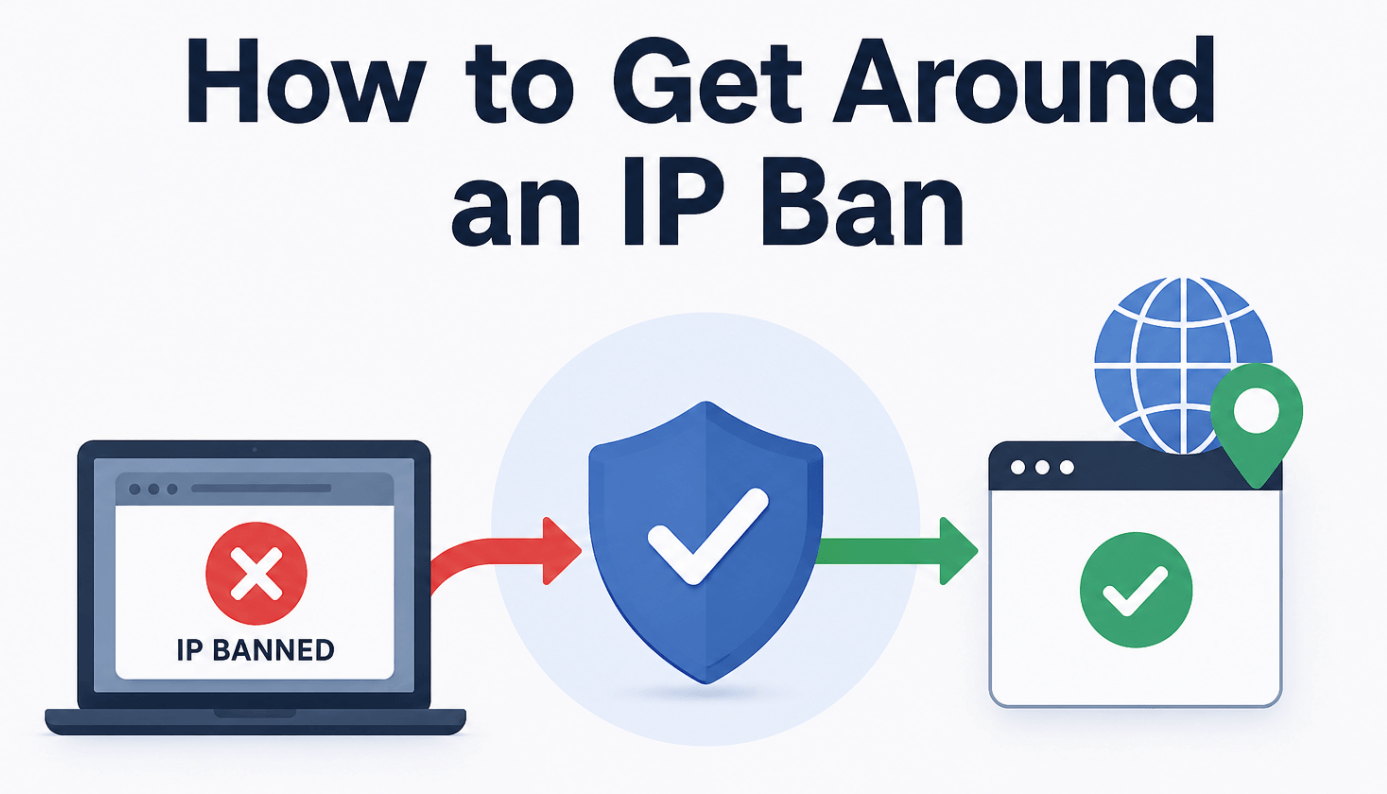
How to Get Around an IP Ban in Proven 8 Ways [2026]
"How do I bypass a IP ban, it was completely unfair ban, I have an alt account but it will ban my IP. VPN will not work because it's going to be detected.
My router is dynamic so it will reset the IP address if I reset it but I worry that if I do this it still be banned, if anyone can help thank you and if this is the wrong sub please correct me. "
-A reddit user
An IP ban can feel confusing because nothing looks “wrong” on your side. Your Wi-Fi works. Other websites load. Your browser seems normal. But one website, app, game server, marketplace, or dashboard suddenly refuses to open, shows a 403 error, blocks login, or keeps saying your connection is suspicious.
A common situation looks like this: a small e-commerce team checks competitor prices from the same office connection every morning. At first, pages load normally. Then the site starts showing CAPTCHAs. A few days later, the whole office IP gets blocked. Clearing cookies helps for one browser session, but the block returns because the real issue is the network IP and its behavior pattern.
That is the core of an IP ban: the service is not only looking at your username or device. It is also judging the IP address your traffic comes from.
This guide explains how to bypass an IP ban in a practical way, how to tell whether the problem is really IP-based, and when to use a VPN, mobile data, residential proxies, ISP proxies, or a provider like Nstproxy.
What Is an IP Ban?
Before understanding an IP ban, it helps to know what an IP address is. An IP address is your online network address, assigned to your internet connection so websites and apps know where to send data. It can also reveal network-level details such as your approximate location, internet provider, and whether the traffic comes from a residential network, datacenter, VPN, proxy, or mobile connection.
An IP ban happens when a website or platform blocks traffic from a specific IP address, which may cause login failures, CAPTCHA checks, or complete access denial.
The important detail is that an IP ban is not always the same as an account ban. If your account is banned, changing your IP may not restore access. If only your IP is blocked, switching to a cleaner network or proxy may solve the issue.
The site works on mobile data: If a website fails on your Wi-Fi but works when you switch to mobile data, your home or office IP may be blocked.
You see access errors: Common messages include 403 Forbidden, Access Denied, Too Many Requests, or “your IP has been blocked.”
Multiple accounts fail on the same network: If different users or accounts are blocked while using the same Wi-Fi, the issue is likely network-level.
Incognito mode does not fix it: Private browsing removes some local browser signals, but it does not change your public IP address.
The problem affects one site only: If your internet works normally but one platform refuses access, that platform may have blocked your IP.
Why Do IP Bans Happen?
IP bans usually happen because the platform sees a risk pattern. The IP itself may not be “bad,” but the behavior coming from it looks risky.
1. Too Many Requests From One IP
This is common in web scraping, price monitoring, SEO tracking, sneaker monitoring, ticket checking, and automated testing. If hundreds or thousands of requests come from one IP in a short period, the target site may block it.
2. Shared Network Abuse
Office Wi-Fi, school networks, public Wi-Fi, cloud servers, and shared VPN nodes can all be affected by other users. You may be blocked because someone else used the same IP before you.
3. Datacenter IP Detection
Some sites treat datacenter IPs as higher risk because they are commonly used for automation. Datacenter proxies are fast and affordable, but they can be easier to detect on strict platforms.
4. VPN or Proxy Reputation
Not all VPNs or proxies are equal. If an IP has been overused, blacklisted, or associated with spam, it may trigger blocks quickly.
5. Mismatched Identity Signals
If your IP says “New York,” your browser timezone says “Singapore,” your account history says “California,” and your login pattern changes every hour, the platform may flag the session.
6. Account or Device-Level Issues
Sometimes the IP is only one part of the problem. Cookies, browser fingerprint, device ID, login history, and account activity can all affect access.
How Does a Website Ban My IP?
Websites do not ban an IP randomly. They usually collect and evaluate multiple signals before applying a restriction.
1. They log your public IP address:Every time you visit a website, the server can see the public IP address your request comes from. If that IP creates risky patterns, it can be added to a blocklist.
2. They track request frequency: A normal user may open a few pages per minute. A scraper, bot, or overloaded tool may send hundreds of requests quickly. That difference is easy to detect.
3. They compare IP reputation: Websites may check whether your IP belongs to a residential network, mobile carrier, datacenter, VPN provider, or known proxy range.
4. They connect IPs with accounts: If many accounts log in from one IP, the site may treat that IP as suspicious, especially if those accounts behave similarly.
5. They combine IP data with browser data: Modern platforms do not rely only on IP. They may also analyze cookies, device fingerprint, user-agent, timezone, language, screen size, and login history.
6. They apply temporary or permanent rules: Some bans last minutes or hours. Others stay until the platform removes the IP from its internal blocklist.
How to Bypass an IP Ban-8 Workable Methods
The fastest ways to bypass an IP ban are:
Switch to mobile data or another trusted network.
Restart your router if your ISP gives dynamic IPs.
Clear cookies and cache to remove old session signals.
Use a reputable VPN for simple browsing blocks.
Use residential proxies for real-user-like IP access.
Use static ISP proxies for stable account sessions.
Rotate IPs carefully for scraping or monitoring.
Fix the behavior that triggered the ban, such as high request volume.
For business use, residential and ISP proxies are usually more flexible than basic VPNs because they give you better control over location, session duration, and IP rotation.
Method 1: Switch to a Different Network
The simplest test is to leave the blocked network.
Try opening the same site using:
Mobile data
A phone hotspot
A different Wi-Fi network
A separate office/home connection
If the site works on mobile data but not on your original Wi-Fi, the restriction is probably tied to the original IP.
This method is useful for quick diagnosis, but it is not ideal for ongoing work. Mobile data changes can be inconsistent, and you usually cannot manage country, city, session duration, or multiple workflows from one clean dashboard.
Method 2: Restart Your Router
Some home internet providers assign dynamic IP addresses. If yours does, restarting your router may give you a new public IP.
Basic steps:
Turn off your router. Then wait 5-10 minutes.
Turn it back on.
Search “what is my IP” and compare the new IP to the old one.
Test the blocked website again.
This works only if your ISP rotates your IP. Many providers keep the same address for days, weeks, or months. If the IP does not change, this method will not help.
Router resets are fine for one-time issues, but they are not reliable for teams, data collection, or repeated access problems.
Method 3: Clear Cookies, Cache, and Site Data
If you change your IP but keep the same old cookies, the website may still connect your new session to the blocked one.
Before testing a new IP, clear:
Cookies
Cache
Local storage
Site permissions
Old login sessions
In Chrome, you can go to:
Settings > Privacy and security > Third-party cookies > See all site data and permissions
Then search for the affected domain and delete its stored data.
This is especially useful when a site combines IP checks with browser-based signals. It will not remove a true account ban, but it can help when old session data keeps carrying the same risk marker.
Method 4: Use a VPN
A VPN changes the IP address visible to websites by routing your traffic through a VPN server. For simple blocks, a VPN can be enough.
A VPN works best when:
You only need casual browsing access
The website does not aggressively detect VPNs
You do not need many locations or session controls
You are not running automation or high-volume requests
The downside is that many popular VPN IPs are shared by thousands of users. That makes them easy to detect on stricter platforms. If you choose a free or overloaded VPN, you may move from one blocked IP to another.
A VPN is usually the easiest first option. But if your task needs stable sessions, cleaner reputation, city-level targeting, or scalable rotation, proxies are usually a better fit.
Method 5: Use Residential Proxies
Residential proxies route traffic through IPs connected to real home internet users, making the traffic appear more natural to websites than datacenter IPs or shared VPN servers. They are commonly used for web scraping, price monitoring, SEO tracking, ad verification, market research, localized content testing, and reducing CAPTCHA or 403 errors. Residential proxies can also help restore access when a shared office or public IP address has been blocked.
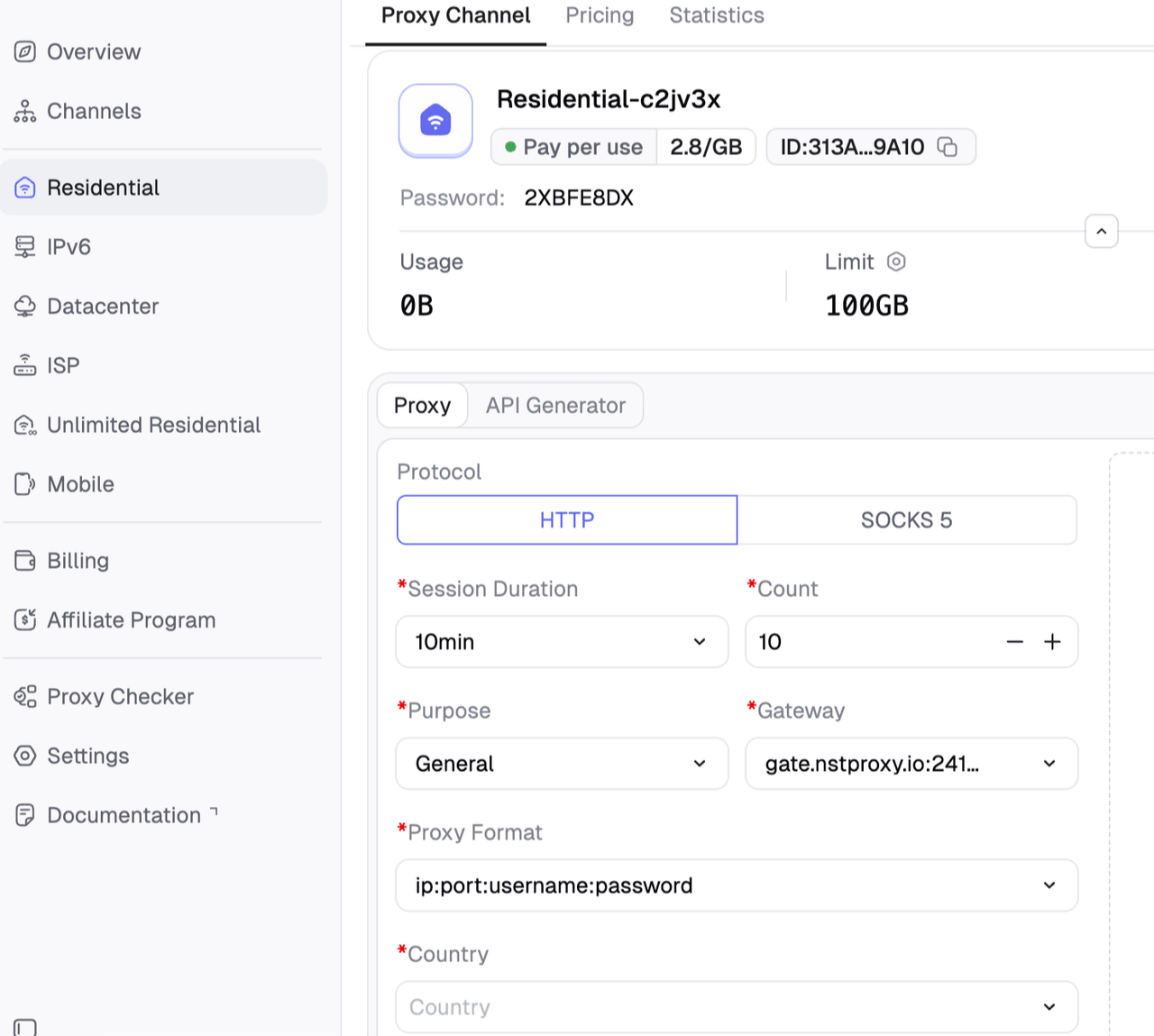
This is where Nstproxy fits naturally. Nstproxy offers residential proxies with broad geo coverage and HTTP(S)/SOCKS5 support, making it easier to test access from the right country or city while keeping sessions closer to real user behavior.
Nstproxy is a strong option when you need IPs that look less like generic server traffic and more like real user connections.
Clean & Reliable IP Resources: Nstproxy provides clean, high-quality IPs that help improve connection stability and reduce access issues on websites and platforms.
Multiple Proxy Types: Choose from residential, ISP, datacenter, IPv6, and mobile proxies to match different business and browsing needs.
Smart IP Rotation: Automatically rotate IPs to improve anonymity, reduce repeated requests, and support smoother online operations.
Real Residential & Mobile IPs: Use real-user residential and mobile IPs for more natural traffic behavior and a lower risk of detection.
Global IP Coverage: Access IPs from multiple countries and regions worldwide for localized browsing, testing, and global access.
Stable & Secure Connections: Enjoy fast, stable, and secure proxy performance with reliable uptime for daily business use.
Practical Nstproxy Setup Workflow:
Step 1: Confirm the ban is IP-based.
Try the site on mobile data. If it works there but not on your original Wi-Fi, the IP is likely the issue.
Step 2: Choose the right proxy type.
Pick Residential Proxies for rotation and access recovery. Pick ISP Proxies for stable account sessions.
Step 3: Match the location.
Use a country or region that makes sense for your account, business, or target website.
Step 4: Clear old browser data.
Remove cookies, cache, and site data so the old blocked session does not carry over.
Step 5: Add the proxy to your tool.
Use the Nstproxy endpoint in your browser, scraping tool, proxy manager, or automation setup.
Step 6: Start slowly.
Test a few pages first. Do not repeat the same high-volume pattern immediately.
Step 7: Monitor results.
Watch for CAPTCHA rates, 403 errors, login challenges, and request failures. Adjust proxy type or rotation speed if needed.
Method 6: Use Static ISP Proxies for Logged-In Sessions
Residential proxies are great for rotation, but not every task should rotate IPs frequently. If you are logging into accounts, managing dashboards, or keeping long sessions, a constantly changing IP can look suspicious.
That is where ISP proxies are useful.
ISP proxies combine two benefits:
They are hosted with strong network performance.
They are associated with internet service provider IP ranges, which can appear more trustworthy than normal datacenter IPs.
Use static ISP proxies when you need a stable and consistent IP for long-term use. They are ideal for maintaining one account or browser profile, keeping long login sessions active, reducing latency, and avoiding frequent IP changes. Static ISP proxies also provide a fixed country or region for a more reliable online environment.
Nstproxy isp proxies are designed for users who prefer stability over frequent IP rotation. They are a great choice for social media management, marketplace operations, account management, and QA testing, where maintaining a consistent IP identity is important.
If the IP ban happened because of high request volume, changing to one new IP may only solve the problem temporarily. The same behavior can get the new IP blocked again.
A better setup is controlled IP rotation.
Good rotation means:
Do not send all requests from one IP
Match rotation speed to the site’s sensitivity
Keep sessions consistent when logged in
Avoid changing IP in the middle of checkout, login, or account actions
Use country targeting that matches the account or task、
Add delays and realistic request spacing
Bad rotation means:
Changing IP every few seconds during one account session
Mixing countries randomly
Sending too many requests from each IP
Using low-quality free proxy lists
Ignoring cookies and browser fingerprints
Method 8: Fix the Behavior That Triggered the Ban
This is the part many guides skip. If you do the same thing from a new IP, you may get banned again.
Common behavior fixes include:
Slow down request speed
Reduce repeated login attempts
Avoid sending identical requests
Keep headers and browser behavior consistent
Use fewer accounts per IP
Match IP location to account location
Avoid switching countries too often
Use stable ISP proxies for important accounts
Use residential rotation for data collection instead of one static IP
For scraping, use a queue, random delays, retry logic, and request limits. For account access, use consistent browser profiles and avoid logging into the same account from multiple distant regions.
VPN vs Proxy vs Mobile Data: Which Works Best?
For simple browsing, a VPN may be enough, but proxies are often a better choice for more advanced tasks. Unlike VPNs that mainly offer shared server locations, proxy services like Nstproxy provide greater control over proxy type, country selection, session management, and IP rotation.
Method
Best For
Pros
Cons
Mobile Data
Quick testing
Easy, fast, often clean
Not scalable and hard to control
Router Restart
Home users
Free if your ISP rotates IPs
Often keeps the same IP
VPN
Simple browsing
Easy to install and use
Shared IPs are often detected
Residential Proxy
Scraping, research, access recovery
Real-user-like IPs and flexible targeting
Requires proxy setup
ISP Proxy
Stable sessions and account access
Consistent, fast, and trusted-looking
Less flexible than rotating residential pools
Datacenter Proxy
Speed and cost-sensitive tasks
Fast and affordable
Easier for strict websites to detect
Residential Proxy vs ISP Proxy: Which One Should You Choose?
Use Case
Recommended Proxy
Reason
Web scraping
Residential proxy
Rotation helps reduce repeated blocks
SEO rank tracking
Residential proxy
Supports location-based checking
Account login
ISP proxy
Stable IP reduces login friction
Long dashboard sessions
ISP proxy
Better for consistency
Market research
Residential proxy
Good for checking localized pages
Fast low-risk tasks
Datacenter proxy
Lower cost and high speed
Strict websites
Residential or ISP proxy
More natural than basic datacenter IPs
Mistakes to Avoid
Do not use free proxy lists: Free proxies are often slow, unsafe, and already blocked by many websites.
Do not rotate too fast: Changing IP too often during one session can look suspicious, especially for logged-in accounts.
Do not ignore cookies: A new IP with old blocked cookies can still trigger restrictions.
Do not mix too many accounts on one IP: This can make the IP look abnormal and increase the chance of another ban.
Do not repeat the same pattern: If high request volume caused the first ban, the same behavior can ban your new IP too.
Can Every IP Ban Be Bypassed? Not always. Some restrictions are not only based on IP.
Account bans may remain: If the platform blocks your account directly, changing IP may not restore access.
Device bans are different: Some apps track device IDs, hardware signals, or app installation data.
Browser fingerprints can persist: Even with a new IP, the same browser fingerprint may still connect the session to previous activity.
Payment or identity signals can matter: Marketplaces, apps, and platforms may also use phone numbers, emails, cards, or profile history.
An IP change is useful when the IP is the main problem. If multiple signals are involved, you need to fix the full environment.
Final Recommendation
If you only need a quick test, switch to mobile data. If you need simple browsing, try a VPN. But if you need reliable access, better location control, cleaner IP quality, and scalable workflows, proxies are the stronger option.
Nstproxy is a practical choice because it offers multiple proxy types for different needs: residential proxies for real-user-like rotating access, ISP proxies for stable sessions, and datacenter proxies for speed-focused tasks. If your goal is to restore access without constantly running into the same block again, start by diagnosing the ban type, choose the right IP source, clear old session data, and test gradually.
Yes, sometimes. A VPN changes your visible IP address, but many VPN IPs are shared and may already be detected or blocked.
Are proxies better than VPNs for IP bans?
For serious use, yes. Proxies offer better control over IP type, location, session behavior, and rotation. Residential and ISP proxies are usually stronger than basic VPNs for repeated access needs.
Which Nstproxy product should I use?
Use Nstproxy Residential Proxies for rotating access, scraping, SEO tracking, and market research. Use Nstproxy ISP Proxies for stable account sessions and long-term access.
Why am I still blocked after changing IP?
The website may also track cookies, browser fingerprint, account history, or device signals. Clear old site data and avoid repeating the same risky behavior.
Do IP bans go away?
Some IP bans expire automatically. Others can last longer, especially if the IP repeatedly triggered security rules.
Marcus Chen
Aug. 11th 2026
110M+ real IPs with 99.9% access success
Blazing-fast average response ~0.5s for high-concurrency tasks
From only $0.1/GB
Get immediate access to premium residential, datacenter, IPv6 and ISP proxy pools.