How to Bypass IP Ban When Scraping: A Practical 2026 Guide
Quick Takeaways
If your scraper gets IP banned, do not change proxies blindly. First confirm whether the block is IP-based, rate-based, fingerprint-based, account-based, or endpoint-specific.
For scraping, proxies usually work better than VPNs because they can support rotation, geo-targeting, session control, and larger-scale traffic distribution.
Residential proxies are usually the safest choice for high-risk public pages because they use real ISP-assigned IPs. Static ISP proxies are better when you need a stable IP for longer sessions.
Nstproxy is a strong fit for this use case because it offers residential, static ISP, datacenter, IPv6, unlimited residential, and mobile proxies in one platform, letting scrapers match proxy type to blocking risk.
The most reliable anti-ban setup combines clean IPs, slower request pacing, consistent headers, session-aware rotation, caching, and block-rate monitoring.
Introduction
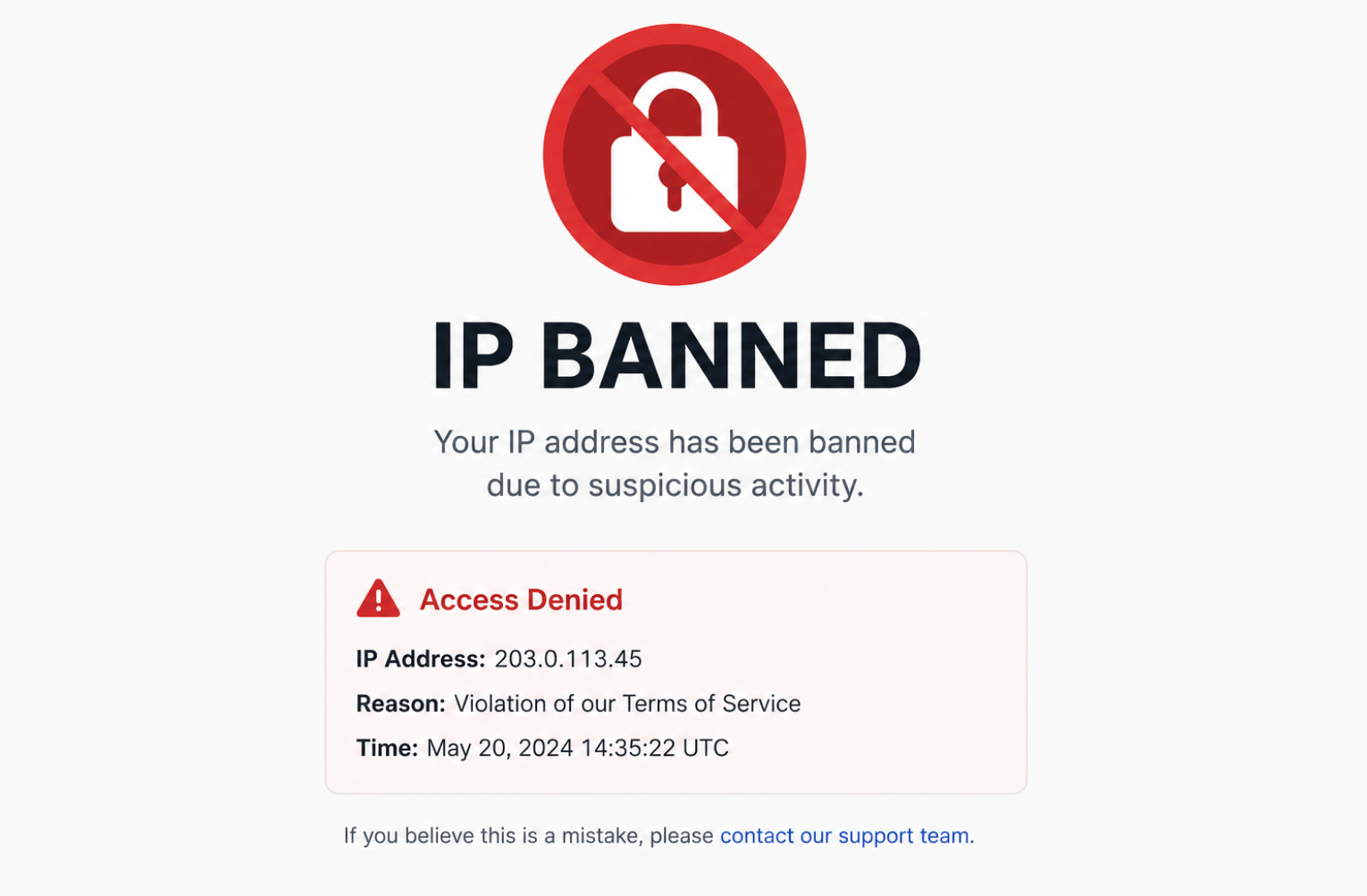
An IP ban is one of the most common problems web scraping teams run into. A scraper works during testing, collects a few hundred pages, then suddenly every request returns 403 Forbidden, 429 Too Many Requests, a CAPTCHA page, or a blank response. The first instinct is usually to buy more proxies or rotate IPs faster, but that is not always the right fix.
A Reddit thread shows why this topic is more complicated than "just use proxies." Developers in the discussion pointed out that simple delays between requests can help, while site operators said they often ban an entire netblock when request volume suddenly jumps. That is the real lesson: IP bans are rarely caused by the IP address alone. They happen when the IP, request rate, headers, session behavior, target endpoint, and traffic pattern all look wrong together.
This guide explains how to bypass or recover from an IP ban when scraping in a practical way: diagnose the block first, reduce the signal that caused it, then use the right proxy infrastructure for the job.
An IP address is the network identifier a website sees when your scraper sends a request. It tells the target server where the request appears to come from. When you scrape from your home connection, cloud server, office network, VPN, or proxy, the website can log that IP and associate it with request behavior.
An IP ban happens when a website blocks requests from a specific IP address or IP range. In scraping, this usually happens because the site detects behavior that looks automated, excessive, abusive, or inconsistent with normal browsing.
Common signs include:
Symptom
What It Usually Means
403 Forbidden
The site rejected your request or blocked your IP/session.
429 Too Many Requests
You exceeded rate limits from one IP or session.
CAPTCHA page
The site is suspicious but has not fully blocked you.
Redirect loop
The site is pushing your scraper into an anti-bot flow.
Empty or fake data
The site may be degrading responses instead of hard-blocking.
Works locally but fails on server
Your datacenter IP range may be blocked.
Works with browser but not script
Headers, cookies, TLS, or browser fingerprint may be the issue.
The important point: an IP ban is often the visible symptom, not the root cause.
Why Websites Ban Scraping IPs?
Websites do not ban IPs randomly. Most blocks happen because a scraper creates patterns that are easy to distinguish from normal users.
A scraper may send too many requests from one IP in a short period. It may hit product pages, search pages, or APIs in a predictable sequence. It may reuse the same headers across thousands of requests. It may access pages from a US IP while using cookies, language settings, or timezone signals from another region. Or it may come from a cloud hosting ASN that the site already treats as high risk.
That is why switching IPs alone sometimes works for a few minutes, then fails again. If the same scraper logic continues to create the same signals, every new IP will eventually be burned.
How Websites Detect IP-Based Scraping
Most modern sites use several layers of detection at the same time.
1. Request volume. If one IP sends hundreds of requests per minute, the site can throttle or ban it quickly.
2. IP reputation. Datacenter, VPN, and abused proxy IPs are easier to flag than clean residential or ISP IPs.
3. ASN and netblock patterns. Even if you rotate IPs, the target may notice that all traffic comes from the same hosting provider or subnet.
4. Geo mismatch. A US product page request from a US IP looks normal. A US IP with non-US language, timezone, and cookie history may look less natural.
5. Header inconsistency. Missing browser headers, outdated user agents, or impossible header combinations can expose automation.
6. Session behavior. Rotating IPs too often inside the same session can be just as suspicious as not rotating at all.
7. Endpoint abuse. Search pages, price APIs, availability endpoints, and checkout-like flows are usually more sensitive than static content pages.
How to Bypass IP Ban When Scraping
To bypass IP ban, try out the below methods:
Method 1: Reduce Request Speed Before Rotating IPs
The easiest way to burn proxies is to send too many requests too quickly. If your scraper gets blocked after a predictable number of pages, your first fix should be pacing.
A Reddit commenter in the top-ranking discussion said delays between requests can help because they reduce load and make traffic less suspicious. That advice is basic, but it is still one of the most overlooked fixes.
How to do it:
Add randomized delays instead of fixed sleeps.
Use exponential backoff after 403, 429, CAPTCHA, or timeout responses.
Lower concurrency per domain, not just globally.
Avoid retry storms when a page fails.
Crawl less sensitive pages faster and high-risk pages slower.
Example logic:
import random
import time
import requests
defpolite_get_with_backoff(url, session, max_retries=5):"""
Performs a GET request with exponential backoff, capped at 60 seconds.
""" base_delay =5# Initial delay in seconds max_delay =60# Maximum wait time capfor i inrange(max_retries): response = session.get(url, timeout=20)if response.status_code ==200:return response
if response.status_code in[403,429]:# Calculate exponential backoff and cap it at max_delay# The min() function ensures the delay never exceeds 60s delay =min(base_delay *(2** i), max_delay)+ random.uniform(0,1)print(f"Received {response.status_code}. Retrying in {delay:.2f} seconds (Attempt {i+1}/{max_retries})...") time.sleep(delay)else:breakreturnNone
This will not solve every block, but it prevents the most obvious "one IP hammering one site" pattern.
Method 2: Don Not Rotate IPs Randomly
IP rotation is useful, but random rotation can break sessions and create new detection signals. For example, if one cookie session jumps from Texas to Germany to India within three requests, that does not look like a normal user.
A better approach is to rotate by task type.
Use short rotation for stateless pages like public search results, listing pages, and non-login product pages. Use sticky sessions for workflows that require continuity, such as account dashboards, carts, multi-step forms, or pages where cookies matter.
Good rotation rules:
Scraping Task
Recommended Rotation
Public listings
Rotate every few requests or every page group.
Product detail pages
Rotate by batch or category.
Login/session pages
Use sticky IP sessions.
Search result scraping
Rotate more often and slow down.
API-like endpoints
Use strict backoff and lower concurrency.
Long-running monitoring
Use stable ISP proxies or sticky residential sessions.
The goal is not maximum rotation. The goal is believable, stable traffic distribution.
Method 3: Use High-Quality Residential Proxies for Risky Targets
When a site blocks cloud, VPN, or datacenter traffic aggressively, residential proxies are usually the strongest option. Residential proxies route traffic through real ISP-assigned IPs, so the request appears closer to normal consumer traffic.
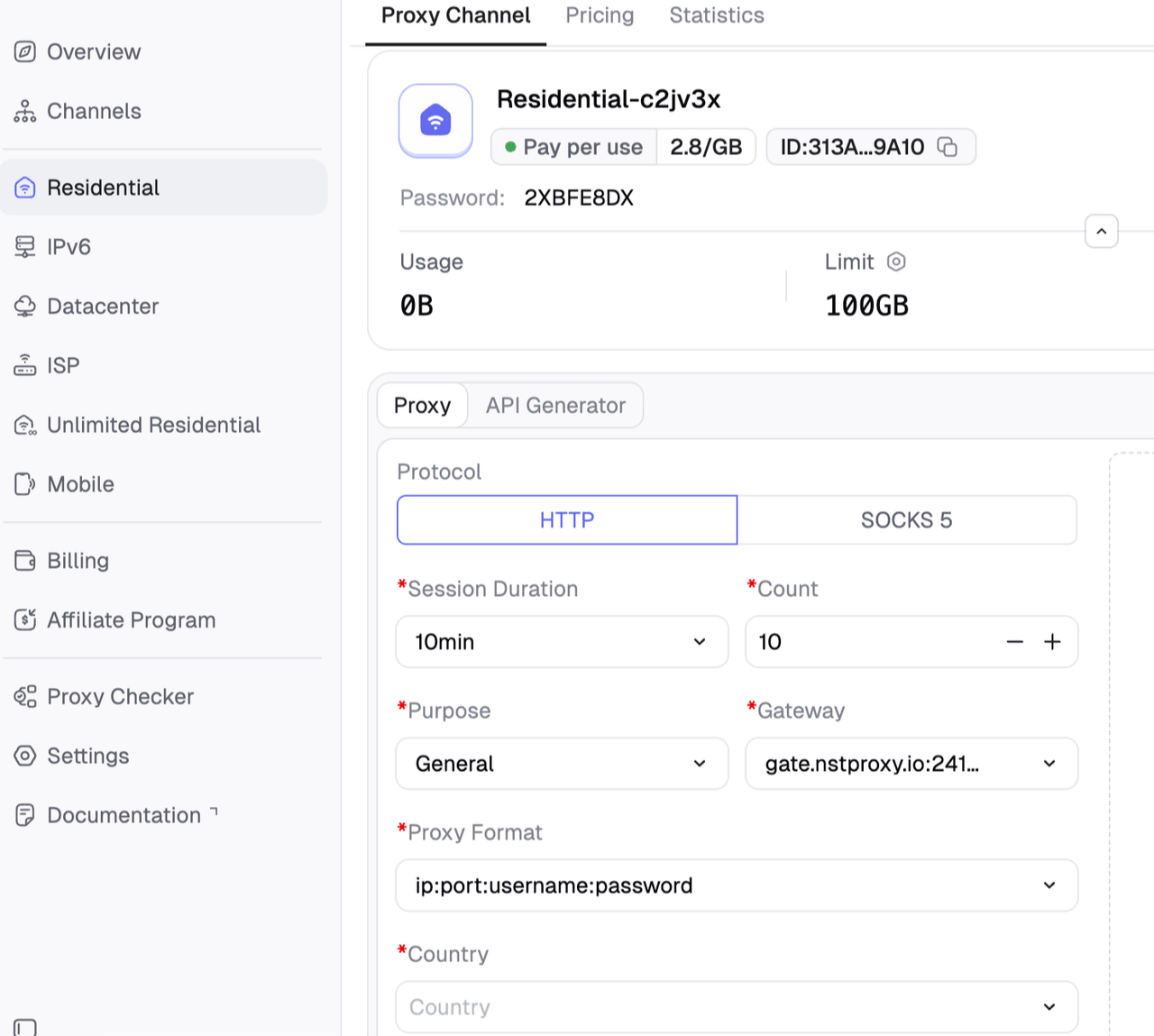
This is where Nstproxy residential proxies fit naturally. Nstproxy provides residential IPs sourced from real home networks across 190+ countries, with country, city, and ASN targeting, HTTPS/SOCKS support, automatic retries, and IP rotation. For scraping teams dealing with IP bans, the biggest advantage is not just having more IPs. It is being able to choose IPs that match the target market and rotate them without constantly rebuilding infrastructure.
Why choose Nstproxy residential proxies for IP-ban scraping:
- Real residential IP reputation: better suited for sites that distrust datacenter or VPN ranges.
- Large global pool: useful when scraping US pages, local marketplaces, travel sites, SERPs, or region-specific content.
- Precise targeting: country, city, and ASN filters help keep IP location aligned with the target page.
- Automatic retries and rotation: helps reduce manual proxy maintenance.
- HTTPS/SOCKS support: easier integration with common scraping stacks.
- Flexible pricing: useful for testing before scaling traffic.
How to use it:
Start with the country where the target content is meant to be accessed.
Use residential rotation for public pages that do not need a stable login session.
Keep request headers, language, timezone, and cookies consistent with the proxy location.
Track block rate by IP pool, target endpoint, and request volume.
Scale only after the block rate stays stable.
Method 4: Use Static ISP Proxies for Long Sessions
Residential rotation is not always the answer. Some scraping workflows need a stable IP. If the target site expects a continuous session, rotating too frequently may cause more blocks.
Static ISP proxies are useful here because they combine residential-like trust with datacenter-like stability. Nstproxy Static ISP Proxies are positioned for high-traffic and long-session scraping tasks, with ISP-sourced static IPs and unlimited bandwidth.
You want better trust than datacenter IPs but more stability than rotating residential IPs.
You are running lower-volume but long-duration scraping jobs.
For example, a price monitoring scraper may use Nstproxy residential proxies for broad discovery pages, then static ISP proxies for stable monitoring of selected URLs. This mixed setup often performs better than forcing one proxy type to handle every task.
Method 5: Avoid Burned or Low-Quality Proxy Pools
Cheap public proxies are one of the fastest ways to get banned. Many have already been abused, blacklisted, or shared by too many users. Even if they work for a few requests, they often fail under real scraping volume.
Signs of a poor proxy pool:
Signal
Why It Matters
High CAPTCHA rate on first request
The IP may already have bad reputation.
Many IPs from one ASN
Easy for sites to block at network level.
Frequent timeouts
Causes retry spikes and unstable scraping.
Same IP reused too often
Creates request concentration.
No geo/session control
Hard to keep traffic consistent.
For serious scraping, proxy quality matters more than proxy count. A smaller clean pool with good rotation rules can outperform a huge low-quality pool.
Method 6: Keep Headers, Cookies, and IP Location Consistent
Many scrapers rotate IPs but forget identity consistency. A request from a US residential IP should not carry headers, cookies, timezone, language, or browsing patterns from another region.
Keep these signals aligned:
Accept-Language
User-Agent
Timezone
Currency or locale settings
Cookies
Referrer flow
Session duration
IP geolocation
If you use a US proxy, your browser profile or request headers should look like a US user. If you rotate from one country to another, start a new session instead of reusing the same cookies.
Method 7: Separate High-Risk and Low-Risk Traffic
Not every page deserves the same proxy strategy. A homepage request, a product detail page, a search endpoint, and an availability API may have very different block thresholds.
A practical setup is to divide your scraper into traffic classes:
Traffic Type
Risk Level
Suggested Proxy Type
Static pages
Low
Datacenter or IPv6 proxies
Product/category pages
Medium
Residential proxies
Search pages
High
Residential proxies with slower pacing
Session-based pages
High
Static ISP or sticky residential
Mobile-only flows
Very high
Mobile proxies
Large-scale low-risk crawling
Low/medium
Datacenter, IPv6, or unlimited residential
Nstproxy is useful here because it offers multiple proxy products in one platform. You can use datacenter proxies for fast low-risk crawling, residential proxies for block-prone public pages, static ISP proxies for stable sessions, and mobile proxies for mobile-first environments.
Method 8: Monitor Block Rate Like a Production Metric
Many scraping projects fail because teams only notice bans after the job collapses. A better approach is to treat blocking as an operational metric.
Track:
Metric
Why It Matters
403 rate
Hard block indicator
429 rate
Rate limit indicator
CAPTCHA rate
Suspicion indicator
Pages per successful IP
Proxy pool health
Retries per URL
Scraper stability
Timeout rate
Network or proxy quality
Success rate by endpoint
Shows which pages are risky
Success rate by proxy type
Helps choose residential vs ISP vs datacenter
If your residential pool has a 95% success rate on product pages but only 50% on search pages, the issue may be endpoint behavior rather than proxy quality.
Method 9: Use Caching to Reduce Repeated Requests
Caching is one of the most underrated ways to avoid IP bans. If your scraper repeatedly requests the same URL, you are creating unnecessary risk.
Use caching for:
Product pages that rarely change
Category pages with stable pagination
Static HTML assets
Previously failed URLs
API responses with predictable update intervals
A simple rule: do not request the same URL again unless the data is likely to have changed.
This reduces cost, lowers proxy usage, and makes your traffic less aggressive.
Method 10: Check Official APIs and Public Datasets
Sometimes the best way to bypass an IP ban is to stop scraping the blocked endpoint. If a site offers an official API, data feed, sitemap, RSS feed, bulk download, or public dataset, that route may be cheaper and more stable than fighting blocks.
This does not mean APIs are always available or affordable. But checking them first helps you avoid building a fragile scraper when a cleaner path exists.
Proxy vs VPN vs Mobile Data: Which Works Best?
Option
Best For
Weakness
VPN
Manual testing, quick region checks
Limited rotation, often blocked, not ideal for scale
Datacenter proxy
Fast crawling on low-risk sites
Easier to detect on protected targets
Residential proxy
Public web scraping with higher trust needs
Costs more than datacenter proxies
Static ISP proxy
Long sessions, stable identity, monitoring
Less flexible than rotating residential pools
Mobile proxy
Mobile-first or very sensitive platforms
Higher cost and not always necessary
Web scraping API
Teams that want managed unblocking
Less control and may cost more at scale
For most scraping IP-ban problems, proxies are better than VPNs. VPNs are useful for manual debugging, but scraping requires rotation control, geo-targeting, session management, and pool-level monitoring. That is exactly where a proxy platform such as Nstproxy is more practical.
Bonus Tip: Confirm It Is Really an IP Ban
Before you change proxy providers or rewrite your scraper, run a simple diagnosis. Many scraping failures look like IP bans but are actually rate limits, JavaScript challenges, cookie issues, or fingerprint problems.
Test
How to Check
Meaning
Same URL from another clean network
Open the URL from a different IP or clean proxy
If it works, your original IP is likely blocked.
Same IP in a normal browser
Visit manually from the same IP
If browser works but script fails, fingerprint or headers may be the issue.
Lower request rate
Pause for 10-30 minutes and retry slowly
If access returns, the problem may be rate limiting.
Change endpoint
Try homepage, category page, and target API endpoint
If only one endpoint fails, the site may block that route.
Check response codes
Log 403, 429, redirects, CAPTCHA HTML
Different codes require different fixes.
A good scraper should log these signals automatically. Without logs, you are guessing.
Recommended Anti-Ban Workflow
For a production scraping project, use this workflow:
Classify the target pages. Separate static pages, listings, search pages, and session-based pages.
Log response signals. Track status codes, CAPTCHA pages, redirects, and empty responses.
Start slow. Use conservative request rates before increasing concurrency.
Choose the right proxy type. Residential for trust, ISP for stability, datacenter for speed.
Keep sessions consistent. Do not mix one cookie session across unrelated IP regions.
Add backoff. Slow down automatically after warning signals.
Cache aggressively. Do not fetch unchanged pages repeatedly.
Review block metrics weekly. Treat proxy performance as a measurable system.
FAQs
Q1. How do I know if my scraper is IP banned?
If the same URL fails from one IP but works from another clean IP, you may be IP banned. If it works in a real browser but fails in your scraper, the issue may be headers, cookies, JavaScript, or fingerprinting instead.
Q2. Can proxies bypass an IP ban when scraping?
Yes, proxies can help when the block is IP-based. However, they work best when combined with slower pacing, clean session handling, proper headers, and endpoint-specific rotation rules.
Q3. Are residential proxies better than datacenter proxies for scraping?
Residential proxies are usually better for protected or high-risk sites because they use real ISP-assigned IPs. Datacenter proxies are faster and cheaper, but they are easier for websites to detect and block.
Q4. Should I use a VPN to bypass an IP ban?
A VPN can help with manual testing, but it is usually not ideal for scraping. Proxies are better for scalable scraping because they offer rotation, geo-targeting, sticky sessions, and pool management.
Q5. Why do I still get banned after using proxies?
Your scraper may be sending too many requests, rotating IPs incorrectly, reusing inconsistent cookies, using suspicious headers, or hitting sensitive endpoints too aggressively. Proxy quality matters, but scraper behavior matters too.
Q6. Which Nstproxy product should I use for scraping IP bans?
Start with Nstproxy Residential Proxies if the target blocks datacenter or VPN IPs. Use Nstproxy Static ISP Proxies when you need stable long sessions. Use datacenter or IPv6 proxies only for low-risk, high-speed crawling.
Sum It Up
To bypass an IP ban when scraping, do not rely on one trick. Diagnose the block, slow down request patterns, rotate IPs intelligently, keep sessions consistent, and choose proxy types based on risk.
For most serious scraping workflows, Nstproxy residential proxies are the best starting point because they provide real residential IPs, broad geo coverage, precise targeting, rotation, and strong success rates. For long sessions, Nstproxy Static ISP Proxies are a better fit. Used together, they give scraping teams a cleaner way to recover from IP bans and prevent the next one.
Marcus Chen
Aug. 19th 2026
Experience Nstproxy - Start Your Free Trial Today
110M+ real IPs with 99.9% access success
Get immediate access to premium residential, datacenter, IPv6 and ISP proxy pools.
Blazing-fast average response ~0.5s for high-concurrency tasks