What Is Rotate IP & How to Rotate IP Address in 2026
Quick Takeaways
IP rotation means changing the IP address used for your internet connection or web requests.
For casual users, the easiest methods are restarting the router, switching networks, using mobile data, or using a VPN with rotating IP features.
For business, scraping, automation, SEO monitoring, ad verification, or geo-testing, rotating proxies are usually better than VPNs because they offer more control over location, session length, rotation rules, and scale.
Nstproxy is a strong choice for professional IP rotation because it offers residential, static ISP, datacenter, IPv6, unlimited residential, and mobile proxies in one platform.
Your IP address is one of the first signals websites use to recognize where a request comes from. For a normal user, changing it may be as simple as restarting a router or switching to mobile data. But for marketers, developers, QA teams, SEO specialists, and data teams, IP rotation is usually more than a privacy trick. It is a way to test regional access, reduce request concentration, keep sessions stable, and make traffic routing more reliable.
That is why the best way to rotate an IP address depends on the job. A VPN may be enough for personal browsing. A router reset may work for basic troubleshooting. But if you need controlled rotation for scraping, automation, ad verification, SEO monitoring, or geo-targeted testing, a proxy platform such as Nstproxy gives you more practical control over IP type, location, rotation timing, and session behavior.
What Does It Mean to Rotate an IP Address?
To rotate an IP address means to change the IP address that websites, apps, or servers see when you connect to them.
A simple example: if your home internet IP is 73.xxx.xxx.xxx today and your router receives a new one after restarting, your IP has changed. In a proxy workflow, rotation can happen much faster. A scraper, browser, or API client can send one request through one proxy IP and the next request through another proxy IP.
Manual rotation means you change the network yourself, such as restarting your router, switching from Wi-Fi to mobile data, or changing VPN servers.
Automatic rotation means a VPN, proxy rotator, or proxy platform changes the IP for you based on a schedule, request count, session rule, or location setting.
Why Rotate an IP Address?
People rotate IP addresses for different reasons.
A regular user may want more privacy while browsing. A QA tester may need to see how a product behaves from different regions. A developer may need to test rate limits or access controls in an authorized environment. A data team may need to scrape public pages without sending all requests from one IP. A marketer may need to verify localized ads or search results.
The Reddit share some information which reflects a real user pain point: someone testing a product wanted a VPN provider that could rotate IPs. That tells us the searcher is not always looking for theory. They want a working method.
The right method depends on the job. Rotating your home IP is enough for basic troubleshooting. A VPN is enough for simple privacy. But if you need repeatable, location-controlled, high-volume IP rotation, you need proxies.
How to Rotate an IP Address
Method 1: Restart Your Router to Get a New Dynamic IP
This is the simplest method for home users. Many internet service providers assign dynamic IP addresses, which means your public IP can change when your connection renews.
Steps to Restart Your Router and Get a New Dynamic IP
1. Disconnect your router
Turn off your router and unplug it from the power source.
2. Wait for a few minutes
Leave the router disconnected for at least 5–10 minutes. Some ISPs require a short delay before assigning a new IP.
3. Reconnect and restart
Plug the router back in and wait for the internet connection to fully restore.
4. Check your IP address
Visit an IP checker website like “WhatIsMyIP” to see if your public IP address has changed.
5. Repeat if needed
If the IP stays the same, try leaving the router off longer or contact your ISP to confirm whether they use dynamic IP allocation.
This method is easy, but it is not guaranteed. Some ISPs keep the same IP assigned to your connection for days or weeks. If your ISP uses sticky dynamic IPs or CGNAT, restarting the router may not change anything.
Method 2: Switch Networks or Use Mobile Data
Another simple way to change your IP is to switch networks. Moving from home Wi-Fi to mobile data gives you a different public IP. On a phone, toggling airplane mode may also refresh your mobile IP, depending on the carrier.
How to do it:
Disconnect from your current Wi-Fi network.
Turn on mobile data or connect to another network.
Check your current IP address using an IP checker tool.
If the IP hasn’t changed, enable airplane mode for 10–30 seconds, then turn it off.
Reconnect to the network and check your IP address again.
This is useful for quick testing. For example, if a site does not load on your home network but works on mobile data, the issue may be network-specific.
However, mobile data rotation is not precise. You usually cannot choose the exact city, carrier route, or session behavior. It is also not practical for business workflows.
Method 3: Use a VPN With Rotating IP Features
VPNs are popular because they are easy to install and route most device traffic through another location. Some VPNs include an IP rotator feature that changes your VPN IP at intervals.
Steps to Rotate IP Using a VPN
Choose a VPN provider that supports rotating or dynamic IPs.
Install and open the VPN application on your device.
Connect to a server location of your choice.
Enable the rotating IP feature if available.
Verify your new IP address using an online IP checker tool.
VPN rotation works well for personal privacy and general browsing. It is less flexible for scraping or automation because VPNs usually do not offer the same level of per-request control, sticky sessions, proxy pool selection, or city/ASN targeting as proxy services.
Method 4: Try Rotating Proxies|Recommend
Rotating proxies automatically change your IP address at set intervals or with every request, helping you avoid bans, rate limits, and detection while scraping or browsing at scale. If you're wondering how to rotate IP effectively, rotating proxies are one of the easiest and most reliable solutions for maintaining anonymity, improving request success rates, and accessing websites without interruptions.
Nstproxy are a good fit for this use case because they are designed for high-success-rate data access, broad geo coverage, and realistic user traffic. Nstproxy’s site lists residential proxies with 110M+ residential IPs, 190+ regions, country/city targeting, and a 99.98% success rate.
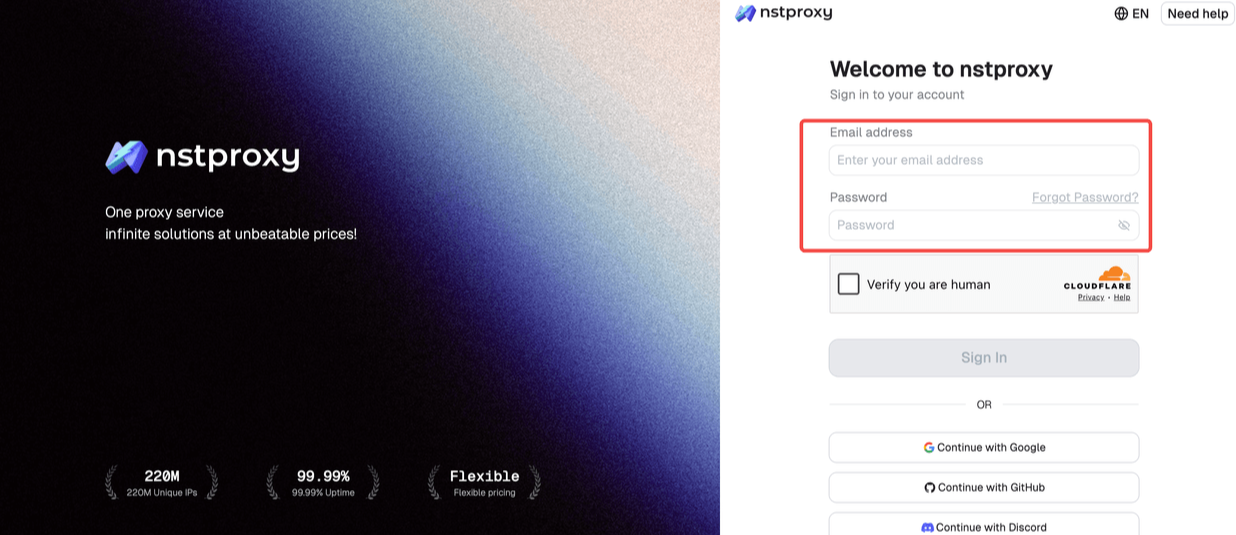
Go to Nstproxy official, and then create your account using your email. Once registered, you’ll get access to your dashboard.
Step 2: Add Funds
Once you have registered, you can top up your balance before using proxies. Simple go to Dashboard > Billing tab. Alternatively, Nstproxy also supports a pay-as-you-go model, so you only pay for what you use.
Step 3: Choose Proxy Type
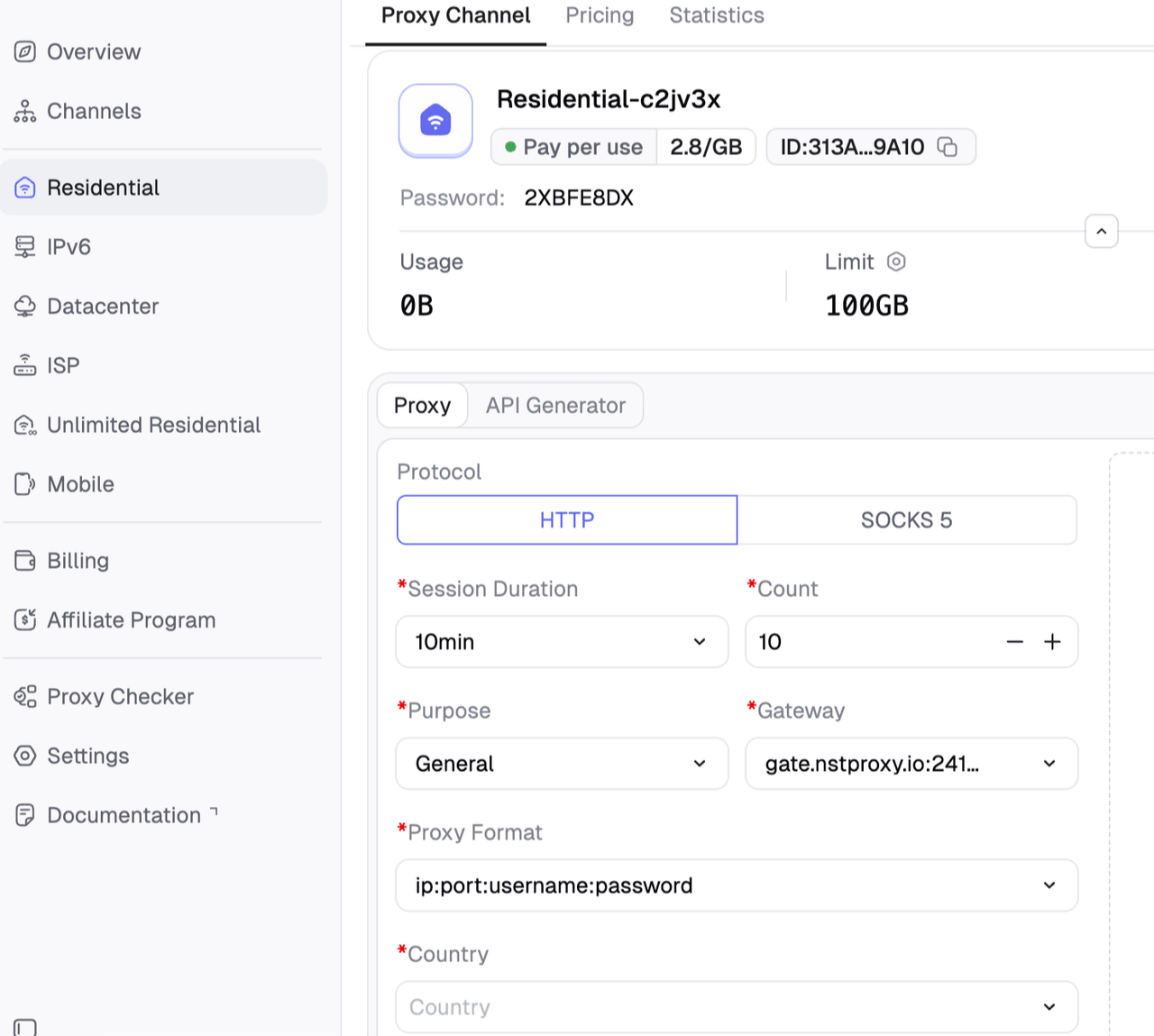
Next, select the proxy type that fits your needs by switching to the specific channel.
Step 4: Create a Channel
Then you can set up your Channel by
Choosing Country / Location;
Choose Session type as rotating;
Protocol (HTTP / SOCKS5) and so on.
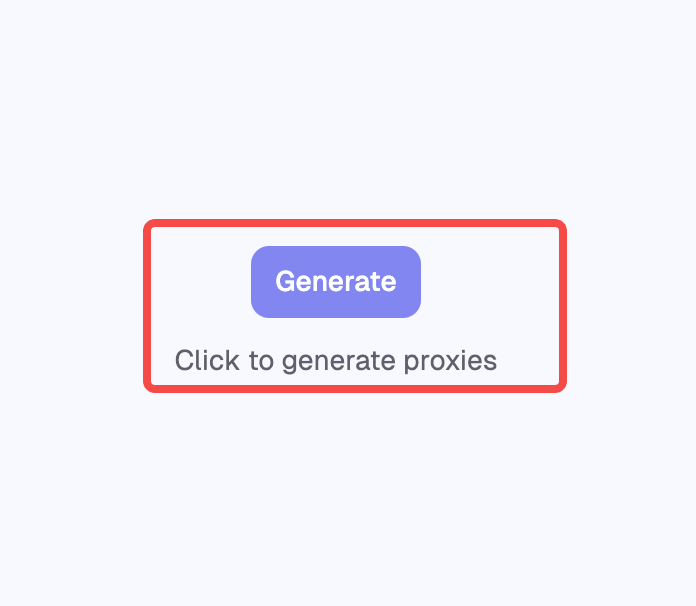
Step 5: Generate & Use Proxy
After creating a channel, generate your proxy credentials. You’ll get: Host/Port/Username/Password
Best for: Public web scraping, localized research, SEO tracking, ad verification, and sites that block datacenter IPs. Not ideal for: Very low-risk tasks where cheaper datacenter IPs are enough.
Nstproxy offers all of these options, which makes it easier to match proxy type to task instead of forcing one proxy type onto every workflow.
Proxy Type
Best For
Rotation Style
Residential proxies
High-trust public data access
Rotating or sticky
Static ISP proxies
Long sessions and account workflows
Mostly sticky
Datacenter proxies
Fast low-risk crawling
Rotating
IPv6 proxies
Large-scale low-risk tasks
Rotating
Mobile proxies
Mobile-first or sensitive targets
Sticky or controlled rotation
Method 5: Use a Proxy Rotator
A proxy rotator automatically routes requests through different proxy IPs. This is the most practical method for technical users who need repeatable IP rotation.
Instead of manually changing networks, you configure your browser, script, scraping tool, or automation system to send traffic through a proxy endpoint. The provider then rotates the exit IP based on your settings.
How to do it:
Choose a proxy provider.
Select the proxy type: residential, ISP, datacenter, IPv6, or mobile.
Choose the target region.
Decide whether you need rotating or sticky sessions.
Add the proxy endpoint to your browser, scraper, or tool.
Track success rate, latency, blocks, and CAPTCHA frequency.
This is where a platform like Nstproxy becomes useful. Nstproxy provides multiple proxy types in one platform, including residential, static ISP, datacenter, IPv6, unlimited residential, and mobile proxies. Its official site highlights HTTP(S)/SOCKS5 support, IP rotation, automatic retries, country/city/ASN targeting, and use cases like data scraping, ad verification, SEO monitoring, network testing, account management, and automation.
Best Method by Use Case
Use Case
Best Method
Change IP once at home
Restart router
Change phone IP
Switch networks or toggle mobile data
Personal privacy
VPN with IP rotation
Product testing from multiple regions
Rotating residential proxies
Web scraping
Residential proxies or datacenter proxies, depending on target risk
SEO rank tracking
Residential proxies with geo-targeting
Ad verification
Residential or mobile proxies
Account management
Static ISP proxies
High-volume low-risk automation
Datacenter or IPv6 proxies
Security testing in an authorized lab
Controlled proxy rotation or approved testing tools
This example shows the basic structure. In a real workflow, you would also configure location, session type, and rotation rules inside your proxy settings or provider dashboard.
Common IP Rotation Mistakes
The biggest mistake is rotating IPs too fast. If one browser session jumps across countries every few seconds, that may look unnatural.
Another common mistake is using a poor-quality proxy pool. Cheap shared proxies, free proxies, and abused VPN IPs are often already blocked.
A third mistake is ignoring session consistency. Cookies, language, timezone, and IP location should match. A US IP with unrelated region signals may create unnecessary risk.
Finally, many users do not track results. If you do not measure success rate, CAPTCHA rate, latency, and block rate, you will not know whether your rotation strategy is working.
Method
How It Works
Best For
Pros
Cons
Restart Your Router
Power-cycles your modem/router and may request a new dynamic IP from your ISP.
Basic troubleshooting, one-time IP refresh, home users.
Free, simple, no third-party tool required.
Not guaranteed to change your IP; no location control; not scalable; slow manual process.
Switch Networks or Use Mobile Data
Moves traffic from Wi-Fi to another network, such as mobile carrier data.
Quick testing, checking whether a block is network-specific, changing IP on a phone.
Fast, easy, often gives a different IP immediately.
Limited control; mobile data costs may apply; not practical for automation or large-scale workflows.
Use a VPN
Routes traffic through a VPN server and replaces your visible IP with the VPN server’s IP.
Personal privacy, full-device protection, simple region switching.
Easy to use; encrypts traffic; works across many apps; good for non-technical users.
Shared VPN IPs are often detected; limited rotation control; weaker for scraping, account tasks, and precise geo-targeting.
Use a Proxy Rotator
Sends requests through a rotating proxy endpoint that changes IPs based on rules.
Developers, scrapers, QA testers, SEO tools, ad verification, automated workflows.
Supports automated rotation; can control country, session length, and request routing; better scalability than VPNs.
Requires setup; proxy quality varies by provider; bad rotation rules can still trigger blocks.
Uses a pool of residential, ISP, datacenter, IPv6, or mobile proxies that rotate automatically or stay sticky by session.
Professional scraping, market research, SEO monitoring, account management, and geo-targeted testing.
Most flexible; supports rotating and sticky sessions; better IP diversity; can match proxy type to risk level.
Usually paid; requires choosing the right proxy type; overkill for one-time IP changes.
FAQs
Q1. What does it mean to rotate an IP address?
Rotating an IP address means changing the IP address used for internet requests. This can happen manually through a router, mobile network, or VPN, or automatically through a proxy rotator.
Q2 What is the easiest way to rotate my IP address?
The easiest method is restarting your router or switching from Wi-Fi to mobile data/turn on the airplane mode. However, this does not always guarantee a new IP address.
Q3. Is a VPN good for IP rotation?
A VPN is good for personal privacy and simple location switching. For scraping, automation, SEO monitoring, and large-scale testing, rotating proxies are usually more flexible.
Q4. What is the best proxy type for IP rotation?
Residential proxies are best when trust and lower block rates matter. Static ISP proxies are best for stable sessions. Datacenter and IPv6 proxies are best for fast, low-risk tasks.
Q5. Can Nstproxy rotate IP addresses?
Yes. Nstproxy supports rotating and sticky proxy workflows across residential, ISP, datacenter, IPv6, unlimited residential, and mobile proxy products.
Q6. How often should I rotate my IP address?
It depends on the task. Stateless scraping may rotate every few requests, while account sessions should use sticky IPs. Rotating too often can look unnatural.
Q7. Is IP Rotation Legal?
IP rotation itself is generally a neutral technology. It can be used for privacy, testing, localization, cybersecurity research, scraping public data, and business operations. The legality depends on what you do with it, the target website’s rules, and the laws in your jurisdiction.
For normal business use, the practical rule is simple: rotate IPs to improve reliability, privacy, and testing quality, not to abuse platforms, attack systems, or bypass account penalties.
Final Recommendation
If you only need to change your IP once, restart your router or switch networks. If you want personal privacy, use a VPN with rotating IP features.
If you need professional IP rotation for scraping, automation, SEO monitoring, ad verification, QA testing, or account workflows, use a proxy platform.
For that use case, Nstproxy is one of the strongest options because it gives you residential, ISP, datacenter, IPv6, unlimited residential, and mobile proxies in one place. Residential proxies are the best starting point for trusted IP rotation. Static ISP proxies are better for long sessions. Datacenter and IPv6 proxies are better for speed and cost efficiency on low-risk tasks.
The best IP rotation strategy is not simply “change IPs often.” It is choosing the right IP type, rotation timing, session length, and location for the task.
Build a real open-source visual workflow builder for AI agents: a React Flow canvas paired with a verified topological-sort execution engine, tested end to end with real captured output.
Ivy Lin
Aug. 24th 2026
110M+ real IPs with 99.9% access success
Blazing-fast average response ~0.5s for high-concurrency tasks
From only $0.1/GB
Get immediate access to premium residential, datacenter, IPv6 and ISP proxy pools.