How to Find All Webpages on a Website Without Missing Key URLs
The best way to find all webpages on a website is to combine several sources, not trust one tool. Start with XML sitemaps, then crawl internal links, check Google-indexed URLs, review analytics or server logs, and compare against archived or exported URL lists. This guide is for SEO teams, site owners, developers, content auditors, and data teams that need a reliable inventory. You will learn which methods work, where each method fails, and how to build a repeatable workflow. For larger websites, Nstproxy can support compliant crawling and monitoring by giving teams controlled proxy infrastructure and cleaner location testing.
Key Takeaways
No single method finds every webpage on a website.
XML sitemaps are the fastest starting point, but they may be incomplete.
Crawlers find linked pages, while logs reveal pages users or bots actually hit.
Google search operators show indexed pages, not all live pages.
Nstproxy helps when large-scale audits require stable, policy-aware crawling.
Comparison Summary: 8 Ways to Find Website Pages
The fastest method depends on your access level. Public visitors can use sitemaps, search operators, and crawlers. Site owners can also use Search Console, analytics, CMS exports, and server logs.
Use the table as a workflow, not a menu. The strongest answer to how to find all webpages on a website is to combine at least three sources.
How to Find All Webpages on a Website
Method 1: Check XML Sitemaps
XML sitemaps are the fastest first source. They are designed to list important URLs for search engines, which makes them useful for audits.
The sitemap standard defines URL files that can include location, last modified date, change frequency, and priority. Sitemaps.org documents the protocol used by major search engines. Google also explains that sitemaps help search engines discover pages and understand site structure in Google Search Central.
Use this process:
Try /sitemap.xml and /sitemap_index.xml.
Open every sitemap index file.
Export every <loc> URL.
Normalize trailing slashes, parameters, and protocols.
Record lastmod dates when available.
This step is fast, but it is not complete. Some sitemaps omit noindex pages, expired pages, faceted URLs, landing pages, or orphan pages.
Method 2: Review Robots.txt for Sitemap Clues
Robots.txt often points to sitemap files that are not obvious. Open /robots.txt and look for Sitemap: directives, crawl rules, and disallowed paths.
Google's robots.txt documentation explains how site owners can manage crawler access. See Google Search Central robots.txt before running large scans.
Check these items:
Sitemap URLs listed in the file.
Disallowed folders that may still contain pages.
Subdomain-specific robots files.
Crawl-delay or policy notes.
Robots.txt is not a page inventory. It is a discovery map and a compliance signal.
Method 3: Crawl the Website From Internal Links
A crawler finds pages by following internal links. For how to find all webpages on a website at scale, this is the most useful method for structure, status codes, titles, canonicals, depth, and internal link paths.
Tools like Screaming Frog, Sitebulb, or custom scripts can crawl a site from the homepage. Developer teams may use Python, Playwright, Scrapy, or similar tools.
Start with the homepage, then add seed URLs from sitemaps, navigation, category pages, and high-value folders. Export all discovered URLs with status codes, canonical tags, and crawl depth.
Method 4: Use Google Search Operators
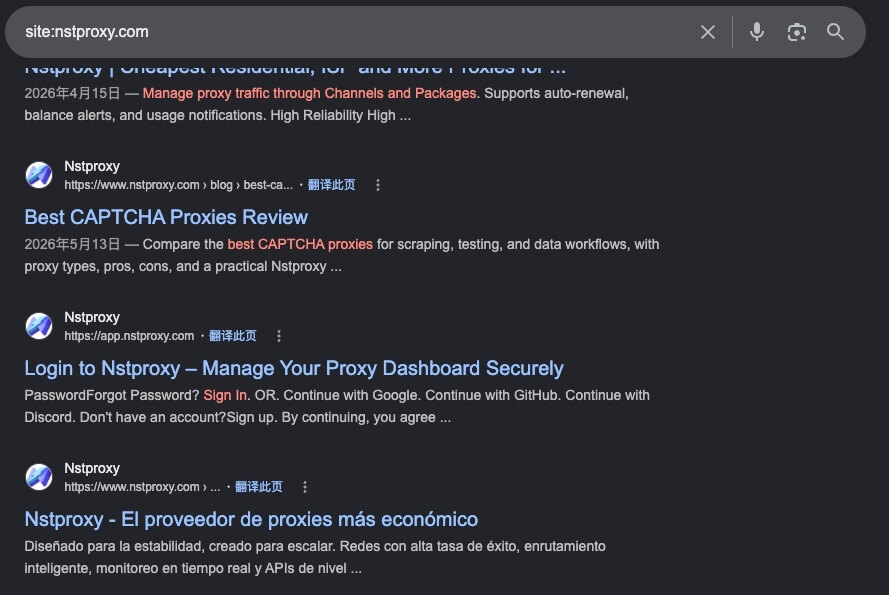
Google can show pages that are indexed, but it cannot prove a page does not exist. Use site:example.com to review indexed URLs, then compare them with your sitemap and crawler exports.
This method helps answer a narrower question: "Which pages from this site are visible in Google?" It is useful for old content, accidental indexation, subdomain checks, and migration audits.
Use search operators carefully:
site:example.com shows indexed URLs.
site:example.com/blog narrows to a folder.
site:sub.example.com checks a subdomain.
site:example.com inurl:pdf finds indexed PDFs.
If the goal is how to find all webpages on a website, treat Google results as one evidence source. They do not replace a crawl.
Method 5: Use a Link Extractor for Important Pages
A link extractor is useful when you need links from one page. It can capture navigation links, footer links, category links, and internal references from a specific URL.
Use it on:
Homepage and main navigation pages.
Blog index and category pages.
Product category pages.
Documentation hubs.
HTML sitemaps.
This method is quick, but limited. It finds links on selected pages, not all pages across the domain. Use it to enrich your crawler seed list.
Method 6: Use Google Search Console
Search Console is one of the best owner-level sources. It can show indexed URLs, sitemap-submitted URLs, discovered pages, and coverage problems.
Use Search Console to export:
Indexed pages.
Not indexed pages.
Submitted sitemap URLs.
Pages with redirects.
Soft 404 and crawl issue URLs.
Search Console is Google-focused, not server-complete. It may miss private pages, blocked pages, or low-traffic URLs that Google has not discovered.
Method 7: Check Logs, Analytics, and CMS Exports
Owner-only data often reveals pages that public crawlers miss. Server logs show requests from users, bots, tools, and search engines. Analytics shows pages with visits. CMS exports show pages stored in the content system.
These sources are especially useful for:
Orphan pages with no internal links.
Old campaign landing pages.
Parameter URLs and filtered pages.
Pages blocked from search but still visited.
Deleted URLs that still receive bot traffic.
The best process is to export URLs from logs, analytics, CMS, sitemap, crawler, and Google. Then merge them into one table.
Use a consistent template:
Field
Example
URL
https://example.com/page/
Source
Sitemap, crawl, log, CMS, Google
Status code
200, 301, 404
Indexability
Indexable, noindex, blocked
Canonical
Self, another URL, missing
Last seen
Date
Action
Keep, redirect, update, remove
This merged view creates a real URL inventory, not just a crawl report.
Method 8: Render Dynamic Pages and Audit Orphan URLs
Dynamic sites need extra care because many pages are generated by filters, search results, scripts, or API-driven navigation. A basic crawler may miss pages that appear only after interaction.
Use JavaScript rendering when the website relies on client-side routing. Check XML sitemaps for generated pages. Review internal search results only if the site's policies allow it. Compare canonicals and noindex tags to avoid counting duplicates as unique pages.
Common hidden-page sources include:
Pagination and infinite scroll.
Filtered category pages.
Locale or currency versions.
Tag pages and author archives.
PDF, image, and file URLs.
Old landing pages without navigation links.
Nstproxy's BeautifulSoup parsing guide can help teams choose the right technical approach for parsing discovered pages.
Why Use Nstproxy to Find All Webpages on a Website?
Finding all pages on a website can be challenging, especially on large websites with dynamic content and anti-bot protections. Nstproxy fits large-scale URL discovery when teams need stable routing, location testing, or monitoring across public sites.
Nstproxy helps businesses, SEO professionals, and researchers discover website pages more efficiently through its reliable proxy network.
1. Access More Website Pages:Residential IPs help uncover pages that may not be visible through standard connections.
2. Avoid IP Blocks: Rotate IPs automatically to reduce the risk of rate limits, CAPTCHAs, and bans.
3. Crawl from Multiple Locations: Access geo-specific pages and localized content from different countries.
4. Improve Crawling Efficiency: Support large-scale website crawling with stable and fast connections.
5. Enhance SEO and Research: Collect comprehensive website data for SEO audits, competitor analysis, and market research.
Nstproxy helps teams avoid fragile free proxies and build predictable research workflows.
Use several sources together: XML sitemaps, a website crawler, Google site: searches, Search Console, server logs, analytics, and CMS exports. Then merge and deduplicate the URLs.
Q2. Is there a way to search an entire website?
Yes. Use site:example.com in Google for indexed pages, or use an internal site search if available. For a complete inventory, combine search with crawling and owner data.
Q3. How do I get a list of all links on a webpage?
Use a link extractor, browser developer tools, or a crawler. This finds links on one page, not every page on the full website.
Q4. Can a sitemap show every page on a website?
Sometimes, but not always. Sitemaps may omit orphan pages, noindex pages, old landing pages, parameter URLs, or files that still exist on the server.
Q5. Should I use proxies to crawl a website?
Use proxies only for compliant crawling, monitoring, and testing. Respect robots.txt, use rate limits, and avoid putting unnecessary load on the target server.
Conclusion
The reliable answer to how to find all webpages on a website is source stacking. Start with sitemaps. Crawl internal links. Check Google-indexed URLs. Add Search Console, logs, analytics, CMS exports, and archives when you have access. Then deduplicate, verify status codes, and label each URL by source.
For small sites, one crawler and a sitemap may be enough. For large or distributed audits, Nstproxy can support cleaner, controlled discovery workflows. The goal is not just a long URL list. The goal is a trusted inventory that helps teams migrate, audit, monitor, and improve the website.